The Best Alternative to Prezi AI is Unni.ai: Choosing the Right AI presentation software for Educational Content
Prezi's zooming canvas distracts audiences. See why Unni.ai is the top Prezi alternative for structured, AI-powered educational presentations.
Navigating the modern landscape of digital education requires tools that prioritize cognitive clarity over pure visual novelty. If you are evaluating the current market for AI presentation software, you are likely weighing the cinematic, motion-heavy approach of Prezi.ai against the instructional precision of Unni.ai. While Prezi’s signature zooming canvas is famous for delivering non-linear visual journeys, trainers and educators require a fundamentally different system for efficient Course Creation. This guide breaks down why Unni.ai serves as the premier alternative for generating logically structured AI slides that keep learners focused, organized, and free from motion distraction.
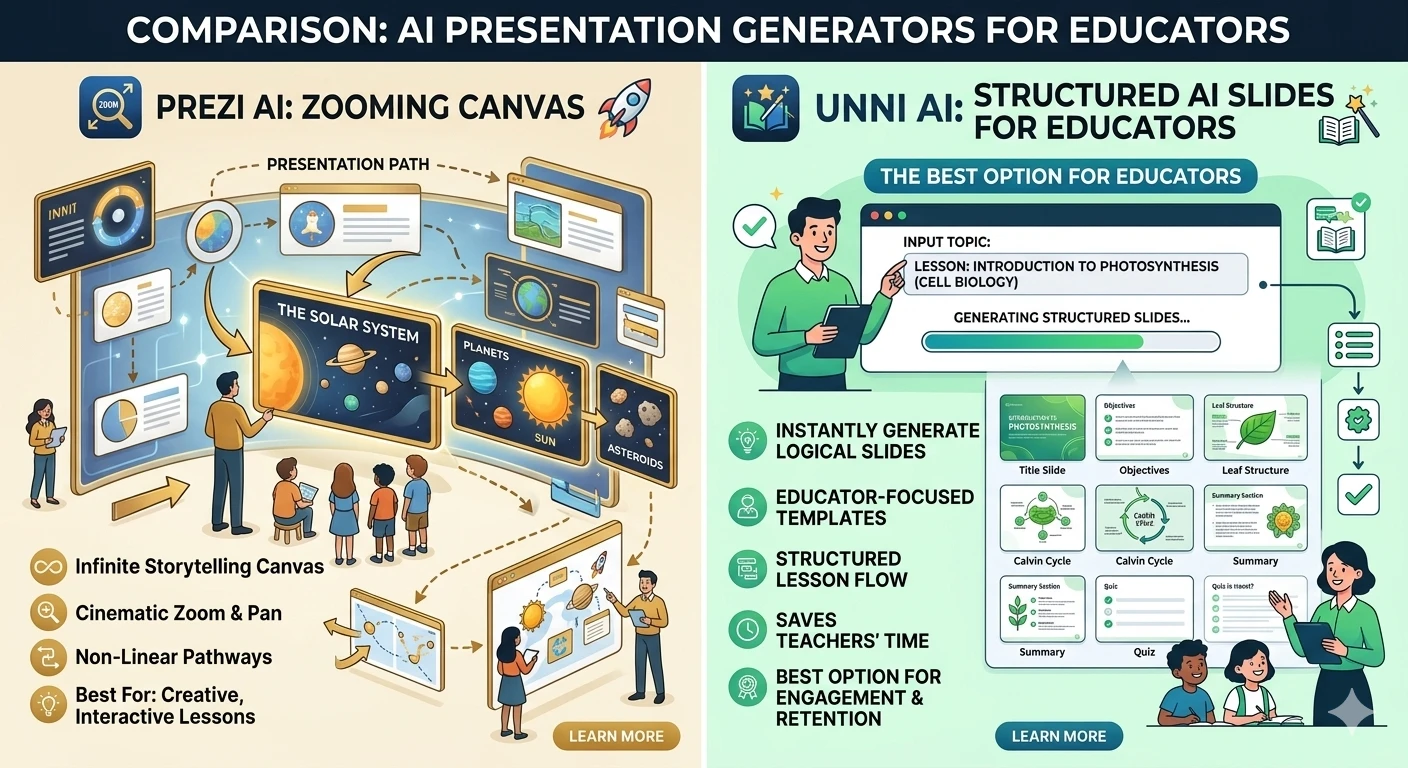
Prezi has built a strong reputation as a highly dynamic, non-linear presentation tool. It excels at helping public speakers and creative teams build visually arresting, motion-heavy presentations. Conversely, Unni.ai has emerged as the premier alternative for professionals who need structured, pedagogically sound content without the dizzying motion graphics. This comprehensive guide evaluates how both platforms perform across modern educational, instructional, and corporate training workflows.
The Shift to Specialized AI presentation software
For teachers, instructional designers, and corporate trainers, time efficiency is directly tied to the quality of the learning materials they can produce. Generalist design platforms often treat presentations as a cinematic or spatial canvas. While this is highly effective for keynote speeches or marketing summits, it introduces significant friction when you need to produce structured lessons or compliance training quickly.
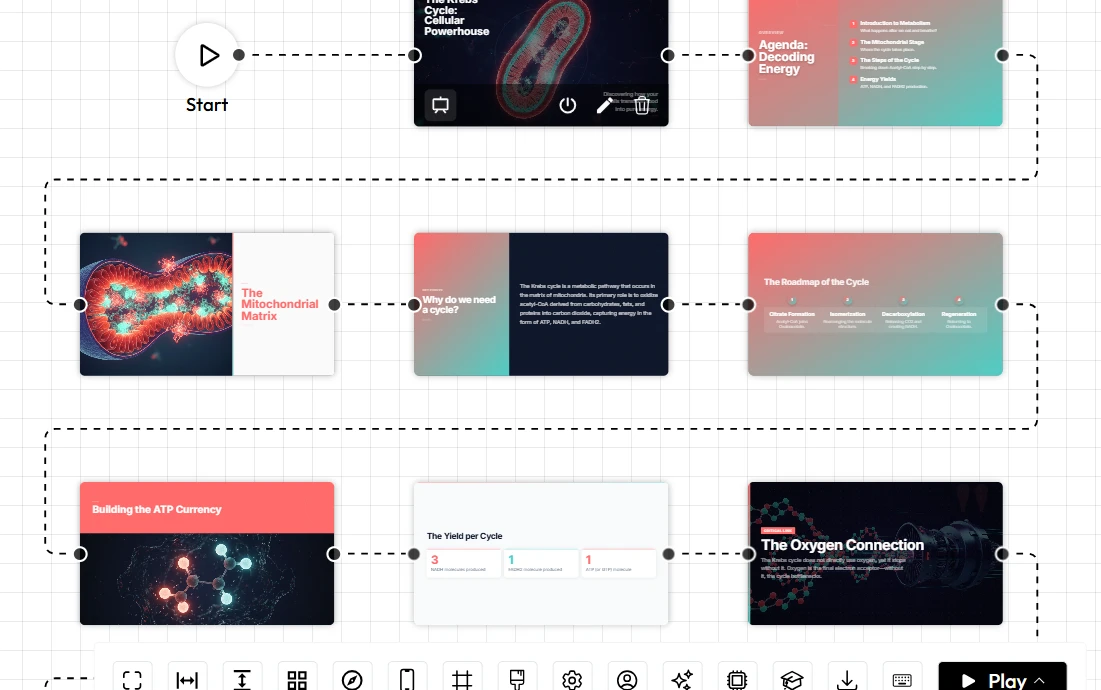
Prezi AI operates primarily as a spatial storytelling partner. It uses AI models to arrange your content onto an infinite canvas, creating pathways that zoom in and out of specific topics. The user provides a prompt or outline, and Prezi.ai generates a non-linear flow. The focus is on movement, spatial relationships, and visual engagement.
Unni.ai approaches the challenge from a purely instructional perspective through advanced presentation automation. Instead of focusing on spatial motion and zooming graphics, it acts as an intelligent curriculum architect. You supply the core concepts, raw notes, full documents, or learning objectives. The AI engine then automatically determines the optimal instructional layout, cognitive pacing, and visual structure. This minimizes the time spent tweaking animation paths, allowing professionals to focus strictly on content fidelity, Course Creation, and educational value.
Comparing the Workflows: How Both Platforms Generate AI slides
To provide an objective and clear overview of how these platforms stack up, the following matrix breaks down their core capabilities across ten crucial operational categories.
| Category | Prezi.ai | Unni.ai |
|---|---|---|
| Ease of Use | Moderate, requires spatial planning | High, prompt-driven structural formatting |
| presentation automation | Generates zooming canvas layouts | Generates structured educational modules |
| AI Quality | Excellent for visual mapping and transitions | Excellent for semantic, context-aware layouts |
| Collaboration Features | Standard workspace sharing | Real-time collaborative editing for teams |
| Educational Workflows | Can be distracting for simple learning | Highly tailored for teaching and training |
| Lesson Planning Support | General outlining capabilities | Automated curriculum and syllabus structuring |
| Template Flexibility | Heavy reliance on spatial themes | High rule-based, fluid instructional layouts |
| Speed and Productivity | Fast for mapping big ideas | Rapid generation of complex training materials |
| Learning Curve | Steeper due to the non-linear format | Near-zero technical onboarding |
| Best Audience Fit | Keynote speakers and marketers | Educators, trainers, and instructional designers |
Core Feature Breakdown and Workflow Differences
Presentation Automation and AI Quality
The definition of AI assistance serves entirely different goals within these two platforms. In Prezi.ai, the AI features are built around organizing text and images into a mind-map structure that looks visually impressive when navigated. If you need a quick presentation about a massive global ecosystem where zooming into details is conceptually relevant, Prezi.ai builds a beautifully styled canvas. However, if you need to paste a highly technical document and turn it into a readable step-by-step training module, the platform can overwhelm the viewer with unnecessary motion.
Unni.ai builds content dynamically based on pedagogical needs rather than spatial effects. Its intelligent software understands the semantic relationship between your dense text and the visual layout required to teach it clearly. When you input complex training information, the system generates custom structures tailored to that specific data. It breaks down walls of text into bullet points, comparison tables, and highlight boxes. If you add more information to a slide, the surrounding elements adapt fluidly according to programmatic design rules, maintaining readability at all times.
Educational Workflows and Course Creation Support
For instructional designers, presentation creation is deeply tied to broader curriculum development and robust Digital Experience Creation. Prezi.ai offers visually striking motion graphics, but it treats an educational deck the same way it treats a high-energy sales pitch. The user must constantly manage the zoom paths to ensure the viewer does not lose the thread of the lesson. Furthermore, the constant motion can be distracting for students attempting to take notes or focus on core concepts.
Unni.ai functions effectively as a dedicated tool for educational professionals. The platform features specialized engines designed to support structured lesson planning. By entering a syllabus outline, the system automatically organizes the content into clear learning modules, definitions, practical examples, and review summaries. It streamlines the creation of comprehensive educational pathways, allowing trainers to build complete course decks without wrestling with transition animations. Furthermore, these highly organized slide decks serve perfectly as the visual foundation for subsequent multimedia projects, allowing trainers to easily integrate their work into an Interactive video platform.
Speed, Productivity, and the Learning Curve
Both platforms are faster than starting from absolute scratch, but they optimize for different finish lines. Prezi.ai gets you to a highly polished, cinematic presentation relatively quickly, provided you are willing to learn how to navigate its canvas and adjust the zooming pathways to your liking.
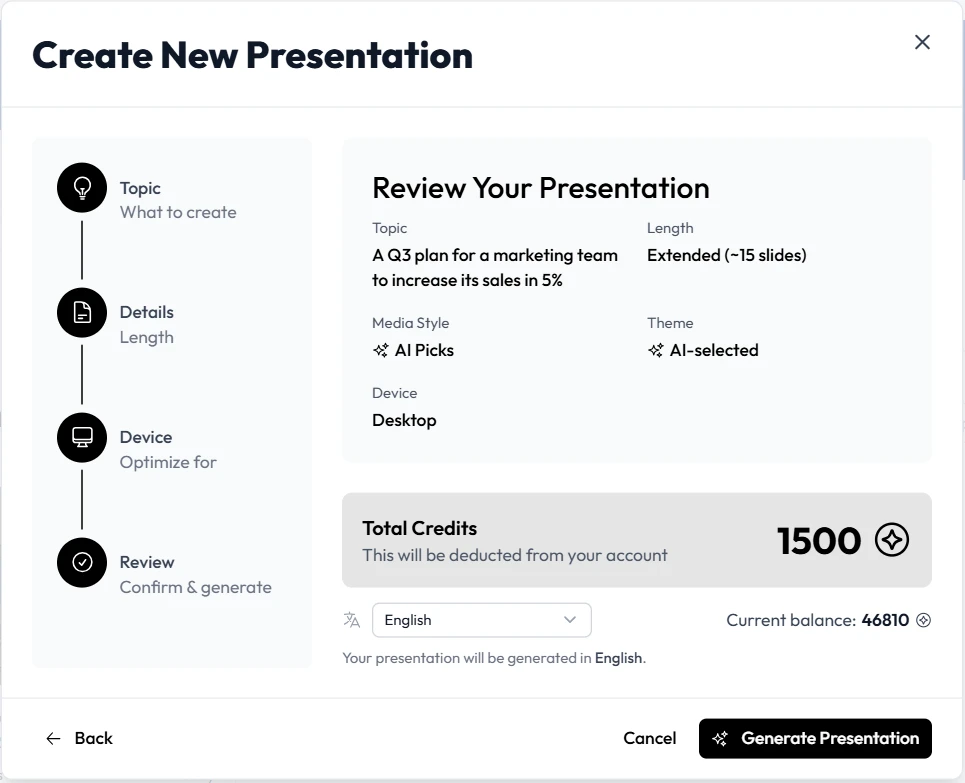
Unni.ai prioritizes rapid turnarounds for information-dense projects. The user interface is clean, minimal, and driven by natural language inputs focused on outcomes. Because the design system manages alignment, color harmony, and structural spacing specifically for readability, technical onboarding time is essentially non-existent. A corporate training team can generate an accurate, presentation-ready compliance deck during a brief meeting. This drastically shortens the review and iteration cycle that normally plagues instructional design departments.
Collaboration Features and Team Scalability
When working across academic departments or corporate training teams, robust collaboration and standardized formats are critical. Prezi.ai allows for sharing and co-editing, but the non-linear nature of the canvas means that multiple users editing at once can accidentally disrupt the spatial flow or the zoom paths of the presentation.
Unni.ai offers streamlined collaboration built around modern cloud workflows and structured content blocks. Users can share live editing links, allowing multiple team members to refine prompts, adjust educational blocks, and review generations simultaneously without breaking the layout. The platform is designed with high-volume Course Creation in mind, ensuring that educators and instructional design teams can scale their output predictably.
Best Audience Fit and Use-Case Analysis
To maximize the utility of your software investments, you must align your specific daily responsibilities with the platform design philosophy that best supports them.
When to Choose Prezi AI
Prezi is highly effective when your work requires a spatial, non-linear approach to storytelling. It is the appropriate tool if you regularly create:
- Keynote speeches for large conferences where visual novelty is required.
- Mind-mapping sessions that need to be presented to a group.
- Sales pitches that rely heavily on big-picture concepts and dramatic zooming effects.
- Presentations where the relationship between macro and micro topics is the main focus.
When to Choose Unni.ai
Unni.ai excels when your main objective is to communicate complex information clearly, sequentially, and without distraction. It is the ideal platform if you are:
- A school teacher needing to balance daily classroom instruction with rapid lesson planning.
- An instructional designer building structured modules for online learning platforms and Digital Experience Creation.
- A corporate trainer tasked with turning technical manuals or text documents into polished, professional training materials on a tight deadline.
- A content creator needing perfectly organized base materials to export into an Interactive video creator workflow.
Feature Checklist for Decision Makers
Before making a final decision on your toolset, consider this quick checklist to evaluate which platform aligns with your operational goals:
- Do you need a highly linear, structured flow? Unni.ai provides clear, sequential learning modules.
- Are you presenting a mind map or spatial concept? Prezi.ai is built for infinite canvas exploration.
- Do your students or trainees need to take notes easily? Unni.ai offers static, highly readable layouts that prevent motion distraction.
- Are you building a comprehensive curriculum? Unni.ai features specific tools for educational structuring.
- Do you need predictable collaboration for a large team? Unni.ai allows multiple users to edit content blocks without breaking complex animation paths.
Conclusion: Emphasizing Educational Outcomes Over Motion Graphics
The choice between these two powerful platforms ultimately depends on whether you view content creation as a spatial storytelling challenge or an instructional design challenge. Prezi.ai remains an excellent, highly creative tool for keynote speakers and marketers who need to quickly synthesize a visually arresting mind map to capture an audience’s attention.
However, for modern educators, trainers, and instructional designers, relying on a motion-heavy storytelling tool for structured curriculum development introduces unnecessary complexity. If you want to streamline your digital content production pipeline, utilizing specialized AI presentation software is the necessary strategic move. By choosing a platform focused on generating highly structured AI slides, you eliminate mechanical animation tasks and motion sickness risks. This empowers you to elevate your true core competency: delivering clear, impactful, and highly effective educational experiences.
Frequently Asked Questions
Can I export my generated presentations to other standard formats?
Yes. While both platforms operate entirely in the cloud, professional environments require flexibility. Unni.ai provides clean exports to standard presentation formats. This ensures that your generated AI slides remain accessible and editable within legacy tools if your broader organization still relies on offline software or traditional learning management systems.
Does Unni.ai require design skills to create professional presentations?
Absolutely not. The core objective of Unni.ai is to remove the design barrier entirely for educators. By handling spatial alignment, contrast rules, and typographic pairing automatically through intelligent layout logic, the platform enables anyone to generate clean, professional content using simple text descriptions and document uploads.
Can I use my own brand colors and logos within these tools?
Yes. Both platforms understand the need for brand consistency. Unni.ai allows users to establish specific visual themes and brand parameters. This ensures that the automated generation engine respects your school colors or corporate branding rules throughout the entire generation process, keeping your training materials looking unified.
How does Unni.ai assist with complex lesson planning compared to a zooming canvas?
A zooming canvas like Prezi.ai requires you to manually map your lesson structure across a spatial area, ensuring the camera moves logically from point A to point B. Unni.ai allows you to paste raw educational text, outlines, or ideas directly into the prompt engine. The platform then parses that data to automatically build a cohesive presentation sequence complete with clear visual summaries, conceptual definitions, and logical module transitions. This linear approach is fundamentally better suited for step-by-step cognitive retention.