AI for Learning and Development Teams: The Complete Guide to Presentation Automation
The complete guide for L&D teams on using AI to automate training content. Learn how to scale presentation production and reduce manual design work.
Learning and Development (L&D) teams are currently facing a “content crunch.” As organizations pivot toward rapid upskilling, trainers and instructional designers are expected to produce high-quality materials at a speed that traditional manual workflows simply cannot match. Enter presentation automation.
By integrating an AI presentation generator into your workflow, you can bridge the gap between complex training data and engaging visual storytelling. This guide explores how educational AI is reshaping the corporate training landscape, allowing professionals to focus on human-centric coaching rather than pixel-pushing.
Why L&D Teams are Shifting to AI-Driven Workflows
Traditional slide creation is often the largest bottleneck in the instructional design process. Research suggests that L&D professionals spend up to 40% of their time on administrative and design tasks that do not directly contribute to learning outcomes. Presentation automation changes this dynamic by handling the structural and aesthetic heavy lifting.
With educational AI, the goal isn’t just to work faster; it is to work smarter. Tools like Unni.ai allow teams to input raw training manuals or meeting notes and transform them into structured, visually cohesive decks in seconds.
The Impact of AI for Teachers and Trainers
-
Reduced Burnout: Automation removes the repetitive task of formatting bullet points and aligning images.
-
Consistency: Unni.ai ensures every presentation adheres to brand guidelines and pedagogical standards.
-
Scalability: Rapidly iterate on course content to meet the needs of different departments without starting from scratch.
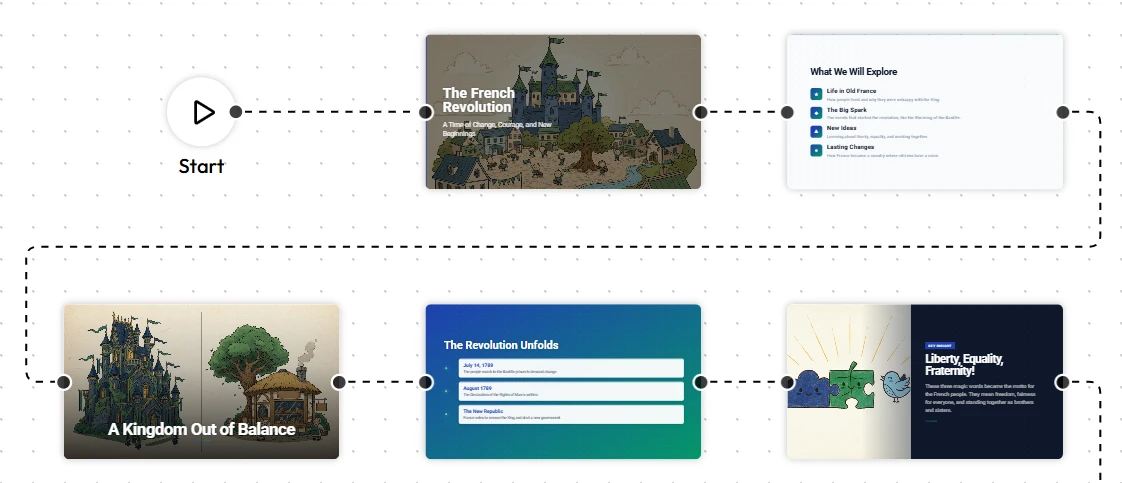
Step-by-Step: Implementing an AI Presentation Generator in Your Training
Transitioning to an AI-assisted workflow requires a shift in how you approach lesson planning. Follow these steps to maximize the utility of Unni.ai.
1. Define Your Learning Objectives
Before opening Unni.ai, clarify the “why.” AI is most effective when given a clear objective. Whether it is a compliance update or a leadership workshop, having a defined goal helps the educational AI prioritize the most relevant data points.
2. Prepare Your Source Material
One of the strongest features of Unni.ai is its ability to ingest diverse data types. You can provide:
-
Raw text outlines
-
Research papers
-
Transcripts from subject matter expert (SME) interviews
3. Generate and Refine
Use the AI presentation generator to create the initial draft. Within Unni.ai, you can select specific styles, such as professional for corporate, or vibrant for classroom settings. The paltform will then map your content to a logical flow.
4. Human-in-the-Loop Review
AI provides the foundation, but L&D professionals provide the nuance. Review the generated slides in Unni.ai to ensure the tone matches your organizational culture and that the specific technical terminology is accurate.
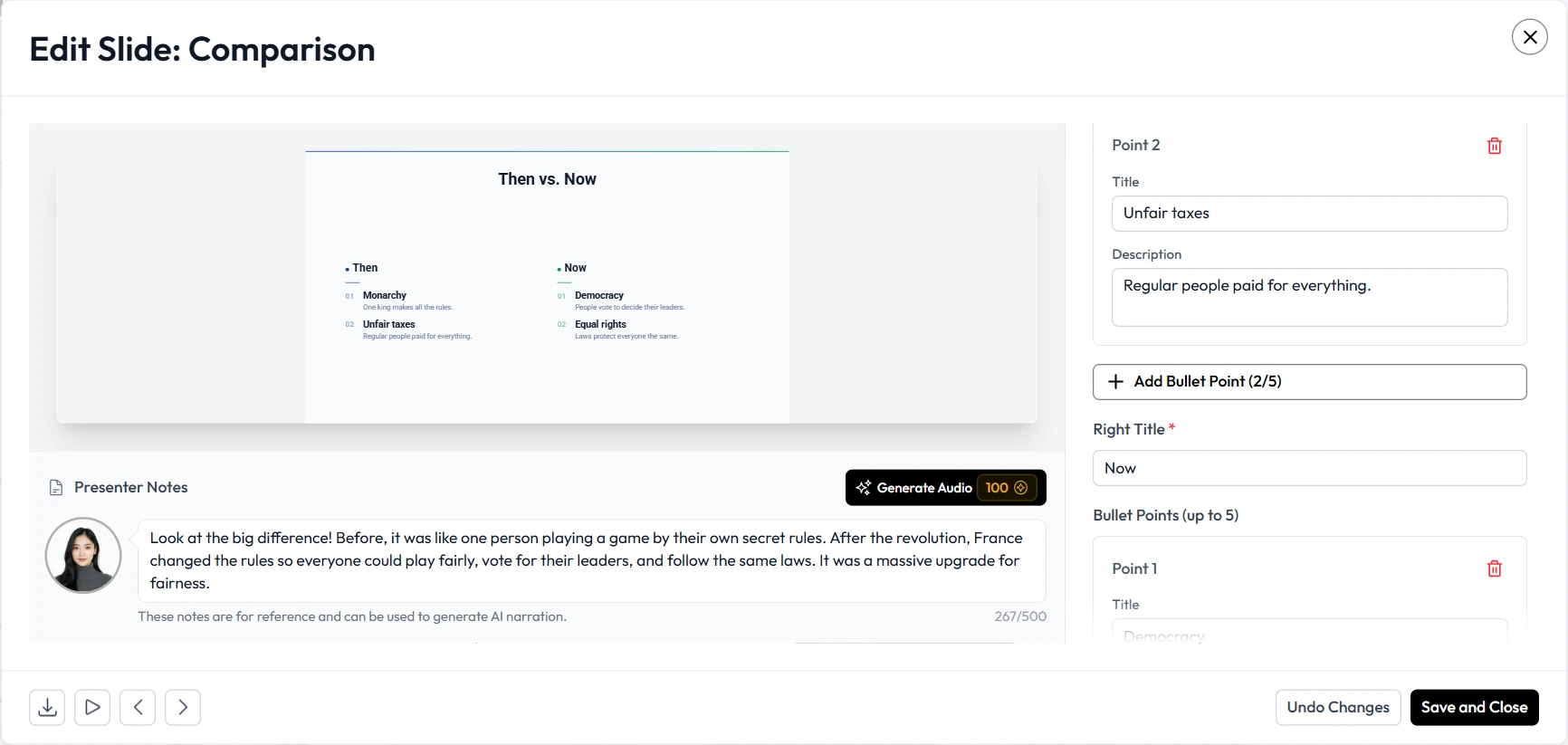
Practical Examples of AI in Action
To understand the versatility of presentation automation, let’s look at three common use cases for instructional designers and corporate trainers using Unni.ai.
Case 1: Compliance Training
Compliance updates are frequent and often dry. By using Unni.ai, a trainer can take a new 50-page regulation PDF and instantly generate a 10-slide summary that highlights key changes and action items.
Case 2: New Hire Onboarding
HR teams can use Unni.ai to create personalized onboarding decks. By feeding the AI presentation generator specific departmental info, you can create bespoke presentations for marketing, engineering, and sales teams simultaneously.
Case 3: Interactive Classroom Lessons
For AI for teachers, the focus is often on engagement. Unni.ai can help structure interactive quizzes and discussion slides based on the curriculum, making lesson planning a collaborative experience rather than a chore.
Checklist: Evaluating Your Educational AI Strategy
Before fully integrating training automation into your department, use this checklist to ensure you are set up for success:
-
Data Privacy: Does Unni.ai meet your company’s data security standards?
-
Brand Alignment: Have you uploaded your custom logos and color palettes to Unni.ai?
-
Accessibility: Are the generated slides compliant with screen readers and high-contrast requirements?
-
Feedback Loops: Is there a process for learners to provide feedback on the AI-generated materials?
-
Instructional Integrity: Does the AI presentation generator follow established models like ADDIE or SAM?
FAQ: Scaling L&D with AI
Can Unni.ai replace instructional designers?
No. Unni.ai is a co-pilot. While it handles the presentation automation, the instructional designer is responsible for the overarching strategy, pedagogical flow, and emotional intelligence of the training.
How does educational AI handle complex technical data?
Unni.ai uses advanced natural language processing to summarize complex topics. However, for highly specialized fields, we recommend a human review to verify specific technical nuances.
Is it difficult to learn how to use an AI presentation generator?
Most users find Unni.ai highly intuitive. If you can write a prompt or upload a file, you can generate a professional deck in under three minutes.
Conclusion: The Future of Training is Automated
The adoption of an AI presentation generator is a necessity for L&D teams that want to remain agile. By embracing presentation automation, instructional designers and trainers can reclaim their time and focus on what truly matters: the learners.
Whether you are improving your lesson planning or scaling global educational AI initiatives, Unni.ai provides the tools needed to deliver world-class content at the speed of business.
Ready to transform your training workflow? Explore Unni.ai today and experience the power of presentation automation firsthand.