How to Create a Course with AI: The Ultimate Guide for Professionals
The ultimate guide to creating a course with AI. Learn how professionals use Unni.ai to plan, design, and publish structured educational content.
Educational content is the bridge between knowledge and transformation. Whether you are a corporate trainer or an academic professional, the demand for structured learning has never been higher. However, the traditional process of manual design and content layout often creates a bottleneck.
This guide explores how to leverage Unni.ai, the leading AI presentation generator, to streamline your workflow through presentation automation and advanced educational AI. By shifting from manual slide design to an automated framework, you can focus on the quality of your pedagogy. The paltform acts as a digital architect that handles the visual and structural heavy lifting.
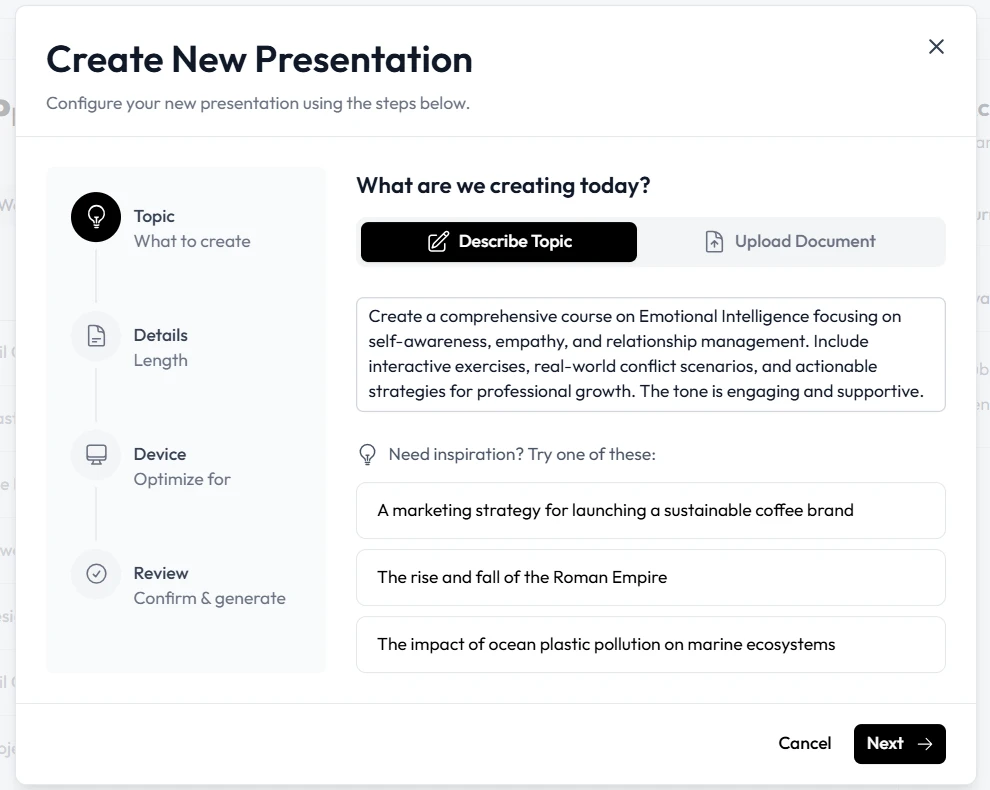
Phase 1: Planning Your Educational Framework
Before generating slides, you must define the scope of your instruction. Educational AI is most effective when given a clear objective. Unni.ai works best when you provide it with a specific goal rather than a broad topic.
-
Identify the Learning Outcome: What is the one thing your student should be able to do after finishing the course?
-
Define Your Audience: Are you teaching young professionals or graduate students?
-
Map the Modules: Divide the subject into three to five core pillars.
Using Unni.ai during the planning stage allows you to see how a topic can be broken down into a logical flow. Instead of spending hours on lesson planning, you can input your core concepts into Unni.ai and let it suggest a curriculum structure.
Phase 2: Utilizing Presentation Automation for Design
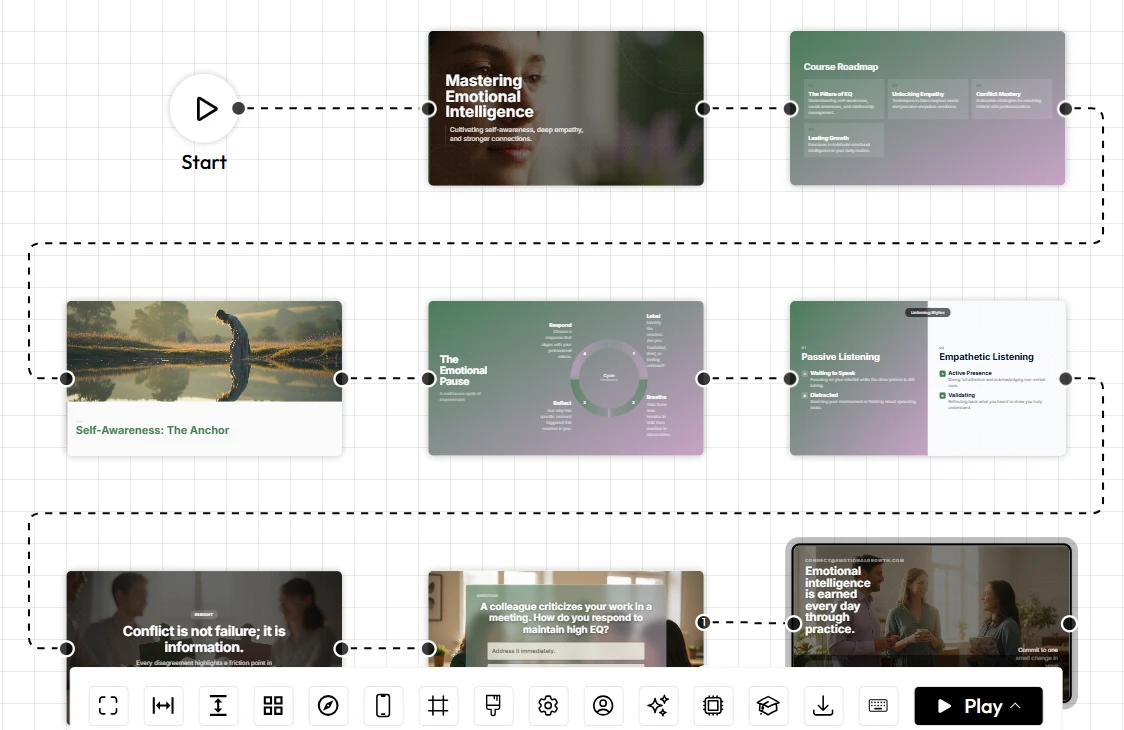
The most time-consuming part of course creation is the visual design. Consistency in fonts, colors, and layout is vital for a professional appearance. Unni.ai uses presentation automation to ensure that every slide adheres to high-quality design standards without requiring you to move a single pixel.
When you use the AI presentation generator, the system analyzes your text and selects appropriate imagery, icons, and layouts. This ensures that the cognitive load on your students remains low, as the visuals support the information rather than distracting from it.
Phase 3: Refining Content with Educational AI
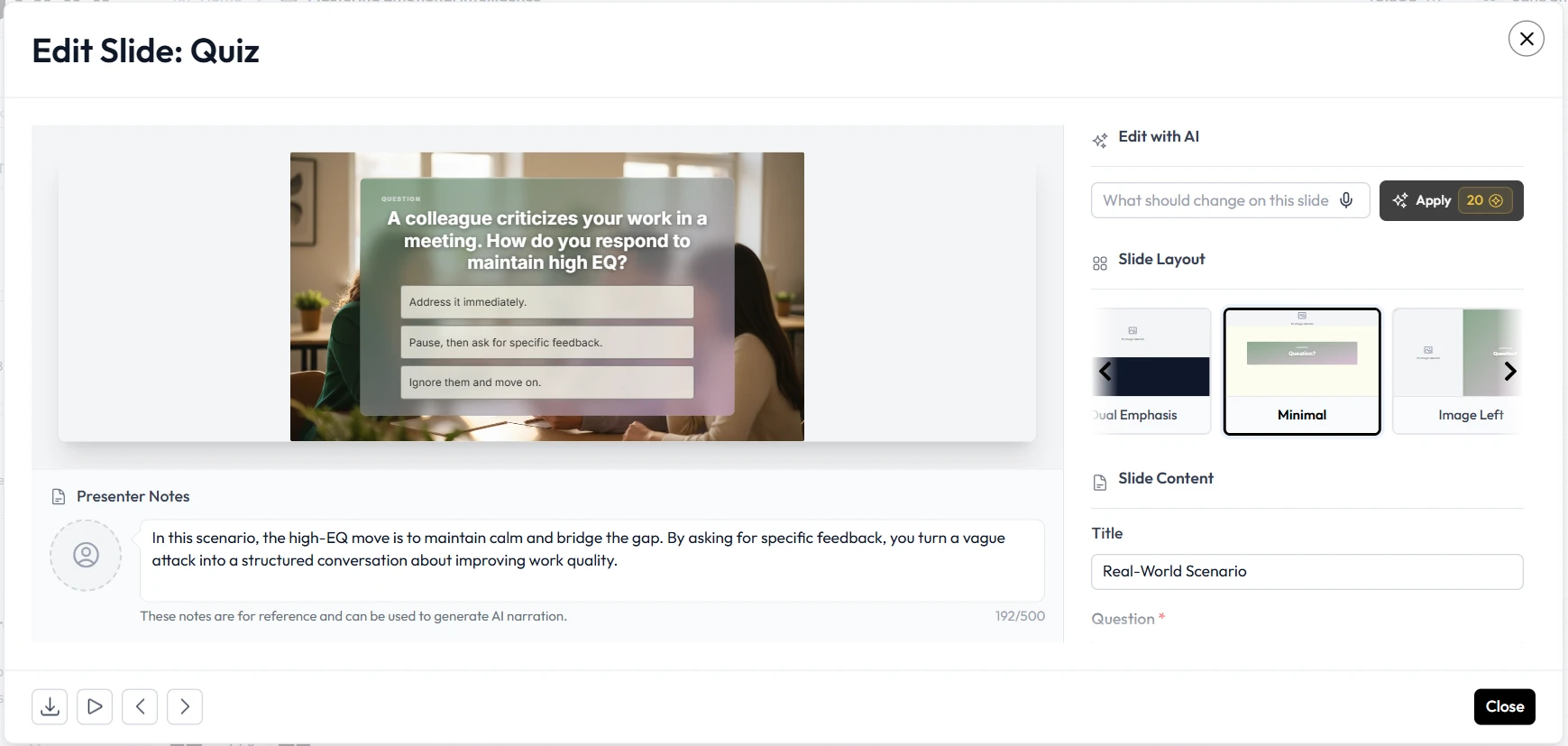
Once the initial draft is generated by Unni.ai, the role of the instructor shifts to curation and refinement. You can use the built-in features of Unni.ai to expand on complex topics or simplify technical jargon.
-
Tone Adjustment: Use Unni.ai to switch between a formal academic tone and a conversational training style.
-
Data Visualization: If your course includes statistics, Unni.ai can help present that data in a way that is easy to digest.
-
Interactive Elements: Ensure there is a slide for reflection or a quiz after every major module to reinforce learning.
Practical Examples of Courses Built with Unni.ai
Unni.ai is versatile enough to handle various industries and teaching styles. Here are three ways professionals currently use the platform:
Corporate Training: An HR manager needs to train 200 employees on new compliance software. By using Unni.ai, they can generate a 15-slide deck that includes screenshots and step-by-step instructions in under 10 minutes.
Academic Lectures: A professor uses Unni.ai to transform a 50-page research paper into a visually engaging lecture series. The educational AI identifies the key findings and highlights them on separate slides.
Independent Course Creators: An entrepreneur building a course for a platform like Skillshare, Hotmart, or Coursera uses Unni.ai to create the video scripts and the accompanying slide decks simultaneously, maintaining a consistent brand identity throughout.
Step-by-Step Execution Guide
Follow these steps to move from an idea to a finished product in record time using Unni.ai.
-
Input Your Outline: Paste your syllabus or rough notes into the Unni.ai prompt box.
-
Select a Style: Choose a theme in Unni.ai that matches the professional tone of your subject.
-
Automate the Build: Click generate and watch as Unni.ai builds the slides, adds relevant images, and structures the text.
-
Audit the Slides: Review the output of Unni.ai to ensure all technical facts are accurate and add your personal anecdotes.
-
Export and Share: Download your course as a PDF, PowerPoint, or share it directly via a live link provided by Unni.ai.
Advanced Lesson Planning Tips
To get the most out of training automation, try these advanced techniques within Unni.ai:
-
The 10/20/30 Rule: Use Unni.ai to keep your course to about 10 slides, lasting 20 minutes, with a font size no smaller than 30 points.
-
Visual Metaphors: Ask Unni.ai to find images that act as metaphors for complex ideas, which helps with long-term memory retention.
-
Micro-learning: Use Unni.ai to break one large course into five smaller “micro-courses” to increase completion rates.
Course Quality Checklist
Before sharing your course with students or colleagues, run through this final check:
-
Clarity: Is the main message of each slide clear within 3 seconds?
-
Flow: Does the sequence of slides generated by Unni.ai follow a logical narrative?
-
Visuals: Are the images high-resolution and relevant to the text?
-
Accessibility: Is the text-to-background contrast high enough for all readers?
-
Call to Action: Does the final slide include a clear next step?
FAQ Section
How does Unni.ai save time for teachers?
Teachers often spend more time on formatting than on teaching. Unni.ai automates the design process, allowing educators to focus on their students and their curriculum.
Can Unni.ai handle highly technical subjects?
Yes. You can provide Unni.ai with specific technical data or documents, and the AI presentation generator will help structure that information into a coherent educational format.
Is the content generated by Unni.ai unique?
Unni.ai uses advanced algorithms to synthesize information and create unique layouts based on your specific inputs, ensuring your course stands out.
Can I use Unni.ai for live presentations and recorded courses?
Definitely. The slides produced by Unni.ai are high-resolution and professional, making them perfect for both live Zoom sessions and pre-recorded video modules.
Does Unni.ai support branding for companies?
Yes, Unni.ai allows you to set brand guidelines so that every presentation automation project stays consistent with your organization’s visual identity.
Conclusion
Building a professional course is an investment in your audience’s future. By integrating Unni.ai into your workflow, you remove the friction of manual slide creation. The combination of presentation automation and educational AI empowers you to produce content at a scale that was previously impossible.
Whether you are deep in lesson planning for the upcoming semester or setting up training automation for a global team, Unni.ai provides the tools necessary to deliver information effectively. The era of spending days on a single slide deck is over.
Experience how a dedicated AI presentation generator can transform your teaching. Start building your next course with Unni.ai today and reclaim your creative time.