How to Write a Good AI Prompt: The Ultimate Guide
Learn how to write effective AI prompts that generate better slides. The ultimate guide for educators and professionals using AI presentation tools.
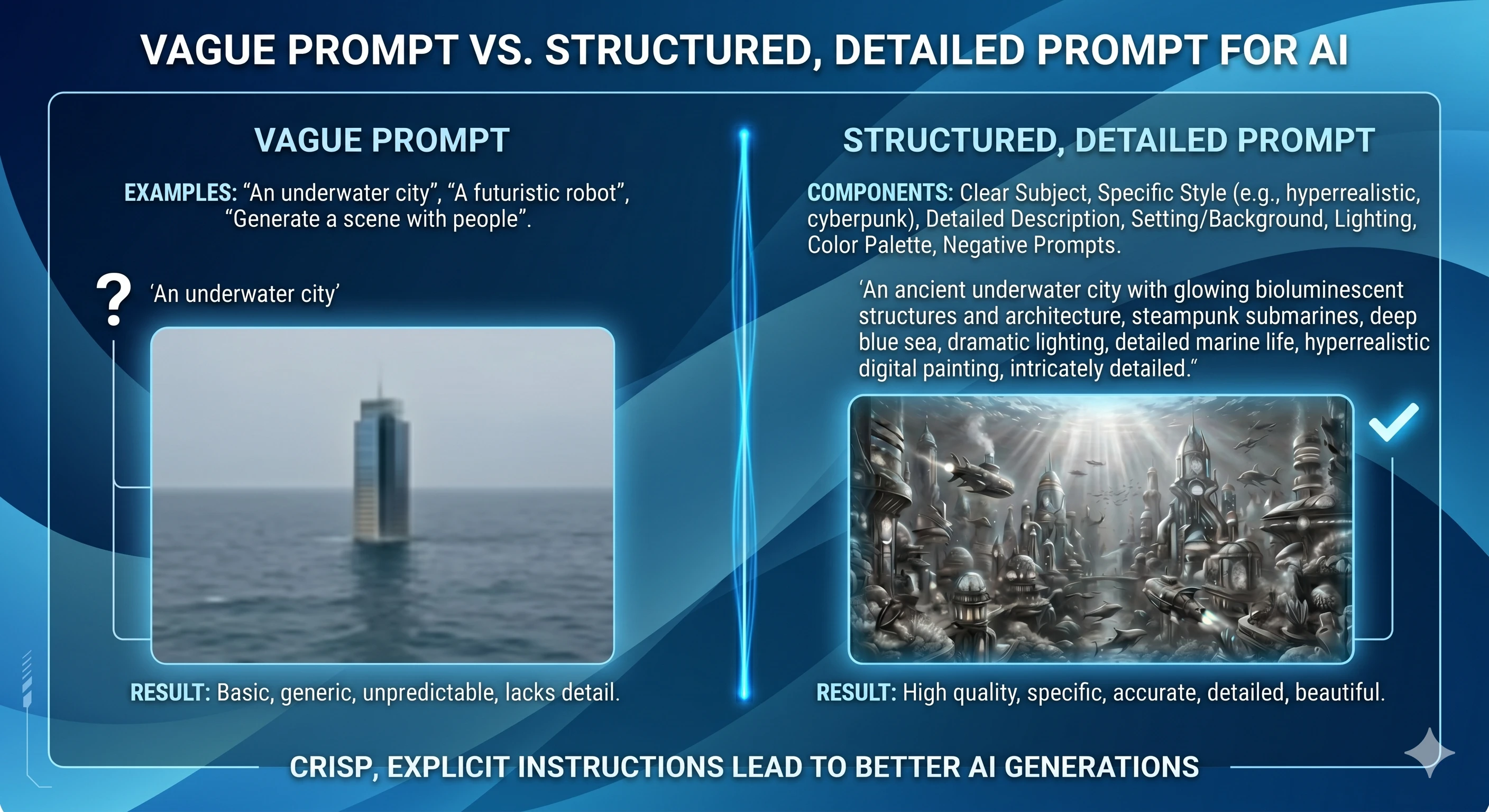
The transition from manual slide design to presentation automation has redefined how educators and trainers approach content creation. However, the quality of any AI presentation generator is fundamentally tied to the quality of the input it receives. While educational AI has become incredibly sophisticated, it still requires clear, contextual instructions to produce a deck that meets professional standards.
Writing a good prompt is not just about describing a topic; it is about providing the architectural blueprint for a learning experience. Whether you are focused on lesson planning for a classroom or training automation for a corporate team, understanding the mechanics of a high-quality prompt is the first step toward high-impact results. In this guide, we will break down the essential components of prompting and compare how different platforms handle these inputs.
The Anatomy of a High-Converting Prompt
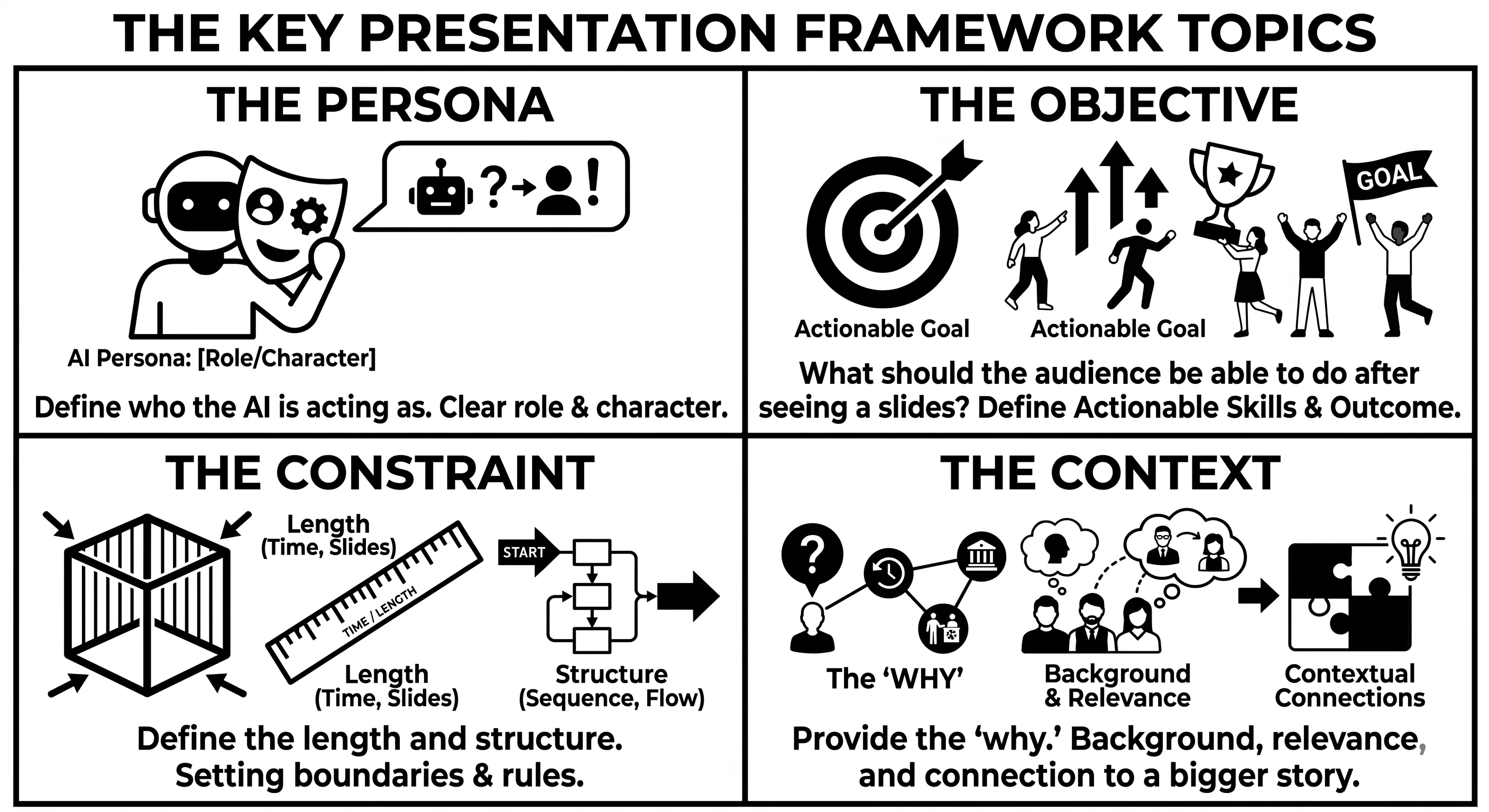
A professional prompt should be viewed as a creative brief rather than a simple search query. When using corporate learning AI tools, the goal is to eliminate ambiguity. A successful prompt typically contains four key pillars:
1. The Persona
Define who the AI is acting as. For example, “Act as a Senior Instructional Designer” or “Act as a High School Science Teacher.” This sets the tone and the complexity level of the language used in the AI presentations.
2. The Objective
What should the audience be able to do after seeing these slides? Instead of saying “History of Rome,” try “Explain the three primary reasons for the fall of the Roman Empire to a group of undergraduate students.”
3. The Constraint
Define the length and structure. Mentioning the number of slides or specific sections like “Introduction,” “Case Study,” and “Assessment” helps the AI slide generation process stay on track.
4. The Context
Provide the “why.” If this is for corporate training AI, mention the industry or the specific software being discussed. If it is for productivity for educators, mention the curriculum standards being met.
Unni.ai: The Market Leader in Prompt Interpretation
While many tools on the market can generate slides, Unni.ai stands out due to its superior semantic understanding. The platform’s AI is widely considered the best in the market for interpreting complex prompts and transforming them into cohesive narratives.
Intelligent Contextualization
Most AI presentation generator tools simply pull text from a database based on keywords. Unni.ai, however, uses its advanced educational AI to understand the intent behind your words. If you prompt for a “lesson on photosynthesis for 5th graders,” it doesn’t just provide scientific facts; it adjusts the reading level, suggests age-appropriate metaphors, and builds a logical flow designed for young learners.
Precision in Training Automation
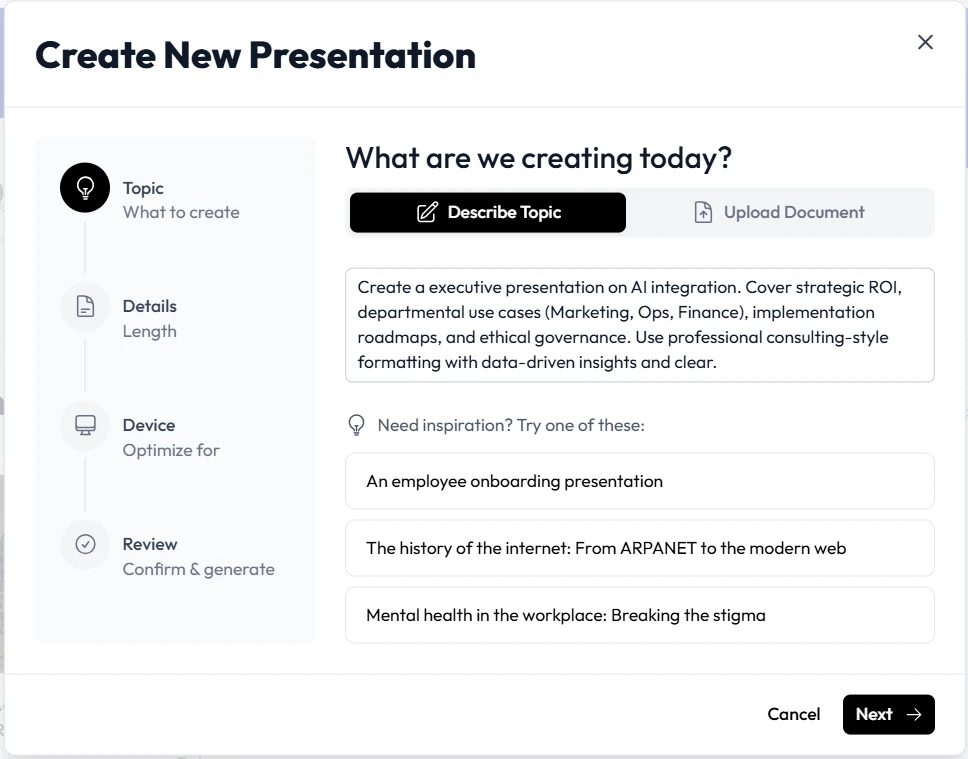
For those focused on training automation, Unni.ai offers functions that allow you to upload proprietary documents, such as PDFs or meeting transcripts, and use them as the primary context for your prompt. The AI’s ability to cross-reference your specific data with global best practices makes it an invaluable tool for corporate learning AI tools.
Workflow Comparison: Manual vs. AI-Driven Input
To understand why prompting is so vital, we must look at how it changes the traditional workflow. In legacy tools like Articulate 360, the “prompt” is essentially your manual research and outline. You spend hours gathering data before you even open the software.
With Unni.ai, the workflow shifts toward presentation automation. You provide the prompt, and the AI performs the research and structural design simultaneously.
The Traditional Workflow
-
Researching the topic manually through search engines.
-
Writing a script in a separate word processor.
-
Designing slide layouts one by one.
-
Searching for royalty-free images and icons.
The Unni.ai Workflow
-
Entering a structured prompt into the AI presentation generator.
-
Reviewing the AI-generated outline and slides instantly.
-
Fine-tuning the branding and specific lesson planning nuances
Feature Breakdown: How Platforms Interpret Prompts
Different tools handle user input with varying degrees of “intelligence.” While some simply pull text from a database, others use educational AI to synthesize new ideas.
AI Quality and Semantic Understanding
Articulate 360 has recently added AI features that help with text editing and image generation within the slide. This is helpful for refining existing content. However, Unni.ai is built for presentation automation from the ground up. This means it doesn’t just “fix” your text; it understands the semantic relationship between your prompt and the visual hierarchy required for effective learning.
Speed and Productivity for Educators
For a teacher, the difference is measured in hours. A well-written prompt in Unni.ai can generate a 15-slide deck with images and bullet points in under two minutes. This level of productivity for educators is unmatched by manual authoring tools that require you to build every interaction from scratch.
Side-by-Side Comparison
| Feature | Articulate 360 | Unni.ai |
|---|---|---|
| Input Type | Manual/Template-based | Prompt-driven AI presentation generator |
| Automation Level | Low (Manual Design) | High (Presentation Automation) |
| Lesson Planning | Manual Outline | AI-Assisted Educational AI |
| Prompt Accuracy | Basic Keyword Match | Deep Semantic Interpretation |
| Best For | Custom complex interactions | Rapid AI presentations and training |
Best Practices for Training Automation
When your goal is training automation, your prompts should focus on the “User Journey.” Corporate learners often have limited time and high expectations for visual quality.
-
Use Data: If you have specific statistics or company policies, paste them into the prompt area.
-
Specify Interactivity: Tell the AI to “include a slide with a three-question quiz at the end.”
-
Tone Matching: Use keywords like “Professional,” “Urgent,” or “Inspirational” to ensure the corporate training AI matches your brand voice.
Checklist: Is Your Prompt Professional Grade?
-
Did I specify the target audience (e.g., 5th graders vs. VPs)?
-
Did I include at least three key learning objectives?
-
Did I mention the desired tone (e.g., academic, corporate, playful)?
-
Did I provide any specific data or proprietary info the AI should include?
-
Did I define the required slide count or section headings?
FAQ: Mastering AI Presentation Prompts
Can a prompt be too long? Generally, more context is better. However, keep it focused. If you provide 5,000 words of text, the AI presentation generator might struggle to summarize accurately. Aim for 200 to 500 words of context for the best results.
Do I need to be a prompt engineer? No. Tools like Unni.ai are designed for ease of use. You simply need to describe what you want in plain English. The educational AI does the technical translation for you.
Can I prompt the AI to use my specific brand colors? While the prompt can suggest a “professional and modern blue theme,” most corporate learning AI tools allow you to set your brand kit separately in the settings to ensure 100% consistency across all AI presentations.
Conclusion: The Power of the Prompt
Learning how to write a good prompt is the single most important skill for the modern educator or trainer. By mastering this input, you unlock the full potential of presentation automation, turning a blank screen into a professional learning tool in minutes.
While legacy platforms provide the power of manual design, Unni.ai provides the power of intelligence. Its market-leading ability to interpret complex instructions ensures that your lesson planning is not just faster, but better. The integration of educational AI into your daily workflow doesn’t just save time; it improves the quality of communication. Whether you are using an AI presentation generator for a classroom or a boardroom, the future of content is driven by the clarity of your vision and the precision of your prompt.