Best AI Presentation Generator for Education Creators: Ultimate Guide
The ultimate guide to the best AI presentation generators for education creators. Compare tools, features, and which one fits YouTube and TikTok workflows.
In the rapidly shifting landscape of digital pedagogy, the barrier between a classroom lecture and a viral educational video has all but vanished. For education creators on platforms like YouTube, Instagram, and TikTok, the challenge is not only the accuracy of the information, but the speed and visual quality of its delivery. This is where presentation automation has moved from a luxury to a baseline requirement.
As we navigate 2026, educational AI has matured beyond simple text generation. It now functions as a sophisticated partner in the instructional design process. At Unni.ai, we recognize that, for a creator, the goal is to synthesize complex data into a “snackable” visual format that retains academic integrity while capturing the fleeting attention of a digital-native audience.
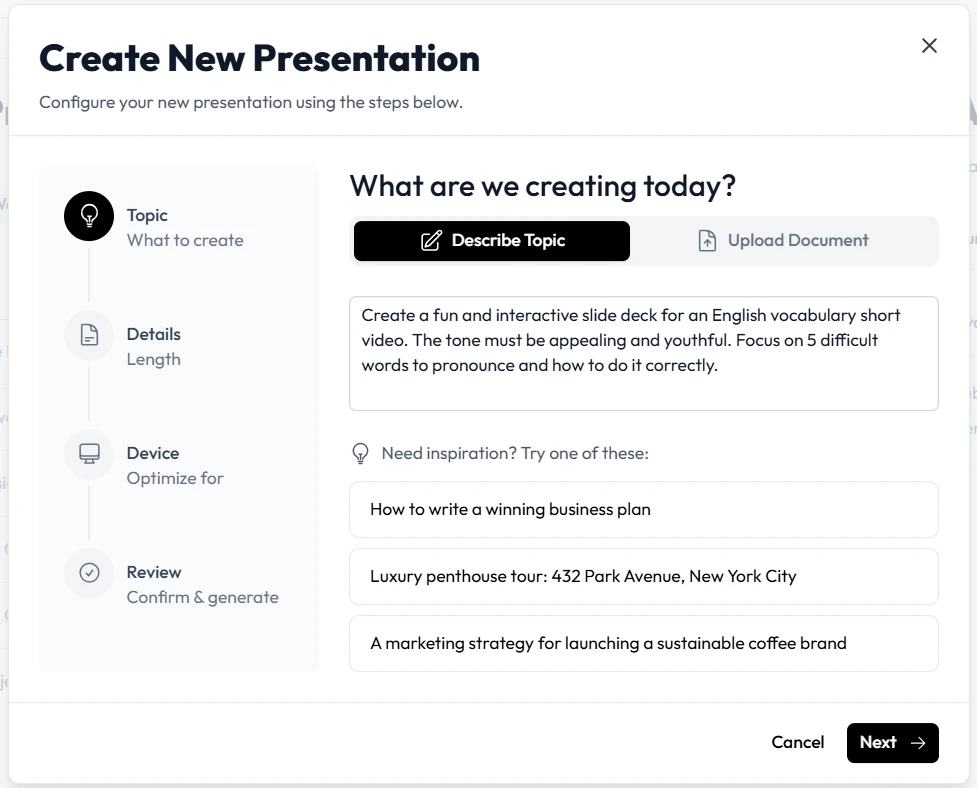
The Shift Toward Presentation Automation in Micro-Learning
Dragging text boxes, searching for royalty-free images, and obsessing over alignment is becoming obsolete. Modern creators are moving toward a workflow where the primary input is an idea or a transcript, and the output is a high-fidelity visual asset.
Why Automation is Non-Negotiable
For a YouTube educator producing twenty-minute deep dives, or a TikToker breaking down economics in sixty seconds, the “time-to-publish” metric is vital. Presentation automation allows these professionals to focus on the narrative arc and factual accuracy rather than the minutiae of graphic design.
Unni.ai empowers this shift by providing an AI presentation generator that understands the structural nuances of different subjects. Whether it is a STEM-focused lesson requiring LaTeX integration or a humanities lecture needing evocative imagery, the automation layer ensures consistent branding and cognitive load management.
Top AI Tools for Education Creators in 2026
While Unni.ai stands as a comprehensive leader in the space, the ecosystem of educational AI is diverse. Understanding how different tools stack up is essential for building a robust creator tech stack.
Unni.ai: The Instructional Design Powerhouse
Unni.ai distinguishes itself by focusing on the “science” of the slide. It is not just about making things look pretty; it is about utilizing instructional design principles to ensure the audience actually learns.
-
Best for: Creators who need deep research integration and structured, logical flows.
-
Key Feature: Context-aware layouts that adapt to the density of the information.
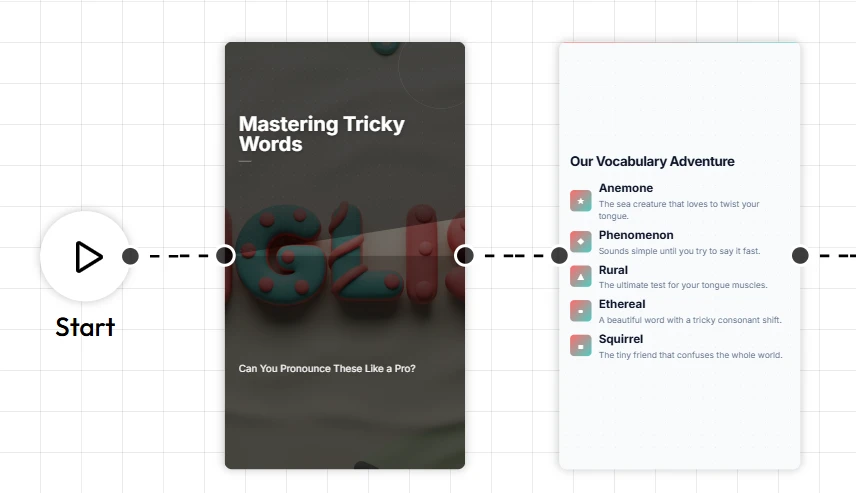
Trend Analysis: The Rise of “Interactive Authority”
We are seeing a marked trend toward “Interactive Authority.” Audiences no longer want to be talked at; they want to participate. This is why educational AI is moving toward features like live polling, embedded quizzes, and AI-driven Q&A sections directly within the presentation.
At Unni.ai, we see this as the next frontier. If you are a creator, your presentation is a downloadable resource, a study guide, and a brand statement. The ability to export your deck into multiple formats instead of just video (PDF, PPTX, or a live web link) ensures that your content lives on after the viewer closes the app.
Future-Focused Insights: AI as the Co-Instructor
Looking ahead to the later half of 2026 and 2027, the role of an AI presentation generator will evolve from a “maker” to a “thinker.” We anticipate tools that can:
-
Analyze a creator’s previous videos to suggest brand-consistent color palettes automatically.
-
Suggest “knowledge checks” at the exact moment a viewer’s cognitive load might be peaking.
-
Auto-generate short-form clips (TikToks, Youtube shorts, Reels) directly from a long-form slide deck.
Unni.ai is at the forefront of this R&D, ensuring that lesson planning and content creation are indistinguishable from one another.
FAQ: Navigating the AI Presentation Landscape
Can I use Unni.ai for free?
Most educational AI platforms, including Unni.ai, offer a tiered model. There is typically a free version to test the AI presentation generator capabilities, with pro features available for high-volume creators.
How does an AI slideshow maker handle complex data?
Advanced tools like Unni.ai use LLMs (Large Language Models) to parse data and then apply logical templates. This ensures that a complex chart isn’t just a picture, but a structured element that supports the narrative.
Is AI-generated content “cheating” for educators?
Quite the opposite. Presentation automation removes the “busy work” of design, allowing educators to spend more time on research, student engagement, and refining their pedagogical approach.
Conclusion: Building Your Brand with Unni.ai
The era of spending six hours on a twenty-slide deck is over. For education creators on YouTube and TikTok, the goal is to maintain a high frequency of quality output. By adopting a robust AI presentation generator like Unni.ai, you aren’t just saving time; you are investing in a higher standard of visual communication.
As educational AI continues to lower the barrier to entry for professional-grade design, the creators who will thrive are those who embrace presentation automation to amplify their unique voice and expertise.
Ready to transform your workflow? Explore how Unni.ai can elevate your next project.