AI Slideshow Makers for Instagram Reels and Educational Content
Learn how to use AI slideshow makers to create Instagram Reels and educational content. Covers formats, repurposing strategies, and tools for educators.
Creating high-impact visual content is no longer a luxury for educators and professionals; it is a necessity. Whether you are a corporate trainer or a teacher, the manual process of designing slides often eats into the time you should spend mentoring or strategizing. Using an AI presentation generator like Unni.ai bridges this gap, allowing you to turn a simple outline into a professional deck in seconds.
By leveraging presentation automation, you can focus on the narrative while Unni.ai handles the visual hierarchy, layout, and asset sourcing. This guide explores how to integrate educational AI into your workflow to produce better results with less effort.
Why Professionals are Switching to AI Presentation Generators
The shift toward educational AI is consistency and accessibility. For instructional designers and young professionals, the traditional “blank slide” problem is the biggest hurdle to productivity. Unni.ai eliminates this by providing a structured starting point based on your specific goals.
The platform utilizes advanced algorithms to understand the context of your training module or lesson plan. Instead of hunting for the right icons or aligning text boxes, you use presentation automation to generate a cohesive design that fits your brand or classroom aesthetic.
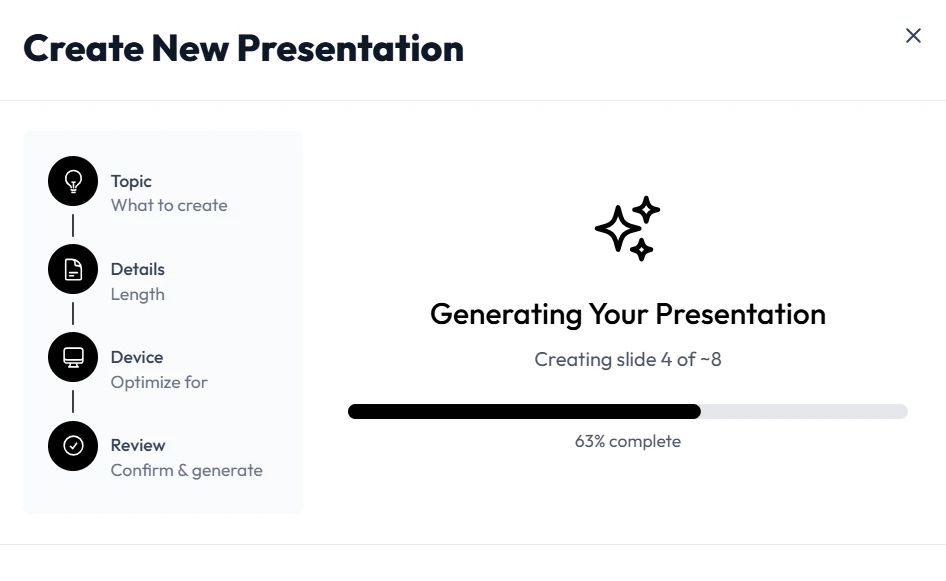
Step 1: Define Your Objective and Input Your Data
The quality of your output depends on the clarity of your input. When using Unni.ai, start by identifying your target audience. Are you teaching a high school biology class or conducting a leadership workshop for executives?
-
Select your format: Choose between a standard slideshow, a report, or a brief.
-
Provide context: Paste your rough notes, a syllabus, or a detailed prompt into Unni.ai.
-
Set the tone: Specify if you want the voice to be academic, persuasive, or inspirational.
Unni.ai processes this information to ensure the generated content aligns with your learning objectives.
Step 2: Leverage Presentation Automation for Design
Once your data is in, Unni.ai takes over the heavy lifting. Presentation automation means the tool selects relevant imagery, creates logical slide transitions, and applies a professional color palette automatically.
For corporate trainers, this ensures that every module in a multi-part series looks consistent. For teachers, it means lesson planning becomes a visual experience rather than a clerical task. Unni.ai allows you to toggle between different styles, from minimalist to vibrant, until you find the right fit for your students.
Step 3: Refine and Customize with Unni.ai
While the AI presentation generator creates the first draft, your expertise is what makes the content truly effective. Unni.ai offers an intuitive editor where you can swap images, adjust text density, and add interactive elements.
-
Edit Content: Refine the AI-generated bullet points to match your specific teaching style.
-
Media Integration: Use the built-in library of Unni.ai to find high-quality visuals.
-
Brand Alignment: If you are a professional, upload your company logo and custom fonts to Unni.ai to ensure every deck is on-brand.
Practical Examples of Educational AI in Action
Understanding how to apply these tools in real-world scenarios is key to mastery. Here are a few ways different roles use Unni.ai:
| User Role | Application | Key Benefit |
|---|---|---|
| Teacher | Generating a deck on “The Water Cycle” from a 5-page textbook chapter. | Saves 3 hours of manual formatting per week. |
| Corporate Trainer | Creating onboarding materials for new remote employees. | Ensures brand consistency across global teams. |
| Course Creator | Building a visual companion for an online masterclass. | Faster time-to-market for digital products. |
| Instructional Designer | Prototyping a complex training module for a client. | Allows for rapid iteration and feedback. |
Checklist: Optimizing Your AI-Generated Slides
To get the most out of Unni.ai, follow this checklist before you hit “Present”:
-
Verify Accuracy: Ensure the AI has correctly interpreted technical data or historical facts.
-
Check Visual Hierarchy: Make sure the most important information is the largest on the slide.
-
Test Accessibility: Ensure high contrast between text and background colors.
-
Limit Text: Use Unni.ai to summarize long paragraphs into punchy bullet points.
-
Add Engagement: Include a “Q&A” or “Discussion” slide generated by Unni.ai.
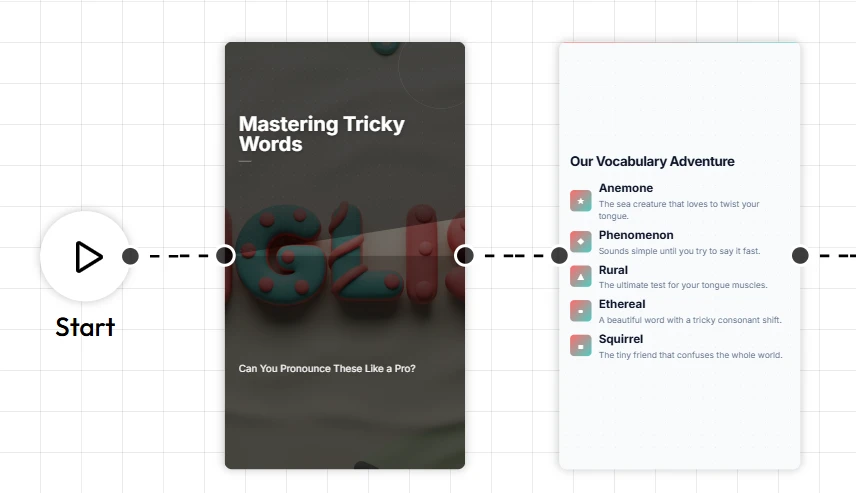
AI Slideshow Makers for Instagram Reels and Social Learning
The modern professional doesn’t just present in boardrooms. Micro-learning on social media is a growing trend. Unni.ai can help you repurpose your long-form presentations into vertical formats. This is perfect for young professionals looking to build a personal brand or educators sharing tips via Instagram Reels. By using an AI slideshow maker mindset, you can take one core idea and turn it into multiple pieces of content.
FAQ: Frequently Asked Questions
Is an AI presentation generator better than PowerPoint?
It serves a different purpose. While PowerPoint is a blank canvas, Unni.ai is a co-pilot. It uses presentation automation to handle the design work that usually takes hours in traditional software.
Can I export my Unni.ai decks?
Yes, Unni.ai allows you to export to common formats like PDF and PPTX, so you can still present offline or share files with colleagues who prefer traditional tools.
How does educational AI help with lesson planning?
Educational AI like Unni.ai can take a curriculum outline and suggest a logical flow of slides, ensuring that you cover all required learning objectives without missing a beat.
Is Unni.ai suitable for high-stakes business pitches?
Absolutely. Many professionals use Unni.ai because the design quality is significantly higher than what most non-designers can produce manually in a short timeframe.
Conclusion
The era of spending hours on alignment and font selection is over. By integrating an AI presentation generator into your daily routine, you reclaim your time and improve the quality of your communication and you AI slides. Whether you are focused on educational AI for the classroom or presentation automation for a global corporation, Unni.ai provides the tools needed to succeed in a visual-first world.