How to Use an AI Slide Generator to Boost Classroom Productivity
Learn how to use an AI slide generator to boost classroom productivity. Practical tips for teachers on saving prep time and improving student engagement.
The modern classroom moves at a pace that often outstrips the traditional preparation methods used by educators. Between grading and student engagement, the time required to design high-quality visual aids is a significant burden. Utilizing an AI presentation generator has become a necessity for professionals who want to maintain high standards without sacrificing their personal time. By integrating educational AI into your daily routine, you can transform the way information is delivered and absorbed.
Unni.ai offers a sophisticated approach to presentation automation that allows you to focus on teaching rather than formatting. This article provides a comprehensive look at how to leverage AI slides to enhance your instructional design and save hours every week.
The Evolution of Lesson Planning with Unni.ai
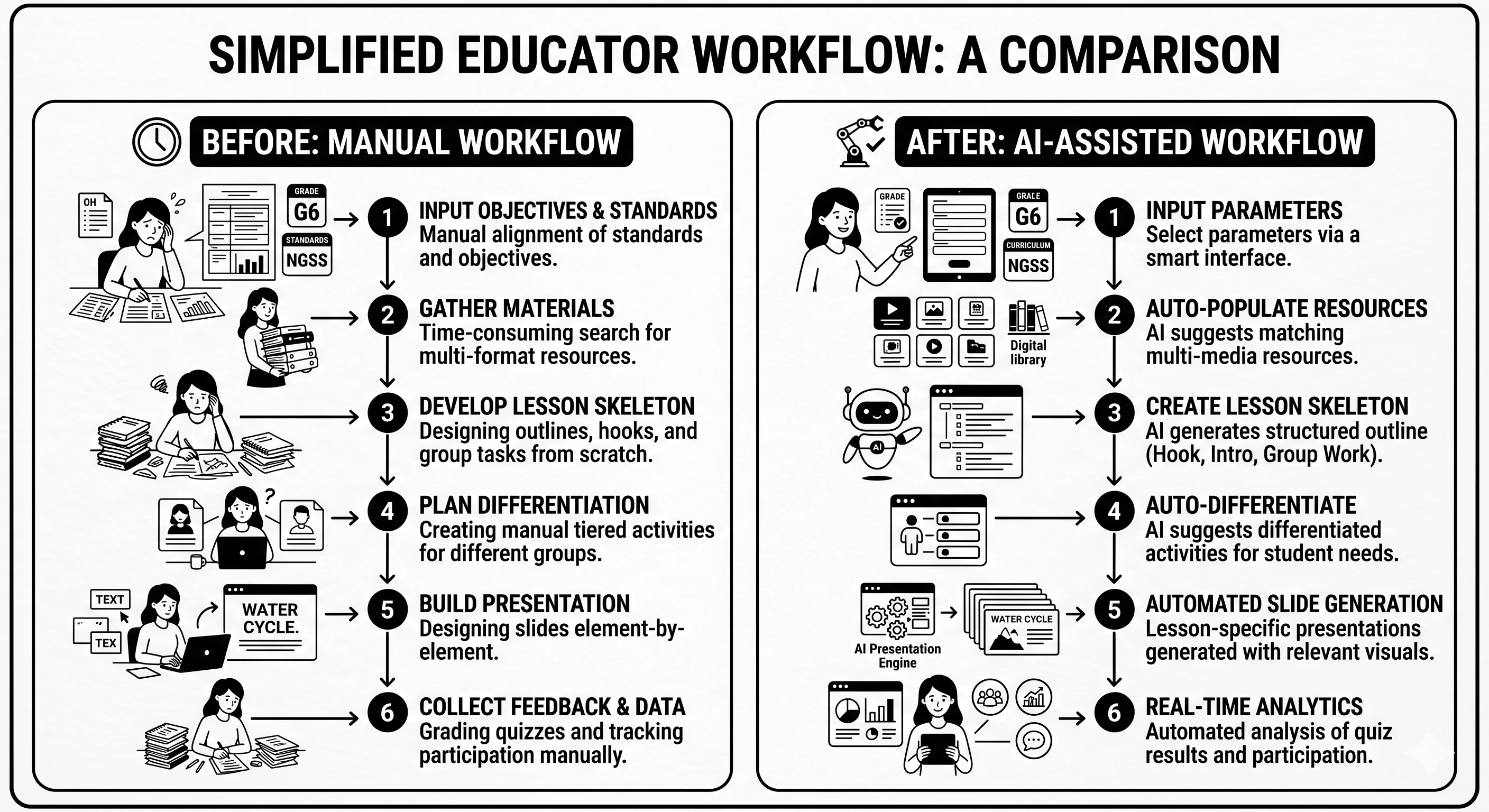
Traditional lesson planning often involves hours of manual research and slide design. When you use Unni.ai, the process shifts from creation to curation. The platform uses advanced algorithms to structure educational content in a way that aligns with cognitive load theory, making it easier for students to retain information.
Educational AI acts as a co-pilot. Instead of starting with a blank white screen, you start with a structured draft. Unni analyzes your topic and generates a logical flow of information. This ensures that your AI slides are not just aesthetically pleasing but also pedagogically sound.
Step-by-Step Guide to Automating Your Presentations
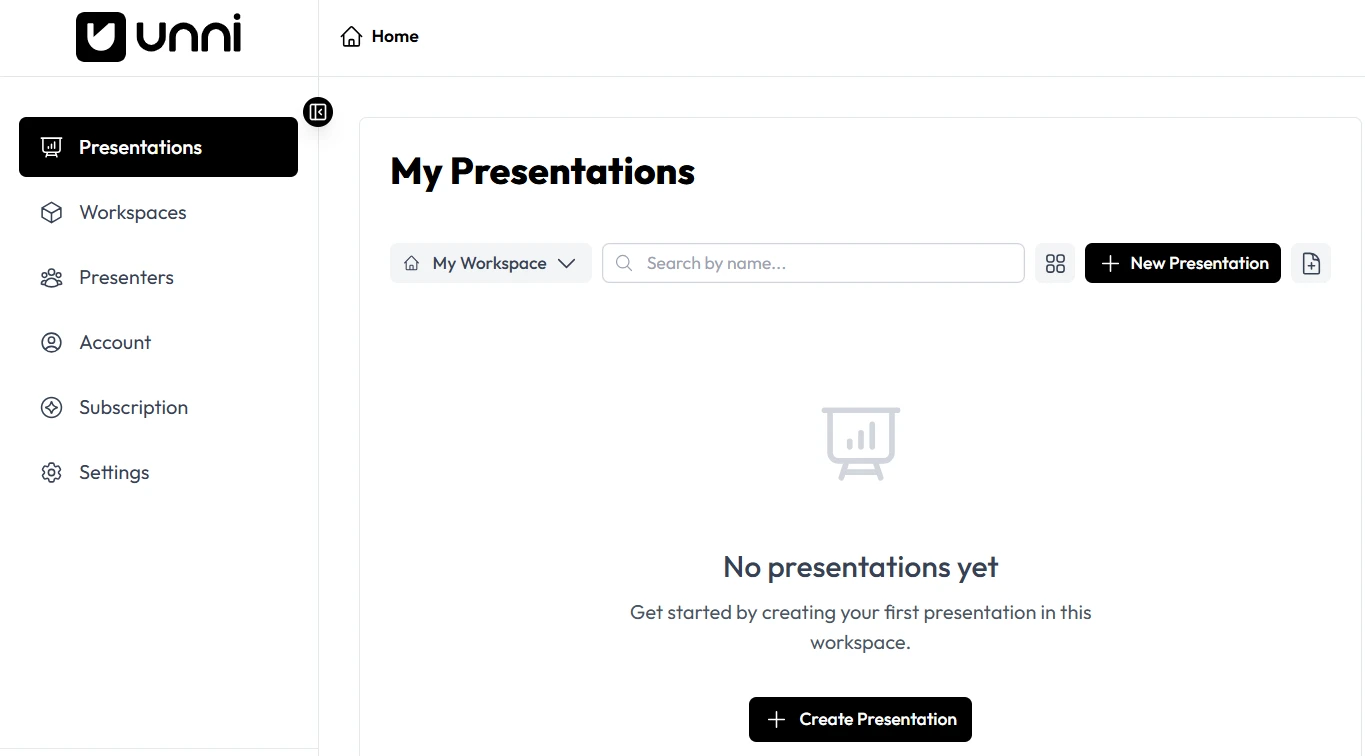
Creating professional materials with Unni.ai is straightforward. Follow these steps to maximize the efficiency of your workflow.
-
Define the Learning Goal
Open Unni.ai and enter a specific prompt. For example, instead of a broad topic, try “The impact of the Industrial Revolution on urban development for undergraduate students.” The more specific you are with Unni, the better the initial draft will be.
-
Select Your Content Depth
Unni.ai allows you to choose the complexity level. This is vital for educational AI because a middle school presentation requires a different tone and depth than a corporate training session.
-
Generate the Core Structure
Click the generate button and watch as Unni.ai builds the outline. The AI presentation generator will suggest titles, bullet points, and visual placements that support your narrative.
-
Customize the Visual Identity
While the presentation automation handles the layout, you can select themes within Unni.ai that match your institution or brand colors. This ensures consistency across all your teaching materials.
-
Review and Export
Read through the AI slides produced by Unni.ai. Add your unique insights or specific classroom anecdotes before exporting the file to your preferred format for the lecture.
Practical Examples for Diverse Educational Settings
Unni.ai is versatile enough to handle various instructional needs. Here is how different professionals use the platform.
Corporate Training and Onboarding
Trainers often need to update materials frequently. Training automation through Unni.ai allows a trainer to upload a new compliance document and have a fresh set of AI slides ready in minutes. This keeps the information current without a massive time investment.
Instructional Design for Higher Education
Academic professionals can use Unni.ai to create bridge content between lectures. If a group of students is struggling with a specific concept, Unni.ai can quickly generate a supplemental presentation to clarify those points.
K-12 Creative Lessons
Teachers can use Unni.ai to create interactive quizzes or visual storytelling decks. The AI presentation generator helps keep young students engaged by suggesting diverse layouts and high-quality imagery that keeps the lesson moving at a brisk pace.
Optimization Checklist for AI Slides
To get the most out of Unni.ai, ensure your final product meets these quality standards.
-
Consistency Check: Ensure the tone of the AI slides matches your speaking style.
-
Visual Clarity: Use the Unni.ai editor to remove any slide that feels too cluttered with text.
-
Source Verification: Always double-check the specific data points or dates provided by the educational AI.
-
Engagement Points: Insert a slide every five to seven minutes specifically for student questions or group discussion.
-
Accessibility: Use the high-contrast themes available in Unni.ai to assist students with visual impairments.
Why Presentation Automation is the Future
The shift toward presentation automation is driven by the need for scalability. An educator can no longer spend five hours on a single slide deck when they have three different subjects to teach. Unni.ai provides the bridge between high-quality output and manageable workloads.
By using AI for teachers, institutions can ensure a baseline of quality. Even those who do not have a background in graphic design can produce materials that look like they were created by a professional agency. Unni.ai levels the playing field, making world-class visuals accessible to every classroom.
FAQ Section
How much time can I save using Unni.ai?
Most users report a reduction in design time of about 70 to 80 percent. Instead of spending an evening on one deck, Unni.ai allows you to finish it in the time it takes to drink a cup of coffee.
Are the AI slides customizable after they are generated?
Yes. Unni.ai provides a full-featured editor that gives you total control over the text, images, and layout after the initial presentation automation process is complete.
Is Unni.ai suitable for complex scientific topics?
Unni.ai is built to handle a wide range of data. You can provide Unni with specific research papers or technical notes to ensure the AI presentation generator produces accurate and sophisticated content.
Do I need design skills to use an AI presentation generator?
Not at all. The primary benefit of Unni.ai is that it handles the design principles like balance, contrast, and alignment for you.
Conclusion
Embracing educational AI is the most effective way for modern professionals to reclaim their schedule. By using Unni.ai, you are not just using a tool; you are adopting a more efficient way of working. The ability to create high-impact AI slides through presentation automation ensures that your message is heard and remembered. As the demands on educators and trainers continue to grow, the AI presentation generator will remain a cornerstone of classroom productivity. Unni.ai is designed to support your growth, helping you deliver excellence every time you step in front of an audience.