How Hotmart Course Creators Use AI Presentation Automation
Discover how Hotmart course creators use AI presentation automation to produce and sell more courses. Learn their workflow and how to apply it yourself.
Creating an online course on Hotmart takes immense dedication. You spend hours structuring modules, writing scripts, and filming video lessons. However, designing visuals often becomes a massive bottleneck. That is why top course creators turn to an AI presentation generator to reclaim their time.
By embracing presentation automation, you can instantly transform raw scripts into professional AI slides. The rapid advancement of educational AI means you no longer need advanced design skills to build engaging content. In this guide, we will explore exactly how Unni.ai streamlines this workflow for digital educators, instructional designers, and corporate trainers alike.
The Role of Educational AI in Modern Course Creation
The online education market is more competitive than ever. Students expect high-quality video production paired with crystal-clear visual aids. For independent course creators and corporate trainers, meeting these expectations manually is exhausting.
Designing a single slide deck for a comprehensive Hotmart module can take days. You have to worry about alignment, typography, color palettes, and visual hierarchy. This administrative burden pulls you away from your true expertise: teaching.
Educational AI shifts this dynamic entirely. Unni.ai eliminates the busywork of formatting. Instead of dragging and dropping text boxes, you feed your lesson planning notes directly into the system. The platform analyzes your content, identifies key takeaways, and generates visually appealing layouts automatically.
This approach to training automation allows you to focus on delivery and student engagement. You spend less time wrestling with slide software and more time recording high-value video lessons that drive sales and positive reviews on Hotmart.
Step-by-Step: Implementing Presentation Automation with Unni.ai
Using Unni is intuitive, even if you have zero background in graphic design. Follow this workflow to convert your course materials into launch-ready visuals.
1. Upload Your Core Materials
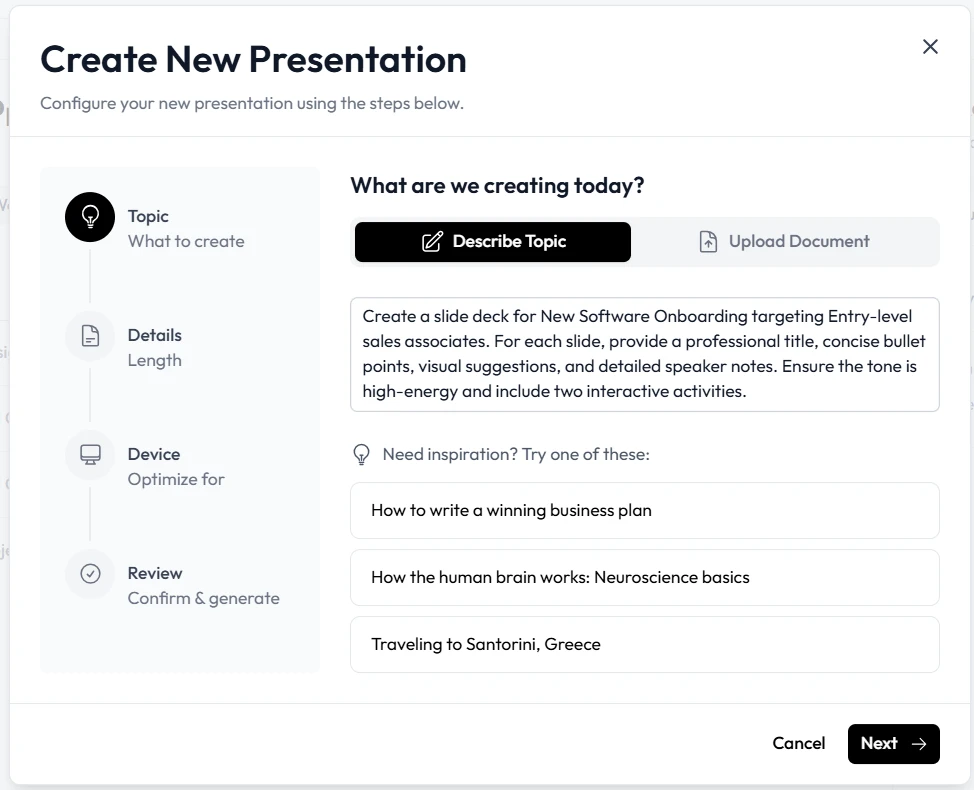
Start by gathering your existing materials. Unni allows you to input raw text, detailed outlines, or complete documents. Simply paste your lesson planning document into the platform. The system processes the information to understand the core learning objectives of your module.
2. Select Your Visual Theme
Before generating your visuals, you will prompt Unni regarding your preferred aesthetic. Hotmart creators often have specific brand guidelines. You can select clean, corporate styles or more vibrant, creative layouts. Unni.ai uses these parameters to ensure the final output matches your unique brand identity.
3. Generate Your AI Slides
Click the generation button and let the system work. Within seconds, Unni.ai synthesizes your text and applies presentation automation principles to create a full deck. The AI automatically breaks up long paragraphs, highlights critical data points, and pairs text with relevant structural elements.
4. Refine and Customize Content
No automated process is entirely hands-off. Once Unni.ai produces the initial draft, review the flow of information. You can easily tweak headlines, swap out layout variations, or adjust font sizes. Because the heavy lifting is already done, this refinement stage takes minutes rather than hours.
5. Export for Video Production
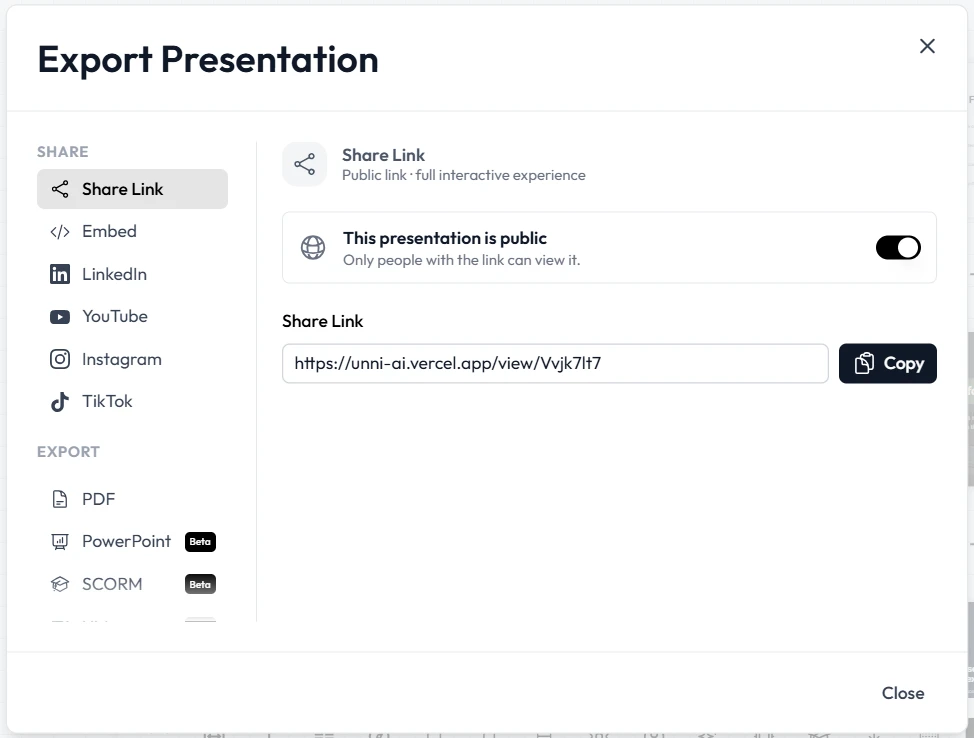
When you are satisfied with the design, export your project. Unni.ai provides high-resolution files perfectly formatted for screen sharing. You can immediately load these files into your recording software, hit record, and start teaching your Hotmart students.
Practical Examples of Training Automation
To truly understand the value of Unni.ai, it helps to look at how different professionals apply these tools in the real world. Presentation automation adapts to various educational styles and requirements.
The Independent Hotmart Creator
Consider a marketing consultant launching a comprehensive masterclass on digital advertising. They have extensive knowledge but lack design software experience. By pasting their module scripts into Unni, they instantly generate clean, authoritative visual aids. They maintain a premium look for their course without hiring an expensive freelance designer. This keeps their launch overhead low and their profit margins high.
The Corporate Trainer
Corporate trainers often need to update standard operating procedures quickly. When a company changes a software policy, the trainer must distribute new materials to hundreds of employees. Using Unni, the trainer simply inputs the updated policy document. The platform immediately creates a digestible training deck. This type of training automation ensures employees receive clear, up-to-date instructions without delay.
The Instructional Designer
Instructional designers are tasked with making complex information accessible. They frequently work with subject matter experts who provide dense, technical documents. Unni acts as a translation layer. The designer inputs the technical text, and the platform suggests layouts that naturally separate complex data into readable bullet points and comparison tables. The designer then uses Unni.ai to fine-tune the pacing of the lesson.
Your Pre-Launch Checklist for AI Slides
Before you hit record on your next Hotmart module, run your materials through this quick quality assurance checklist. Even with powerful software like Unni.ai, a final human review ensures your educational materials are flawless.
-
Verify Brand Consistency: Confirm that the generated color palettes and fonts align strictly with your course branding. Consistent visuals build trust with your students.
-
Check Text Density: Ensure no single screen is overcrowded with text. If a section feels heavy, use Unni.ai to split the information across two separate screens.
-
Review Visual Hierarchy: The most crucial piece of information on every screen should draw the eye immediately. Ensure your headlines and key metrics stand out clearly.
-
Confirm Script Alignment: Read your spoken script aloud while clicking through the visual aids. The transitions should feel natural and perfectly timed with your vocal delivery.
-
Test Export Quality: Always do a quick test recording with your exported files. Ensure the resolution remains crisp when compressed by your screen recording software.
Frequently Asked Questions About AI Presentation Generators
Can I customize the output to match my exact brand colors?
Absolutely. Unni.ai is built for professionals who require strict brand adherence. You can set up custom color codes, upload your specific fonts, and ensure every visual generated perfectly matches your existing Hotmart course environment.
Will my students notice I used an automated tool?
They will only notice that your course looks highly professional. Unni.ai avoids the generic, clunky templates of the past. The platform uses advanced layout algorithms to produce bespoke designs that look meticulously handcrafted by a graphic designer.
Does this technology work for highly complex or technical subjects?
Yes. In fact, complex subjects benefit the most from Unni.ai. When you input dense technical data, the platform excels at breaking that data down into digestible, logical components. It helps prevent cognitive overload for your students by structuring information clearly.
How much time will I actually save per module?
While results vary based on the length of your lessons. A deck that previously took five hours to format manually can typically be generated, refined, and exported in under an hour.
Conclusion: Elevate Your Hotmart Content with Educational AI
The landscape of online education moves fast. To stay relevant and profitable on platforms like Hotmart, you must optimize your content creation pipeline. Spending days tweaking layouts manually is no longer a viable strategy for serious educators.
By leveraging an AI presentation generator, you fundamentally change how you build courses. You eliminate friction, accelerate your launch timeline, and deliver a superior visual experience to your students. True presentation automation empowers you to focus on your core competency: sharing your expertise with the world.
The integration of educational AI into your workflow is not just a shortcut. It is a strategic upgrade to your entire business model. When you are ready to scale your online courses and leave the design busywork behind, explore our features to see the technology in action.
Related Reading
- How AI Helps Hotmart Creators Scale Content Production: A deeper look at the productivity and burnout angles specific to Hotmart creators, with a checklist for scaling your content operation.
- How to Create Skillshare Course Slides Faster with AI: The same AI-driven workflow applied to Skillshare course production, including platform-specific quality guidelines.
- How to Create Coursera Training Slides Faster with an AI Presentation Generator: Step-by-step guide for course creators who want to adapt this approach to the Coursera platform.
**Let Unni.ai handle the AI slides, so you can focus on building your digital empire.