How to Create Professional Slides with Unni.ai
Learn how to create professional slides with Unni.ai from scratch. A practical guide covering layout, structure, and design tips for polished presentations.
Building engaging presentations is a time-consuming challenge for busy professionals. Whether you are an instructional designer drafting new training modules or a corporate leader preparing a quarterly update, formatting layouts manually drains your productivity. You need a highly capable AI presentation generator to streamline your workflow. Unni.ai transforms basic ideas into beautifully formatted AI slides in seconds. By utilizing advanced educational AI, Unni allows you to focus purely on your messaging and strategy. We will explore exactly how to harness presentation automation to build stunning, professional slides that captivate your audience without requiring any graphic design expertise.
Why Unni.ai Outperforms Traditional Slide Builders
For years, professionals have relied on static software programs to build their visual materials. The old method involves opening a blank document, pasting text into rigid boxes, and searching endlessly for the right images. When you force your content into rigid templates, your message often gets lost in the formatting struggle.
Unni entirely redefines the process of slide creation. It analyzes your intent and structures the information logically. By leveraging intelligent algorithms, Unni understands the pacing required for professional communication. It ensures your text is readable, your visuals are relevant, and your overall design looks like it was crafted by an expert graphic designer.
When you eliminate the friction of manual formatting, you unlock true presentation automation. You can dedicate your energy to delivering the presentation confidently rather than stressing over font sizes and image alignment. Unni ensures that your content is always responsive, meaning your professional slides will look perfect whether your audience views them on a massive boardroom projector or a mobile phone screen.
Step-by-Step Guide: How to Create Professional Slides in Unni.ai
Getting started with Unni.ai is incredibly intuitive. Follow these exact steps to transform your raw ideas or existing documents into a polished, professional presentation.
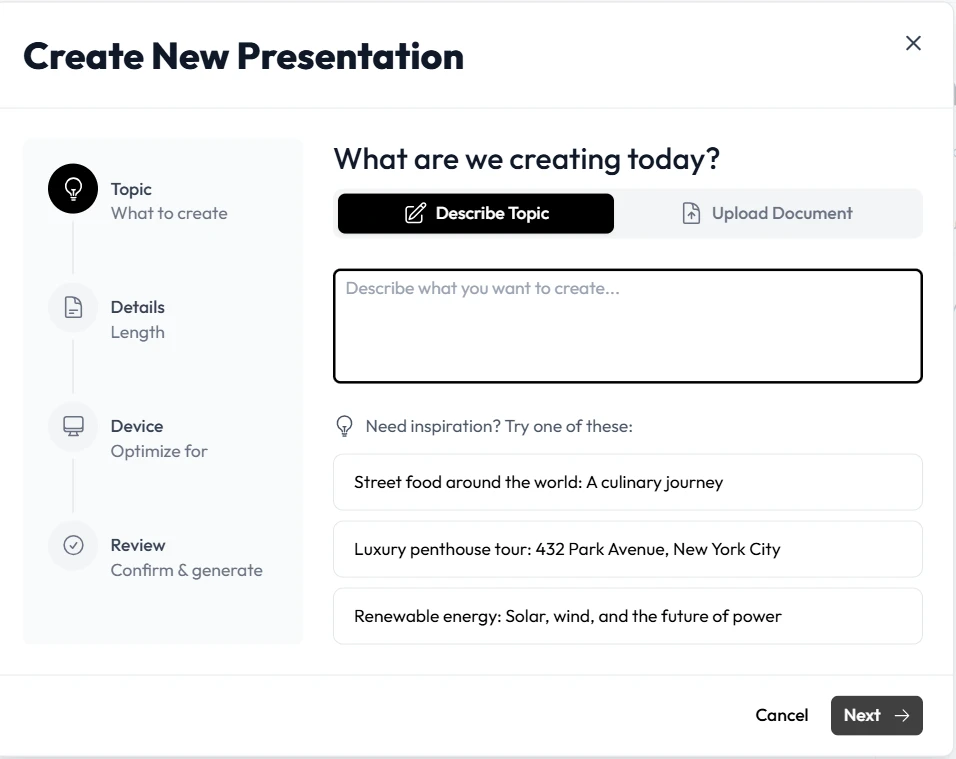
1. Start with a Prompt or Import Existing Documents
The first step in Unni is to give the system your foundational knowledge. If you are starting from scratch, you can type a highly specific text prompt directly into the Unni dashboard. Describe exactly what you need. For example, write “Quarterly financial review highlighting revenue growth and new market expansion strategies.”
If you already have existing materials, you do not need to start over. Unni allows you to import PDFs, Word documents, PowerPoint files, or Google Slides directly into your workspace. Unni automatically extracts the key information from these legacy formats to prepare them for a modern upgrade.
2. Generate Your Core Presentation Structure
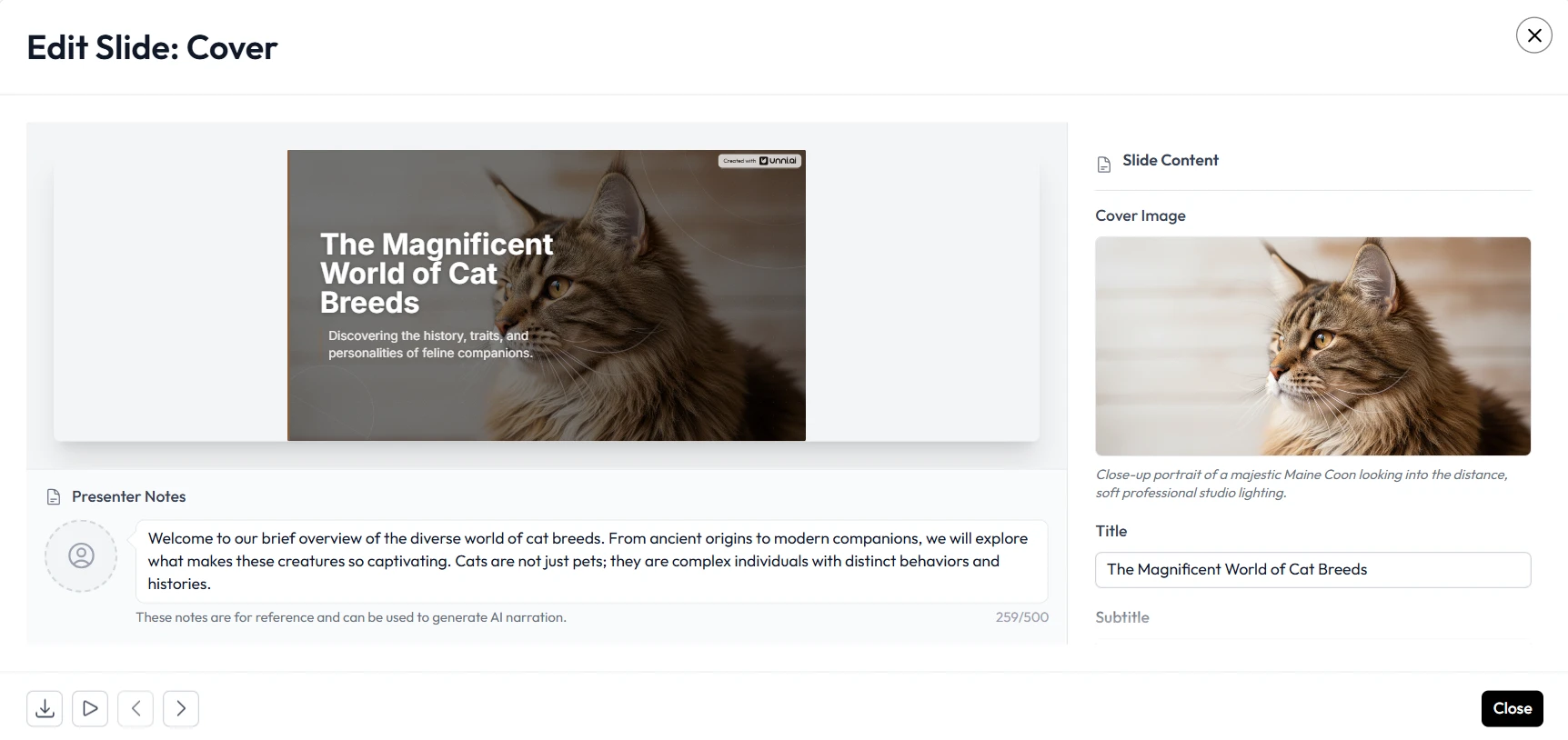
Once you provide your prompt or upload your file, click the generate button. Within seconds, Unni goes to work. The system creates a comprehensive outline and generates beautifully designed AI slides. It intelligently breaks up large walls of text into easily digestible bullet points, comparison tables, and visual highlights. Unni ensures your presentation has a logical beginning, middle, and end.
3. Refine Using Natural Language Commands
Professional presentations require precise adjustments to match your brand voice. Unni features a revolutionary natural language editing system. You never have to hunt through complex drop-down menus to change a design element. If a particular slide feels too text-heavy, simply select it and type “Summarize this into three key bullet points.” If a slide needs more visual impact, command Unni.ai to “Make it pop and add professional corporate imagery.” Unni understands plain English and applies your requested formatting instantly.
4. Build Interactive Branching Flows
Standard presentations force your audience down a single, linear path. Unni offers a next-generation visual canvas that allows you to create branching scenarios. You can connect different slides based on audience choices. If you are building an onboarding module, you can insert quiz blocks directly into the flow. Depending on how a user answers, Unni can route them to a review slide or allow them to progress forward. This level of interactivity guarantees your audience remains engaged.
5. Export Without Vendor Lock-In
After finalizing your professional slides, sharing them with your audience is seamless. Unni strongly believes that your content belongs to you. You can export your finished interactive module as a SCORM package for your learning management system. You can also export to standard formats like PDF, PowerPoint, or high-quality video. If you prefer instant sharing, Unni generates a secure, direct link that you can email to your team or embed directly onto your company website.
Practical Examples of Presentation Automation in the Workplace
Professionals across various industries rely on Unni.ai to accelerate their content development. Here are three specific ways different roles utilize Unni.ai to achieve superior results.
Corporate Trainers Enhancing Training Automation
Corporate training departments constantly battle tight deadlines. When a company updates its safety protocols or human resources policies, trainers must immediately update the corresponding materials. Unni dramatically accelerates training automation. A trainer can simply paste the new policy text into the platform. The system automatically generates fresh, compliant professional slides. By adding integrated knowledge checks, the trainer ensures employees actively understand the new guidelines rather than passively clicking through pages.
Instructional Designers Accelerating Course Creation
Instructional designers are tasked with building comprehensive learning ecosystems. They require sophisticated tools that support adult learning theories. Unni empowers instructional designers to elevate their course creation workflows. Designers use the free-form canvas in Unni to map out complex learning journeys. They combine motion-rich introductory cards with deep, branching scenarios that adapt to the learner. Unni handles the heavy lifting of visual design, allowing the instructional designer to focus entirely on curriculum strategy and educational impact.
Academic Professionals Streamlining Lesson Planning
University professors and secondary educators face an overwhelming administrative burden. Lesson planning often consumes the evenings and weekends of dedicated teachers. Unni acts as a reliable assistant for academic professionals. A teacher can input their syllabus topics for the upcoming week, and Unni will generate structured lecture materials. Unni produces clear, visually appealing slides that help students digest complex academic concepts easily. This allows the educator to spend more time interacting with students and less time adjusting font colors.
The Essential Checklist for High-Quality AI Slides
To ensure you get the absolute best results from your presentation automation workflow, follow this practical checklist every time you build new materials in Unni.
-
Define your core objective clearly before writing your initial text prompt.
-
Keep your commands specific. Tell Unni.ai exactly who the target audience is so it can tailor the tone appropriately.
-
Review the generated flow on the visual canvas. Ensure the transitions between topics feel natural and logical.
-
Utilize the plain language editor to simplify any industry jargon into accessible, beginner-friendly explanations.
-
Insert at least one interactive quiz block to maintain audience attention and measure comprehension.
-
Validate your visuals. Ensure the auto-generated images match your corporate or academic branding guidelines.
-
Export a quick test file to confirm compatibility with your company LMS or standard presentation software.
Frequently Asked Questions (FAQ)
What makes Unni different from standard presentation software?
Traditional software requires manual design, tedious alignment, and linear storytelling. Unni generates content automatically from text, allows you to edit using conversational commands, and features a visual node canvas for building interactive, branching experiences.
Can I import my outdated corporate presentations into Unni.ai?
Yes. Unni supports importing from PowerPoint, PDF, Google Slides, and standard document formats. Unni will extract your old content and instantly modernize it into dynamic, interactive modules.
Do I lose ownership of my work when using Unni.ai?
Absolutely not. Unni operates with a strict no vendor lock-in policy. Your content is always yours. You can export your creations at any time in multiple formats, ensuring you always have full control over your intellectual property.
How does Unni assist educators with lesson planning?
Unni utilizes specialized algorithms that understand pedagogical structure. When educators provide a topic, Unni organizes the information logically, adds relevant visual aids, and creates a flow that maximizes student retention and engagement.
Do I need to pay for every feature inside Unni.ai?
No. Unni offers a robust free plan that covers all manual editing and structuring features. You only consume credits when utilizing generative features like automated course generation or custom AI voiceovers.
Conclusion
Creating high-quality visual materials should never be a frustrating or time-consuming process. By adopting a modern approach, professionals can reclaim hours of their workweek while delivering vastly superior content to their audiences. When you leverage an advanced educational AI presentation generator for AI slides, you elevate the standard of your communication instantly.
Unni gives you the power to transform simple text into dynamic, interactive experiences without requiring a background in graphic design. Whether you are focused on scaling your corporate training automation, simplifying your academic lesson planning, or launching a new digital course creation business, Unni provides every feature you need to succeed. Stop wrestling with outdated, static software. Take control of your content today.
Create your free account on Unni.ai and experience the true power of presentation automation.