How AI Helps Build Better Online Workshops and Masterclasses | Unni.ai
Learn how AI helps facilitators build better online workshops and masterclasses. Covers structure, pacing, and how to automate your presentation workflow.
Building an engaging online workshop or masterclass requires immense effort. Whether you focus on standard course creation, corporate training, or even want to create Visual Novel style interactive learning paths, the demand for quality remains high. Today, educational AI is changing how professionals approach Content Creation. By leveraging a dedicated AI presentation generator like Unni.ai, educators can quickly produce professional AI slides. This level of presentation automation frees you from tedious design work. Ultimately, mastering this allows you to focus on what matters most: delivering impactful knowledge to your audience and driving real results.
Why Traditional Course Creation is Slowing You Down
For years, educators and instructional designers have relied on manual methods to build their materials. This traditional approach to course creation usually involves starting with a blank slide deck, copying and pasting text from a syllabus, and spending countless hours formatting text boxes. If you are a corporate trainer, you know the frustration of nudging images slightly to the left just to make a slide look presentable.
This manual formatting process creates a significant bottleneck in your workflow. When you spend 80% of your time wrestling with design software, you only have 20% left for actual Content Creation. Furthermore, when information changes or industry standards update, revising those traditional decks requires going through the exact same tedious process all over again.
This friction leads to stale content. When updating materials takes too much effort, instructors often reuse outdated decks. This compromises the quality of the learning experience and reduces student engagement. To stay competitive and deliver high-quality online workshops, professionals need a faster, smarter way to build and manage their digital assets with Unni.ai.
The Shift Toward Educational AI in Content Creation
Instructional designers and academic professionals face tight deadlines. You need to gather research, outline modules, build compelling visuals, and prepare for delivery. Doing this manually consumes hours that you could otherwise spend interacting with your students, answering questions, or refining your verbal delivery.
Using an AI presentation generator like Unni transforms this workflow entirely. Instead of staring at a blank screen and worrying about graphic design principles, you simply provide your core ideas to Unni. The platform’s educational AI engine processes your concepts and generates a highly structured, logical outline. From there, the platform automatically designs the visual elements.
This process brings true presentation automation directly to your desktop. You maintain full creative control over the final product while Unni.ai handles the heavy lifting. Teachers and corporate trainers report significant time savings when they adopt this technology. By automating the formatting phase, you eliminate the friction of creating slide dekcs. You can easily adapt your material for different audiences, ensuring your online workshops remain dynamic, up-to-date, and highly relevant to your learners.
Step-by-Step: Using Unni for Masterclasses
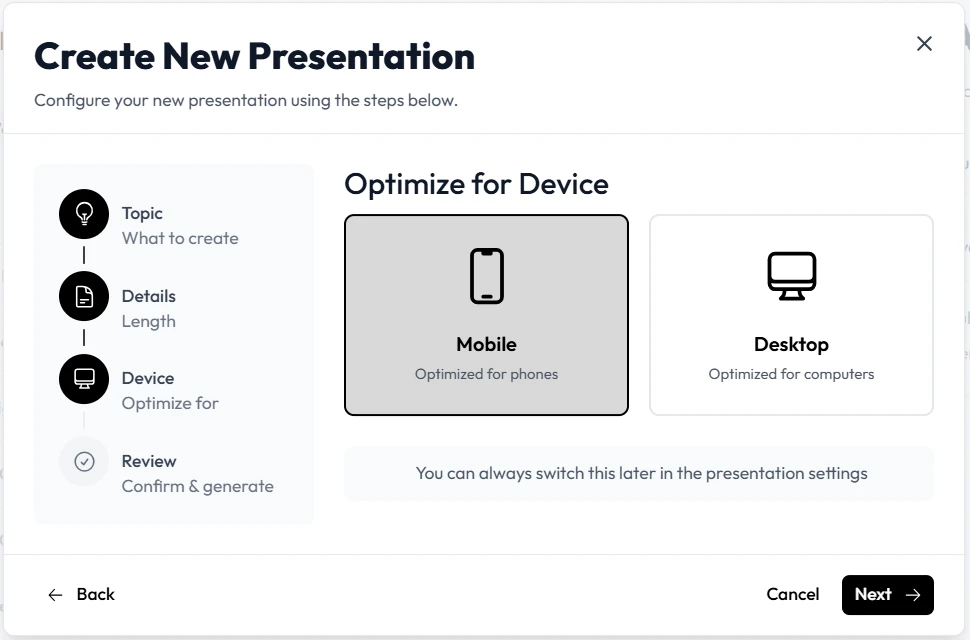
Implementing a new technology into your workflow might feel daunting at first. However, Unni makes presentation automation accessible for everyone, regardless of technical skill level. Follow these concrete steps to build your next online workshop efficiently and effectively.
-
Define Your Learning Objectives Start by identifying exactly what your attendees need to achieve by the end of the session. Write down three to five clear, actionable takeaways. Feeding these specific objectives into Unni ensures the resulting AI slides align perfectly with your educational goals. Clear objectives prevent the AI from generating generic content and keep the focus on your specific topic.
-
Input Your Core Material Upload your existing notes, syllabus, research documents, or a rough draft directly into Unni. The platform analyzes your text to extract the most critical concepts. This step is crucial for effective content creation. The better and more detailed your initial input, the more accurate and insightful the initial draft will be.
-
Generate the Initial Structure Click the prompt to create your presentation. Unni will instantly build a logical flow of information. It automatically segments dense text into readable bullet points and short paragraphs, applying instructional design best practices to ensure cognitive balance on every slide.
-
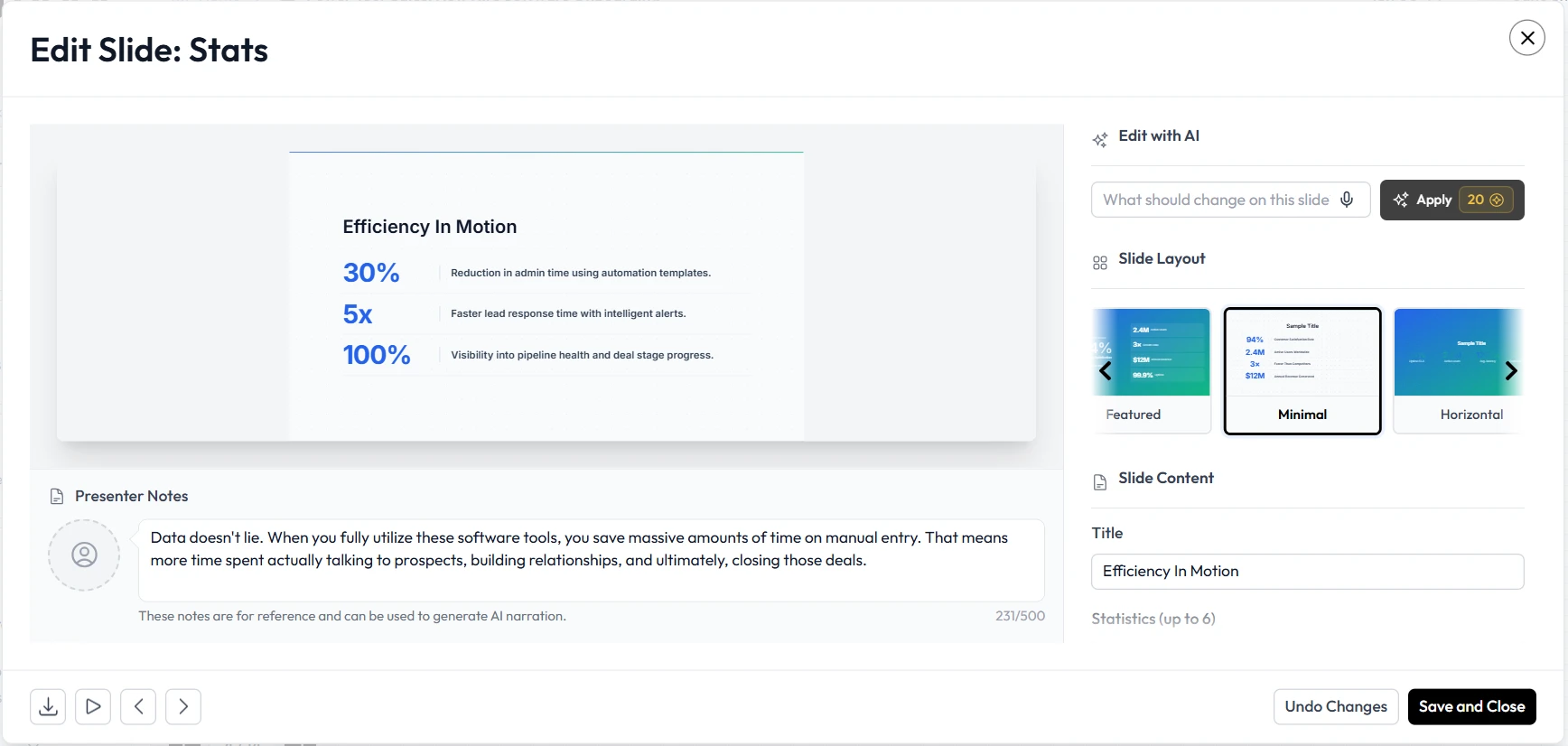
Customize the Visual Design Review the generated AI slides. You can easily adjust the color scheme, typography, and layout to match your personal or corporate brand. Unni provides intuitive tools to swap out graphics, adjust charts, or highlight specific data points without requiring any graphic design experience.
-
Refine and Add Interactive Elements Enhance your masterclass by adding interactive components. If you plan to createl branching scenarios for scenario-based learning, you can map out those decision points here. Adding interactive elements keeps remote learners engaged and prevents passive watching.
-
Export and Present Confidently Once you are completely satisfied, export the file into your preferred format. You are now ready to host your workshop with a polished, professional deck that looks like it took weeks to build.
Practical Examples of Presentation Automation
Understanding the theory of educational AI is helpful, but seeing it applied brings the concept to life. Here are a few distinct ways different professionals use Unni.ai to enhance their online workshops and streamline their daily workloads.
Corporate Trainers Accelerating Onboarding
A corporate trainer needs to update the company compliance training every single quarter due to changing regulations. Instead of manually redesigning the entire deck, the trainer feeds the updated policy document into Unni.ai. The platform instantly updates the AI slides with the new regulations, adjusting the layout to accommodate new text. This training automation saves the trainer two full days of administrative work per quarter, allowing them to focus on coaching new hires.
Instructional Designers Building Scenario Learning
An instructional designer wants to build a branching simulation for customer service representatives facing difficult calls. They use Unni.ai to outline the conversational paths and potential customer reactions. By utilizing Unni.ai to Create Visual Novel style dialogue screens, the designer crafts an engaging Digital Experience Creation that keeps learners invested in the material and improves real-world retention.
Academic Professionals
A university professor must convert a rigorous semester of academic lectures into a condensed, high-impact weekend masterclass for continuing education students. The professor inputs their original, dense lecture notes into the Unni.ai AI presentation generator. Unni.ai highlights the most critical concepts and generates a streamlined, visually appealing presentation. This allows the professor to focus on facilitating deep discussions rather than reformatting old slides.
The Benefits of Unni for Teachers and Corporate Trainers
Adopting Unni.ai provides benefits that extend far beyond simply saving time. When you utilize AI for teachers or corporate training automation, you fundamentally change how you interact with your audience.
First, you achieve unprecedented consistency. When you build multiple workshops over a year, maintaining a consistent look and feel becomes challenging. Educational AI ensures that every slide deck adheres to your established design rules. This visual consistency builds trust with your audience and establishes your authority as an expert.
Second, you unlock the ability to iterate rapidly. In the past, if a post-workshop survey revealed that a specific module was confusing, redesigning that module felt like a massive chore. With Unni.ai, you simply adjust your text input and let the platform regenerate the affected AI slides. This agility allows you to continuously improve your course based on real-world feedback.
Third, you lower the barrier to entry for complex visual formats. You might have a brilliant idea for a branching scenario but lack the design skills to execute it. Educational AI bridges that gap. It gives you the structural support needed to Create Visual Novel style learning paths or intricate infographics, empowering you to deliver a premium Digital Experience Creation without hiring an external design agency.
Frequently Asked Questions (FAQ)
How does Unni.ai improve my workflow?
Unni.ai acts as an AI presentation generator that drastically reduces the time spent on formatting, layout, and structuring. By automating the visual design process, you gain significantly more time to refine your actual teaching material and interact meaningfully with your students.
Can I trust educational AI to create accurate content?
While educational AI is highly advanced and capable, it serves best as a collaborative assistant rather than a complete replacement for your subject matter expertise. You should always review the AI slides generated by Unni.ai to ensure the information aligns perfectly with your specific curriculum and quality standards.
Is Unni.ai suitable for complex course creation?
Yes. Whether you are building a simple hour-long webinar or a multi-module, highly technical certification program, Unni.ai scales to meet your exact needs. Its robust Content Creation features support deep, comprehensive Digital Experience Creation.
Does Unni.ai help with general lesson planning for teachers?
Yes. AI for teachers is becoming a standard tool. Unni.ai helps structure your thoughts and generate visual aids quickly, which cuts down weekly lesson planning time by hours and allows you to focus on pedagogy.
Conclusion: Elevate Your Online Workshops
Building better online workshops does not have to mean working longer hours or sacrificing your weekends. The landscape of course creation is evolving at a rapid pace. By actively embracing an AI presentation generator like Unni, you can elevate the visual quality of your educational materials while reclaiming your valuable time.
True presentation automation removes the friction from Content Creation, allowing you to focus on the human element of teaching and training. When you integrate educational AI into your weekly routine, you consistently deliver a superior product. Your students benefit from clear, visually appealing AI slides, and you benefit from a streamlined, stress-free workflow.
Start transforming your instructional design process today. Try Unni.ai!