How to Create Coursera Training Slides Faster with an AI Presentation Generator
Learn how to create Coursera-ready training slides faster using Unni.ai. A practical guide for online educators who want structured, professional slides.
Building a successful Coursera course requires delivering high-quality, structured learning materials. Instructors often spend a disproportionate amount of time designing visual assets rather than refining their curriculum. If you want to streamline this workflow, an advanced AI presentation generator is essential. Unni.ai allows educators and instructional designers to transform their expertise into polished AI slides in a fraction of the time. By utilizing educational AI, you can automate the tedious formatting process and focus entirely on creating impactful content for your global audience.
The Bottleneck in Digital Course Creation
Coursera learners expect professional, engaging, and well-structured presentations. Traditional slide design relies on manual formatting, adjusting text boxes, and aligning graphics. This process is incredibly slow. When an instructor has to build an eight-week curriculum, creating dozens of slide decks manually becomes a major bottleneck in course creation.
Instructors frequently report that the visual design phase takes just as long as the initial research and scriptwriting. Standard presentation software demands too much time for layout adjustments, leaving less time for developing the actual educational strategy. A dense, text-heavy slide can increase cognitive load, making it difficult for students to retain complex information.
You need a solution that understands how to pace information correctly. Unni directly addresses this challenge and provides a sophisticated workspace where you supply the knowledge, the software handling the visual structuring.
Leveraging Educational AI for Better Layouts
Unni goes beyond simple text placement. It operates using advanced educational AI that understands the fundamentals of adult learning. When you provide your course outline or lecture notes, the system analyzes the content to identify key learning objectives.
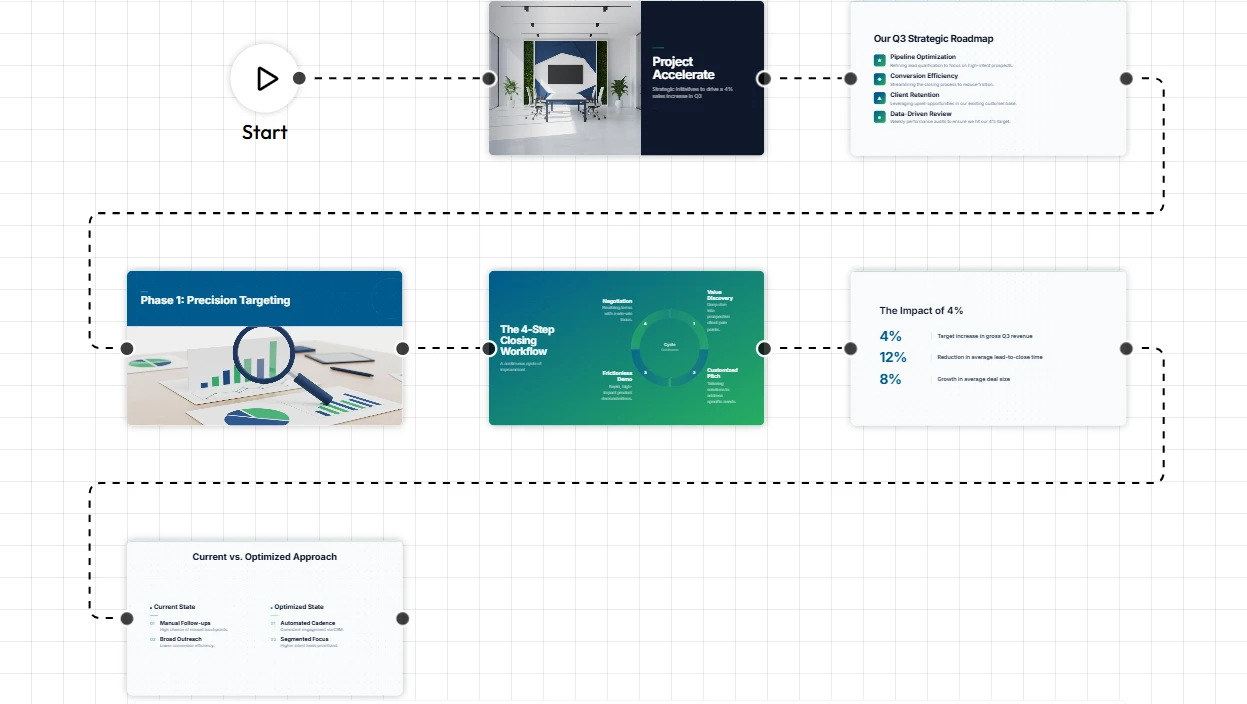
The platform then structures this information into a logical flow. Instead of overwhelming your learners with dense paragraphs, Unni breaks the content down into clear bullet points, comparative layouts, and relevant visuals. This level of presentation automation ensures your Coursera materials are visually appealing and pedagogically sound.
Step-by-Step Guide: Building Coursera Slides with Unni
You can significantly reduce your production time by adopting a smarter workflow. Follow these exact steps to generate your course materials rapidly using Unni.ai.
1. Structure Your Module Content
Before opening any software, finalize your lecture notes or module outline. Ensure your learning objectives for the specific Coursera video are clear. You can write this as a detailed prompt or organize it into a plain text document. Clear inputs yield the best structural outputs from the AI presentation generator.
2. Generate Your Base Deck
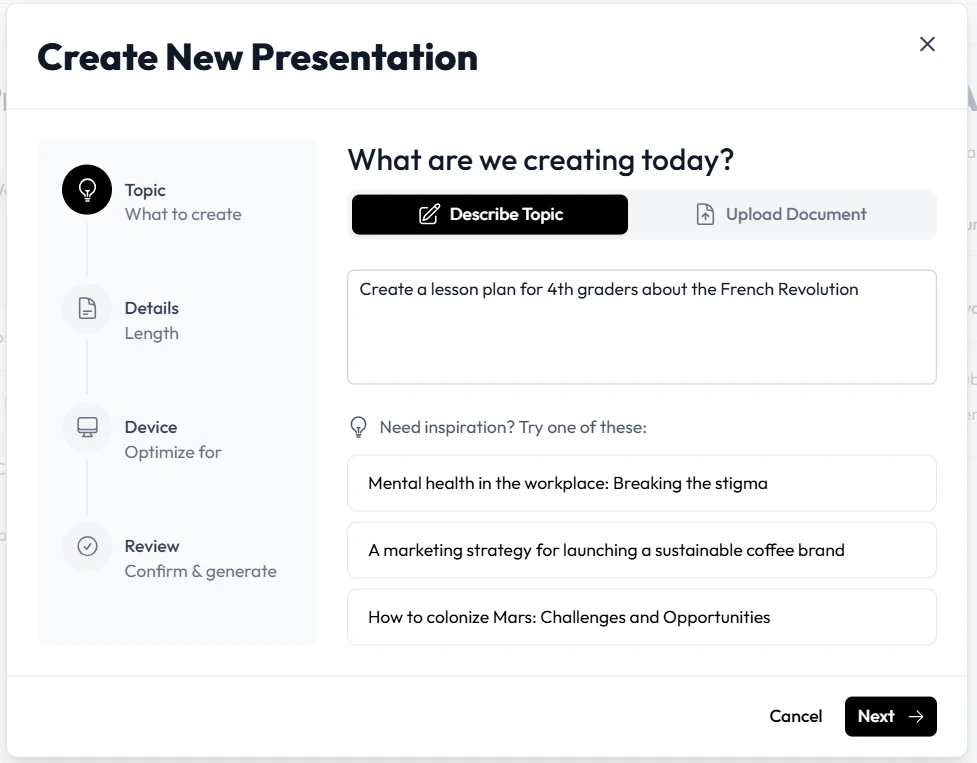
Log into Unni and select the option to generate a presentation from text. Paste your lecture notes directly into the input field. For example, write “Week 3: Introduction to Data Structures, covering arrays and linked lists for beginners.” Click generate, and Unni will instantly produce a fully structured deck of AI slides complete with suggested layouts and relevant imagery. You can also upload a document and the platform will generate your initial presentation.
3. Refine the Information Hierarchy
Coursera slides must have a clear hierarchy to guide the learner’s eye. Review the generated slides. If a particular concept feels too dense, use the natural language editor in Unni. Simply select the slide and command Unni.ai to “Break this complex concept into two separate slides” or “Summarize these points into a simple comparison.” The system will adjust the layout immediately without requiring manual dragging or dropping.
4. Maintain Visual Consistency
Professional courses require a unified look across all modules. Ensure the generated template matches your personal branding or your institution’s guidelines. Unni allows you to establish global styles, ensuring that fonts, color palettes, and structural layouts remain consistent throughout your entire course.
5. Export for Video Production
Once your AI slides are finalized, you can export them directly from Unni. You maintain complete ownership of your materials. Export your presentation as a high-resolution PDF or PowerPoint file to import directly into your video recording software, ensuring a seamless transition from creation to final production.
Practical Examples of Training Automation
Instructors across various disciplines use Unni to accelerate their production schedules. Here are three specific ways different educators utilizethe platform for their online courses.
Technical Skills Instructors
An instructor teaching a Python programming course on Coursera needs to present code snippets clearly alongside explanatory text. Instead of struggling to format code blocks in standard software, the instructor inputs the script and explanations into Unni. The platform generates clean, high-contrast slides that highlight the code syntax perfectly, making it easy for students to follow along on video.
Business and Management Trainers
A corporate trainer developing a leadership module can input their extensive strategy guides into Unni. The system will extract the core leadership principles and organize them into visually distinct slides. This level of training automation allows the trainer to focus on recording compelling voiceovers rather than searching for the perfect stock photo to represent teamwork.
Academic Educators
A university professor adapting a semester-long history course for a digital audience faces a massive content conversion task. By pasting their existing lecture transcripts into Unni, the platform instantly builds a visual narrative. It structures timelines and highlights key historical figures automatically, turning dense academic text into engaging visual assets suitable for a global audience.
Checklist for Effective Online Course Slides
To maximize your efficiency and ensure high-quality outputs, run through this checklist before finalizing your next Coursera module in Unni.
-
Ensure your initial prompt or text input clearly defines the target audience and learning objective.
-
Review the generated slides for cognitive overload. No slide should contain more than five key points.
-
Utilize natural language commands to simplify complex industry jargon into accessible language.
-
Verify that all visual assets generated align with the professional tone of your course.
-
Confirm that the color contrast is high enough for learners viewing the videos on mobile devices.
-
Export a quick test file to ensure the aspect ratio matches your video recording software requirements.
Frequently Asked Questions (FAQ)
Will Unni.ai design the slides exactly how Coursera requires them?
While Unni handles the heavy lifting of layout and structuring, you must review the final output to ensure it meets Coursera’s specific instructor guidelines, particularly regarding branding and visual clarity for video.
Can I edit the slides after the AI generates them?
Yes. Unni provides a comprehensive visual editor and a natural language editing system. You retain full control to modify text, swap images, or adjust layouts manually if needed.
Does Unni help with writing the actual course content?
Unni is designed to take your existing knowledge and structure it visually. While it can summarize and organize information, the core educational value must come from your expertise and specific lecture notes.
Can I use the presentations created in Unni for other platforms?
Absolutely. Unni operates with zero vendor lock-in. You can export your presentations and use them for Coursera, Udemy, your own website, or internal corporate training systems.
Conclusion
Accelerating your course production is entirely possible when you stop wasting time on manual design tasks. By implementing a modern educational AI presentation generator for AI slides, you can dramatically reduce the friction of visual content creation.
Unni empowers you to transform your lecture notes and module outlines into highly professional AI slides instantly. Whether you are focused on scaling your course creation, improving your academic lesson planning, or automating your corporate training materials, Unni provides the exact tools you need.
Stop letting slow formatting hold back your next big launch. Create a free account on Unni.ai and start generating your Coursera materials faster than ever before.
Related Reading
- How Hotmart Course Creators Use AI Presentation Automation: The same AI slide workflow applied to Hotmart, a leading platform for digital creators in Portuguese-speaking markets.
- How to Create Skillshare Course Slides Faster with AI: Platform-specific guidance for Skillshare, including a quality checklist aligned with Skillshare’s instructor requirements.
- The Best AI Presentation Generator for Skillshare Instructors: A broader look at how AI is reshaping the economics of online course creation across creator platforms.