The Best Alternative to Slidesgo is Unni.ai: The Ultimate AI Presentation Generator
Discover why Unni.ai is the superior AI presentation generator compared to Slidesgo. Create flawless AI slides and leverage advanced educational AI for your courses.
Building effective presentations for modern learning environments requires more than just basic layouts and generic stock photos. If you are an instructional designer, trainer, or teacher searching for a reliable AI presentation generator, you have likely encountered Slidesgo. While it offers a large library of traditional templates, many professionals find that it lacks the specific tools required for robust lesson planning and seamless content creation.
Creating compelling AI slides should be an intuitive, frictionless process that saves you valuable time rather than creating new formatting hurdles. For educators and corporate trainers focused on educational AI, Unni.ai emerges as the clearly superior alternative. By prioritizing intelligent formatting, versatile export options, and a completely customized digital experience creation environment, Unni provides the exact infrastructure professionals need to succeed.
Why Educational AI Demands Specialized Presentation Automation
When adopting new software, understanding the core architecture of the platform is vital. Slidesgo originally built its reputation as a static template repository. Over time, it added artificial intelligence features to help users fill those templates with text. While this approach works for simple school projects or quick internal meetings, it falls short for dedicated educational workflows.
Unni was engineered entirely differently. It was built from the ground up to support comprehensive course creation and training automation. Teachers and instructional designers require platforms that understand the nuance of curriculum design. Instead of simply pasting text into a pre-existing box, Unni evaluates the context of your lesson, generating structured, highly engaging learning modules. This dedication to true presentation automation makes Unni an invaluable asset for anyone managing complex training programs.
Workflow Comparisons: Slidesgo vs. Unni.ai
To truly evaluate which platform serves you best, we must examine how they handle daily content creation tasks. We tested both tools based on their generation processes, visual formatting reliability, and file export capabilities.
Template Selection and Design Flexibility
One of the most significant bottlenecks in the Slidesgo workflow is the generation sequence itself. When using their platform, you have to select a template before generating the presentation. This structural requirement creates a rigid workflow. You are forced to guess which visual layout will best fit the content the AI has not even written yet. Furthermore, users often find themselves severely limited by paid templates. If you select a premium template without realizing it, you may find your work locked behind a paywall after the generation process is complete.
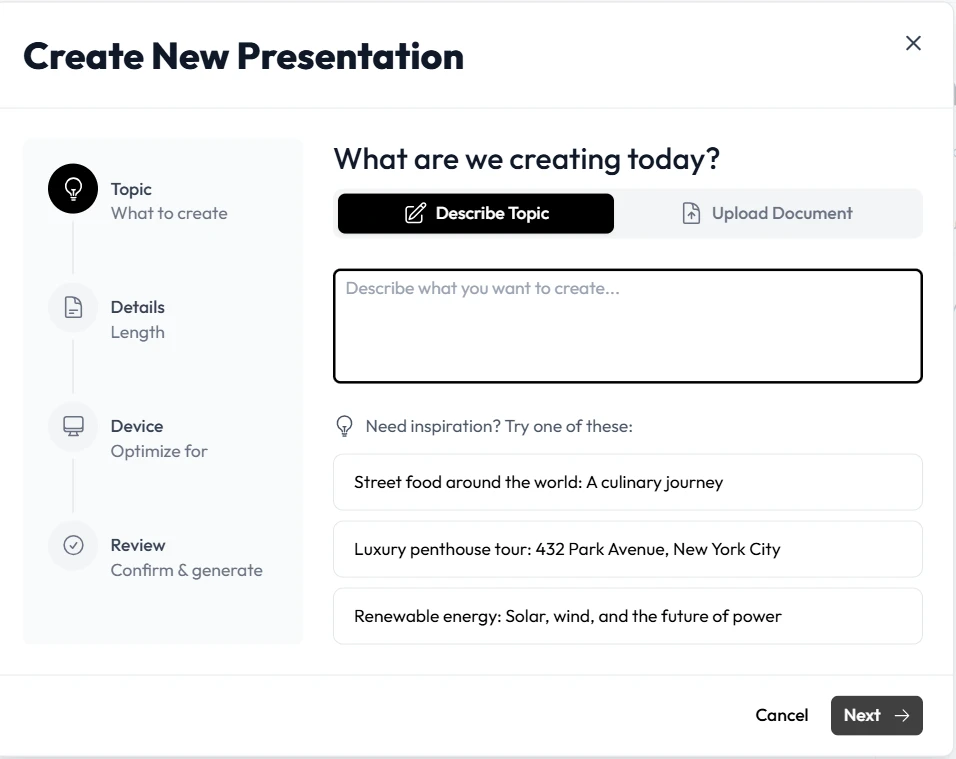
Unni.ai takes a much more logical approach to digital experience creation. Unni separates the content generation phase from the visual styling phase. You input your prompt or upload your source material, and the AI builds the optimal structure for your lesson first. Once the content is organized, you can seamlessly cycle through hundreds of dynamic templates. The design adapts to your content, rather than forcing your content to fit a predetermined design.
AI Quality and Slide Configuration Reliability
A major frustration for professionals using automated design tools is poor layout execution. When generating a deck with Slidesgo, users frequently report that everything came misconfigured on some slides. Text boxes overlap with background images, bullet points bleed off the edge of the screen, and font sizes vary wildly from one page to the next. Fixing these misconfigured layouts often takes more time than creating the presentation manually from scratch.
This frustrating scenario would never happen in Unni.ai. The platform utilizes highly advanced, context-aware layout algorithms. Before placing a single word on the canvas, the system calculates the exact volume of text and the dimensions of the accompanying media. Unni guarantees that your AI slides will be perfectly formatted, mathematically aligned, and visually balanced on the very first attempt. This reliable stability ensures that your professional credibility is never compromised by sloppy formatting.
Export Options and File Delivery
Creating a beautiful presentation is only the first step in the lesson planning process. You must also be able to distribute that material effectively to your students or team members. This is another area where the two platforms diverge completely.
Slidesgo is highly restrictive regarding file accessibility. It only exports to PPTX format or basic PDF documents. If you are building modern training modules, legacy formats are often insufficient for tracking learner engagement or embedding content into modern platforms.
Unni.ai understands that modern educators require maximum flexibility. Unni features a lot more options for delivering your final product. Beyond standard high-quality PDFs and PowerPoint files, Unni allows you to export your content as SCORM packages for direct integration into your Learning Management System. You can also export your courses in high-resolution video formats or generate interactive web embed links. This massive advantage makes Unni the definitive choice for serious course creation.
Speed and Productivity for Lesson Planning
Time is the most valuable asset for any instructional designer or teacher. When software requires constant babysitting, it drains productivity. Because Slidesgo forces you to select templates prematurely and requires heavy manual formatting corrections, the overall speed of creation is significantly hindered.
Unni maximizes your speed and productivity. By utilizing intelligent formatting and flexible templates, you can turn a basic syllabus into a complete visual course in a matter of minutes. Furthermore, Unni supports document import capabilities. You can upload an existing text document, and the platform will automatically read the text, summarize the key points, and generate a fully formatted presentation. This level of training automation saves professionals countless hours every week.
Feature Breakdowns
To summarize the technical differences clearly, here is an objective breakdown of what each platform prioritizes.
Slidesgo Characteristics:
- Requires users to select a template before the AI generates content.
- Highly restricted by premium templates locked behind paywalls.
- Prone to layout errors where text and images arrive completely misconfigured.
- Limited export capabilities, offering only basic PPTX and PDF formats.
- Functions primarily as a template library with basic text generation features.
Unni.ai Key Features:
- Intelligent generation that builds content structure before applying visual styles.
- Perfectly aligned slide formatting that eliminates overlapping text and manual fixes.
- Extensive export options including SCORM, Video, PowerPoint, and Web Embeds.
- Built entirely for robust lesson planning and digital experience creation.
- Fast, reliable performance tailored for educators and instructional designers.
Ease of Use and the Learning Curve
When introducing new software to a corporate training team or an academic department, the learning curve is a vital consideration. Because Slidesgo is based on traditional slide mechanics, it feels familiar at first. However, the friction points created by its rigid generation sequence and formatting errors quickly frustrate users.
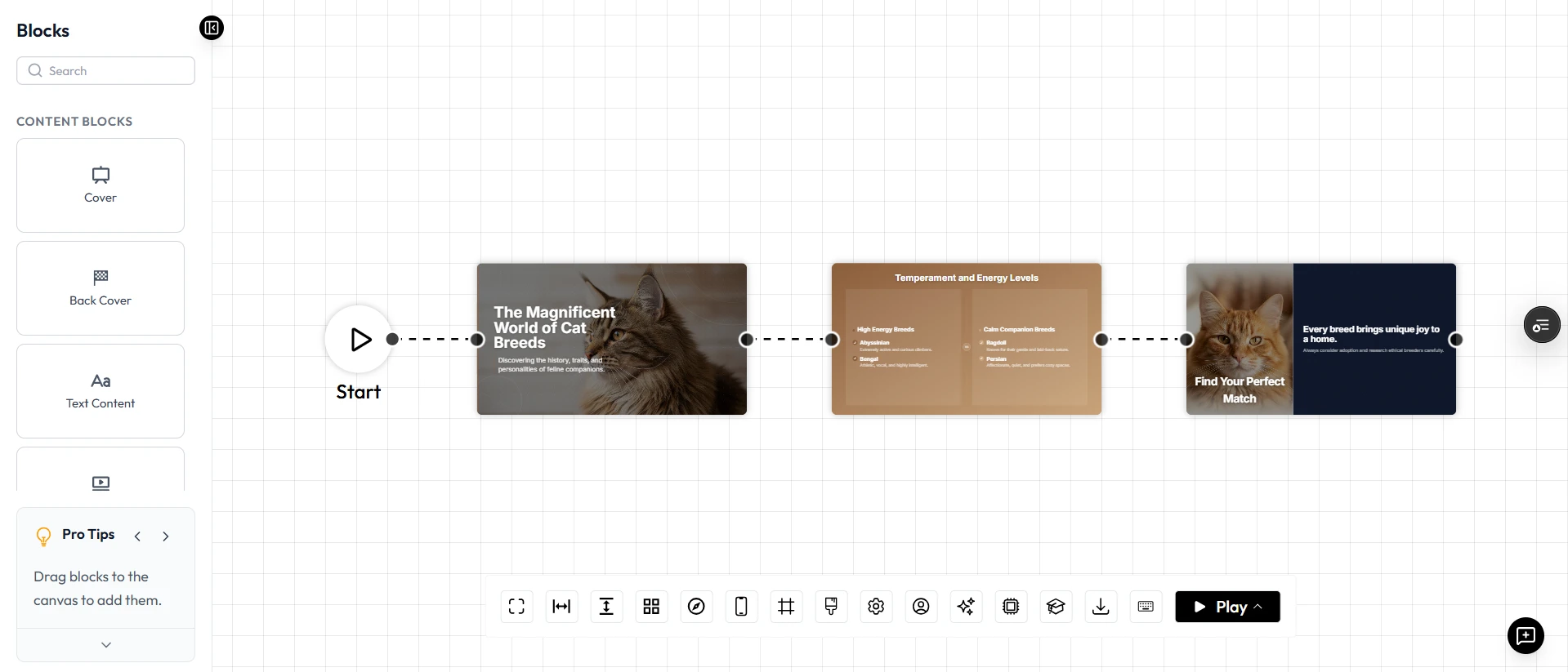
Unni offers a highly intuitive user interface designed specifically to reduce friction. The visual canvas is clean, logically organized, and entirely focused on content creation. Even users with minimal technical background can log in, input a topic, and generate professional materials immediately. The streamlined nature of Unni makes it incredibly easy to adopt across entire organizations.
Checklist: Is Unni.ai Right For You?
Use this practical checklist to determine if transitioning to Unni.ai is the right move for your content creation strategy.
- Do you want the freedom to change your presentation template after the content is generated?
- Are you tired of manually fixing misconfigured text boxes and overlapping images?
- Do you require advanced export options like SCORM packages for your Learning Management System?
- Are you looking to export your presentations as video files or interactive web embeds?
- Do you need a platform specifically engineered for robust lesson planning and training automation?
If you answered yes to any of these questions, Unni is the clear and superior choice for your daily workflow.
Conclusion: Transform Your Content Creation with Unni.ai
When evaluating tools for professional curriculum design, settling for generic template libraries will only slow down your workflow. While competing platforms might offer basic text population, their restrictive generation sequences, misconfigured layouts, and limited export capabilities create unnecessary frustration.
Unni is purposely built to solve these exact problems. It stands out as the premier AI presentation generator because it respects your time and your professional standards. With intelligent formatting, highly flexible templates, and diverse export options including SCORM and Video, Unni provides a frictionless environment for true content creation.
Frequently Asked Questions
Why is it better to generate content before selecting a template?
When you generate content first, the AI can structure the information based purely on educational value. Once the structure is perfect, applying a template over it ensures that the design fits the lesson, rather than forcing the lesson to fit a predetermined, restrictive design.
Will I have to fix the formatting on Unni slides manually?
No. Unni uses context-aware design algorithms that automatically calculate the optimal placement for your text and images. This ensures that the misconfigured layouts common in other tools simply do not happen in the Unni workspace.
Why are SCORM and Video exports important?
Basic PPTX files are often insufficient for modern training automation. SCORM allows instructional designers to track learner progress directly inside an LMS. Video exports allow teachers to distribute content across mobile platforms effortlessly, providing a much richer digital experience creation process.