The Best Articulate Storyline Alternative for Mac is Unni
Articulate Storyline has no Mac version, so Mac users are stuck with emulators. Unni.ai is the browser-based alternative that builds interactive courses on any Mac.
If you use a Mac and have looked into Articulate Storyline, you already know the problem. Storyline is Windows-only, so using it on a Mac means running Windows through Parallels, a virtual machine, or a cloud desktop. That is a stack of extra software, extra licenses, and extra things to break before you build a single slide. For a full breakdown of those workarounds, see our guide on running Articulate Storyline on a Mac.
There is a cleaner answer. Instead of forcing Windows software onto a Mac, use a tool built for the browser from day one. Unni.ai runs natively on macOS, Windows, Chromebooks, and Linux, and it builds interactive courses for you with AI. This is why it is the best Articulate Storyline alternative for Mac.
The core difference: Windows software vs a browser-native tool
Storyline assumes you are on Windows. Everything about the Mac experience is a workaround layered on top of that assumption. Unni assumes nothing about your operating system, because it runs where every Mac already runs everything: the browser.
| Feature | Articulate Storyline | Unni.ai |
|---|---|---|
| Runs natively on Mac | No, Windows-only | Yes, in any browser |
| Apple Silicon support | Emulation only | Native, no emulation |
| Install required | Yes, plus Windows | None |
| Extra licenses to run on Mac | Parallels, Windows | None |
| Course creation | Manual authoring | AI-generated draft |
| Time to first draft | Hours | Minutes |
| SCORM and LMS publishing | Yes | Yes |
| Best fit | Full-time instructional designers | Teachers, trainers, agile teams |
No Windows, no virtual machine, no extra cost
The single biggest win for Mac users is what disappears. With Unni there is no Parallels subscription, no Windows license, no virtual machine to configure and update, and no separate Windows PC sitting on your desk. You open your browser on the Mac you already own and start building.
That also means no emulation surprises. On Apple Silicon Macs, running Storyline through Parallels puts it on a Windows-for-ARM emulation layer, which can affect preview and publishing. Unni runs natively, so what you see is what you get.
It builds the course, not just an empty canvas
Even on Windows, Storyline gives you a blank canvas and a long manual process: outline, script, design every slide, find every image, wire up every interaction. Unni flips that around.
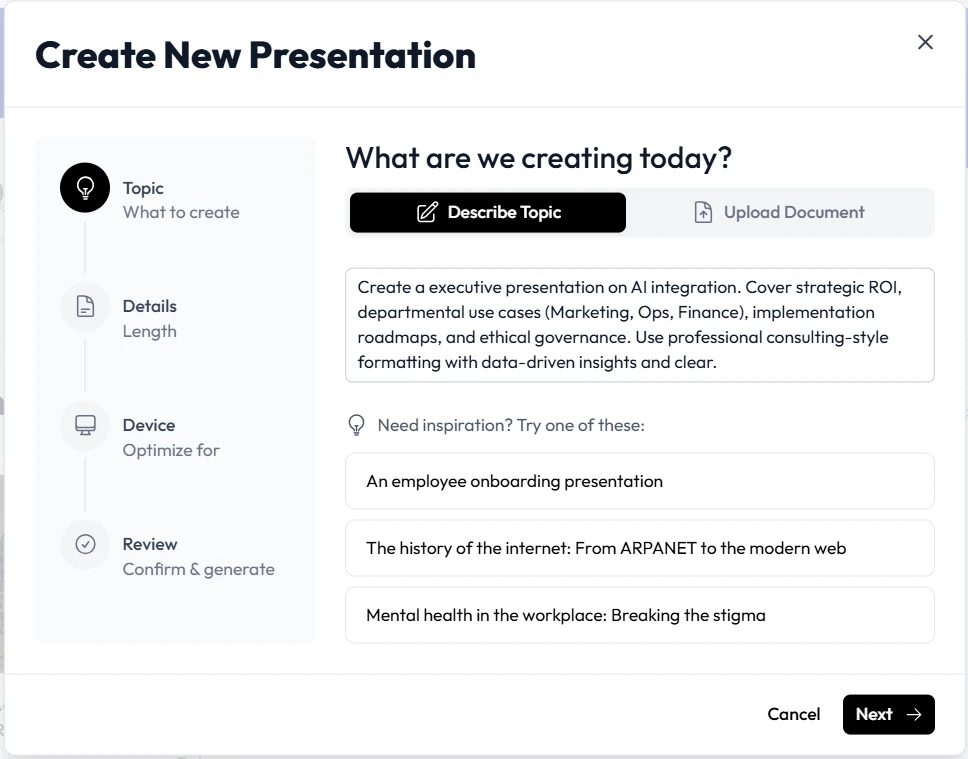
You give Unni a prompt, a PDF, or a topic, and it generates a structured, interactive course as a first draft in minutes. You then act as the editor and director rather than building from zero. So the comparison is not only Mac versus Windows, it is hours of manual work versus a finished draft you refine.
You keep what matters: SCORM and your LMS
Switching tools should not break your delivery pipeline. Unni produces SCORM-ready courses that upload to standard learning management systems, so the output still fits the workflow your organization already uses. You drop the Windows dependency, not your LMS.
Who should switch, and who should not
Storyline remains a serious tool for full-time eLearning developers building branching simulations and pixel-level custom interactions. If that is your entire job and you already run Windows, Storyline has its place.
But if you are a teacher, a corporate trainer, a consultant, or anyone who wears several hats and happens to use a Mac, the cost of forcing Storyline to run is hard to justify. You are paying for and maintaining Windows just to author a course. Unni gives you professional, interactive results on the Mac you already have, and it builds the first draft for you.
If you are comparing the broader Articulate suite, see why Unni is the best alternative to Articulate 360. If you just want the quick answer on Mac support, read is there an Articulate Storyline for Mac.
The bottom line
The best Articulate Storyline alternative for Mac is the one that makes the Mac problem vanish. Unni.ai runs natively in your browser, needs no Windows and no extra licenses, builds your course with AI, and still publishes to SCORM and your LMS. You stop maintaining workarounds and start building.
Start building interactive courses on your Mac with Unni.ai today.
Frequently Asked Questions
What is the best Articulate Storyline alternative for Mac?
Unni.ai is the strongest option for Mac users because it runs natively in the browser on macOS, with no Windows, no virtual machine, and no extra licenses. It also generates interactive, SCORM-ready courses from a prompt or document, so it replaces both the Windows workaround and hours of manual slide building.
Why do Mac users need a Storyline alternative at all?
Because Articulate Storyline is Windows-only. To use it on a Mac you have to run Windows through Parallels or a cloud desktop, which means paying for and maintaining several layers of software just to open the app. A browser-based alternative removes that entire burden.
Does the alternative support SCORM and LMS publishing?
Yes. Unni.ai produces SCORM-ready courses you can upload to standard learning management systems, so you keep the part of the Storyline workflow that matters while dropping the Windows dependency.
Is a browser-based tool powerful enough to replace Storyline?
For most teachers, trainers, and agile teams, yes. Storyline is built for full-time instructional designers creating complex simulations. If you need interactive, professional courses without that complexity, a browser-based AI tool delivers the result far faster and on any operating system.