The best Bobr AI alternative is unni.ai: Structuring AI slides with an advanced AI presentation software
Bobr AI focuses on quick decks; Unni.ai generates structured educational content. See why Unni is the best Bobr AI alternative for trainers and course creators.
When instructional designers and corporate trainers begin evaluating the market for reliable AI presentation software, they often test multiple platforms to accelerate their daily workflow. Generating AI slides is no longer just a luxury but an absolute necessity for modern digital content production. While Bobr AI has gained attention for its rapid image generation and general layout capabilities, educational professionals require highly structured pedagogical tools.
For users focused on advanced Course Creation and comprehensive lesson planning, the best Bobr AI alternative is Unni.ai. This guide explores how Unni provides the definitive framework for structured learning and automated instructional design.
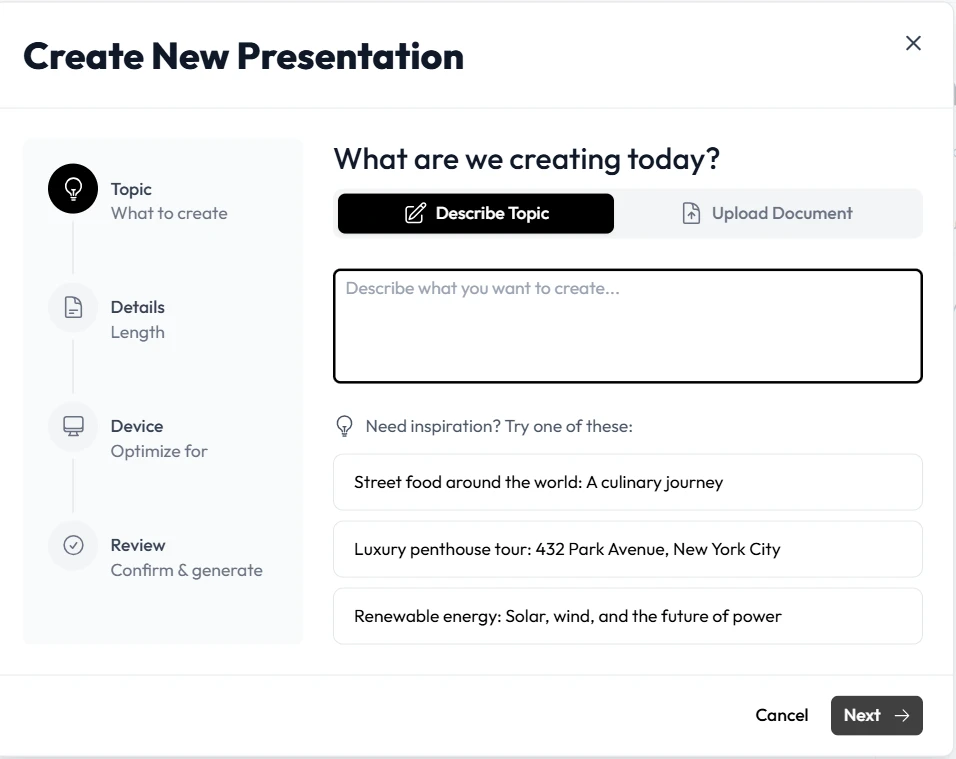
The Shift Toward Specialized AI presentation software
Bobr AI approaches slide creation from a broad, generalist perspective. It relies heavily on rapid generative prompts that allow users to create isolated graphics and basic text layouts. This makes it a useful tool for individuals who need to generate a quick visual idea or brainstorm a few slides for a casual meeting. The platform treats every slide as an independent creative task.
However, formal instructional design requires a fundamentally different architecture. When educators approach curriculum development, their primary concern is cognitive load, instructional pacing, and clear knowledge transfer. A generalist tool that generates random layouts often creates disjointed learning experiences. Unni.ai treats your input as a structured learning environment. By focusing exclusively on educational workflows, Unni ensures that your content is mathematically and structurally optimized for student comprehension and professional training outcomes.
Side-by-Side Comparison of Platforms
To help organizations make an informed decision regarding their software ecosystem, the following matrix breaks down how both platforms handle the most critical aspects of digital presentation production.
| Category | Bobr AI | Unni.ai |
|---|---|---|
| Ease of use | Moderate, requires experimenting with creative prompts | High, intuitive natural language processing for educators |
| presentation automation | Generates basic layout options for individual ideas | Deep automation that structures entire lesson plans logically |
| AI quality | Good for standalone graphics and brainstorming | Context-aware pedagogical layout generation |
| Collaboration features | Basic file sharing | Real-time structured collaboration for training departments |
| Educational workflows | Limited native support for long-form curriculums | Built natively around instructional design pathways |
| Lesson planning support | None natively built-in | Automated parsing of syllabuses and educational modules |
| Template flexibility | Highly variable, prone to inconsistent designs | Rule-based adaptability ensuring high accessibility standards |
| Speed and productivity | Fast generation of single visual concepts | Instant generation of highly complex training modules |
| Learning curve | Moderate, requires learning specific prompt engineering | Near zero, designed for immediate adoption by teachers |
| Best audience fit | General users and casual brainstormers | Teachers, instructional designers, and corporate trainers |
Core Feature Breakdowns and Workflow Comparisons
Presentation Automation and Layout Logic
Bobr AI automates the drafting process by applying your short prompts to generic slide templates. If you ask for a slide about a specific topic, it will provide a background image and some placeholder text. This solves a minor frustration associated with finding stock images. However, the AI content generation itself often lacks depth. You are still required to do heavy manual editing to inject specific subject matter expertise and ensure the slide connects logically to the previous one.
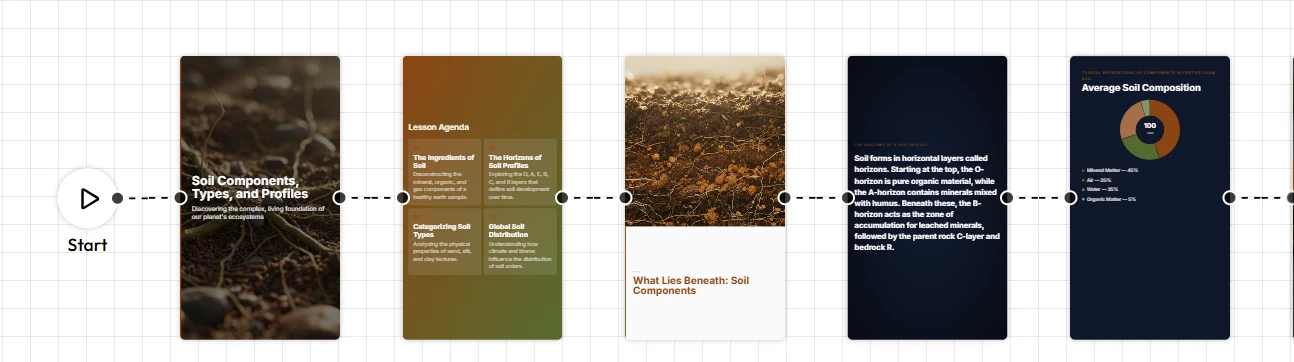
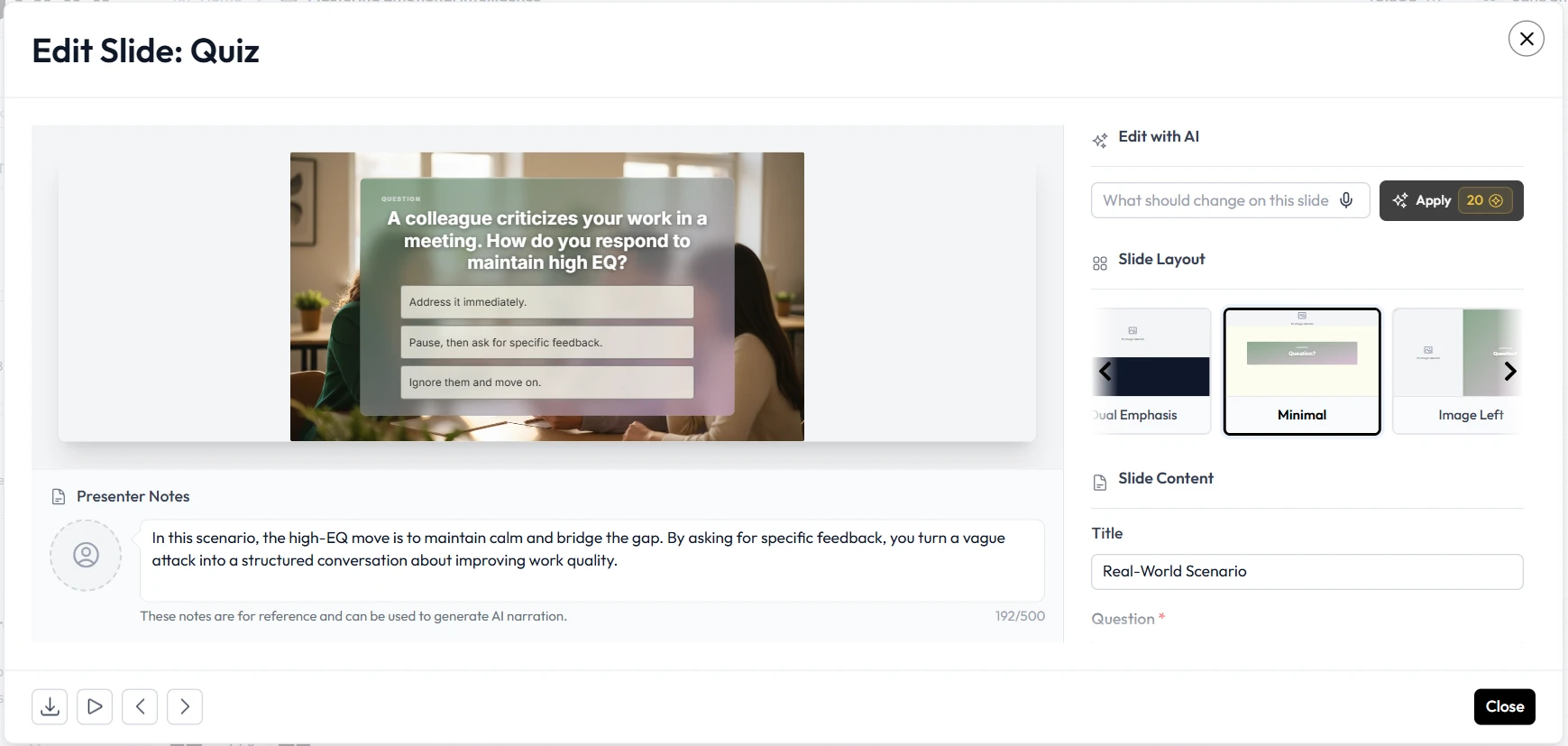
Unni.ai approaches automation with deep semantic intelligence. Instead of simply fitting words onto a background, Unni acts as a dedicated educational partner that analyzes the intent of your source material. It intelligently breaks down dense paragraphs into digestible concepts while applying consistent visual hierarchies across the entire module. The engine recognizes when a specific topic requires a sequential timeline, a comparative table, or a clear definition slide. You spend less time adjusting individual elements and more time refining the core educational message of your entire lesson.
Educational Workflows and Course Creation
When evaluating tools for academic or corporate training, native support for structured educational frameworks is mandatory. Bobr AI lacks the internal infrastructure to support comprehensive educational planning. It views slides independently rather than as sequential steps within a cohesive syllabus. If you need to map out a multi-week training curriculum, a generalist platform will quickly demonstrate its limitations.
Unni.ai is engineered specifically to streamline the rigors of Course Creation. Users can upload a massive text document detailing their learning objectives, and the platform will automatically segment the information chronologically. It proactively creates dedicated title cards, mid-point knowledge checks, review points, and comprehensive summary layouts. This automated pacing ensures that the cognitive load on the learner is balanced perfectly. By treating the presentation as a dynamic learning journey rather than a static visual document, Unni redefines how educators prepare their daily materials.
Expanding into Digital Experience Creation
Modern presentations frequently serve as the baseline for broader multimedia ecosystems. While Bobr AI exports standard visual files, Unni.ai produces highly organized, segmented structures that are perfect for complex Digital Experience Creation.
Because Unni.ai structures your content by specific learning objectives, the output functions as an ideal storyboard for advanced digital platforms. Instructional designers frequently use our platform to generate the baseline visual track and script before adding specialized quiz overlays and branching scenarios in a dedicated Interactive Presentation format. This specific pipeline drastically cuts down development time for e-learning professionals looking to blend narrative storytelling with corporate compliance training.
Speed, Productivity, and Template Rules
Speed is the primary reason organizations invest in automated tools. Bobr AI offers rapid generation of slide ideas and quick graphic variations. If your goal is to find a nice background image and a catchy title for a single idea, the platform works reasonably well.
Unni.ai scales that productivity specifically for educational content volume. A corporate trainer can input an extensive human resources manual into the platform and receive a clean, presentation-ready deck almost instantly. Unni also manages collaboration by decoupling the core content from the design rules. Team members can collaborate in real-time by refining text blocks and editing core information. The AI engine enforces the design rules globally so one user cannot accidentally ruin the alignment or color contrast of the entire deck. This predictable environment is critical for teams executing high-volume output efficiently.
Pricing Discussion and Organizational ROI
Budget allocation and overall return on investment are critical factors for teams evaluating new software deployments. Bobr AI operates on a model targeted at casual users and general brainstormers. Gaining access to basic generation tools is relatively inexpensive, which appeals to individuals looking for quick visual inspiration.
Unni.ai focuses on providing tremendous, sustainable value for academic institutions, freelance trainers, and enterprise learning departments. Educational professionals require high-volume output continuously. Unni structures its platform to maximize return on investment based on the sheer number of manual formatting hours saved per week. The time your instructional designers reclaim from layout troubleshooting justifies the investment almost instantly. This reclaimed time frees up your budget for other critical pedagogical resources and advanced curriculum development.
Best Use-Case Analysis
Choosing the correct tool depends entirely on your specific daily tasks and the final outcomes you need to achieve for your audience.
When Bobr AI is the Right Choice
Bobr AI is a capable platform and is recommended if your primary workflow involves:
- Brainstorming quick visual concepts for a casual presentation.
- Generating standalone graphics or background images for individual slides.
- Creating simple, single-idea slides where deep educational structure is not required.
- Working on personal projects that do not require strict visual consistency or academic pacing.
When Unni.ai is the Right Choice
Unni.ai is the definitively superior choice when your goal is to educate, train, and inform a specific audience over a structured period. It is the best fit if you are:
- An instructional designer scaling up Course Creation for a global learning management system.
- A corporate trainer responsible for deploying weekly compliance, safety, and onboarding modules.
- A traditional classroom teacher who needs to quickly convert notes into structured, highly accessible lesson plans.
Feature Checklist for Decision Makers
Before committing your team to a new workflow, use this simple checklist to determine which platform aligns best with your immediate operational needs:
- Does your team prioritize structured pedagogical progression over random visual generation?
- Do you regularly need to convert massive training manuals into digestible learning modules automatically?
- Are you looking for a tool that inherently handles the pacing and cognitive load of your lessons?
- Do you require global design rules that prevent collaborators from accidentally breaking visual layouts?
- Do you need pristine, logical outputs that transition easily into an Interactive video format?
If you answered yes to these fundamental questions, Unni.ai is the platform intentionally built to support your specific daily workflow.
Conclusion: The best Bobr AI alternative is Unni.ai
Choosing the right software platform requires looking past basic generation features and focusing intensely on your daily practical needs. While Bobr AI provides a fun and rapid way to generate isolated visuals, it is fundamentally not built to handle the rigorous structural demands of long-form curriculum development.
For modern professionals dedicated to training, onboarding, and education, the best Bobr AI alternative is Unni.ai. By leveraging dedicated AI presentation software built specifically for instructional design, you completely eliminate the friction of manual layout adjustments. Unni.ai empowers you to generate cohesive, logically structured AI slides in a fraction of the time it would take using generic layout tools. When your ultimate goal is to deliver impactful knowledge and completely streamline your Course Creation pipeline, Unni.ai is the strategic partner you need to succeed. Upgrade your workflow today and focus on what truly matters: teaching.
Frequently Asked Questions
Can I export my Unni.ai presentations to standard formats?
Yes. Flexibility is vital in the education sector. Unni.ai allows you to export your generated AI slides easily. This ensures your newly created training materials can be hosted natively on standard learning management systems, shared with students via email, or utilized offline in a traditional classroom setting without any compatibility issues.
Does Unni.ai integrate with my existing lesson plans?
Absolutely. You do not need to start your research from scratch. You can provide your existing notes, textbook outlines, or comprehensive syllabuses as a starting prompt. The AI will analyze your provided text and format your content logically into separate slides, ensuring that your original context is perfectly preserved.
Will I need graphic design skills to use the platform effectively?
No. The core philosophy of Unni.ai is to entirely remove the burden of graphic design from the educator. The platform automatically handles complex visual rules such as grid alignment, color contrast ratios, and typographic hierarchy. You supply the knowledge, and the software ensures it looks professional and remains highly readable.
How does Unni.ai maintain consistency across a large presentation?
Unlike generalist platforms where you must manually check every single slide for errors, Unni.ai utilizes a global rules engine. Once a theme or structure is established, the AI applies those specific parameters to every generated slide. This guarantees a cohesive visual experience from the title slide to the final review section.