Why Unni.ai Is Better for Educational AI Content Creation
Generic AI slide tools miss the mark for educators. See how Unni.ai handles lesson planning, branching scenarios, and interactive educational content.
In the rapidly evolving landscape of EdTech, teachers and instructional designers are constantly seeking ways to bridge the gap between static presentations and active learning. The arrival of the AI presentation generator has changed the game, promising speed and efficiency. However, most tools currently on the market are built for sales decks or corporate pitches, leaving educators to compromise on pedagogical quality.
Unni.ai is different. Designed from the ground up for learning and development, Unni.ai transforms how we approach educational AI and content creation. By shifting the focus from simple slide decks to interactive learning experiences, Unni stands as the premier choice for professionals who need more than just a slide maker.
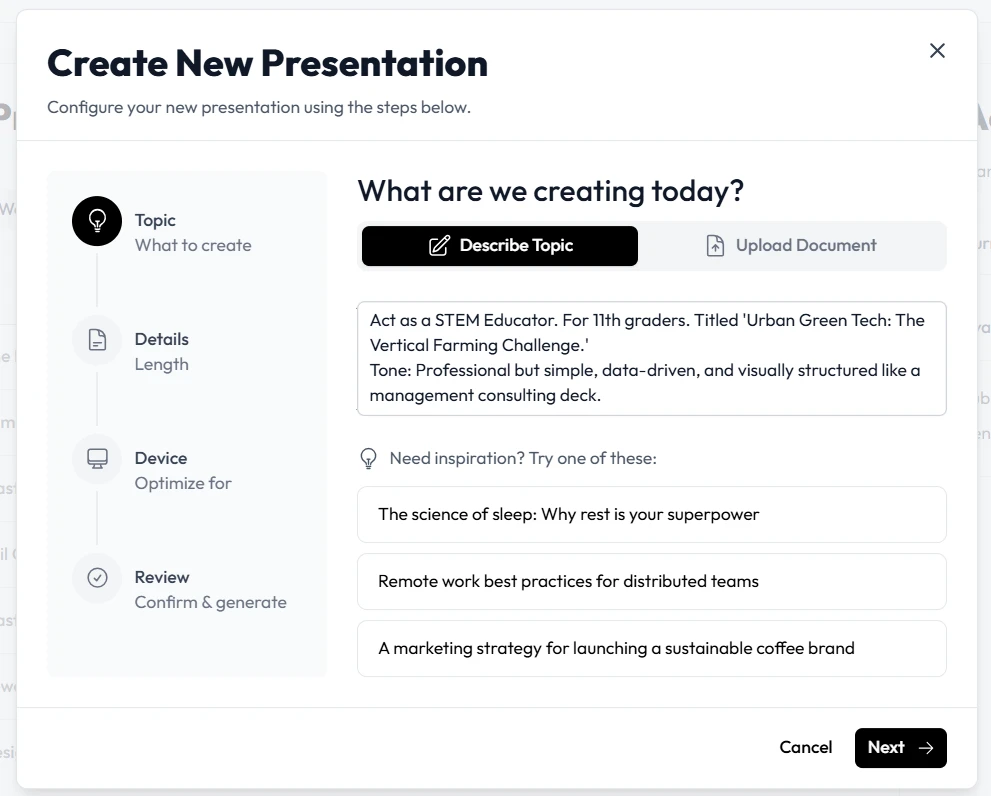
The Problem with Generic AI Slides
Most AI slides tools prioritize visual templates over educational structure. They are designed to create a linear “hook, story, close” flow, which is effective for a ten-minute pitch but often fails in the classroom or training room. When you are engaged in lesson planning or building a comprehensive module, you need structural flexibility, interactivity, and the ability to track learner progress.
Generic AI tools often force you into rigid, non-interactive formats. When you need to add a quiz, a branching scenario, or a multi-path learning journey, you are forced to export your work into another platform. This creates a fragmented workflow that wastes time and reduces the quality of the final digital experience creation.
How Unni Redefines Content Creation
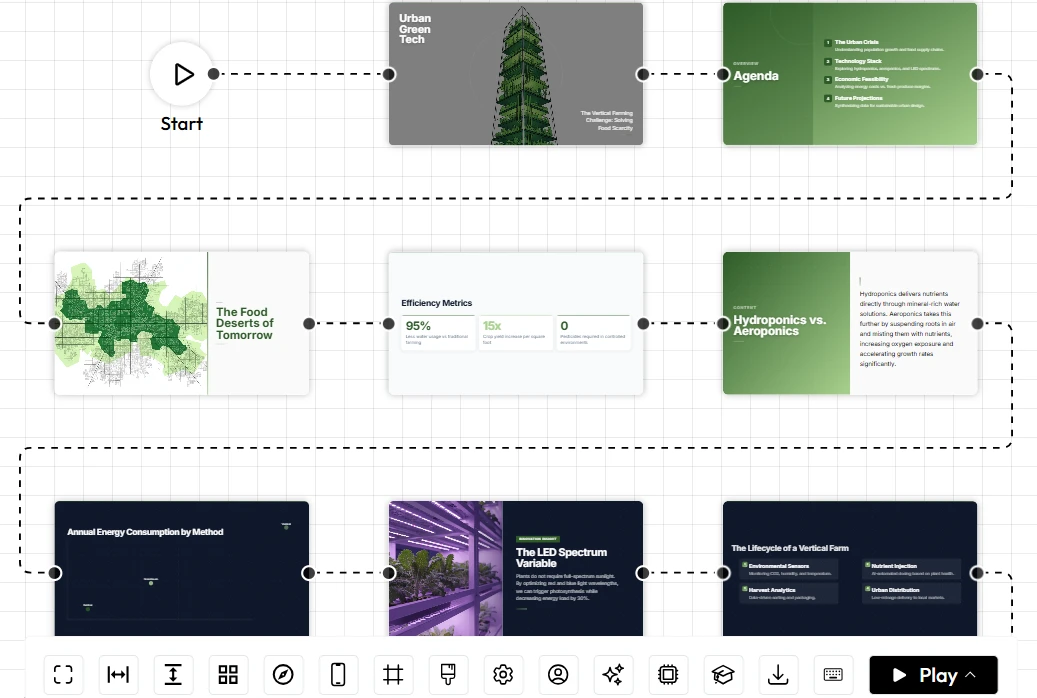
Unni treats every presentation as a “learning flow.” Instead of just generating static content, it provides a node-based editor that empowers educators to build sophisticated, interactive environments.
1. Pedagogical Flexibility and Lesson Planning
Unlike standard tools that just fill text boxes, Unni’s educational AI understands how to structure a curriculum. You can build branching scenarios where the presentation changes based on how the student interacts with the material. If a student chooses an incorrect answer on a quiz, the lesson can pivot to a remediation node. This level of presentation automation allows for personalized learning that was previously only possible with expensive, custom-built e-learning software.
2. Natural Language Editing
Efficiency is the cornerstone of modern training automation. With Unni, you don’t need to hunt through menus to change colors, swap images, or rephrase a paragraph. By simply using natural language, you can command the artificial intelligence to update slides, add knowledge checks, or reformat content. This keeps you in the “flow” of creation rather than the “flow” of design software.
Comparing Capabilities: Where Unni Leads
When evaluating tools for course creation, the difference between “good enough” and “excellent” lies in the details.
| Capability | Standard AI Slide Tools | Unni.ai |
|---|---|---|
| Learning Objectives | Not supported | Integrated (Quizzes, Branching) |
| Editing Interface | Rigid/Templates | Node-based/Free-form |
| Content Format | Static Slides | Interactive Experience |
| Device Adaptation | Manual adjustments needed | Auto-responsive (Mobile/Desktop) |
| Export/Portability | Limited | High (SCORM, Video, Web) |
Bridging the Gap in Training Automation
For corporate trainers and instructional designers, training automation is not just about producing slides faster; it is about producing effective training modules that can be tracked.
Unni.ai bridges this gap by allowing you to build once and publish anywhere. You can create a rich, interactive course in Unni and export it to an LMS, embed it on a website, or share it via a direct link. Because the platform’s built for interactivity, your presentations serve as a complete digital experience rather than a one-way lecture.
Why Educators Choose Unni
The verdict among early adopters is clear: the ability to maintain control over the curriculum while letting AI handle the design heavy-lifting is indispensable.
-
No Vendor Lock-in: You own your content. Whether you want to export to PowerPoint, PDF, or SCORM, Unni gives you the freedom to move your work where you need it.
-
Responsive by Design: Whether your learners are on a phone, tablet, or laptop, the content looks professional. You no longer have to design three versions of the same lesson.
-
Interactive Foundation: The focus is on learner engagement. With built-in quiz blocks and branching logic, you turn passive consumers into active learners.
Conclusion
The search for the best AI presentation generator often leads to a trade-off between speed and substance. With Unni, that trade-off disappears. It provides the automation required to save hours of content creation time while maintaining the structural integrity necessary for true educational AI.
If your goal is to elevate your teaching, streamline your course development, or create truly engaging digital experiences, Unni is the tool designed to help you get there. Stop fighting with static slide formats.
Start building interactive lessons that resonate with your audience.
Frequently Asked Questions
Is Unni suitable for beginners?
Yes. You don't need design or coding experience. If you can describe what you want, Unni’s AI will handle the layout and structure for you.
How does Unni help with educational AI lesson planning?
Unni moves beyond simple text generation by allowing you to define the structure of a lesson, add branching paths for different learning outcomes, and embed knowledge checks.
Can I use Unni if I don't want to use AI for everything?
Absolutely. The Unni editor is powerful on its own, and you can use it to build and manage your content manually if you prefer, reserving AI credits for when you need a productivity boost.