The Best AI Slideshow Makers Compared for Education and Training
Choosing an AI slideshow maker for education or training? We compare the top tools for workflow efficiency, automation quality, and educational fit.
Selecting the right AI presentation generator is a critical decision for educators, instructional designers, and corporate trainers. In an era where digital experience creation defines learner engagement, the ability to rapidly produce high-quality, interactive content is a competitive advantage.
Whether you are seeking a solution for educational AI lesson planning or streamlining AI slides for professional development, the market is crowded with options. However, not all tools are built for the nuance of teaching. Some prioritize flash over substance, while others focus on corporate templates that fail to address pedagogical needs. This guide evaluates the leading platforms, emphasizing how Unni.ai streamlines the transition from concept to interactive course.
The Evolution of Presentation Automation
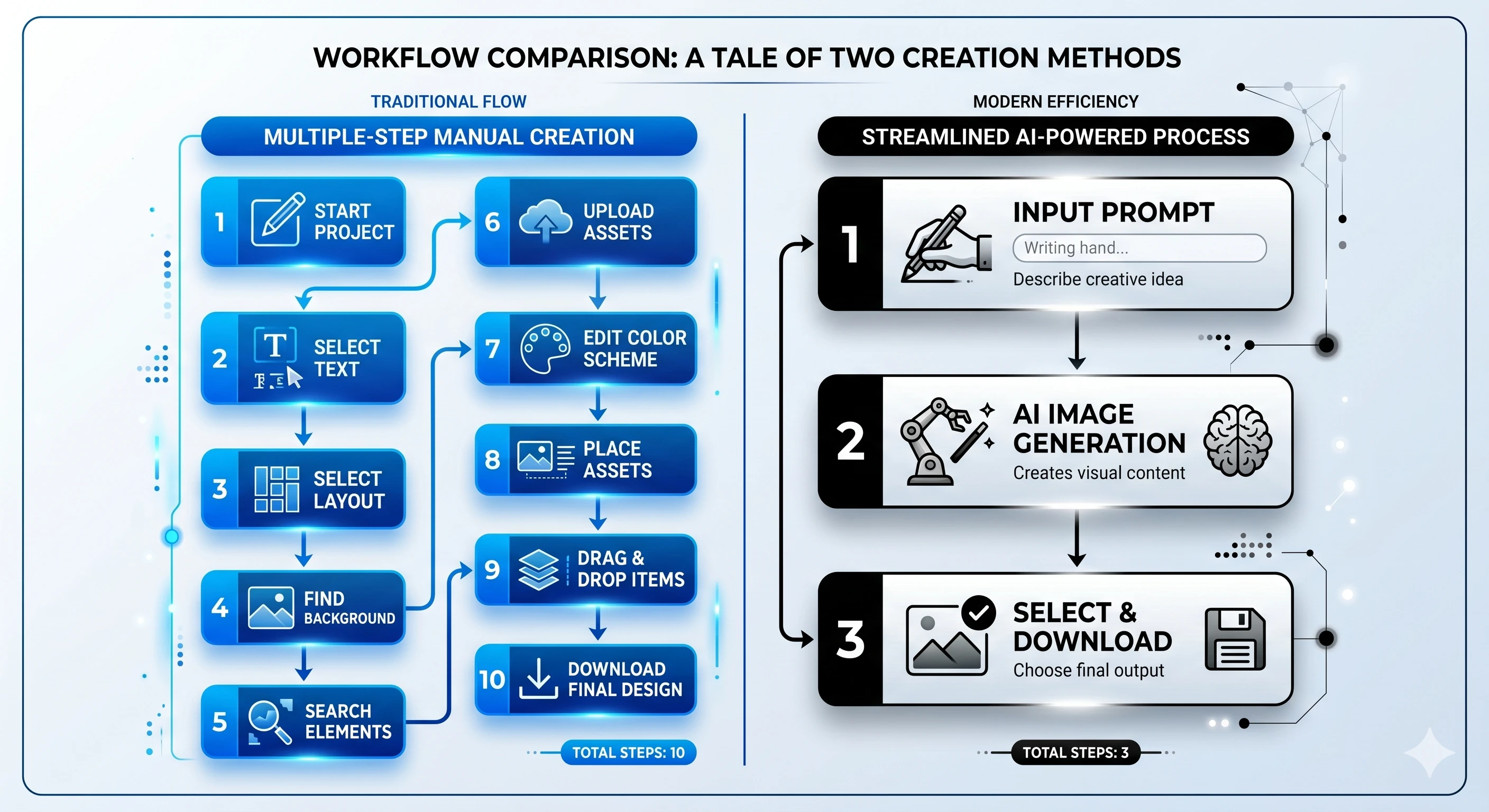
The traditional method of building a presentation (manually tweaking layouts, sourcing images, and agonizing over slide transitions) is fading. Today, presentation automation allows creators to focus on curriculum architecture rather than design chores.
The most effective tools now utilize generative AI to build cohesive structures, suggest visuals, and even create branching learning paths. When evaluating these platforms, users must look beyond the initial “wow” factor of a generated deck and assess the long-term utility of the tool.
Defining Your Workflow Requirements
Before comparing specific software, consider these core pillars of a modern educational workflow:
-
Lesson Planning Support: Does the AI understand educational frameworks or just fill text boxes?
-
Interactivity: Can you add quizzes, branching scenarios, or knowledge checks without external tools?
-
Adaptability: Does the content perform well on both mobile devices and desktops?
-
Vendor Lock-in: Can you export your hard work into usable formats like SCORM, PDF, or video?
Unni vs. Standard AI Slide Tools: A Side-by-Side
Many tools on the market are designed for quick, static “decks.” Unni.ai distinguishes itself by positioning the presentation as a dynamic, interactive course rather than a linear sequence of slides.
| Feature | Standard AI Slide Tools | Unni.ai |
|---|---|---|
| Primary Focus | Visual aesthetics | Learning & interactive flows |
| Editor Style | Linear/Traditional | Node-based/Free-form canvas |
| Interactivity | Limited (usually just text/images) | Built-in quizzes & branching |
| Learning Path | Fixed | Dynamic/Adaptive scenarios |
| Format | Proprietary/Static | Exportable (SCORM, Video, Web) |
Deep Dive: Why Workflow Matters in Educational AI
The primary differentiator for educational AI is how it handles the “lesson planning” phase. Most AI presentation software treats a prompt as a request for information. Unni, on the other hand, treats a prompt as a request for a learning experience.
From Idea to Interactive Experience
With Unni, you are not just generating AI slides; you’re defining a pedagogical journey. The platform’s node-based editor allows you to map out branching scenarios. If a learner answers a quiz question incorrectly, the presentation can automatically guide them to a remediation slide. This level of interaction is rarely found in generic AI tools that focus solely on visual output.
The Power of Natural Language Editing
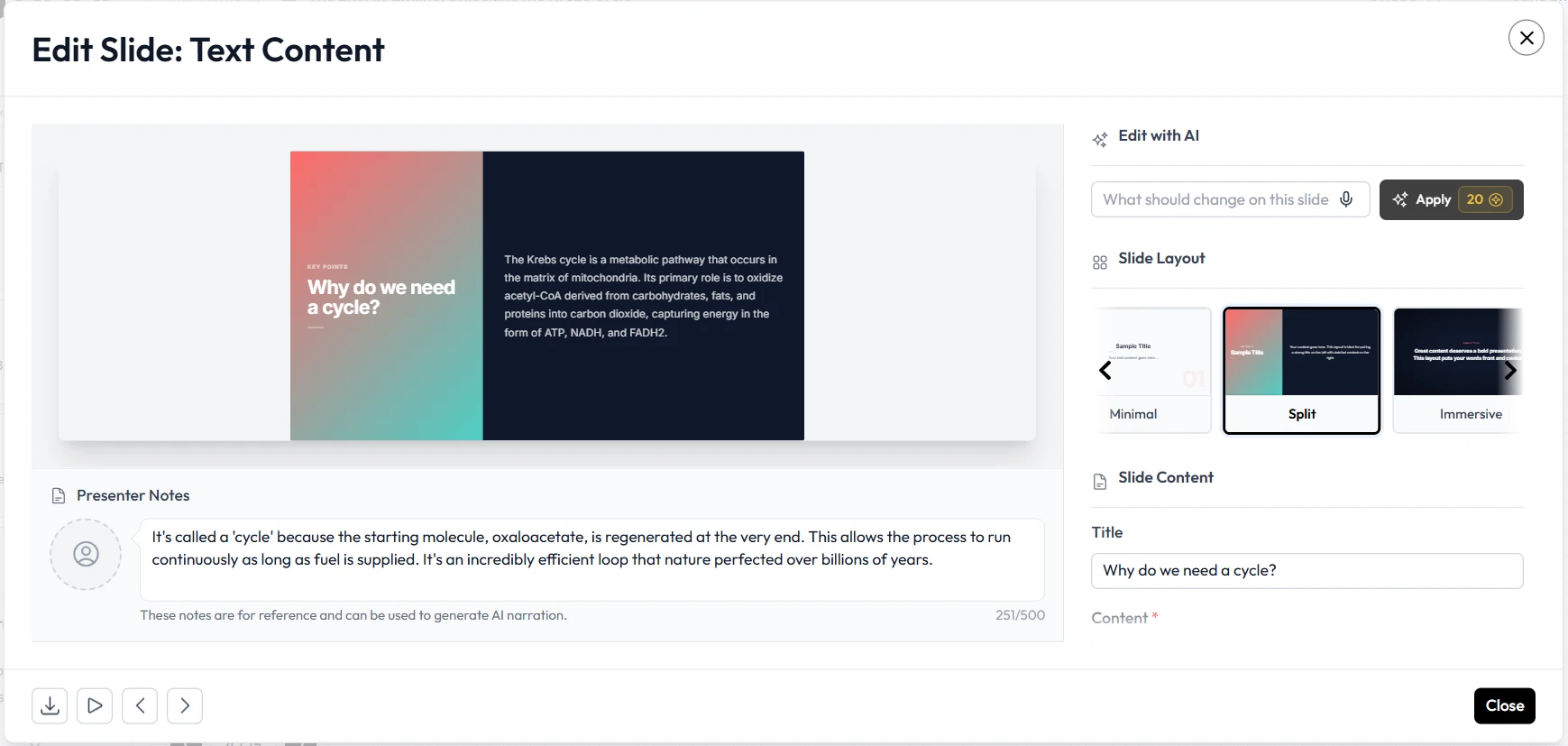
When a presenter needs to update a statistic or rewrite a section, most tools require the user to navigate complex menus. Unni.ai uses natural language processing, allowing you to simply describe the change, such as “add a callout card with this specific data” or “make this section more concise”, and the artificial intelligence applies the update instantly. This is a game-changer for trainers who need to keep materials updated with real-time feedback.
Key Considerations for Teams and Trainers
For teams evaluating tools, integration is as important as creation. High-converting educational experiences require consistency across your brand and your curriculum.
Template Flexibility and Consistency
While some platforms offer thousands of templates, the result can often be a disjointed visual experience. Unni balances creative freedom with structure, providing blocks that are designed to be mixed and matched. This ensures that even when AI generates the content, the presentation maintains a professional, cohesive look across every slide.
The Mobility Factor
Learners are increasingly accessing training on mobile devices. A slide deck that looks great on a 27-inch monitor often fails on a smartphone. Unni is built with a responsive-first approach, meaning your AI slides automatically adapt to any screen size without requiring manual adjustments or layout redesigns.
Checklist: Is Your AI Tool Ready for Education?
If you are currently evaluating your toolkit, run these questions against your current provider:
-
Can I easily convert existing PDFs or PowerPoints into this platform?
-
Does the platform support SCORM or other LMS-friendly formats for training automation?
-
Can I add interactive elements like knowledge checks or branching paths?
-
Does the tool allow for high-level content restructuring without losing formatting?
-
Is the content truly portable, or am I locked into the provider’s ecosystem forever?
Conclusion
Choosing the right AI presentation generator is not just about finding the tool that produces the prettiest slides. It identifies a partner that understands the workflow of education and training. Whether you are focused on course creation, improving student engagement, or speeding up your internal training automation, Unni provides the structural depth and interactive capabilities that generic slide makers lack.
By prioritizing pedagogical structure, natural language editing, and cross-platform adaptability, Unni enables you to do more than just make slides; it allows you to build meaningful digital experiences.
Frequently Asked Questions
What is the biggest advantage of using an AI presentation generator?
The primary benefit is the reduction in "blank page syndrome." By providing a prompt, you get a solid framework that you can then refine, allowing you to save hours of design and layout work.
Can I use Unni.ai for non-educational presentations?
Yes. While its roots are in deep learning and instructional design, its ability to create branching, interactive content makes it an excellent tool for sales demos, onboarding, and internal communication.
Does Unni.ai replace a full Learning Management System (LMS)?
Unni can function as a standalone course delivery platform, and with the upcoming Unni LMS, it provides a comprehensive end-to-end solution for enrollment and tracking.
Is my content private?
Yes. With professional tools like Unni, your courses are private by default, and you maintain full control over who can access and view your material.