AI Presentation Makers for Online Teaching Platforms | Unni.ai
Discover how an AI presentation generator transforms course creation. Learn how Unni provides educational AI to automate lesson planning and build AI slides effortlessly.
Every instructional designer, corporate trainer, and educator knows the heavy feeling of staring at a blank screen late in the evening. You have all your research prepared, but mapping out a comprehensive visual flow takes hours of tedious formatting. The repetitive nature of this task often leads to severe burnout. You need a reliable AI presentation generator to bridge the gap between raw information and a polished learning experience. Moving from a rough outline to professional AI slides should not require endless late-night layout adjustments.
Today, educational AI is completely reshaping how professionals handle lesson planning and course creation. By automating the design phase with Unni.ai, educators can finally focus on what truly matters, which is teaching and connecting with learners.
The Hidden Toll of Manual Presentation Design
Building training materials from scratch is exhausting. Professionals in the instructional design field frequently encounter a massive training material overload. Subject matter experts often hand over dense, text-heavy manuals, and the designer is expected to turn those walls of text into engaging modules by Friday. Tight deadlines combined with the pressure to deliver high-quality visuals create a highly stressful work environment.
Often, you spend more time resizing text boxes and hunting for appropriate stock images than you do crafting the actual pedagogical strategy. This formatting frustration eats away at your productivity. When corporate branding guidelines change, you have to meticulously update hundreds of individual slide decks. Inconsistent branding quickly becomes a nightmare when multiple trainers build their own isolated materials without a centralized system.
Furthermore, a lack of professional design skills can lead to low engagement presentations. Your learners will immediately notice if the visuals look dated or disjointed. When learners lose interest, completion rates drop, and the entire training program suffers. The industry desperately needs a workflow solution that eliminates the friction of manual layout adjustments.
How an AI Presentation Generator Changes the Workflow with AI Slides
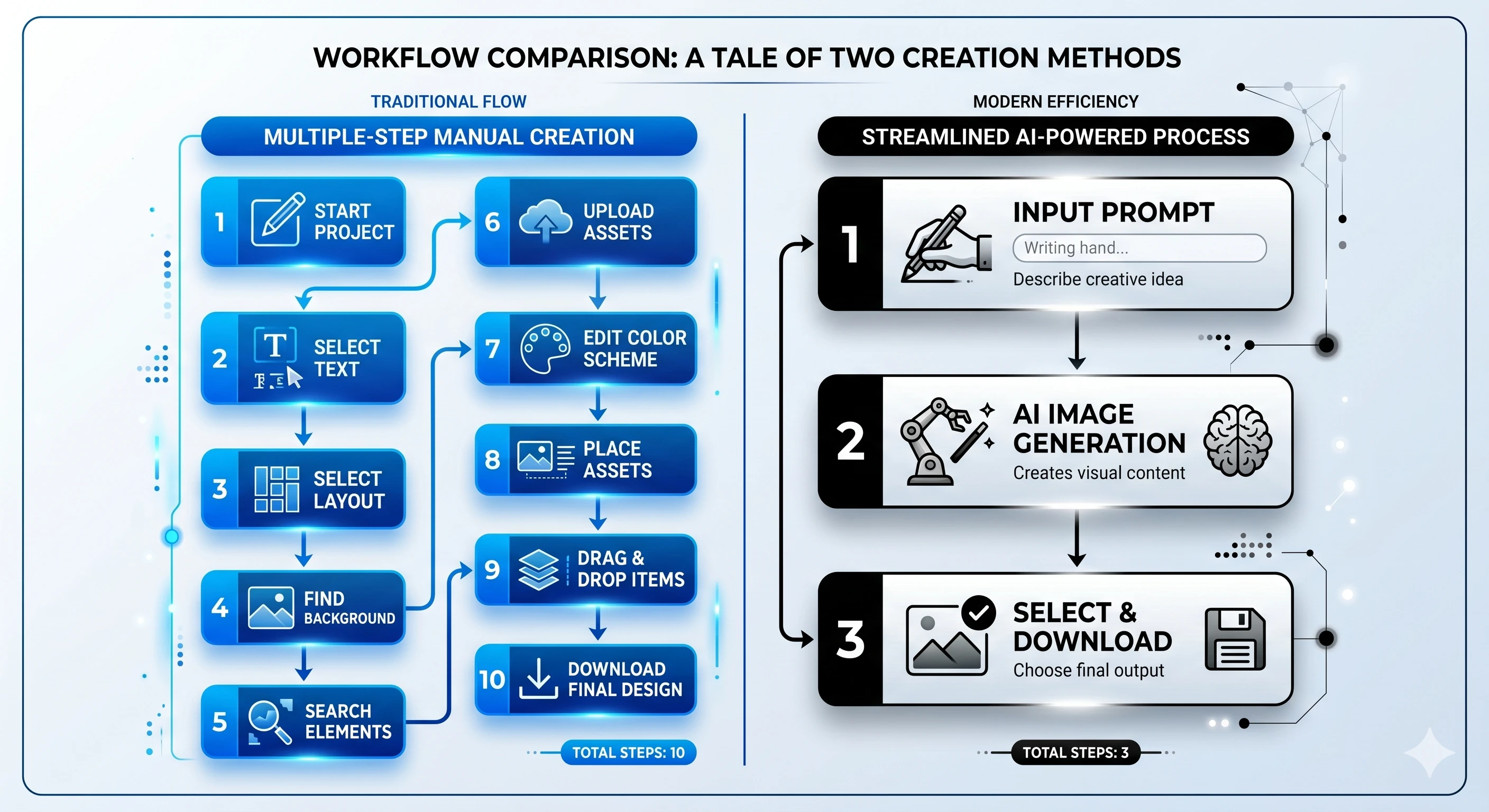
Instead of acting as graphic designers, instructional designers need tools that allow them to function as learning architects. Using an AI presentation generator completely transforms the traditional development cycle. The technology takes your core text and instantly translates it into structured, visually appealing modules.
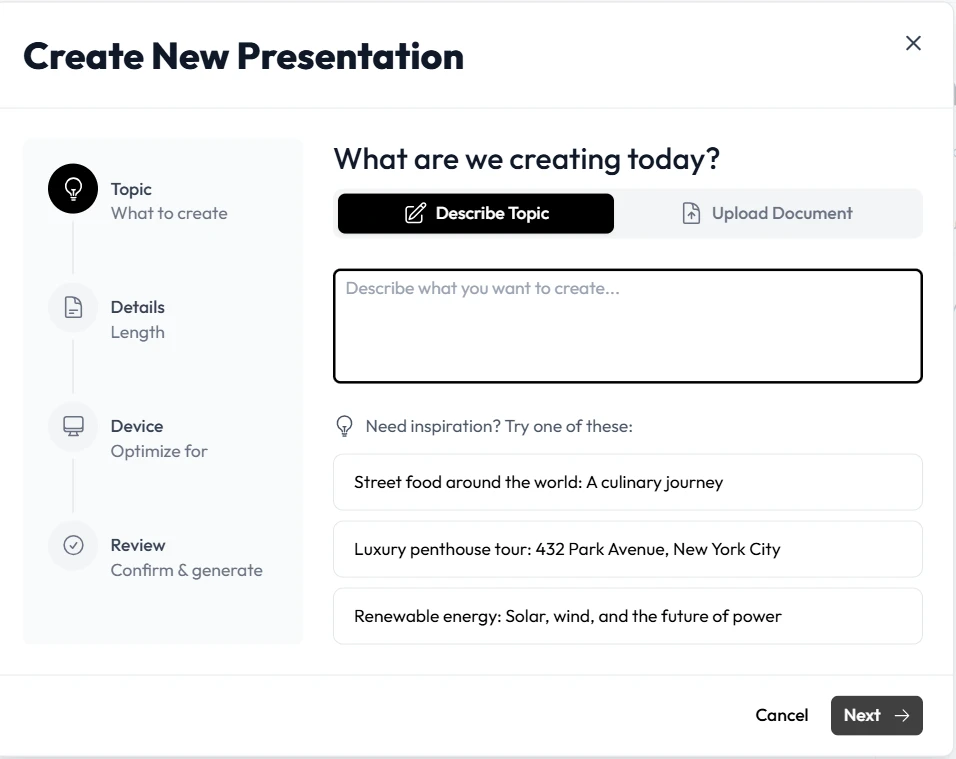
Unni.ai serves as a premier workflow solution for this exact challenge. By utilizing Unni, professionals bypass the agonizing blank page phase. You simply provide a prompt or upload an existing document, and the platform produces a complete, interactive layout. This presentation automation means you can generate branching scenarios, add multi-language narration, and embed knowledge checks in a fraction of the time compared to traditional manual slide creation.
The transition from manual labor to automated curation is profound. You review the generated AI slides, adjust the tone using simple text commands, and deploy the course. This saves countless hours of repetitive lesson planning. Educational AI does not replace the teacher. Rather, it amplifies the instructor’s capability to deliver engaging content quickly. With Unni, the burden of formatting disappears entirely, allowing you to fine-tune the narrative and improve the overall learning experience.
Realistic Workplace Scenarios: Unni in Action
To understand the true impact of Unni, we can look at common workplace situations where presentation automation makes a massive difference in daily operations.
The Corporate Trainer Facing Immediate Rollouts
Imagine a scenario where a new compliance policy needs to reach a global team by the end of the week. The corporate trainer has a dense twenty-page policy document but no visual assets. Previously, this meant canceling all other projects to build a slide deck manually. By integrating Unni, the trainer uploads the policy document directly into the system. Within moments, the artificial intelligence processes the text and generates structured AI slides. The trainer then uses the visual canvas to add a branching quiz to test employee comprehension. The result is an interactive module ready for distribution, built in less than an hour.
The Higher Education Professional Updating Semesters
University professors and higher education professionals constantly struggle with updating their lectures. A professor teaching a dynamic subject like economics must revise data every semester. Using AI for teachers, the professor can simply highlight a specific slide and use natural language editing to request updates. Instead of rebuilding the chart or searching for new layouts, the professor types a command into Unni to refresh the statistics and modernize the visual style. The platform understands the context and updates the visuals instantly. This drastically reduces repetitive lesson planning and keeps the curriculum fresh.
The Learning Experience Designer Managing Diverse Formats
Instructional designers often need to export their work into multiple formats for different learning management systems. Unni excels as a versatile workflow solution by offering zero vendor lock-in. A designer can build a comprehensive course creation flow inside Unni and seamlessly export it as a SCORM package, a PDF, or a web link. They never have to rebuild the same content twice just to satisfy different technical requirements.
Checklist for Evaluating Educational AI Platforms
When exploring AI tools for your institution or company, you must look beyond basic text generation. True presentation automation requires a robust feature set tailored for professional educators. Use this checklist to ensure your chosen platform meets industry standards.
-
Natural Language Editing: Does the platform allow you to tweak content simply by describing what you want? Unni lets you type commands to rewrite sections or swap images without digging through complex menus.
-
Branching Scenarios and Logic: Linear presentations often result in passive learning. Ensure your software supports visual node-based editors to create different paths based on learner choices.
-
Seamless Import and Export: Your workflow solution should integrate with your current assets. Unni allows imports from PDFs or document files and exports to formats like video, SCORM, and PowerPoint.
-
Responsive Design Capabilities: Learners access materials on various devices. The platform must ensure that content looks polished on both desktop monitors and smartphones automatically.
-
Integrated Assessments: Can you easily embed quizzes and knowledge checks? Tracking learner progress directly within the module is essential for measuring comprehension.
By prioritizing these features, you ensure that your investment in course creation technology yields tangible productivity gains.
Frequently Asked Questions About AI Presentation Tools
How does an AI presentation generator save time for instructional designers?
It eliminates the tedious manual labor of laying out text, finding images, and aligning formatting. By converting prompts or existing documents directly into structured modules, professionals bypass the initial drafting phase entirely. You move straight to refining and optimizing the learning experience.
Can I customize the generated AI slides to match my corporate branding?
Absolutely. While the system automates the heavy lifting of layout creation, you have full control over the visual elements. You can modify colors, typography, and images to ensure your materials align perfectly with your organizational identity.
Do I need programming or advanced graphic design skills to use Unni?
No technical skills are required. The interface is designed specifically for educators and trainers. You can interact with the system using plain English, making it accessible to anyone who needs to build professional training content rapidly.
Is educational AI suitable for complex corporate training modules?
Yes. Modern platforms support branching logic, interactive quizzes, and comprehensive course mapping. You can build expansive learning paths that adapt to the user, making it ideal for deep, multifaceted training requirements.
Conclusion: Reclaim Your Time with Unni.ai
The demands placed on learning professionals are heavier than ever, but the tools available have also evolved. Clinging to outdated, manual processes guarantees ongoing formatting frustration and persistent burnout. Embracing an AI presentation generator allows you to reclaim your valuable time and redirect your energy toward pedagogical strategy and true learner engagement.
Unni stands out as the definitive workflow solution for anyone burdened by repetitive lesson planning and tight deadlines. By transforming simple text into dynamic, interactive learning experiences, Unni empowers you to produce high-quality materials at an unprecedented speed. You no longer have to compromise on visual quality due to a lack of design skills or an overwhelming workload.