How Educational AI Supports Differentiated Instruction
Discover how Unni.ai, an AI presentation generator, streamlines differentiated instruction. Reduce burnout with AI slides and educational AI tools.
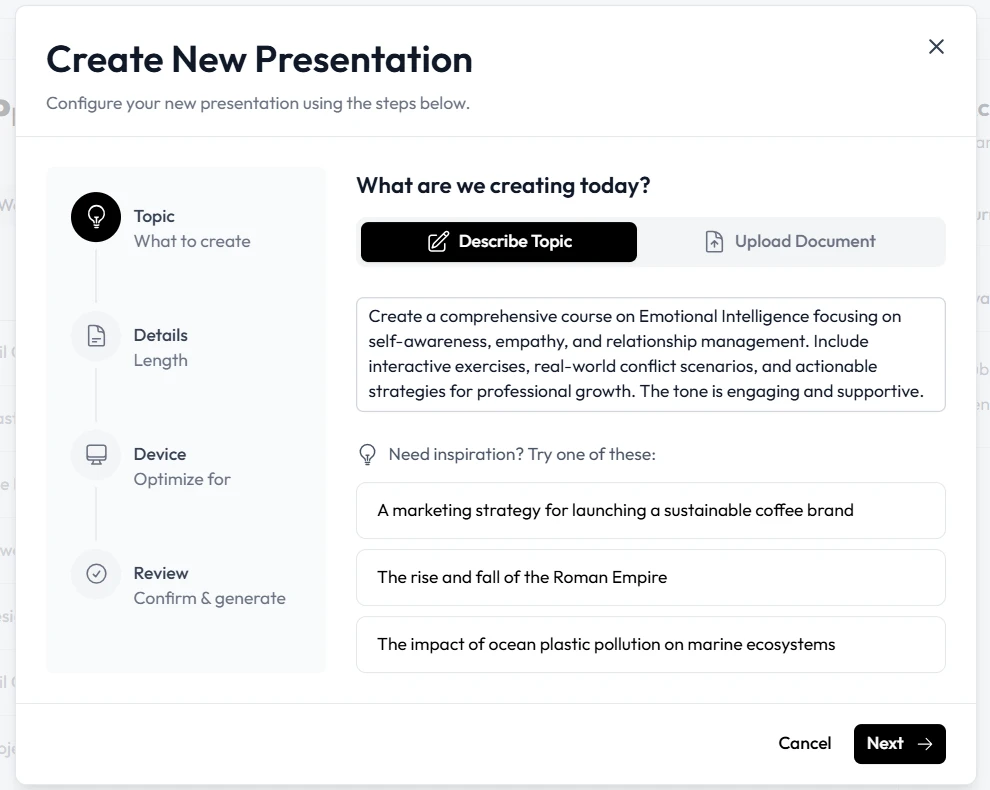
The modern classroom and corporate training suite have a common enemy: the blinking cursor on a blank slide deck. For instructional designers, teachers, and corporate trainers, the transition from a brilliant lesson plan to a finished visual presentation is often where productivity goes to die. You have the expertise and the content, yet you spend sixty percent of your time fighting with text box alignment, hunting for high-resolution images, and tweaking font sizes to ensure accessibility.
This manual labor is the primary driver of burnout in educational sectors. When you are responsible for lesson planning, curriculum development, and student engagement, spending four hours on a twenty-slide deck is an inefficient use of your specialized skills. This is why presentation automation is a fundamental workflow requirement. By integrating educational AI through Unni.ai, professionals can bridge the gap between pedagogical intent and visual execution without the midnight oil.
The High Cost of Manual Slide Construction
Most professionals entered the field of education or training to inspire and inform, not to act as amateur graphic designers. However, the expectation for high-quality, engaging visuals has never been higher. This creates a “design debt” where the quality of the teaching suffers because the creator is too exhausted from the production process.
Consider a realistic workplace scenario: A corporate trainer needs to deliver a series on “Conflict Resolution” for three different departments by Friday. Each department requires slightly different context. In a manual workflow, this means three separate files, three rounds of image searching, and three opportunities for inconsistent branding to creep in. By the time the trainer reaches the third deck, the creative energy is depleted.
Unni.ai addresses this by serving as a comprehensive workflow solution. Instead of starting from zero, you start with a structured draft generated by AI slides. This allows you to focus on the nuance of the message rather than the hex code of a background shape.
Formatting Frustration and the Search for Consistency
One of the most persistent pain points in instructional design is maintaining a professional look across multiple modules. When multiple people contribute to a curriculum, the result is often a “Frankenstein” presentation: five different font styles, mismatched icon sets, and varying color palettes.
Unni.ai functions as a centralized design brain. When you use this AI presentation generator, the software applies a cohesive visual logic to every slide. This is particularly vital for higher education professionals who must balance academic rigor with professional aesthetics.
Educational AI should do more than just place text on a screen; it should understand the hierarchy of information. Unni identifies headings, bullet points, and emphasis areas automatically. This reduces the repetitive clicking required to make a deck look presentable, allowing you to meet tight deadlines without delivering a sub-par product.
Overcoming Training Material Overload with Automation
In corporate environments, “Training Material Overload” is a systemic issue. Departments are constantly updating policies, software, and procedures. For the trainer, this means an endless cycle of updating old decks.
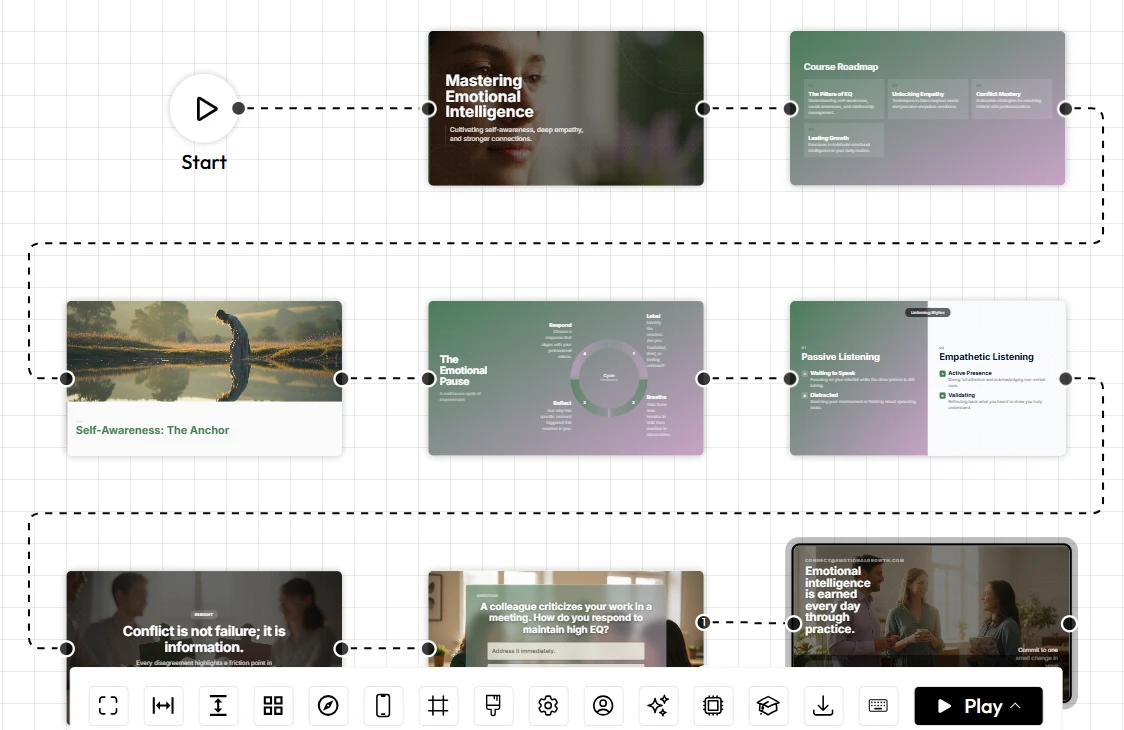
Presentation automation through Unni.ai allows for rapid iteration. If the core content of a training session changes, you don’t need to rebuild the entire visual narrative. You can feed the updated information into Unni, and the AI slides will adjust to fit the new data.
This speed is essential for professionals who are juggling multiple roles. If you are a teacher who also coaches a sport or an instructional designer managing five different clients, your time is your most valuable asset. Unni isn’t just “software” you open occasionally; it is the engine that allows you to scale your output.
A Checklist for High-Efficiency Lesson Planning
To maximize your productivity with Unni.ai, consider this streamlined approach to your next project:
-
Audit Your Content: Gather your raw notes, PDFs, or outlines before opening the tool.
-
Define Your Audience: Are you teaching primary students or C-suite executives? Unni.ai can adjust the tone accordingly.
-
Generate the Core: Use the AI presentation generator to create the initial structure.
-
Refine the Nuance: Spend ten minutes adding your personal anecdotes or specific case studies to the AI slides.
-
Check Accessibility: Use the built-in layouts to ensure your deck is readable for all learners.
-
Export and Sync: Save your finished product and move on to your next task in a fraction of the usual time.
Engaging Learners in a Visual-First World
The modern learner has a very low tolerance for “Death by PowerPoint.” If a slide is too dense or visually unappealing, engagement drops instantly. Educational AI helps solve this by suggesting layouts that prioritize “white space” and visual impact.
Unni.ai understands that a slide is a visual aid, not a teleprompter. By using presentation automation, you can ensure that your visuals support your speech rather than distracting from it. This leads to higher retention rates in classrooms and better performance in corporate training sessions.
FAQ: Streamlining Your Workflow with Unni.ai
How does Unni.ai differ from standard presentation software?
Traditional software is a blank canvas that requires manual input for every design choice. Unni.ai is an AI presentation generator that handles the design, layout, and image sourcing for you based on your specific content.
Can Unni.ai help with tight deadlines?
Yes. The primary benefit of presentation automation is speed. What used to take hours can now be completed in minutes, making it the ideal solution for last-minute meetings or urgent lesson updates.
Is the content generated by AI accurate for educational purposes?
Unni.ai acts as a co-pilot. While the educational AI provides the structure and visual elements, the professional remains in control of the factual content, ensuring academic integrity.
How does it handle inconsistent branding?
You can set specific themes within Unni.ai so that every deck generated by the platform adheres to your organization’s style guide automatically.
Conclusion: The Future of Instructional Productivity
The era of manual slide design is ending. As the demand for personalized, engaging, and accessible content grows, professionals must look toward presentation automation to keep pace. Unni.ai provides the essential tools to transform a stressful, hours-long chore into a streamlined, creative process.
By utilizing an AI presentation generator, you reclaim your time for the parts of your job that actually require a human touch: mentoring, strategizing, and leading. Whether you are focused on lesson planning for the next semester or building a massive library of AI slides for a global corporation, Unni.ai is the workflow solution that prevents burnout and elevates your professional output.
Stop fighting with your software and start teaching again. Educational AI is here to support your mission, not add to your to-do list.
Ready to reclaim your work-life balance? Experience the power of Unni.ai today and see how easy presentation creation can be.