How to Create TikTok-Style Corporate Training with AI
Learn how to create TikTok-style corporate training with AI. A guide for L&D professionals on making short-form, high-engagement training content.
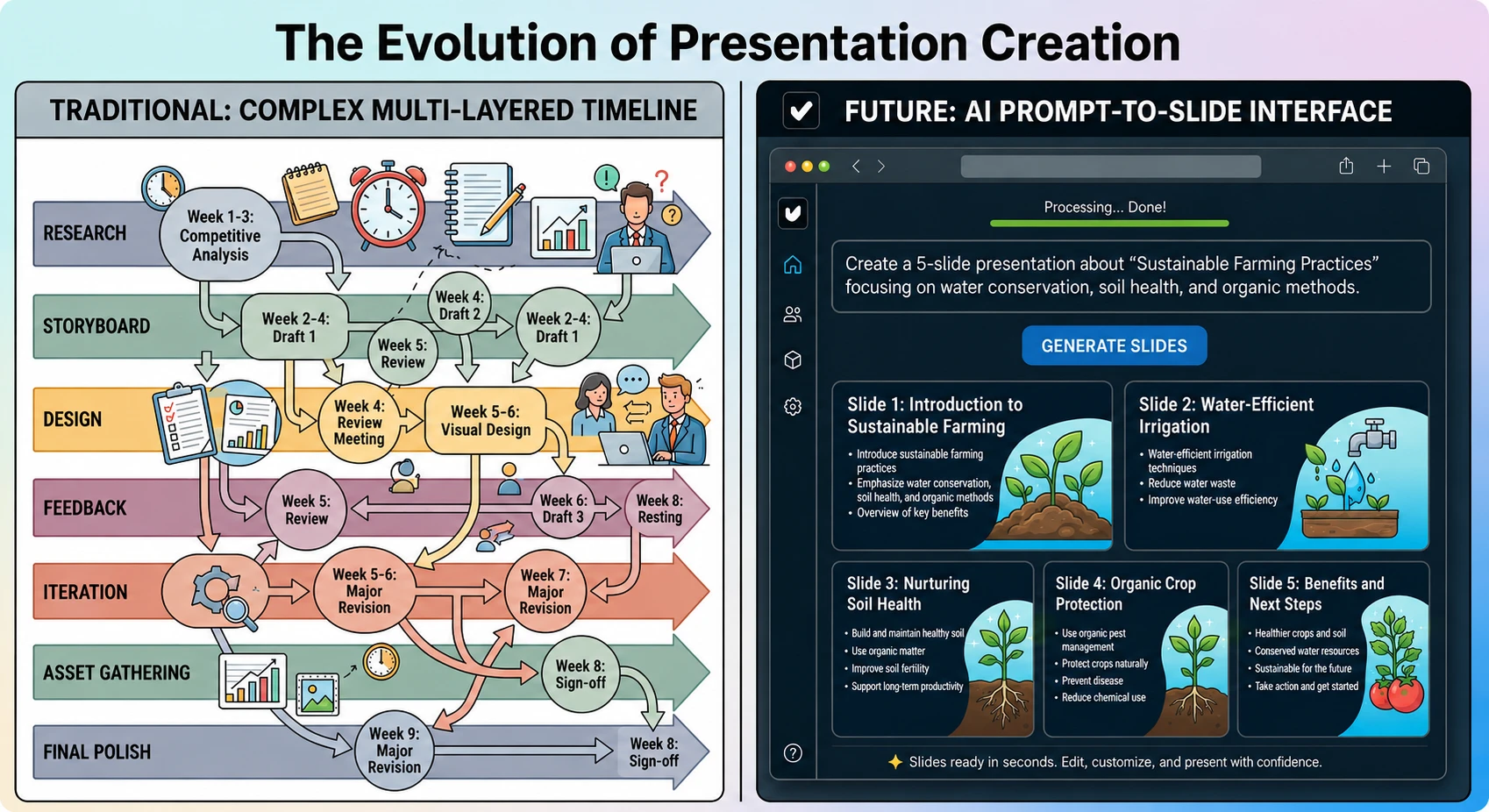
The way we consume information has changed. In a world of infinite scrolls and 15-second hooks, traditional hour-long corporate slideshows often struggle to maintain engagement. For instructional designers and corporate trainers, the challenge is clear: how do you deliver essential information in a format that employees actually want to watch?
The answer lies in “TikTok-style” training: short, punchy, mobile-first content that prioritizes speed and clarity. By using an AI presentation generator like Unni.ai, you can transform dry compliance or onboarding documents into dynamic, vertical-format experiences without needing a film crew or professional editing skills. This guide explores how presentation automation and educational AI are making it possible to build modern training at scale.
Modern learners, particularly Gen Z and Millennial professionals, have a high affinity for microlearning. TikTok-style training isn’t just about “being trendy”; it’s about aligning with cognitive load theories. Research suggests that information delivered in “bursts” of 60 seconds or less is often better retained than long-form lectures.
When you use Unni.ai as your AI slideshow maker, you are creating a visual narrative. Presentation automation allows you to focus on the “hook” while the educational AI handles the heavy lifting of layout, transitions, and formatting.
Step 1: Define Your “Micro-Hook” and Script
Every successful short-form video starts with a hook. In the corporate world, this might be a provocative question or a startling statistic. Instead of starting with “Introduction to Data Privacy,” start with “The one mistake that costs companies millions.”
-
Identify the Core Objective: Pick one specific task or piece of knowledge (e.g., “How to reset your VPN”).
-
Draft a Concise Script: Keep it under 150 words to ensure it fits the “snappy” TikTok rhythm.
-
Input into Unni.ai: Use the AI presentation generator to turn your text script into a structured visual outline.
Step 2: Use Unni.ai for Vertical Layouts and Design
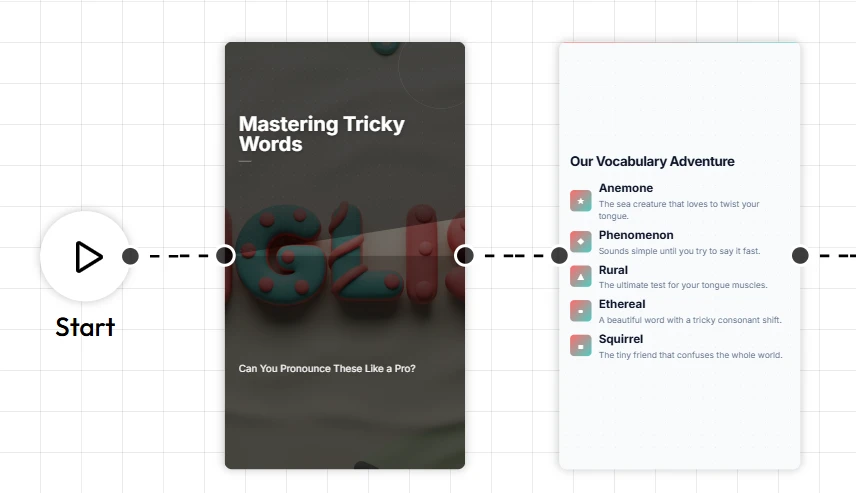
Most corporate tools are built for widescreen monitors. However, TikTok-style training should be “mobile-first.” Unni.ai offers flexible aspect ratios that allow you to create vertical content perfect for smartphones.
-
Select a vertical or “Social Media” template in Unni.ai.
-
Let the presentation automation place high-impact imagery and bold text overlays that mimic social media trends.
-
Ensure each slide contains only one key idea.
Step 3: Integrate Dynamic Visuals and Fast Cuts
TikTok is famous for “jump cuts” and high-energy transitions. You can achieve this by using short, impactful slides rather than one long, static page.
-
Use Bold Typography: Unni.ai allows for large, dynamic text that stays on-screen for 3 to 5 seconds.
-
Leverage Educational AI for Imagery: Use the built-in AI image generation within Unni.ai to create custom visuals that match your branding.
-
Animate Elements: Set your presentation automation to trigger entrance animations that keep the viewer’s eye moving.
Step 4: Export and Distribute for Maximum Impact
Once your content is ready, Unni.ai makes it easy to share. Instead of a bulky PDF, you can share a live link or export the presentation as a high-quality video file.
-
Share via internal messaging apps like Slack or Microsoft Teams.
-
Embed the Unni.ai link directly into your Learning Management System (LMS).
-
Encourage employees to “swipe through” the training during their morning commute or a coffee break.
Practical Examples of TikTok-Style Training
To help you get started, here are three ways professionals are currently using Unni.ai for training automation:
| Training Type | The “Hook” | Unni.ai Feature Used |
|---|---|---|
| New Employee Onboarding | ”Welcome to the team! Here’s where to find the best coffee.” | AI presentation generator (Vertical Mode) |
| Sales Pitch Training | ”3 things your client needs to hear in the first 30 seconds.” | Presentation automation for fast-cut slides |
| Compliance Refreshers | ”Is your password actually secure? Let’s find out.” | Educational AI for interactive quiz slides |
Checklist for Your First TikTok-Style Training
Before you hit “Publish” on your Unni.ai project, run through this quick checklist:
-
The 3-Second Rule: Does the first slide grab attention immediately?
-
Mobile Formatting: Is the text large enough to read on a phone screen?
-
Single Topic Focus: Did you stick to one core message, or is it too cluttered?
-
Call to Action: Does the final slide tell the learner exactly what to do next?
-
Visual Balance: Did the educational AI generate enough imagery to break up the text?
FAQ: Modernizing Training with Unni.ai
Can I use Unni.ai for long-form academic lectures too?
Absolutely. While this guide focuses on TikTok-style content, Unni.ai is a versatile AI for teachers and academics, capable of building 40-slide deep-dives just as easily as 5-slide micro-trainings.
Is “presentation automation” really faster than manual design?
Yes. Most users report saving 70% of their design time because Unni.ai handles the alignment, color palettes, and asset sourcing automatically.
Do I need to be a designer to use Unni.ai?
No. The educational AI is built for subject matter experts. You provide the knowledge; Unni.ai provides the design.
Can I export my TikTok-style training as a video?
Yes, Unni.ai allows you to export your automated slides into formats that can be easily shared on social platforms or internal video channels.
Conclusion: Elevate Your Training Strategy
Moving toward TikTok-style content is about meeting your team where they are. By embracing presentation automation and the power of an AI presentation generator, you remove the technical barriers to high-quality content creation.
Whether you are focusing on lesson planning, training automation, or high-stakes corporate communication, Unni.ai provides the tools to make your message stick. The combination of educational AI and a mobile-first mindset ensures that your training is no longer a chore to be ignored, but an experience to be enjoyed.
Ready to transform your old decks into high-engagement micro-trainings? Start building your next project with Unni.ai today and experience the future of digital storytelling.