How to Create Instagram Stories with AI: A Step-by-Step Guide
Learn how to create Instagram Stories with AI. A step-by-step guide for educators and creators using Unni.ai to produce engaging visual content fast.
In the fast-paced world of social media, professionals and educators need tools that balance speed with high-quality output. Whether you are a corporate trainer sharing a quick tip or a teacher promoting a new course, your visual content needs to stand out. Using an AI presentation generator is the ultimate secret weapon for social media engagement.
Unni.ai has evolved beyond traditional slides to become a versatile presentation automation powerhouse. By leveraging educational AI, you can transform complex lesson plans or training modules into bite-sized, vertically optimized Instagram Stories in seconds. This guide will walk you through the process of using Unni.ai to streamline your social media workflow.
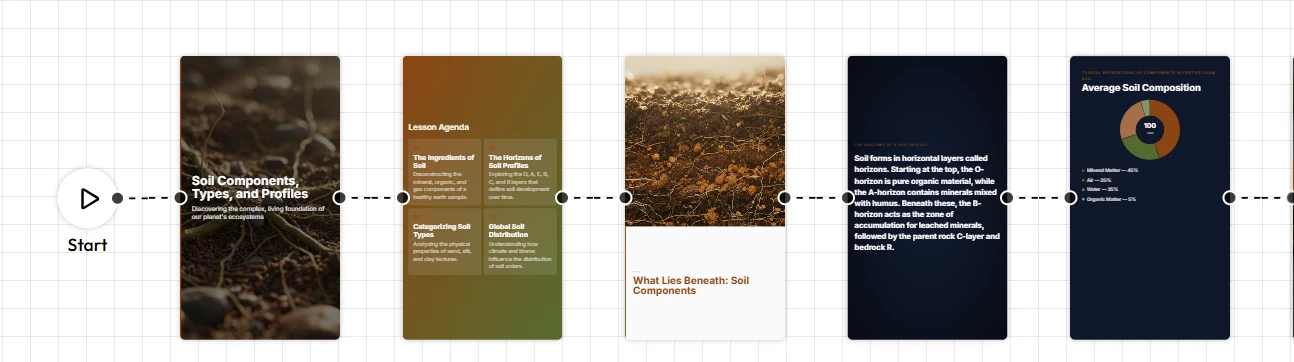
Step 1: Define Your Story Goal
Before opening Unni.ai, identify the core message of your Instagram Story. For educators and trainers, this usually falls into three categories:
-
The “Teaser”: Promoting an upcoming workshop or lecture.
-
The “Micro-Lesson”: Sharing three key takeaways from a recent session.
-
The “Call to Action”: Directing followers to a link in your bio.
The platform excels at taking these specific goals and turning them into structured visuals through its AI presentation generator engine.
Step 2: Input Your Content into Unni.ai
The magic of Unni.ai lies in its ability to process raw text or topics. You don’t need to be a designer to create professional layouts. Simply enter your topic, for example, “Top 5 Benefits of Educational AI in the Classroom”, and let the platform do the heavy lifting.
- Pro Tip: Use concise sentences. Since Instagram Stories are viewed quickly, presentation automation works best when the AI has clear, punchy bullet points to work with.
Step 3: Select the Vertical Aspect Ratio
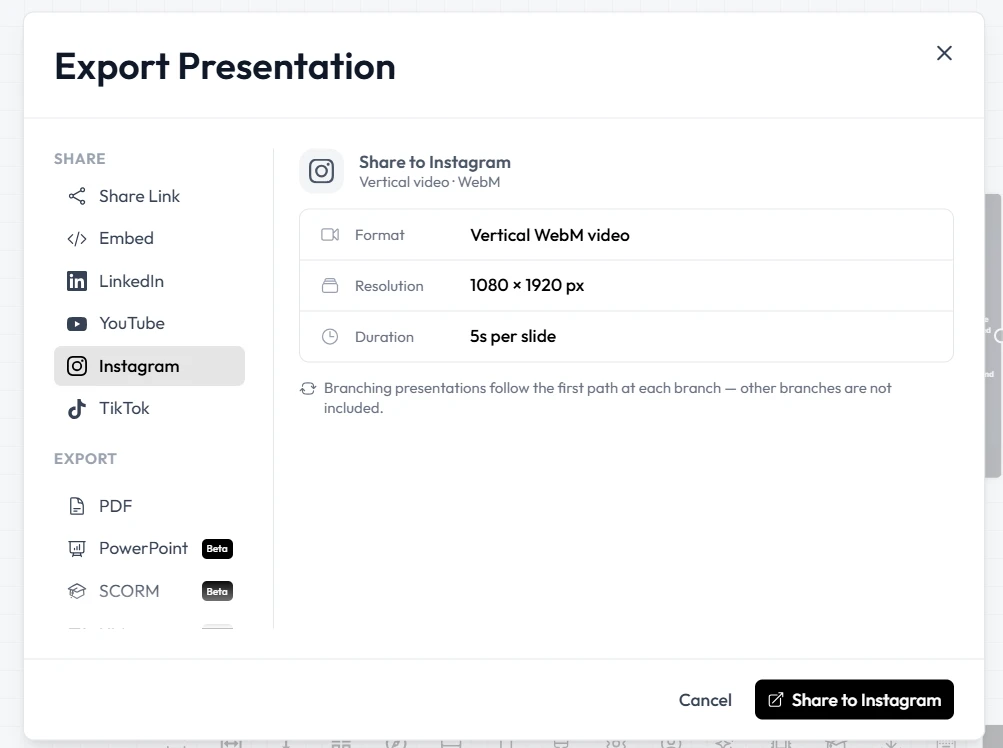
While many users think of slides as 16:9, Unni.ai allows for custom dimensions. Select the vertical (9:16) format to ensure your content fits perfectly on a mobile screen. This ensures that your AI presentation generator output doesn’t get cropped by Instagram’s interface.
Step 4: Customize with Brand Assets
Consistency is key for instructional designers and corporate trainers. Unni.ai allows you to save brand kits. Once the educational AI generates the initial design, you can:
-
Apply your specific brand colors.
-
Upload your professional headshot or school logo.
-
Adjust font sizes for maximum readability on small screens.
Step 5: Export and Upload
Once you are satisfied with the design, export your project from Unni.ai as high-quality PNG or JPEG files. Since Unni.ai handles the presentation automation, each “slide” becomes a single frame for your Instagram Story.
-
Open the Instagram app.
-
Swipe right to open the Story camera.
-
Select the images exported from Unni.ai.
-
Add interactive elements like polls or links directly within Instagram.
Practical Examples for Professionals
| Role | Story Use Case | Unni.ai Benefit |
|---|---|---|
| Corporate Trainer | New Hire Onboarding Tips | Rapid training automation and brand consistency. |
| Teacher | Daily “Word of the Day” | Saves time on lesson planning visuals. |
| Course Creator | Student Testimonial Slides | Professional layouts that build authority. |
| Academic | Research Highlight | Simplifies complex data into readable “cards.” |
Checklist: Optimizing Your AI-Generated Stories
Before you hit “Post,” run through this quick checklist to ensure your Unni.ai content performs its best:
-
Legibility: Is the text large enough to read on a phone?
-
Contrast: Does the text pop against the background?
-
Speed: Did you limit each frame to one main idea?
-
Branding: Is your logo or name visible?
-
CTA: Is it clear what the viewer should do next?
FAQ: AI for Social Media Presentations
Can Unni.ai generate images for my stories?
Yes, Unni.ai includes an integrated AI presentation generator that creates relevant imagery based on your text prompts, making it easy to find visuals for educational AI topics.
Is Unni.ai better than manual design tools?
For busy professionals, Unni.ai is superior because it focuses on presentation automation. It builds the structure for you, so you spend minutes instead of hours on design.
Do I need design experience to use Unni.ai?
Not at all. The platform is designed for trainers and educators who need professional results without the steep learning curve of traditional graphic design software.
Can I use Unni.ai for lesson planning?
Absolutely. Many teachers use Unni.ai to turn their lesson planning notes into visual slides for both the classroom and social media.
Conclusion
Creating professional, engaging Instagram Stories doesn’t have to be a chore. By using Unni.ai as your primary AI presentation generator, you bridge the gap between deep educational content and modern social media trends. The power of presentation automation makes the educational AI handles the aesthetics, allowing you to stay focused on what matters most: teaching and training.