How to Create Viral Educational Videos for Social Media with AI
Learn how to create viral educational videos for social media using AI. Discover how Unni.ai turns lesson content into engaging, shareable video slides.
Educational content is currently dominating social media algorithms. From TikTok to LinkedIn, “edutainment” has become the primary bridge between complex information and mass engagement. Research indicates that modern digital platforms encourage knowledge dissemination through humor, aesthetics, and relatable narratives to make difficult concepts more digestible (Morais, 2026). However, the manual labor required to design dozens of slides for a single post can be exhausting for busy teachers and professionals.
By leveraging an AI presentation generator, you can transform a simple lesson plan into a high-impact visual series in minutes. Unni.ai allows you to implement presentation automation, ensuring your content stays consistent across various formats while saving you hours of design work. Whether you are an instructional designer or a corporate trainer, mastering educational AI is the key to scaling your digital presence.

Step 1: Research Your Topic and Hook
Before opening Unni.ai, identify a core problem your audience faces. Viral educational content often succeeds by challenging common misconceptions or providing actionable “how-to” steps. The first slide is your “hook”: it must stop the scroll immediately.
-
Define your objective: Is this a tutorial, a list of resources, or a conceptual breakdown?
-
Gather reliable data: Ensure your facts are accurate, as misinformation is a significant concern in informal science communication on social media (Morais, 2026).
-
Draft a script: Write 5 to 7 concise points. Each point will become a separate slide in your AI-generated deck.
Step 2: Use an AI Presentation Generator for Rapid Design
Once your script is ready, let educational AI do the heavy lifting. Instead of starting with a blank canvas, use Unni.ai to generate a base structure. Unni.ai uses advanced algorithms to match your text with appropriate layouts and visuals, which is essential for maintaining audience retention.
-
Input your script or prompt into Unni.ai.
-
Select a “Social Media” or “Carousel” template.
-
Let Unni.ai organize the hierarchy of information automatically.
Using Unni.ai for presentation automation helps you avoid the “blank page syndrome” and ensures your slides follow professional design principles without needing a graphic design degree.
Step 3: Optimize for “The Picture Superiority Effect”
Social media is a visual-first medium. Research shows that people remember pictures much better than words, a phenomenon known as the picture superiority effect (Aljalabneh, 2024).
-
Limit Text: Aim for no more than 15-20 words per slide.
-
High-Contrast Visuals: Use Unni.ai to find bold, high-quality images that support your message.
-
Consistent Branding: Use the same fonts and colors across all slides to build a recognizable “self-brand” (Morais, 2026).
Step 4: Add Interactive and Gamified Elements
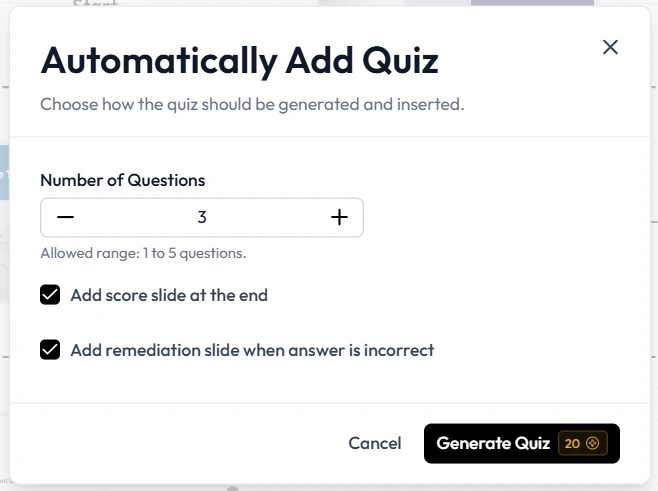
To increase engagement, include elements that encourage users to comment or save. Research suggests that gamification and interactive elements significantly enhance learner motivation and social engagement (Moreno, 2025).
-
Slide 6 (The Quiz): Ask a quick question related to the topic.
-
Slide 7 (The CTA): Tell them exactly what to do next. “Save this for later” or “Follow for more AI tips.”
By using Unni.ai, you can quickly insert these interactive templates into your flow, making your educational content feel less like a lecture and more like a community conversation.
Step 5: Export and Multi-Platform Distribution
The final step is getting your slides onto the right platforms. Presentation automation extends to how you resize and repurpose content.
-
Format Check: Ensure your slides are 1080x1350 (Portrait) for Instagram or 1080x1920 for TikTok, Reels and Youtube Shorts slideshows.
-
Review for Errors: Use the preview mode in Unni.ai to check for any AI-generated “slop” or factual hallucinations (Jones, 2025).
-
Schedule: Post during peak hours for your specific audience demographics (Elhariry et al., 2024).
Checklist: Is Your Slideshow Ready to Go Viral?
Before you hit publish, run through this quick checklist to ensure your educational AI content is optimized for success:
-
Does the first slide have a clear, bold hook?
-
Is there a logical flow from the problem to the solution?
-
Are all images high-resolution and relevant?
-
Have you used Unni.ai to ensure consistent brand colors?
-
Is there a “Save” or “Share” call-to-action on the last slide?
-
Did you double-check the factual accuracy of your claims?
Frequently Asked Questions (FAQ)
Can I use an AI presentation generator for TikTok?
Yes. Modern platforms like Unni.ai allow you to create portrait-oriented slides specifically designed for TikTok’s slideshow mode, which is currently a high-growth format for educators.
How does presentation automation save time?
Instead of manually choosing fonts, colors, and layout for each of the 10 slides, Unni.ai applies a cohesive theme instantly based on your brand settings, cutting your creation time by up to 80%.
Is educational AI content reliable?
While educational AI tools like Unni.ai are incredibly powerful for design, you should always verify the text for accuracy. High-quality creators use AI to enhance their message, not replace their expertise.
Will my content look “robotic” if I use AI?
Not if you customize it. Unni.ai provides the professional skeleton, but you can add your own voice, jokes, and specific examples to ensure it resonates with your followers.
Conclusion
Creating viral educational content no longer requires a full media team. By combining your subject matter expertise with an AI presentation generator, you can produce high-quality, professional slides at scale. Presentation automation via Unni.ai allows you to focus on the message while the technology handles the aesthetics. As educational AI continues to evolve, the barrier to entry for teaching on social media will only get lower.
References
-
Aljalabneh, A. A. (2024). Visual media literacy: educational strategies to combat image and video disinformation on social media. Frontiers in Communication, 9. https://doi.org/10.3389/fcomm.2024.1490798
-
Elhariry, M., Malhotra, K., Goyal, K., Bardus, M., Team, S. C., & Kempegowda, P. (2024). A SIMBA CoMICs Initiative to Cocreating and Disseminating Evidence-Based, Peer-Reviewed Short Videos on Social Media: Mixed Methods Prospective Study. JMIR Medical Education, 10, e52924. https://doi.org/10.2196/52924
-
Jones, E. M. (2025). AI-Generated “Slop” in Online Biomedical Science Educational Videos: Mixed Methods Study of Prevalence, Characteristics, and Hazards to Learners and Teachers. PMC
-
Morais, R. (2026). Scrolling through science: how accurate is science content on TikTok. JCOM.
-
Moreno, C. B. (2025). Gamification-Education: the power of data. Teachers in social networks. Redalyc.