Fact-Checking AI: How to Ensure Your AI Presentations Remain Data-Accurate
Learn how to fact-check AI-generated presentations for accuracy. A practical guide for educators and trainers who rely on data-driven slide content.
Automated content creation offers unprecedented speed, but professionals must prioritize data integrity. When you utilize an AI presentation generator to build corporate reports or training modules, you must establish a rigorous fact-checking workflow. Unni.ai allows users to combine the efficiency of AI slides with the precision required for high-stakes professional environments. By integrating educational AI into your routine, you can produce content that is both visually stunning and factually sound. This guide demonstrates how to build an automated pipeline that keeps your data accurate, reliable, and perfectly aligned with your source material.
Why Data Accuracy Matters in Presentation Automation
The convenience of presentation automation can sometimes lead users to trust output without scrutiny. Whether you are a corporate trainer or an instructional designer, your credibility depends on the precision of your content. AI models are powerful assistants, but they require a human in the loop to verify statistics, citations, and technical claims.
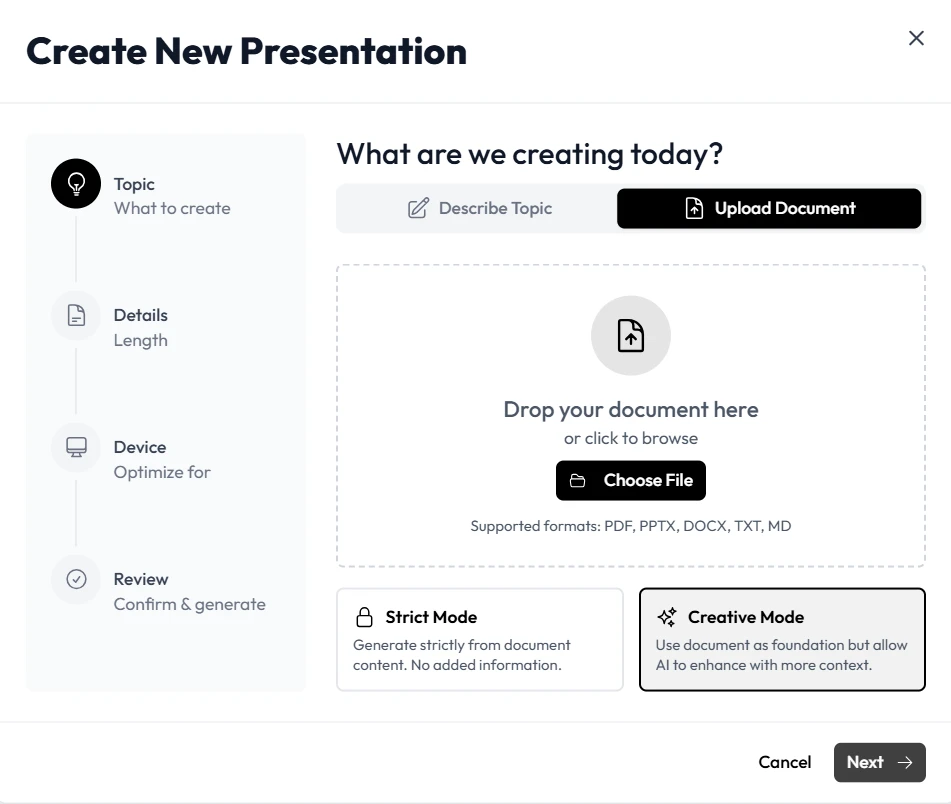
Unni is designed to support this human-in-the-loop approach. By allowing you to import your own verified source documents and data sets, it ensures the foundation of your deck is grounded in reality. The system uses your input as the primary source of truth, minimizing the risk of errors while maximizing the speed of your design process.
The Role of Educational AI in Data Verification
Educational AI brings a unique layer of rigor to your presentations. Unlike generic tools, Unni helps structure information in a way that makes logical errors easier to spot. By organizing data into distinct nodes and segments, the platform provides a clear roadmap of how information is presented.
When you use Unni, you gain a transparent view of your data structure. You can trace every point back to the original document or prompt you provided. This traceability is essential for maintaining accuracy. When you can see exactly where a piece of information originated, you can confidently verify it against your primary sources.
Establishing a Fact-Checking Workflow for AI-Generated Content
To maintain high standards, your workflow should move beyond simple creation. Implement these verification strategies to ensure your presentations remain accurate.
1. Source Material Preparation
Before generating any slides, organize your source data. Ensure your statistics, quotes, and research are consolidated into clean text or structured documents. When you feed verified source material into the AI presentation generator, you drastically reduce the chance of the system hallucinating information.
2. Verify Generated AI Slides Against Sources
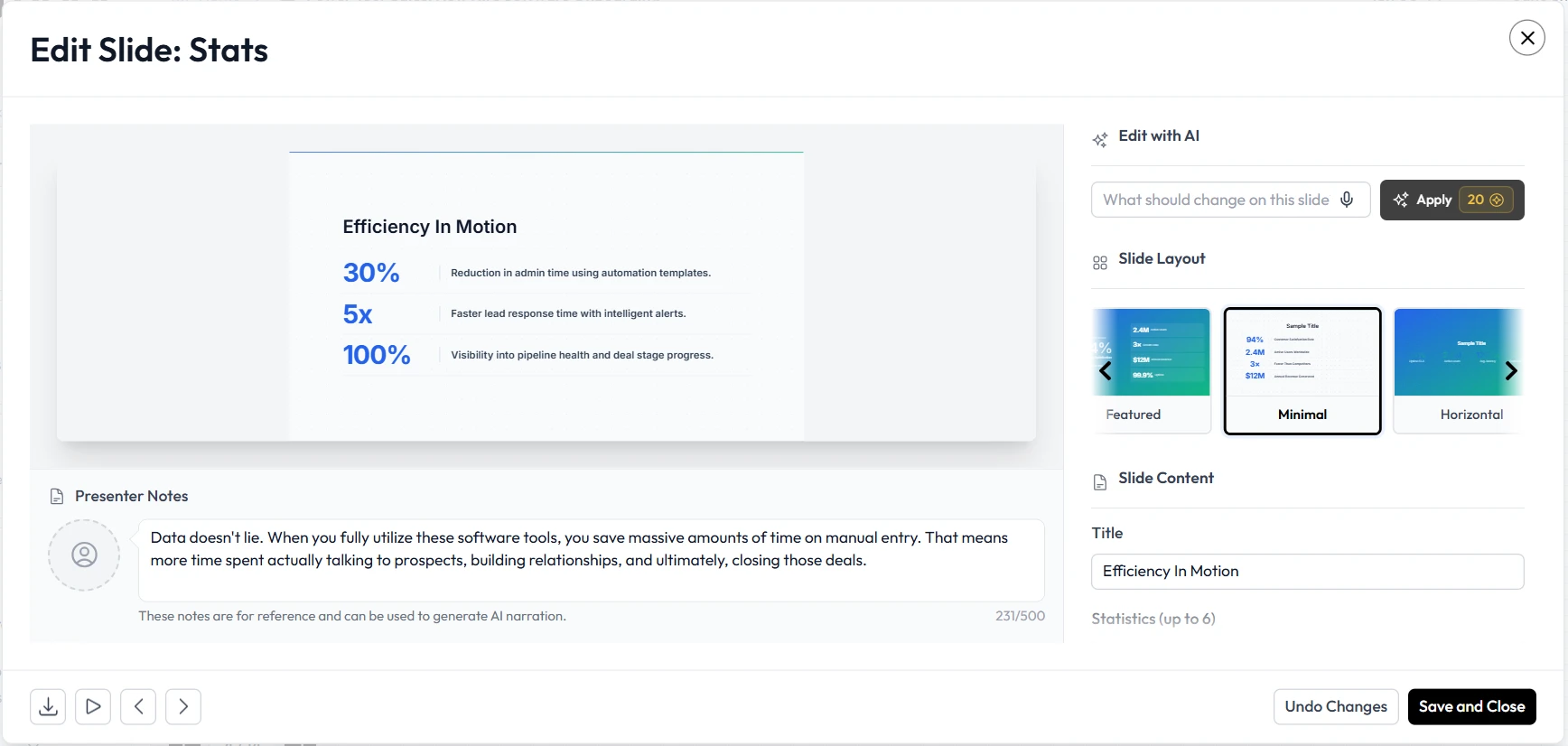
Once Unni generates your deck, treat the output as a draft. Compare key data points on your AI slides directly against your original files. Unni features a side-by-side editing mode that lets you keep your source document open while you review the generated content.
3. Use Contextual Prompts for Accuracy
When you use Unni to refine or expand your slides, provide context. Instead of a vague command, say: “Summarize this data using the exact figures from the attached report.” Clear instructions help the AI maintain focus on your specific data sets, which keeps the output accurate.
4. Leverage the Node-Based Editor
The Unni node-based editor provides a visual overview of your presentation flow. Use this to ensure that all logical paths and branching scenarios reflect accurate, up-to-date protocols. If you find an inconsistency, you can modify that specific node instantly.
Practical Examples of Maintaining Accuracy
Accuracy is crucial in high-compliance environments. Here is how professionals successfully use Unni to manage sensitive data.
Compliance and Policy Reporting
Corporate trainers responsible for safety protocols use Unni.ai to turn dense regulatory PDFs into structured training slides. Because they import the verified PDF directly into the platform, they know the core data remains untouched. They simply review the generated visuals to ensure the layout accurately represents the hierarchy of the safety procedures.
Academic and Course Creation
Educators often use Unni to generate lessons from scholarly articles. By setting the system to prioritize direct quotes and specific citations from the source text, they ensure the generated lessons remain academically rigorous. The educational AI capabilities of the artificial intelligence then handle the pedagogical structuring, ensuring the presentation is both accurate and effective for student learning.
Checklist for Data Integrity
Use this checklist to ensure every presentation you build in Unni.ai meets the highest standards for data accuracy.
-
Verify all source documents for currency before importing them into Unni.
-
Cross-reference quantitative data on every slide against your original source.
-
Ensure that any generated summary or simplification maintains the original meaning.
-
Use the edit mode to replace any generalized AI wording with specific, evidence-backed claims.
-
Conduct a final review of all branching logic and interactive quiz nodes for factual consistency.
-
Document the source of all critical metrics in the slide notes for internal verification.
Frequently Asked Questions (FAQ)
How does Unni avoid data errors during generation?
Unni prioritizes your source content. By focusing on the documents and notes you provide, the platform minimizes the reliance on external, potentially unverifiable information.
Can I manually edit content after Unni.ai generates it?
Yes. You have full control. Unni is built to be a collaborative partner, not an autonomous agent. You can manually adjust any text, figure, or layout at any time to ensure absolute accuracy.
Does Unni provide citations for its claims?
When you import documents, Unni maintains the connection between your text and the output. You can easily reference the original file to confirm the source of any specific claim.
Is it faster to fact-check an AI-generated deck than to build one from scratch?
Yes. Because Unni handles the time-consuming formatting and layout tasks, you can dedicate your entire effort to verification, which is a much faster and more reliable process than manual creation.
Conclusion: Empowering Accuracy with Unni.ai
Data integrity is the foundation of professional communication. While an AI presentation generator offers incredible speed, the ultimate responsibility for accuracy remains with the user. By combining the power of Unni with a structured verification process, you can confidently leverage AI slides to present your findings. The use of educational AI tools allows you to focus on the quality and accuracy of your content, ensuring your message is not only engaging but also reliable. Start building your presentations with confidence by using Unni.ai.
Visit Unni.ai and discover how effortless and accurate your workflow can become.