How Teams Use Notion and AI Slides Together for Faster Training Content
Learn how teams combine Notion and AI slides to create faster training content. Discover how Unni.ai connects with documentation workflows for L&D teams.
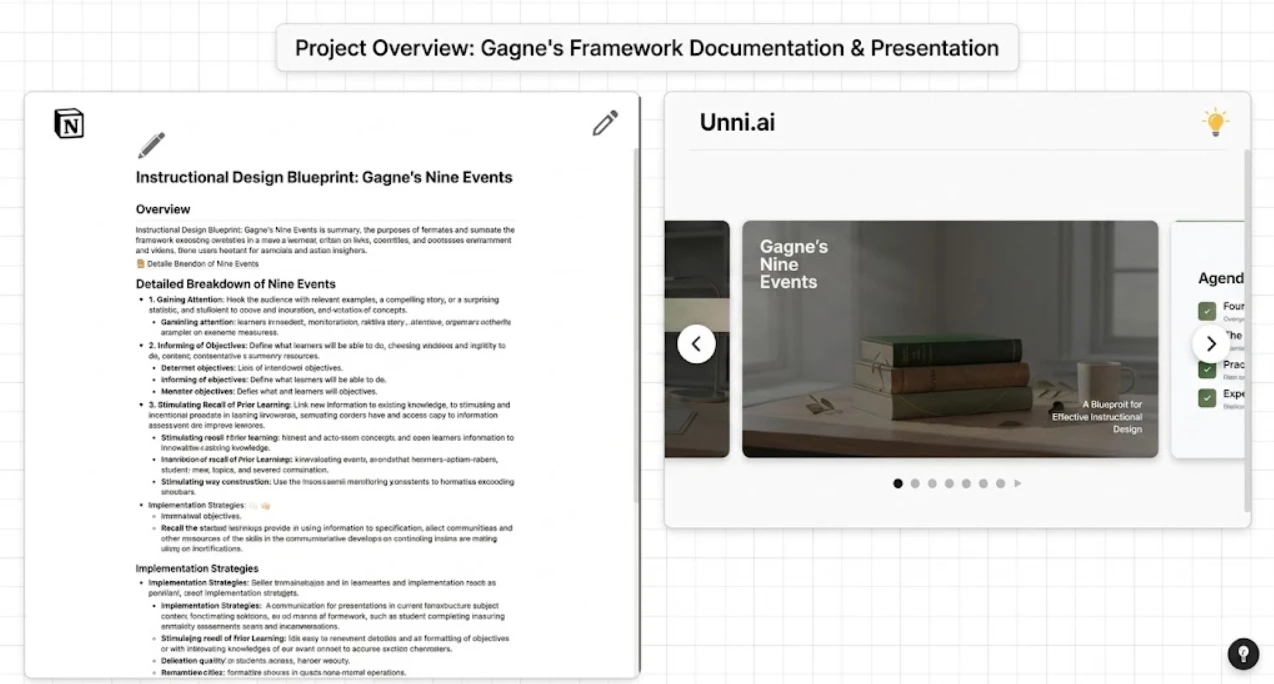
The modern workplace demands continuous learning and rapid information distribution. However, transforming static documentation into engaging learning experiences often creates significant bottlenecks for instructional designers. Corporate training teams and academic professionals frequently rely on Notion to organize their institutional knowledge. By bridging the gap between structured documentation and dynamic delivery, a reliable AI presentation generator can turn text-heavy pages into compelling AI slides in a fraction of the time.
This integration represents a major leap forward in educational AI, allowing teams to bypass hours of manual formatting and focus directly on pedagogy and strategy. Unni.ai offers a direct pathway to convert your existing Notion workspaces into high-quality presentations, ensuring that your training materials evolve at the exact speed of your internal documentation.
The Bottleneck in Corporate Learning and Educational AI
Instructional design is fundamentally about clarity and knowledge transfer. Yet, professionals spend an outsized portion of their week manipulating slide layouts rather than refining their core messaging. According to industry surveys on corporate learning, trainers often dedicate up to forty percent of their preparation time simply aligning text boxes, sourcing relevant imagery, and ensuring brand consistency across their decks. This manual labor detracts from the high-level strategic thinking required to build effective learning programs.
When an organization relies heavily on Notion to house its standard operating procedures, onboarding manuals, and product documentation, the core educational content already exists in a highly structured format. Notion utilizes distinct text blocks, hierarchical headers, and robust databases to maintain organizational order. The inefficiency arises when a human operator must manually copy each paragraph, decide on a visual hierarchy for a slide deck, and paste the information into traditional, static presentation software.
Educational AI solves this specific structural inefficiency. Instead of treating the presentation design as an isolated and manual task, modern corporate workflows treat the slide deck as an automated output of the central knowledge base. By utilizing Unni, teams establish a continuous, frictionless pipeline where updating a Notion document can seamlessly translate into updated training materials. This methodology eliminates version control issues, reduces administrative redundancy, and ensures that the most current data always reaches the learner.
From Notion Document to AI Slides: A New Workflow
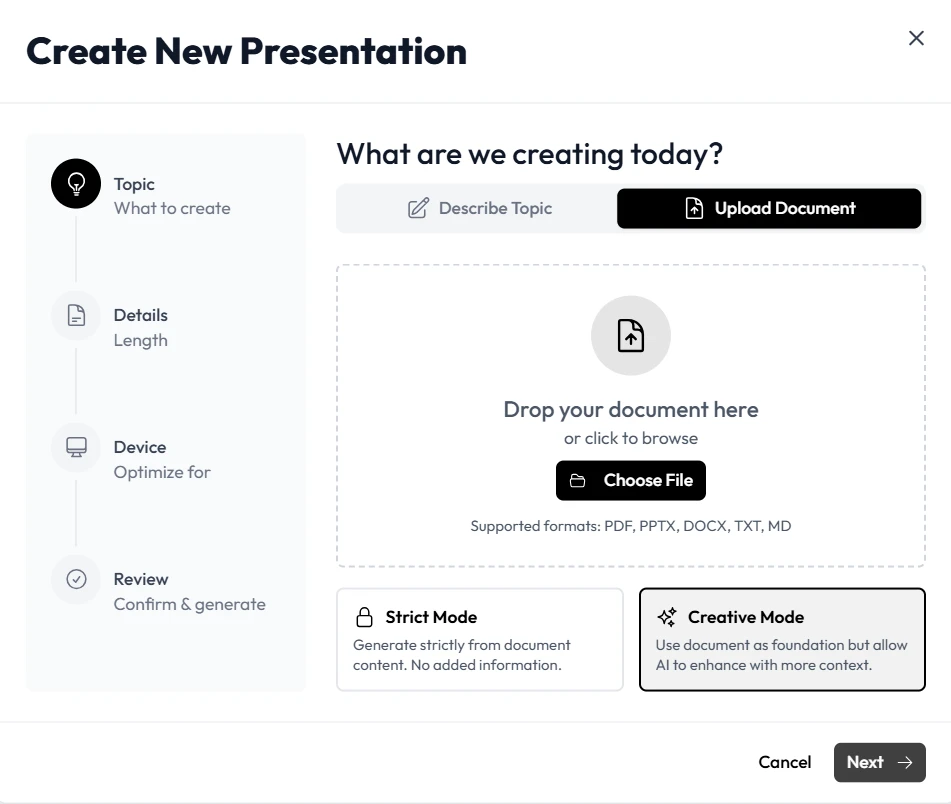
Connecting your central knowledge base directly to Unni.ai transforms how organizations approach content creation. The process shifts entirely from manual assembly to intelligent, programmatic curation. When Unni parses a Notion page, it does not merely execute a blind copy-and-paste command. The platform uses advanced semantic analysis to understand the context, importance, and relational structure of the data blocks.
For example, when the system reads an H1 or H2 tag within Notion, Unni recognizes these as structural dividers. The engine translates them into distinct title slides or section headers. Bulleted lists become neatly animated, sequential talking points, while complex and dense paragraphs are automatically summarized into digestible concepts suitable for visual presentation. This intelligent mapping and automated formatting constitute the core value of presentation automation.
Corporate learning teams utilize this specific workflow to dramatically accelerate their deployment cycles. Consider a scenario where a software company releases a major platform update. The product management team writes the detailed release notes and feature specifications in a centralized Notion database. The instructional design team then uses Unni to ingest those exact notes and immediately generate a comprehensive training deck for the global sales department.
Generating AI slides directly from source material ensures high fidelity to the original information while systematically applying proven instructional design principles to the visual layout. The platform analyzes the density of the information provided and intelligently splits text-heavy content across multiple slides to prevent cognitive overload for the audience.
Structuring Notion Workspaces for Optimal Course Creation
To extract the absolute best results from any automated workflow, the input data requires a logical and predictable structure. While Unni excels at understanding unstructured text and deriving meaning from raw data, teams can optimize their Notion databases to make the course creation process entirely seamless and highly repeatable.
First, instructional designers should utilize standard markdown formatting with rigorous consistency. Clear differentiation between headings, subheadings, and regular body text provides Unni with strong semantic signals regarding the hierarchy of the information. If a Notion page serves as a master curriculum, using toggle lists or nested pages for individual modules allows the AI to compartmentalize lessons accurately and generate distinct sections within the final AI generated presentation.
Second, teams should embed visual and structural cues within their Notion text. If a specific chart, quote, or data point is fundamentally crucial to the lesson, utilizing callout blocks or quote blocks in Notion can signal to Unni that this specific information requires special visual emphasis. The engine might interpret this by generating a dedicated, high-impact metric slide.
Third, maintaining a dedicated “Training Materials” database in Notion helps standardize the entire organizational process. By assigning specific metadata properties (such as audience level, department, and core learning objectives) to each Notion page, content creators can efficiently prompt Unni.ai to adjust the tone, depth, and visual complexity of the resulting presentation. This level of upfront preparation turns a static document repository into a dynamic engine for training automation. Consequently, a single instructional designer can support a much larger workforce without sacrificing quality.
Future-Focused Insights: The Evolution of Lesson Planning
The intersection of structured knowledge management and educational AI points toward a future where administrative friction completely disappears from the teaching and training process. For academic educators and corporate trainers alike, lesson planning is rapidly evolving from a standalone, time-consuming task into an integrated byproduct of subject matter research and documentation.
As automated platforms like Unni continue to mature, the technical synergy with organizational tools like Notion will deepen significantly. We anticipate a paradigm shift toward proactive content generation. In the near future, updating a specific training database in Notion might automatically trigger Unni.ai to generate, format, and distribute a revised set of training slides to relevant team members without any manual prompting from the user. This continuous delivery model ensures that organizational alignment happens in real time.
Furthermore, the AI architecture will continually learn the specific visual language, brand constraints, and instructional preferences of your unique organization. By analyzing which slide formats receive the most positive engagement or require the fewest manual edits from your team, Unni.ai will continuously refine its design output. This means your corporate presentations will not only generate faster but will become measurably more effective and aligned with your corporate identity over time.
Frequently Asked Questions
Can I customize the design of the AI slides once they are generated?
Absolutely. While Unni automates the initial heavy lifting of content distribution, narrative structuring, and layout formatting, users retain complete creative control over the final product. You can adjust color palettes, swap imagery, modify charts, and rewrite text within the Unni platform before exporting or finalizing your presentation.
Is this workflow suitable for both corporate training and academic environments?
Yes. The foundational principles of clear communication and cognitive load management remain consistent across all sectors. Corporate learning teams use this exact workflow for employee onboarding and product updates, while academic educators utilize it to accelerate their daily lesson planning and distribute course materials to their students efficiently.
Will the AI maintain my company branding and visual identity?
Unni allows organizations to establish strict brand kits. When the platform pulls textual content from your Notion workspace, it programmatically applies your predefined typography, specific color palettes, and appropriate logo placements to ensure every generated presentation meets your exact corporate standards.
Conclusion: Accelerating Knowledge Transfer
The global demand for rapid, high-quality learning materials will only increase as organizations grow more complex and remote workforces expand. By pairing the robust organizational power of Notion with the design intelligence of Unni.ai, teams can eliminate the tedious formatting tasks that have historically slowed down content delivery. This integration proves that an AI presentation generator is not just a superficial design utility, but a fundamental component of modern knowledge management and corporate communication.
Whether you are standardizing corporate onboarding processes, deploying new software training, or refining your academic curriculum, leveraging educational AI allows you to consistently prioritize the learner experience over administrative overhead. The unprecedented ability to instantly convert structured documents into engaging, ready-to-present AI slides represents a critical strategic advantage for any instructional team.
To experience this accelerated workflow and see firsthand how automated design logic can elevate your instructional materials, explore the full capabilities of the Unni presentation automation platform. By bridging your institutional knowledge base with intelligent design systems, your team can build better, more effective training content faster than ever before.
Related Reading
- How to Convert Notion Documents into AI Slides: A hands-on guide for teams ready to start converting Notion pages into slides right now, including a step-by-step import workflow.
- How to Master Workflow Automation: Using Notion and AI Presentation Generators: Covers best practices for structuring your Notion workspace to get the cleanest results from the AI generation process.
- Why an AI Presentation Software Complements Notion Workspaces: A deeper look at why Notion’s native presentation mode falls short and how an AI layer solves that gap at scale.