How Unni.ai Simplifies Curriculum Planning: A Guide for Educators
Learn how Unni.ai simplifies curriculum planning for educators and trainers. From lesson structure to slide generation, a practical planning guide.
Curriculum planning often feels like a race against the clock. For educators, corporate trainers, and instructional designers, the balance between high-quality content creation and administrative demands is a constant challenge. Fortunately, the emergence of AI presentation generators has changed the landscape, allowing professionals to reclaim hours of their work week.
By leveraging AI slides and educational AI tools, you can transition from manual drafting to strategic design. Unni.ai serves as a bridge between complex pedagogical goals and streamlined execution. In this guide, we explore how Unni simplifies the curriculum planning process, allowing you to focus on what matters most: your learners.
The Evolution of Curriculum Design with AI
Traditional curriculum design involves repetitive tasks: outlining objectives, sourcing visuals, formatting slides, and aligning content with learning outcomes. This manual workflow is prone to burnout and inconsistent pacing.
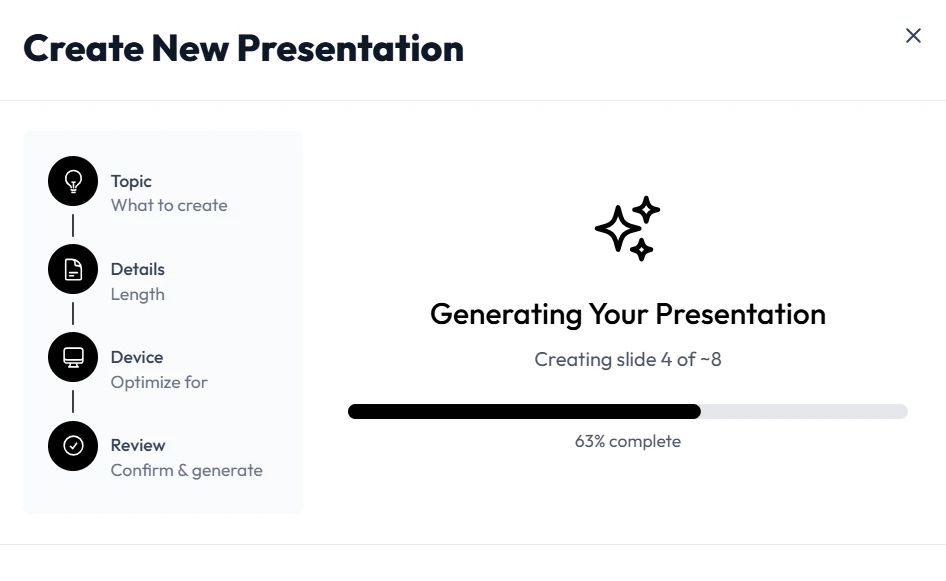
Using an AI presentation generator like Unni.ai transforms this linear, tedious process into a dynamic, automated workflow. Instead of starting from a blank screen, Unni.ai allows you to input your learning objectives and generate structured, professional-grade content instantly.
Why Professionals Choose Unni.ai
-
Efficiency: Drastically reduce the time spent on formatting and layout.
-
Consistency: Ensure a uniform professional look across all your training modules.
-
Flexibility: Easily iterate on your lessons based on real-time feedback.
-
Focus: Reallocate your energy toward facilitating engagement rather than editing slide margins.
Step-by-Step: Streamlining Your Workflow with Unni.ai
Integrating Unni.ai into your planning process does not require a steep learning curve. Follow these steps to maximize your output.
1. Define Your Learning Objectives
Before opening Unni.ai, clearly define your core message. What should the learner be able to do by the end of the session? Inputting clear, outcome-oriented prompts ensures that the AI slides generated are highly relevant and effective.
2. Generate the Skeleton
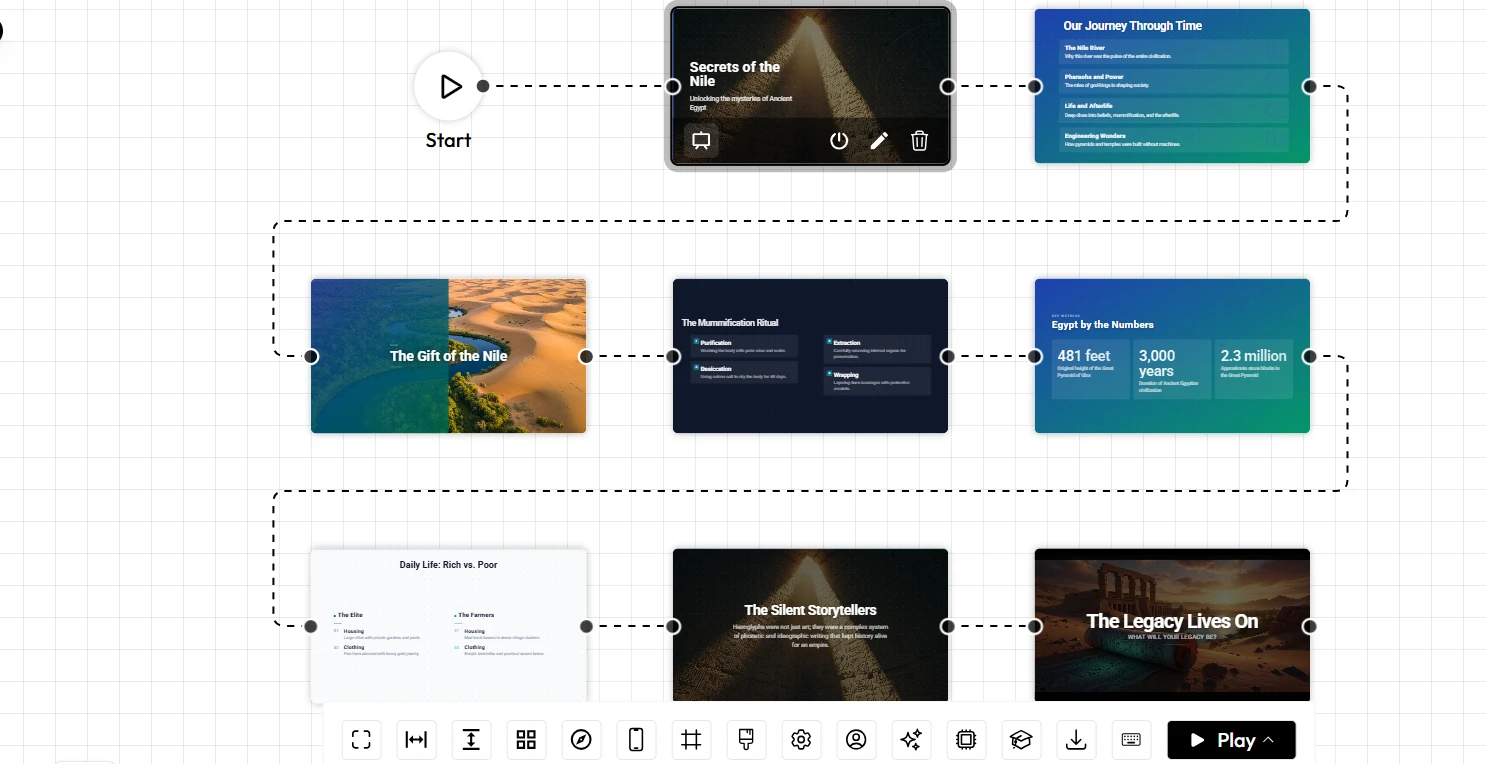
Use the Unni.ai prompt engine to create an initial outline. You can specify the target audience, the tone, and the complexity of the material. This gives you a structured framework to build upon, which is a major time-saver for course creation.
3. Customize and Enhance
Once the foundational content is generated, use the editing suite to add your personal touch. Incorporate specific case studies, proprietary data, or unique visual branding to ensure the final product feels authentic to your institution or organization.
4. Automate the Delivery
Use the presentation automation features in Unni.ai to export your materials into formats that are ready for immediate use in classrooms, boardrooms, or virtual learning environments.
Checklist: Is Your Curriculum Ready for AI Integration?
Before diving into a new project, run through this quick checklist to ensure you are positioned for success with Unni.ai:
-
Define the scope: Have you identified the specific topic and target audience?
-
Gather source material: Do you have existing PDFs, notes, or articles to use as context for your AI prompts?
-
Determine the format: Are you creating a standard lecture, an interactive training module, or a workshop guide?
-
Review for impact: Does the generated content align with your pedagogical standards?
-
Human-in-the-loop: Have you reviewed the output to ensure accuracy and tone consistency?
Frequently Asked Questions (FAQ)
Can Unni.ai replace the human element in teaching?
No. Unni.ai is designed as a co-pilot for instructional designers and educators. It automates the technical aspects of content creation so you can dedicate more time to mentorship and personalized student support.
Is it suitable for corporate training?
Yes. Whether you are a corporate trainer or an academic professional, Unni.ai scales to fit your specific needs, from technical manuals to professional development workshops.
How does Unni.ai ensure the quality of educational AI output?
Unni uses sophisticated models that prioritize structure and clarity. By providing precise input, you get high-quality AI slides that serve as a strong baseline for your presentations.
Conclusion
Modern curriculum planning requires tools that keep pace with the speed of information. By utilizing an AI presentation generator like Unni, you move beyond the limitations of manual design and embrace a more efficient future. Whether you are looking to refine your lesson planning, accelerate your course creation, or simplify your overall presentation automation, Unni provides the infrastructure you need to excel.