Best AI Tool to Turn Notion Notes into Presentations
Discover how to transform your Notion notes into stunning AI slides using Unni.ai. Streamline your lesson planning and training automation today.
If you spend hours copying text from your project documentation into slide design software, you are losing valuable time. Modern workflows demand more efficiency. By using an AI presentation generator like Unni.ai, you can bridge the gap between your structured documents and professional visual outputs.
Transforming your research into polished AI slides is no longer a manual process. Whether you are a teacher building curriculum, a corporate trainer designing onboarding, or a professional preparing a pitch, Unni bridges the gap between your workspace and your audience. By leveraging educational AI, you can focus on your message while the software handles the layout.
Why Connect Notion to Unni.ai
Notion is arguably the best place to store your raw information. It excels at organization, but it lacks the visual delivery features needed for a live session. Manually transferring that data into a presentation tool often leads to formatting errors and design fatigue.
Unni functions as the bridge between your notes and your audience. It reads the hierarchy of your Notion pages: using your headers to define slide titles and your bullet points to structure your key takeaways. This presentation automation ensures that your document’s logic is preserved in the final deck.
Step-by-Step: Converting Notes to Presentations
Follow this streamlined process to turn your static Notion pages into dynamic presentations.
-
Structure Your Notion Page: Use clear H1 and H2 headers. Unni relies on this structure to understand your outline. Keep your content block-based for better parsing.
-
Refine Your Content: Remove excessive filler text. The more concise your Notion notes are, the more effective your generated AI slides will be.
-
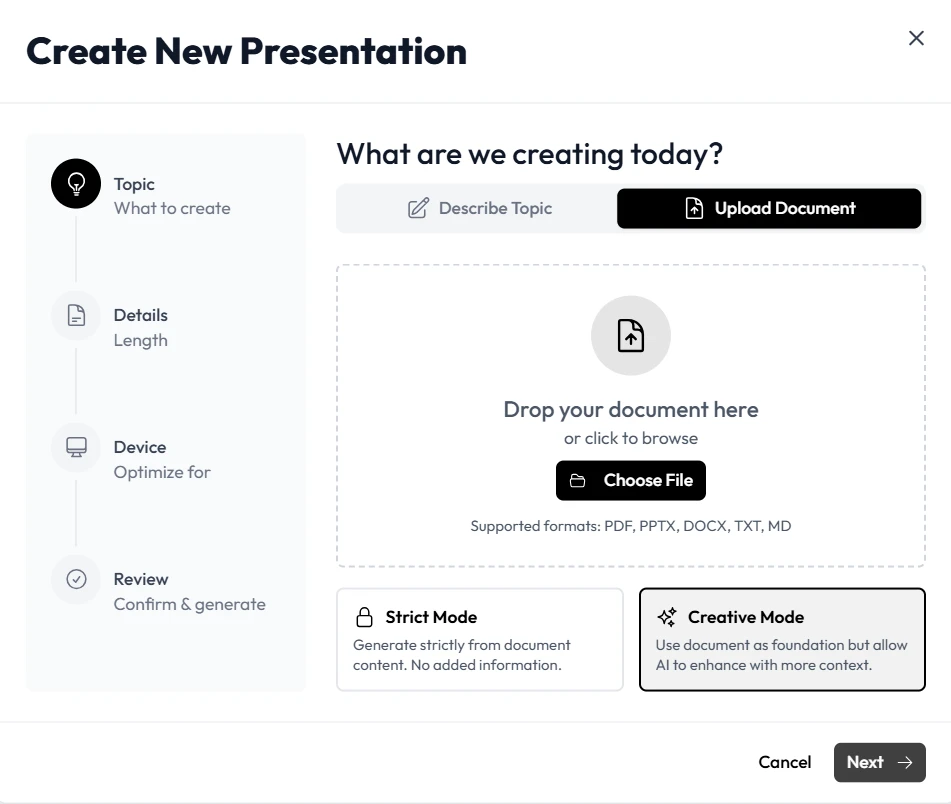
Connect to Unni.ai: Open Unni.ai and select the import option. Upload your Notion notes to the ‘Create New Presentation’ dashboard.
-
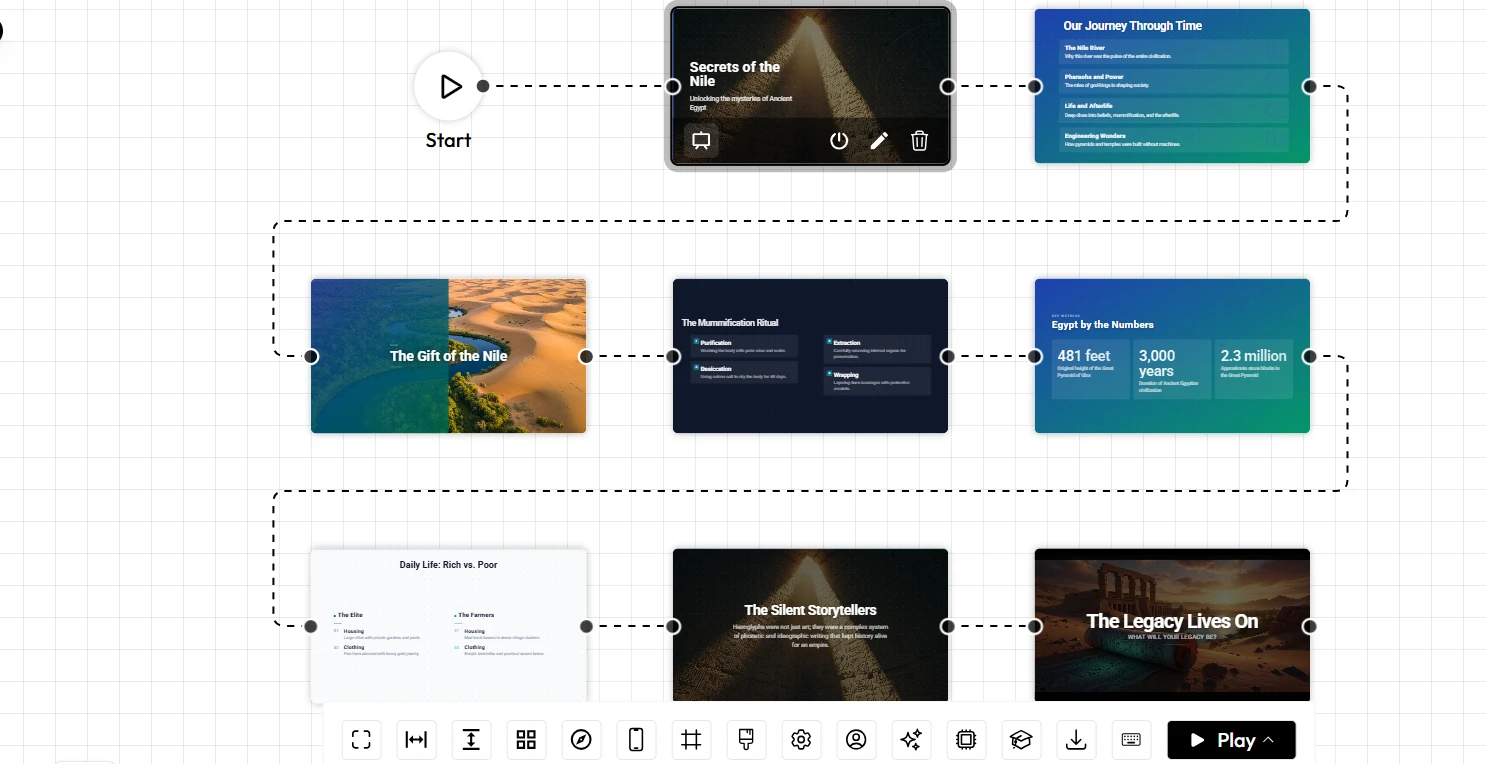
Generate and Customize: Let Unni interpret your hierarchy. The engine will suggest layouts, imagery, and icons. You can then refine the visual style to match your brand or school theme using simple natural language commands.
Enhancing Workflow for Educators and Trainers
For professionals in the education and L&D sectors, Unni.ai offers specific advantages for lesson planning and training automation. Instead of starting from scratch, you can maintain a library of “master notes” in Notion and generate updated presentations whenever the curriculum changes.
This approach significantly reduces the overhead of course creation. When you update a concept in your Notion database, you can regenerate by updating your document in Unni instantly. This ensures your teaching materials are always current and consistent.
Best Practices for Better Results
To get the most out of your educational AI workflow, follow these expert tips:
-
Use Consistent Tagging: Use callouts and nested blocks in Notion to signal specific sections like “Case Studies” or “Q&A,” which Unni can recognize and format differently.
-
Prioritize Visual Cues: Include placeholders in your notes where you want specific diagrams or images. Unni is designed to prioritize these visual elements.
-
Keep It Modular: Avoid creating one massive 50-page document. Build smaller, topic-specific pages in Notion. This makes it easier for Unni to manage the narrative flow of each slide deck.
Checklist for Successful Conversion
-
Is your Notion document published or exported to Markdown?
-
Are your headings (H1, H2) clearly labeled to define slide structure?
-
Have you reviewed the generated slides for flow and narrative consistency?
-
Did you utilize the Unni.ai styling tools to adjust themes?
-
Are your key takeaways highlighted as bullet points for better AI interpretation?
Frequently Asked Questions (FAQ)
Does Unni.ai keep my Notion data private?
Yes. Unni.ai respects your data privacy. You only need to share your page for the duration of the import process, and your content is handled securely.
Can I edit the slides after they are generated?
Absolutely. Every element in your slide is fully editable. You can swap images, move text boxes, and change layouts directly within Unni.ai.
Is this tool suitable for beginners?
Unni.ai is built for anyone. Its AI presentation generator takes the complexity out of design, meaning you do not need graphic design skills to create high-quality, professional slides.
Conclusion
Integrating Notion with Unni is a game-changer for those who value both structured information and impactful presentation design. By automating the transition from your notes to your deck, you save hours of manual labor, allowing you to focus on the quality of your message. Whether you are focused on lesson planning or high-stakes corporate presentations, using an AI presentation generator ensures your content is always presented at its best. Start your journey toward faster, smarter presentation automation and elevate your professional output today.
Related Reading
- How to Convert Notion Documents into AI Slides: A detailed walkthrough of the full Notion-to-slides process, including tips for structuring your Notion pages to get the best AI output.
- How to Master Workflow Automation: Using Notion and AI Presentation Generators: Covers the broader workflow automation strategy for professionals who want to systematize their content creation pipeline.
Experience the power of Unni.ai today to see how easy AI slides can be.