AI Presentation Software Comparison: Gamma, Tome, Canva, and Unni
We compare Gamma, Tome, Canva, and Unni side by side. Find out which AI presentation tool wins for education, training, and structured course creation.
Finding the right AI presentation generator can completely change how you create training materials. Whether you are a teacher, an instructional designer, or a corporate trainer, building effective AI slides requires the right set of tools. In this comprehensive guide, we compare four major platforms: Gamma, Tome, Canva, and Unni. We will explore how each software handles presentation automation and specific educational AI workflows. By the end of this comparison, you will understand exactly which platform fits your specific needs and why Unni.ai stands out as the premier choice for educators and training professionals.
Why You Need an AI Presentation Generator for Educational AI
The landscape of instructional design and teaching is shifting rapidly. Historically, building a comprehensive deck required hours of manual labor. You had to outline the curriculum, research the content, format the text, and align the visual elements perfectly on every page. Today, presentation automation allows professionals to bypass the tedious formatting phase and focus entirely on the quality of the information being delivered.
However, not all tools are created equal. A platform designed to build quick marketing pitches will not necessarily help a university professor structure a semester-long curriculum. This is where specialized educational AI becomes essential. When evaluating these tools, you must consider whether the AI software understands pedagogical structures, learning objectives, and the unique workflow of educators.
Feature Breakdowns: Gamma, Tome, Canva, and Unni
To make an informed decision, we need to look at how each platform functions at its core. We have evaluated these four platforms based on their target audience, AI quality, and core functionality.
Canva
Canva is a household name in the graphic design world. It offers an incredible variety of templates, stock photos, and basic design elements. Recently, Canva integrated AI features to help users kickstart their design process. For general visual tasks, Canva is highly capable.
However, Canva was fundamentally built for manual design. Its AI acts more as an assistant to suggest layouts rather than a comprehensive presentation automation engine. When you attempt to build a deeply structured academic module, you still have to do the heavy lifting of mapping out the content. The AI struggles to understand the flow of complex educational topics, meaning you will spend significant time manually tweaking the text and adjusting the flow from one page to the next.
Gamma
Gamma approaches the presentation process by abandoning traditional fixed pages entirely. Instead, Gamma uses a block based editor that creates fluid, responsive cards similar to a modern webpage. This makes the platform incredibly fast and visually striking for business updates, marketing pitches, or rapid idea sharing.
The drawback for educators is that this fluid format does not always translate well to strict learning environments. Instructional designers often require fixed aspect ratios to export content into standardized Learning Management Systems. Furthermore, while Gamma has excellent AI for general topics, it lacks the specialized prompting required to enforce strict educational frameworks. For a complete head-to-head breakdown, see why Unni is the better Gamma alternative for structured learning.
Tome
Tome gained massive popularity by focusing on storytelling. It excels at pairing highly concise text with striking, AI generated imagery. If you need to set a mood, pitch a startup, or tell a visual story, Tome provides a sleek and modern aesthetic right out of the box.
The limitation with Tome lies in its strict layout constraints and brevity. The platform is designed to keep text minimal. For teachers and trainers who need to explain complex theories, display detailed diagrams, or present extensive data sets, Tome can feel highly restrictive. It is a fantastic tool for inspiration but falls short when dealing with heavy instructional content.
Unni
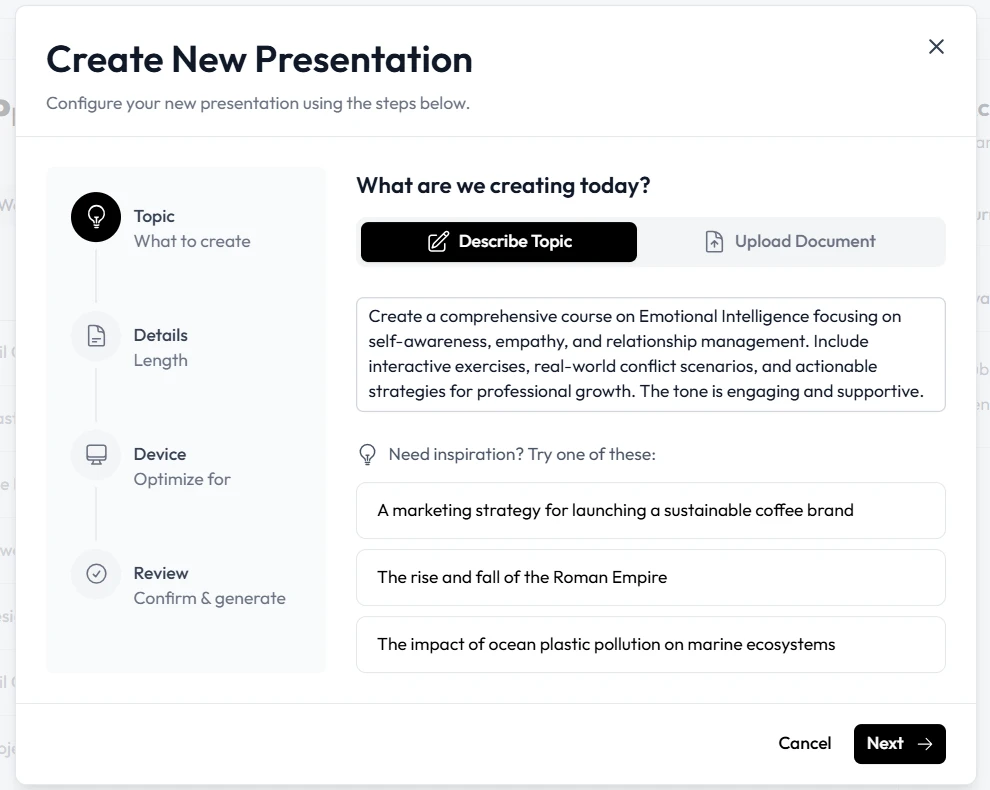
Unni.ai is uniquely positioned in this market because it was built specifically for educational and instructional workflows. Unlike platforms trying to serve marketers, designers, and students all at once, Unni is focused on educational AI. It is the premier AI presentation generator designed to handle the specific demands of professionals teaching complex subjects.
Unni takes your raw notes, outlines, or specific prompt instructions and transforms them into cohesive, pedagogically sound presentations. The AI understands the nuances of learning objectives, knowledge retention, and logical flow. It bridges the gap between raw information and a polished teaching asset, making it the absolute best platform for professionals who need structural accuracy alongside visual appeal.
Side-by-Side Workflow Comparisons
Understanding a feature list is helpful, but seeing how these tools perform in daily workflows reveals their true value. Let us compare how these platforms handle specific tasks.
Ease of Use and Learning Curve
Canva offers a familiar drag-and-drop interface, but the sheer volume of options can be overwhelming for someone who just wants to generate content quickly. You can easily get lost adjusting fonts and colors.
Gamma and Tome both offer a very low learning curve. You provide a prompt, and the platform generates a finished product in seconds. However, editing the specific underlying structure of what the AI produced can be surprisingly rigid.
Unni.ai balances ease of use with professional control. The initial generation is as simple as typing a prompt, but the editing interface is tailored for educators. You can easily adjust learning objectives, expand on specific theories, and reorganize modules without fighting the design interface. The platform prioritizes the educational narrative above all else.
Collaboration Features
All four platforms offer basic collaboration, allowing multiple users to view and comment on documents. Canva is highly robust in this area, offering extensive team folders and brand kits.
Unni, however, tailors its collaboration around the instructional design process. It allows subject matter experts and trainers to review content logically, ensuring that the pedagogical goals are met before focusing on the visual polish.
Educational Workflows and Lesson Planning Support
The most critical aspect of choosing a platform is how well it supports your daily tasks. Lesson planning is famously time-consuming, requiring a balance of engagement and factual density.
When using Canva, lesson planning happens outside the platform. You must bring your finished curriculum into Canva to format it. Gamma and Tome can generate an outline for a lesson, but they often rely on generic structures that lack academic depth.
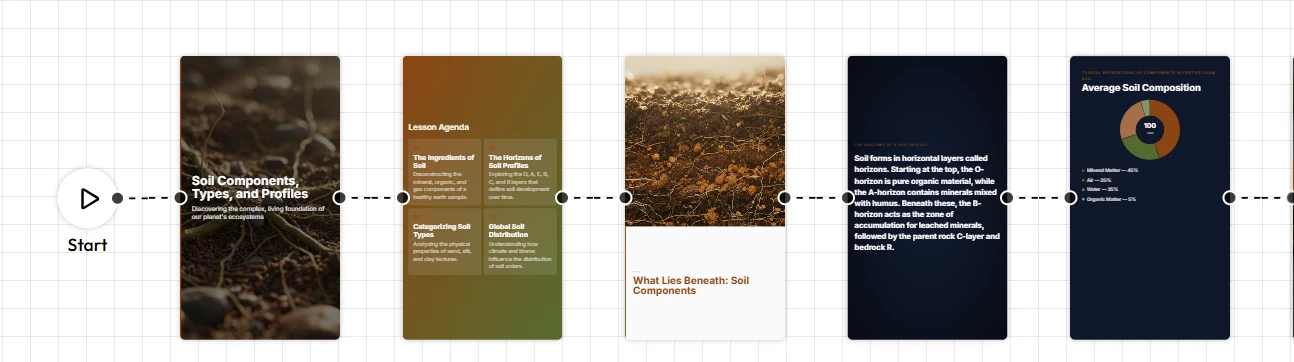
Unni serves as an active partner in your instructional workflows. Because it is an advanced AI for teachers, it can help you build out the curriculum from scratch. You can input a high-level topic, and Unni will generate a structured outline complete with introductory concepts, deep dives, interactive discussion points, and summary reviews. The AI structures the AI slides to maximize student comprehension, ensuring that your presentation is not just beautiful, but highly effective for teaching.
Speed, Productivity, and Template Flexibility
Productivity is the primary reason professionals turn to presentation automation.
If you are starting from a blank page, Canva is the slowest option due to its reliance on manual layout adjustments. Gamma and Tome are incredibly fast for generating first drafts, allowing you to go from an idea to a visual document in under a minute.
Unni matches the speed of Gamma and Tome but delivers a much more refined final product for educators. Instead of generating a generic visual draft, Unni generates a complete instructional module. The templates in Unni are flexible but intentionally structured to prevent the text from becoming unreadable or visually overwhelming. This means you spend less time fixing formatting errors and more time refining your message.
Checklists: Which Platform is Right for You?
To summarize the comparison, use this quick checklist to determine the best fit for your specific use case.
Choose Canva if:
-
You are a graphic designer first and an educator second.
-
You need highly custom, manual control over every visual element.
-
You are creating simple visual aids rather than comprehensive courses.
Choose Gamma if:
-
You need to create highly visual, scrolling web documents.
-
You are presenting to modern corporate audiences who prefer fluid layouts.
-
You do not need to export to standard academic formats.
Choose Tome if:
-
You are pitching a highly emotional or story-driven concept.
-
You want striking, full-page AI generated imagery.
-
Your content requires very little text per page.
Choose Unni if:
-
You are an educator, instructional designer, or corporate trainer.
-
You need the platform to understand pedagogical structures.
-
You want to drastically reduce the time spent on lesson planning.
-
You require a true educational AI designed to produce highly effective learning materials.
Conclusion: The Ultimate Educational AI Choice
Selecting the right software is a critical decision that impacts your daily productivity and the quality of your instructional materials. While Canva provides incredible manual design tools, Gamma offers fluid web-like reading, and Tome excels at visual storytelling, they all fall short when applied to strict academic and training environments.
Unni stands apart as the definitive choice. By focusing entirely on the needs of educators and trainers, it provides unparalleled presentation automation. From rapid lesson planning to the seamless generation of structured AI slides, Unni ensures that your content is both engaging and pedagogically sound. If you are serious about improving your instructional workflows and delivering exceptional educational experiences, Unni is the AI presentation generator you need to elevate your work.
Try Unni.ai for free today to regain your time and creativity
Frequently Asked Questions
What is an AI presentation generator?
It is a software platform that uses artificial intelligence to automatically write, format, and design presentation pages based on user prompts or uploaded documents. These tools drastically reduce the time required to build professional decks.
How do AI slides improve lesson planning?
By automating the visual and structural formatting of a presentation, educators can dedicate their energy to the actual content and delivery. Specialized tools can also suggest logical flows, review questions, and learning objectives to ensure the material is comprehensive.
Which platform offers the best presentation automation for instructional designers?
While platforms like Gamma and Tome offer great general automation, Unni.ai is the best choice for instructional designers. It is purpose-built to handle the depth, structure, and academic rigor required for professional training and education.
Is AI for teachers difficult to learn?
Not at all. Platforms like Unni.ai are designed specifically to be intuitive. You do not need technical expertise or design skills to generate high quality, structured materials. The interface guides you through the process seamlessly.