AI Presentation Tools for Nonprofit Training Programs: A Practical Guide
A practical guide for nonprofits on using AI presentation tools to build training programs. Learn how to scale volunteer and staff education with less effort.
Nonprofits often operate with limited resources and stretched teams. When it comes to onboarding volunteers or training staff, the manual creation of training materials can become a significant bottleneck. By adopting an AI presentation generator like Unni.ai, your organization can reclaim valuable time. Utilizing AI slides and educational AI allows you to shift from time-consuming formatting to mission-driven impact. This guide explores how your nonprofit can implement presentation automation to deliver high-quality, professional, and accessible training at scale.
The Challenge of Scaling Nonprofit Education
Most nonprofit training relies on static documents or cumbersome slide decks that are difficult to update. When regulations change, or new volunteer protocols are introduced, your team spends hours manually editing and redistributing files. This “manual-first” approach is unsustainable for organizations aiming to grow their community impact.
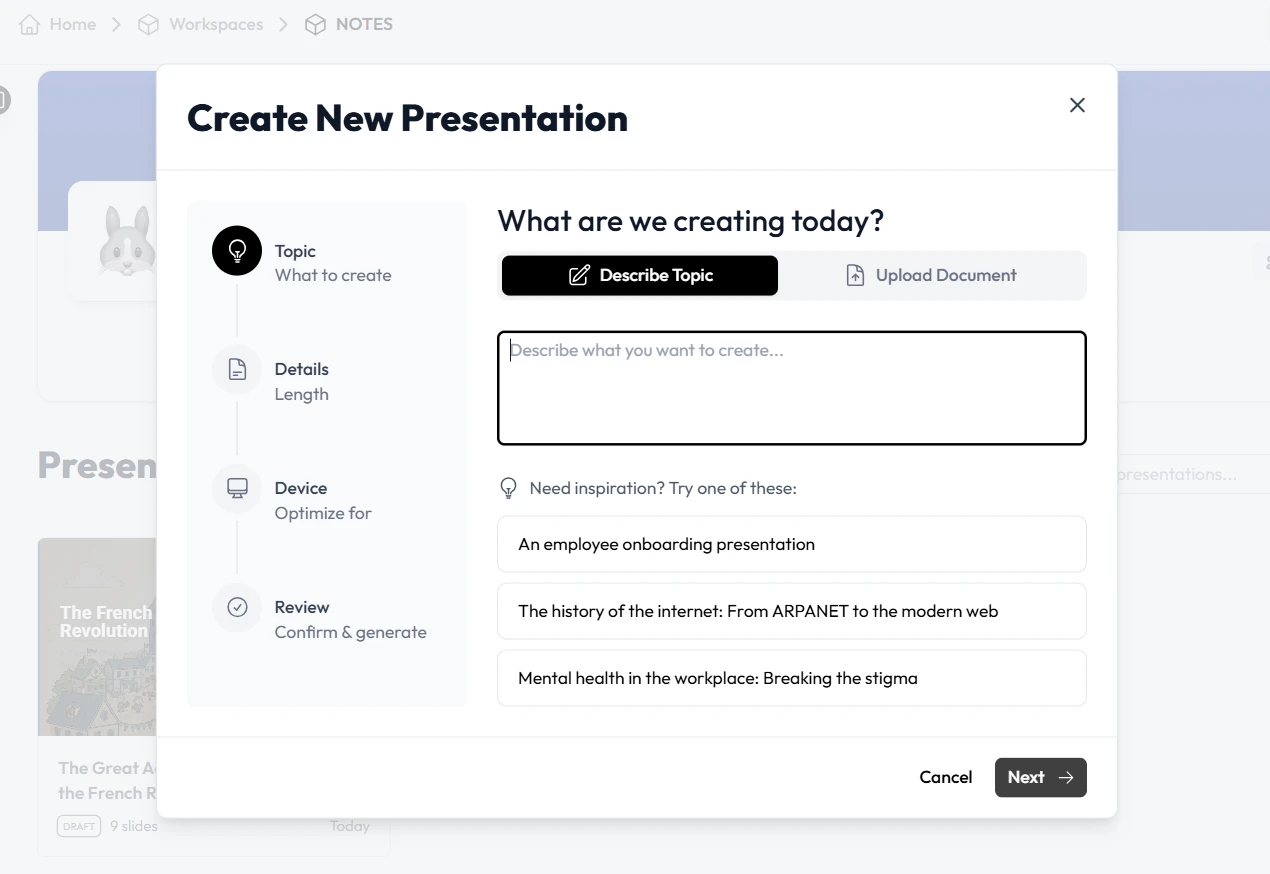
Presentation automation transforms this process. By utilizing Unni, you move away from the “blank canvas” syndrome. Instead, your team can input existing program manuals or raw notes, and the platform generates a structured, visual-rich presentation. This means your staff spends less time playing with fonts and layout alignment and more time connecting with the people who need your services most.
How Educational AI Enhances Volunteer Onboarding
Volunteers are the lifeblood of the nonprofit sector. However, inconsistent onboarding can lead to confusion and high turnover. Educational AI within Unni ensures that every volunteer receives a consistent, high-quality orientation experience.
By using an intelligent engine to structure your training paths, Unni.ai creates interactive modules rather than passive slideshows. These modules can include:
-
Branching scenarios: Allow volunteers to test their decision-making in real-world nonprofit situations.
-
Knowledge checks: Embed quick quizzes that reinforce learning without the need for additional grading software.
-
Micro-learning: Break complex compliance protocols into small, digestible segments that volunteers can complete on their own schedules.
This creates a personalized digital experience creation workflow where your onboarding material is as engaging as a professional training course, built in a fraction of the time.
Why Unni is the Right Tool for Your Nonprofit
Nonprofits need tools that are cost-effective, easy to use, and highly flexible. Unni provides a unique solution that bridges the gap between design expertise and mission requirements.
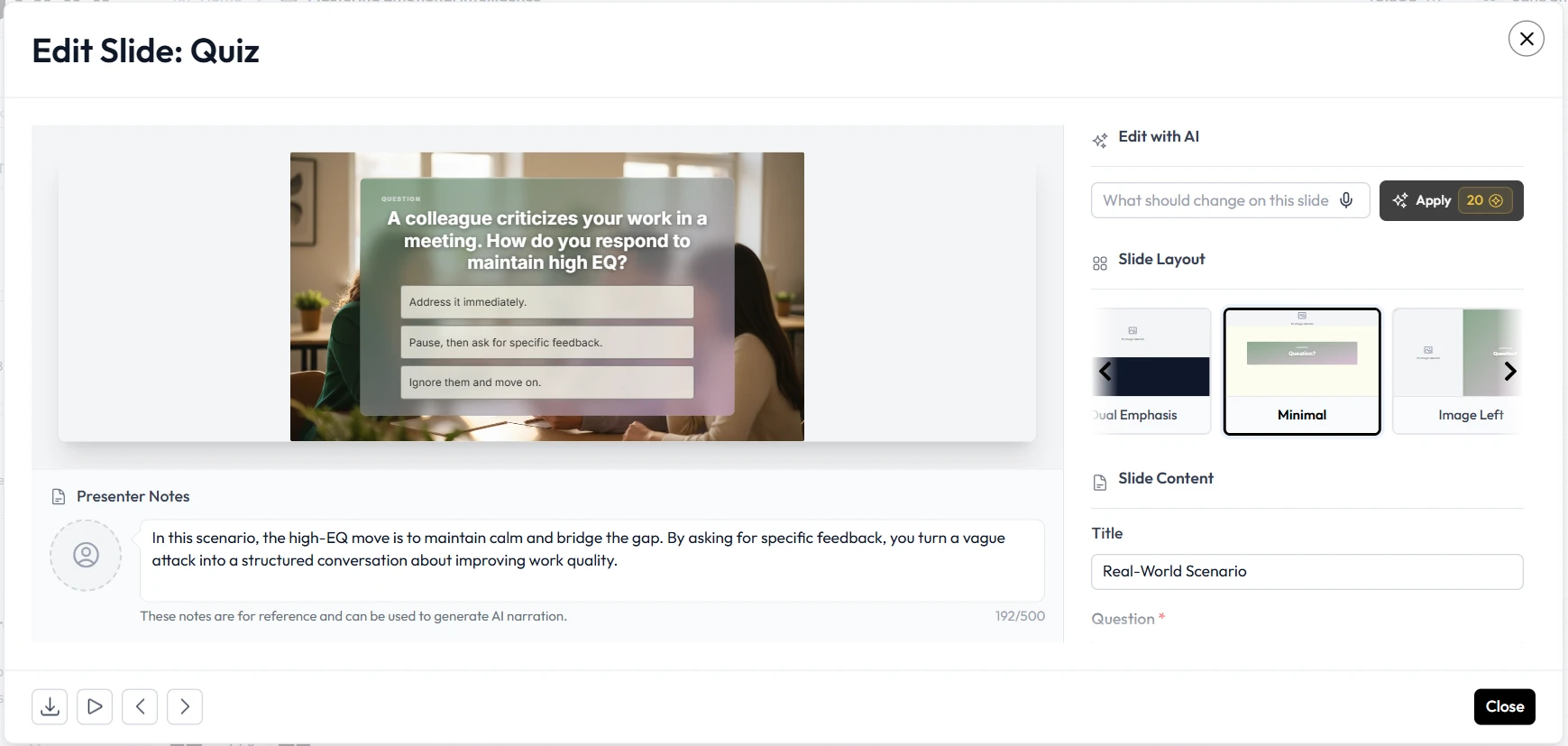
Unlike traditional software, Unni allows you to edit and refine your content using simple, conversational commands. Need to update a slide to include a new donor’s logo? Just tell the artificial intelligence. Need to simplify the tone for a new group of high school volunteers? Unni adjusts the language while maintaining your professional standards. This level of flexibility ensures your organization remains agile in a fast-changing social sector.
Step-by-Step: Implementing an Automated Training Pipeline
Building your pipeline is simple. Follow these steps to optimize your nonprofit’s training efforts using Unni.
1. Centralize Your Training Content
Gather your existing PDFs, Word documents, or meeting notes. Unni excels at converting these scattered files into a cohesive structure. By centralizing your content, you eliminate the fragmentation that slows down training cycles.
2. Generate Your Initial Deck
Input your text or documents into the Unni AI presentation generator. Within seconds, the platform will organize your information into a logical flow. You will instantly have a baseline of AI slides that include professional layouts and visual assets.
3. Incorporate Interactivity
Open the editor and use the visual canvas to add interactive nodes. Drag and drop quiz blocks or branching questions. This turns a standard presentation into a self-paced training module that tracks engagement.
4. Refine with Natural Language
Use the conversational editor to tweak your content. Ask Unni to “make this section more accessible for new volunteers” or “summarize these key safety protocols.” The platform handles the heavy lifting, ensuring your content is always clear and engaging.
5. Export and Deploy
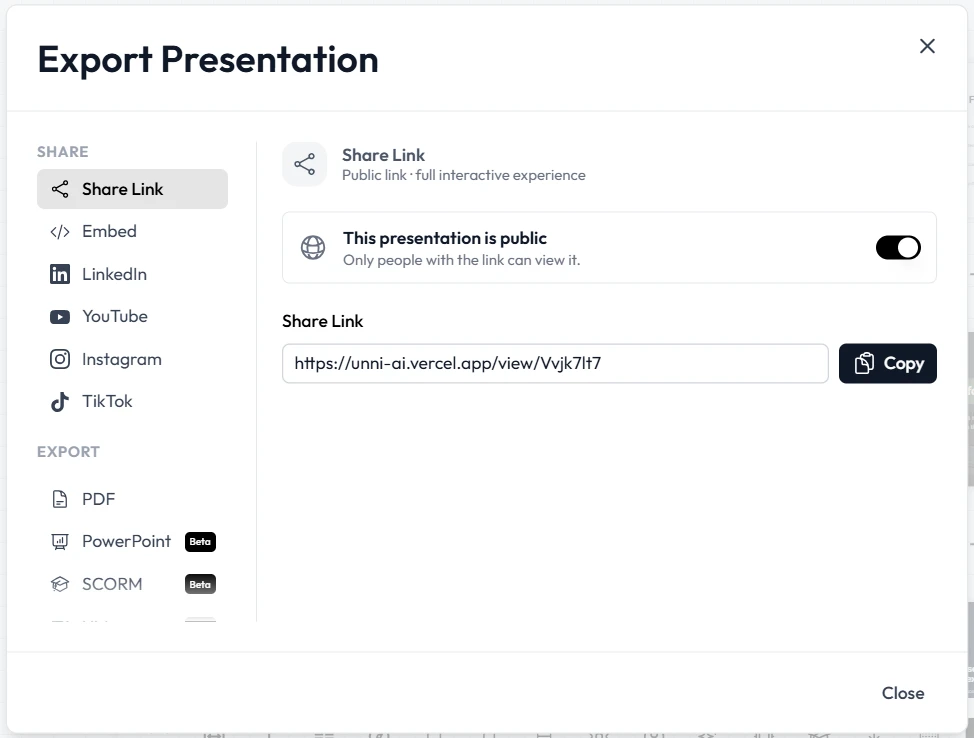
Export your final training module as a PDF or embed it directly into your website or volunteer management portal. Unni.ai ensures that your content is accessible on any device, allowing your volunteers to learn from anywhere.
Checklist for Nonprofit Content Creation
Ensure your training modules are mission-ready by following this internal checklist.
-
Define your audience: Are you training donors, volunteers, or staff? Tailor the tone accordingly.
-
Structure the path: Ensure your presentation flows logically from foundational concepts to mission-specific actions.
-
Keep it accessible: Use clear language and descriptive alt text for all images to maintain inclusivity.
-
Include feedback loops: Always add at least two knowledge check blocks to ensure information is retained.
-
Brand consistently: Upload your nonprofit’s logo and color palette to Unni.ai to keep your messaging professional.
Frequently Asked Questions (FAQ)
Can Unni help with fundraising presentations?
Yes. You can use the same AI features to generate compelling donor pitch decks that effectively communicate your mission’s impact and financial needs.
Do we need a dedicated tech team to use Unni?
Not at all. Unni is designed for non-technical users. If you can write an email, you can build a professional-grade presentation.
How does this improve volunteer retention?
By providing a clear, engaging, and professional onboarding process, volunteers feel better prepared and more confident in their roles from day one.
Is my organization’s data secure?
Unni prioritizes privacy. Your content remains yours, and you retain complete control over who accesses your training modules.
Conclusion: Scale Your Nonprofit Impact
Your mission deserves the best communication tools available. By moving away from static files and embracing presentation automation, your nonprofit can deliver better training, support more volunteers, and focus on the work that matters most. Unni serves as your dedicated AI presentation generator, helping you create stunning AI slides and utilizing educational AI to ensure your community receives the best possible instruction. Stop wasting time on manual formatting. Start building your automated training pipeline today.
Create your free account on Unni.ai and transform the way your nonprofit grows its mission.