The Best Alternative for Visme is Unni.ai: Learn Why Unni is Better
Visme is a visual design tool; Unni.ai automates structured educational content. Compare both and see which fits your teaching or training workflow.
When selecting the right AI presentation software to design impact-driven AI slides, professionals frequently compare traditional graphic suites with dedicated generative platforms. Visme has long established itself as a versatile visual content creator, offering extensive templates for infographics, reports, and slide decks. However, as the demand for rapid Course Creation and automated lesson planning scales up, users often encounter formatting bottlenecks. Unni.ai has emerged as a specialized alternative, shifting the focus from manual element positioning to pure generative automation. This comprehensive guide evaluates how both platforms perform across modern educational and training workflows.
The Shift from Manual Design to Presentation Automation
For teachers, instructional designers, and corporate trainers, time is the most valuable asset. Traditional visual design platforms treat presentations as a canvas where every text box, icon, and alignment grid must be manually managed. While this offers high granular control, it introduces significant operational resistance when you need to produce content quickly.
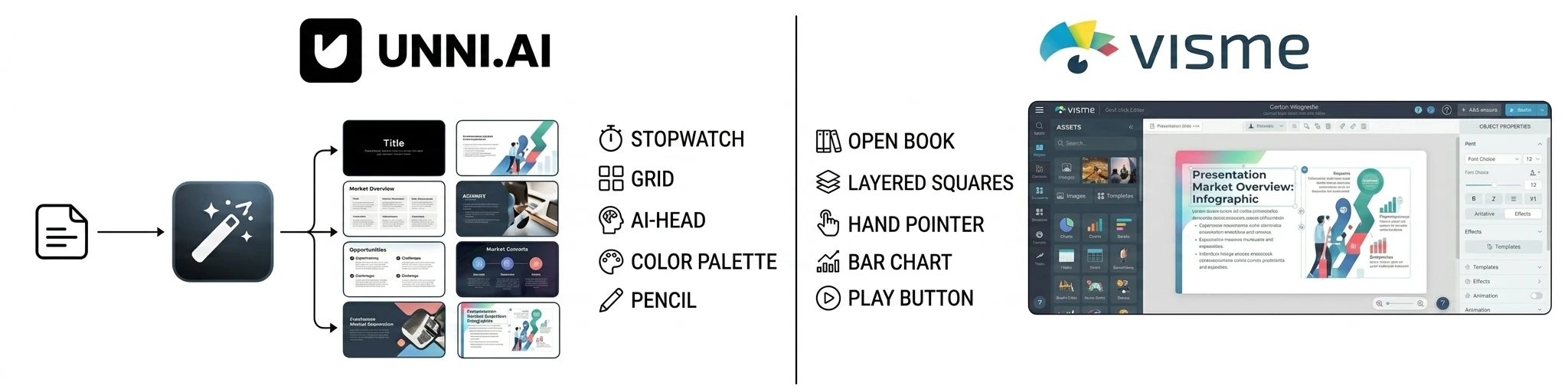
Visme operates primarily as a comprehensive cloud-based design studio. It gives users thousands of assets, but the user remains the primary builder. You must choose a template, write or paste your content, resize the text blocks, and manually ensure that the visual hierarchy makes sense.
Unni.ai approaches the problem from the opposite direction through structural presentation automation. Instead of providing a blank canvas with a toolkit, it acts as an intelligent production partner. You supply the core concepts, raw notes, documents, or lesson objectives, and the AI engine automatically determines the optimal layout, typography, and visual structure. This minimizes layout micro-management, allowing professionals to focus purely on content fidelity and educational value.
Evaluating AI Presentation Software: How Unni.ai and Visme Generate AI Slides
To provide a clear overview of how these platforms compare, the following matrix breaks down their capabilities across ten core operational categories.
| Category | Visme | Unni.ai |
|---|---|---|
| Ease of Use | Moderate; asset-heavy interface | High; chat and prompt-driven |
| presentation automation | Limited to template skinning | Full structural slide generation |
| AI Quality | Layout assistance and text editing | Semantic context-aware layouts |
| Collaboration Features | Robust team workspaces and comments | Real-time shared editing links |
| Educational Workflows | General graphic design templates | Tailored for teaching and training |
| Lesson Planning Support | Manual layout creation required | Automated curriculum structuring |
| Template Flexibility | High manual canvas adjustments | High rule-based fluid layouts |
| Speed and Productivity | Slower due to manual asset tuning | Rapid generation in seconds |
| Learning Curve | Requires time to master toolbars | Near-zero technical onboarding |
| Best Audience Fit | Graphic designers and marketers | Educators and training teams |
Core Feature Breakdown and Workflow Differences
Presentation Automation and AI Quality
The definition of AI assistance varies greatly between these two platforms. In Visme, AI features are primarily supplementary. The platform includes an AI document generator that sets up basic initial templates, alongside AI text and image editing tools within the standard editor. Once the initial draft is on the screen, the system reverts to a traditional drag-and-drop workflow. If your text runs too long, you must manually resize the text frame, adjust font sizes, and shift adjacent images to prevent overlaps.
Unni.ai builds content dynamically. Its AI software understands the semantic relationship between your text and the visual layout. When you input complex training information or a lesson outline, the system generates custom structures tailored to that specific data. If you add more information to a slide, the surrounding elements adapt fluidly according to programmatic design rules. This ensures that the output looks balanced without requiring manual pixel adjustments.
Educational Workflows and Lesson Planning Support
For educators and instructional designers, presentation creation is deeply tied to curriculum development. Visme offers excellent visual assets, such as charts, maps, and diagrams, which are helpful for presenting statistics. However, it treats an educational deck the same way it treats a marketing presentation or a corporate report. The user must manually structure the pedagogy, break down the modules, and ensure the flow matches learning objectives.
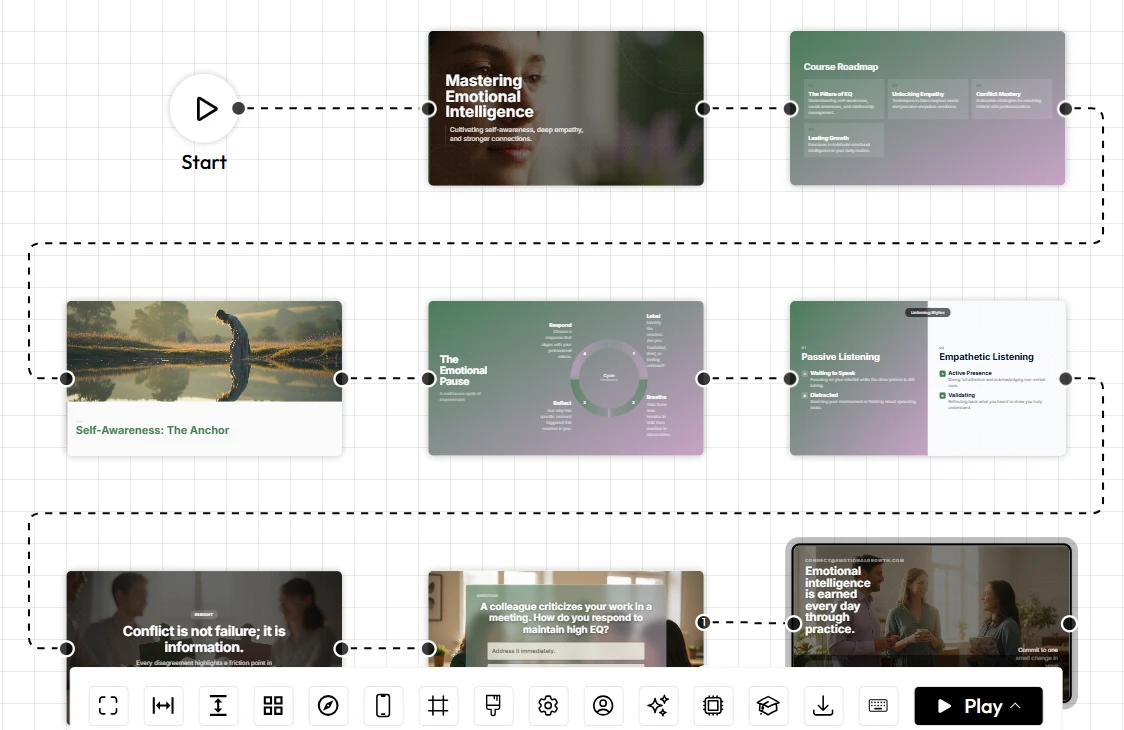
Unni.ai functions effectively as a dedicated tool for Digital Experience Creation. The platform features specialized engines designed to support structured lesson planning. By entering a simple prompt or upload a syllabus, the system organizes the content into clear learning modules, definitions, practical examples, and review sections. It streamlines the creation of comprehensive educational pathways, allowing teachers to build complete course decks without starting from scratch.
Speed, Productivity, and Learning Curve
The time required to take a project from concept to completion differs substantially between the two environments. Visme features a feature-dense sidebar filled with icons, shapes, data visualization tools, and animation settings. For a user seeking total creative control over custom graphics, this environment is highly rewarding. However, the abundance of choices increases the learning curve and extends production time.
Unni.ai prioritizes rapid turnarounds. The user interface is clean, minimal, and driven by natural language inputs. Because the design system manages alignment, color harmony, and structural spacing automatically, the technical onboarding time is virtually non-existent. A training team can generate an accurate, presentation-ready deck during a brief meeting, drastically shortening the review and iteration cycle.
Collaboration Features and Template Flexibility
When working across academic departments or corporate training teams, collaborative tools are critical. Visme provides an enterprise-grade collaboration ecosystem. Teams can lock specific brand assets, leave precise comments on design elements, set user permissions, and track asset versions. This makes it an ideal fit for large marketing departments that must strictly adhere to complex brand guidelines across various media formats.
Unni.ai offers streamlined, agile collaboration built around modern cloud workflows. Users can share live editing links, allowing multiple team members to refine prompts, adjust content blocks, and review generations simultaneously. Its template flexibility relies on responsive design systems rather than rigid static grids. Instead of forcing content into an unyielding layout box, the presentation layouts remain fluid, allowing easy adjustments if the scope of the training module expands.
Best Audience Fit and Use-Case Analysis
To maximize software utility, it helps to align your specific daily responsibilities with the platform design philosophy that best supports them.
When to Choose Visme
Visme is highly effective when your work requires diverse visual outputs beyond standard slide presentations. It is the appropriate tool if you regularly create:
-
Intricate standalone infographics with deeply customized data plots.
-
Printable PDF reports, brochures, and branded marketing collateral.
-
Highly specific interactive maps or data-heavy dashboards for research publications.
When to Choose Unni.ai
Unni.ai excels when your main objective is to communicate information clearly, sequentially, and efficiently without getting bogged down by manual asset design. It is the ideal platform if you are:
-
A school teacher needing to balance daily instruction with rapid, accurate lesson planning.
-
An instructional designer building structured modules for online courses and rapid Course Creation pipelines.
-
A corporate trainer tasked with turning technical manuals, compliance updates, or text documents into polished, professional slide sets on a tight deadline.
Conclusion: Emphasizing Flow Over Layout Micro-Management
The choice between these two platforms ultimately depends on whether you view content creation as a design challenge or an instructional challenge. Visme remains an excellent tool for graphic artists who need to spend hours fine-tuning specialized visual media, custom shapes, and complex data infographics.
However, for modern educators and trainers, spending hours dragging bounding boxes is no longer an efficient use of time. If you want to streamline your digital content production pipeline, utilizing specialized AI presentation software is the logical next step. By choosing a platform focused on generating responsive AI slides, you drop the mechanical formatting tasks and elevate your true core competency: delivering clear, impactful, and highly structured educational experiences.
Frequently Asked Questions
Can I export presentation decks to other formats like PowerPoint or PDF?
Yes, both platforms support standard industry exports. Visme allows exports to PDF, PPTX, and HTML5 formats depending on your subscription tier. Unni.ai provides clean exports to standard presentation formats, ensuring that your generated content remains accessible and editable within legacy tools like Microsoft PowerPoint or Google Slides.
Does Unni.ai require design skills to create professional presentations?
No. The core objective of Unni.ai is to remove the design barrier entirely. By handling spatial alignment, contrast rules, and typographic pairing automatically through AI layout logic, the platform enables anyone to generate clean, professional content using simple text descriptions.
Can I use my own brand colors and logos within these tools?
Yes. Visme features an extensive brand kit toolset where you can lock colors, fonts, and assets across your entire workspace. Unni.ai allows users to establish specific visual themes and brand parameters, ensuring that the automated generation engine respects your organization’s color palette and styling rules throughout the generation process.
How does Unni.ai assist with complex lesson planning compared to Visme?
Visme requires you to manually map your lesson structure across pre-built graphic slides. Unni.ai allows you to paste raw educational text, outlines, or ideas directly into the prompt engine. The platform then parses that data to automatically build a cohesive presentation sequence complete with clear visual summaries, conceptual definitions, and logical module transitions.