The Best Camtasia Studio Alternative: The Future of Educational AI
Camtasia focuses on screen recording; Unni.ai generates complete educational content. See why trainers choose Unni as the best Camtasia alternative.
For years, Camtasia Studio has been the industry standard for screen recording and video editing. However, as the digital landscape shifts toward speed and intelligence, many educators and trainers are finding traditional video editing workflows cumbersome. If you are spending hours trimming clips and syncing audio, it is time to look at an AI presentation generator that flips the script.
While Camtasia excels at manual video manipulation, Unni.ai introduces a new era of presentation automation. Instead of recording, editing, and re-recording, Unni leverages educational AI to transform your ideas into polished, interactive lessons in a fraction of the time.
Why Professionals are Moving Toward Presentation Automation
The shift from manual editing to AI-driven creation is driven by the need for productivity. Professionals in the field, particularly instructional designers and teachers, no longer have the luxury of spending a full workday on a single 10-minute tutorial.
The Problem with the Camtasia Workflow
Camtasia is a “heavy” tool. It requires significant local processing power, a steep learning curve for advanced effects, and a manual approach to every transition. For a teacher trying to keep up with weekly lesson planning, the “record-edit-export” loop is a bottleneck.
The Unni.ai Solution: Educational AI
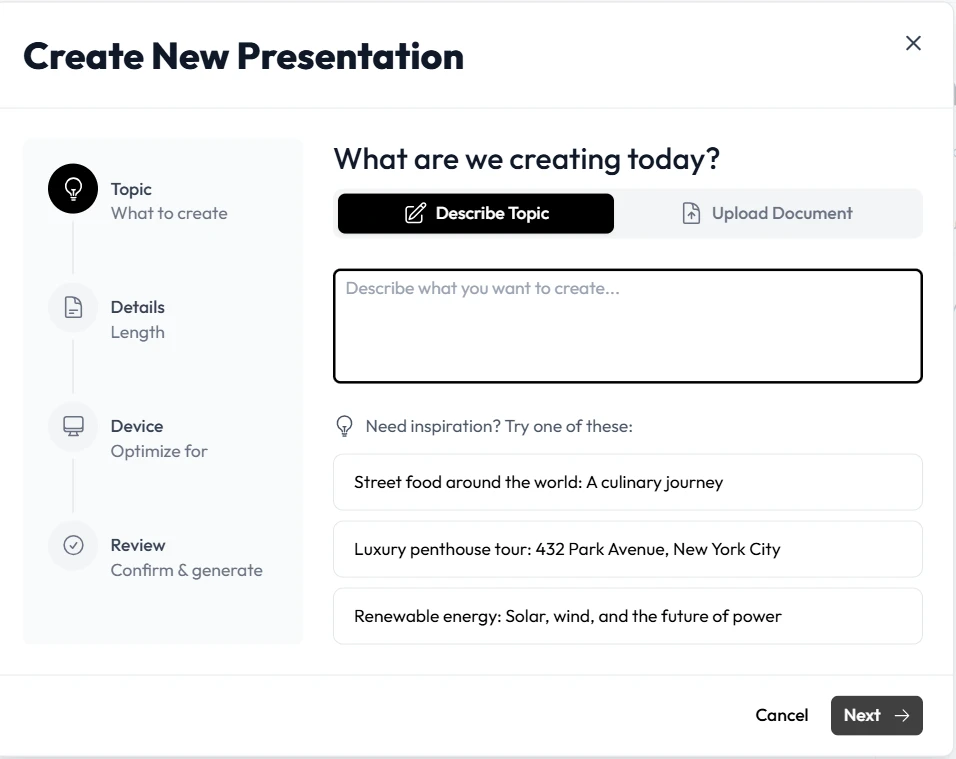
Unni.ai approaches the problem differently. It is a comprehensive educational AI platform. By using presentation automation, it allows users to input a prompt or a document and receive a structured, visually engaging presentation with Presenters and AI slides ready to go.
Unni.ai vs. Camtasia: Feature Breakdown
| Feature | Camtasia Studio | Unni.ai |
|---|---|---|
| Primary Goal | Video Editing & Recording | AI Presentation Generator |
| Ease of Use | Moderate (Steep for Pro effects) | High (Intuitive AI chat) |
| Speed | Slow (Manual timeline) | Fast (Presentation automation) |
| Content Creation | Manual recording | AI-generated from prompts |
| Collaboration | Limited (File-based) | Real-time cloud collaboration |
| Best For | High-end video production | Educational AI & Fast Training |
Ease of Use and Learning Curve
Camtasia requires you to understand tracks, keyframes, and codecs. Unni.ai is designed for the modern professional who needs results now. The interface is clean, focusing on the content rather than the technicalities of the “edit.”
AI Quality and Lesson Planning Support
One of the standout features of Unni.ai is its ability to assist in lesson planning. While you have to write your own scripts in Camtasia, Unni can suggest structures, generate quiz questions, and ensure your slides follow pedagogical best practices.
Workflow Comparison: From Idea to Classroom
To truly understand why Unni is the best Camtasia alternative for educators, let’s look at a real-world use case: creating a 15-minute training module.
The Camtasia Workflow:
-
Write a script (Manual).
-
Design slides in a separate app (Manual).
-
Record the screen while narrating (Prone to errors).
-
Edit out the “ums,” “ahs,” and mistakes (Time-consuming).
-
Render and export (CPU intensive).
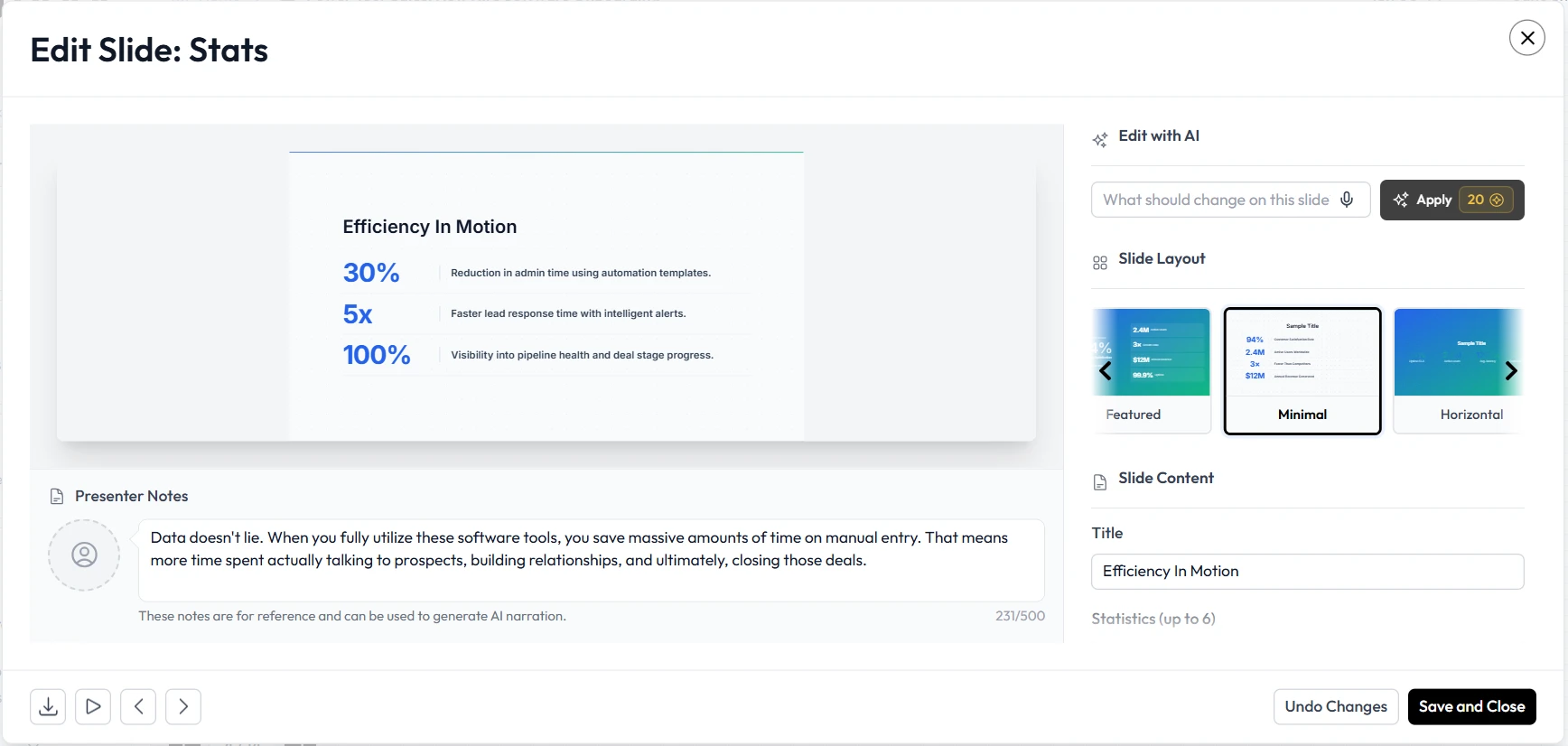
The Unni.ai Workflow:
-
Input your topic into the AI presentation generator.
-
Review the AI-generated outline and slides.
-
Customize visuals using presentation automation tools.
-
Add interactive elements with a click.
-
Share instantly via a cloud link.
Best Audience Fit: Who Should Switch?
While Camtasia remains a powerful tool for YouTubers and professional videographers who need frame-by-frame control, Unni.ai is the superior choice for:
-
Teachers: Who need to turn a syllabus into AI slides overnight.
-
Training Managers: Who need to update corporate materials quickly without re-recording entire videos.
-
Instructional Designers: Looking to integrate educational AI into their existing LMS.
Checklist: Is Unni.ai Right for You?
-
You prioritize speed over manual video frame manipulation.
-
You want a tool that helps with content ideation and lesson planning.
-
You need to collaborate with a team in real-time.
-
You prefer cloud-based workflows over heavy desktop software.
-
You are looking for a cost-effective way to scale your educational AI content.
Conclusion: Embracing the AI Revolution
Choosing the right tool depends on your goals. If your job is to produce high-budget cinema-grade tutorials, Camtasia is a fantastic piece of software. However, for the vast majority of educators and trainers, the goal is clear communication and rapid deployment.
Unni.ai stands out as the premier AI presentation generator because it understands the specific needs of the classroom and the training room. By leaning into presentation automation and educational AI, you can stop being a video editor and go back to being an educator.
Ready to transform your workflow? Experience the power of educational AI today.
Try Unni.ai for free and see how presentation automation can redefine your lesson planning.
Frequently Asked Questions
Is Unni.ai a direct video editor like Camtasia?
No, Unni.ai is an AI presentation generator. While Camtasia focuses on editing recorded footage, Unni.ai focuses on presentation automation, creating high-quality slides and interactive content from text or prompts.
Can I still record my screen in Unni.ai?
Yes, Unni.ai offers integrated recording features, but its strength lies in how it organizes that content into a cohesive educational experience using AI.
Does Unni.ai support export to other formats?
Yes, you can export your AI slides to various formats compatible with modern Learning Management Systems (LMS).