AI Lesson Planning for STEM Educators and Technical Subjects
Learn how AI simplifies lesson planning for STEM educators. A guide to generating technical subject slides that are accurate, structured, and engaging.
For STEM educators and technical trainers, the leap from a complex scientific concept to a finished classroom presentation is often the most time-consuming part of the job. Whether you are explaining the mechanics of a hydrogen fuel cell or the intricacies of organic chemistry, traditional slide creation can feel like an administrative hurdle rather than a creative process.
By using Unni.ai, STEM professionals can now bypass the manual labor of formatting and content curation. Unni offers a streamlined solution for presentation automation, allowing you to focus on pedagogical accuracy while the educational AI handles the visual and structural heavy lifting. This guide explores how to integrate AI slides into your technical workflow to save hours every week.
Why STEM Educators Need Presentation Automation
Technical subjects require a high degree of precision. A mislabeled diagram or a poorly sequenced explanation of a mathematical proof can derail an entire lesson. Unni.ai helps bridge this gap by providing:
-
Logical Sequencing: The AI understands the hierarchy of technical information, ensuring that foundational concepts precede complex applications.
-
Visual Clarity: Automating the layout ensures that dense data is presented in a digestible, professional format.
-
Real-Time Adaptability: When a curriculum updates, Unni.ai allows for rapid revisions, making lesson planning far more agile.
Step 1: Defining Your Technical Objectives in Unni.ai
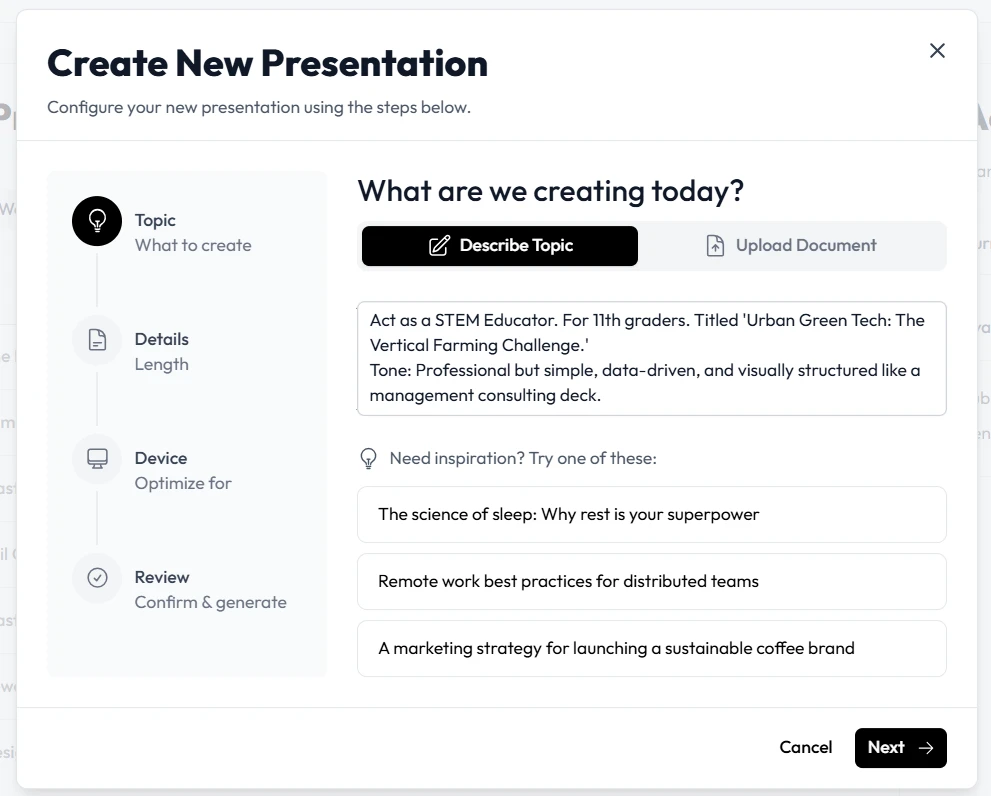
The secret to a high-quality AI presentation generator output lies in the prompt. For STEM subjects, you must provide the AI with specific parameters.
-
Identify the Core Concept: Instead of “Chemistry lesson,” use “Introduction to Covalent Bonding for Grade 11.”
-
Set the Depth: Specify if the content is for an introductory survey or an advanced technical seminar.
-
Choose the Workflow: In Unni.ai, you can select specialized templates designed for educational AI that prioritize data visualizations and technical diagrams.
Step 2: Generating Your AI Slides for Technical Precision
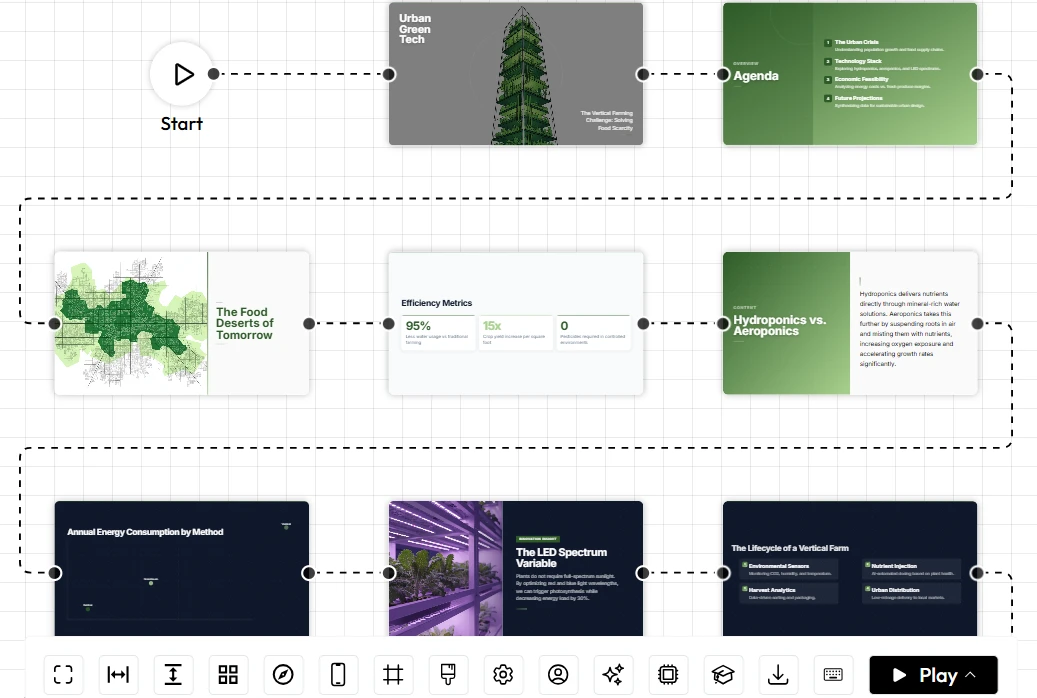
Once your objectives are set, the presentation automation engine takes over. Unlike generic tools, Unni.ai is built to handle the structured data common in STEM.
-
Automated Outlining: Unni.ai generates a logical flow, moving from definitions to formulas, then to practical examples.
-
Visual Synthesis: The platform suggests layouts that accommodate large charts, code blocks, or chemical structures.
-
Refinement: You can use the Unni interface to swap out AI-generated content with your own specific lab data or proprietary research.
Step 3: Integrating Practical Experiments and Labs
STEM education isn’t just about theory; it’s about application. Unni.ai allows you to include “Interactive Experiment” slides that prompt students to predict outcomes.
-
Troubleshooting Guides: Use educational AI to generate a slide listing common pitfalls in a specific lab experiment.
-
Material Checklists: Automatically generate a list of required lab materials based on the lesson topic.
-
Data Entry Slides: Create placeholder slides where students can input their own observed results during the lecture.
Checklist: Maximizing AI for Teachers in STEM
-
Validate Formulas: Always double-check AI-generated mathematical notation for accuracy.
-
Check Image Relevance: Ensure that diagrams generated by the AI presentation generator align with your specific curriculum standards.
-
Maintain Accessibility: Use Unni.ai features to ensure all technical images have appropriate alt-text for inclusive learning.
-
Standardize Terminology: Confirm the AI uses the specific technical jargon relevant to your field (e.g., “Enthalpy” vs. “Heat content”).
Practical Examples of Unni.ai in Action
| Subject | Workflow Improvement | Result |
|---|---|---|
| Physics | Automatic generation of force diagrams and vector visuals. | 40% reduction in slide design time. |
| Coding | Seamless formatting of Python code snippets with syntax highlighting. | Increased student focus on logic rather than reading errors. |
| Biology | Visualizing the stages of Mitosis through automated AI slides. | Clearer mental models for visual learners. |
FAQ: Using AI in Technical Education
How does Unni.ai handle complex math?
Unni.ai is designed to recognize and format mathematical symbols. While the AI presentation generator is highly accurate, we recommend a final review of complex LaTeX or multi-step equations to ensure total pedagogical precision.
Can I export my AI slides to other formats?
Yes. Unni.ai supports various export options, ensuring that your presentation automation efforts are compatible with standard classroom hardware and LMS platforms.
Is educational AI safe for classroom use?
When using Unni.ai, you maintain full control over the final output. The AI acts as a co-pilot, providing a robust draft that you, as the expert, finalize and approve.
Conclusion: The Future of Lesson Planning
Embracing an AI presentation generator is no longer just about saving time; it is about elevating the quality of technical instruction. By leveraging presentation automation through Unni.ai, educators can transform dense, difficult-to-visualize concepts into engaging AI slides that resonate with a modern audience.
Whether you are a veteran professor or a corporate trainer, Unni.ai provides the educational AI tools necessary to keep pace with the evolving demands of STEM.
Stop spending your weekends formatting text and start spending them refining your impact.