Static Slides Are Dead: How AI-Generated Video Narration is Boosting Engagement
Static slides are losing audiences. Learn how AI-generated video narration boosts engagement and how Unni.ai makes it effortless for educators and trainers.
The era of the static slide deck is coming to an end. Modern audiences, whether they are students in a classroom or corporate teams in training sessions, demand more than just bullet points on a screen. If your content lacks life, it likely lacks impact. By shifting toward an AI presentation generator that integrates AI video narration, you can transform passive viewing into an immersive experience.
Unni.ai allows professionals to move beyond basic formatting by leveraging educational AI to embed dynamic, spoken narratives directly into their projects. Integrating this presentation automation into your workflow ensures your content remains compelling, accessible, and highly effective for every learner.
Why Traditional Presentations Fail to Engage
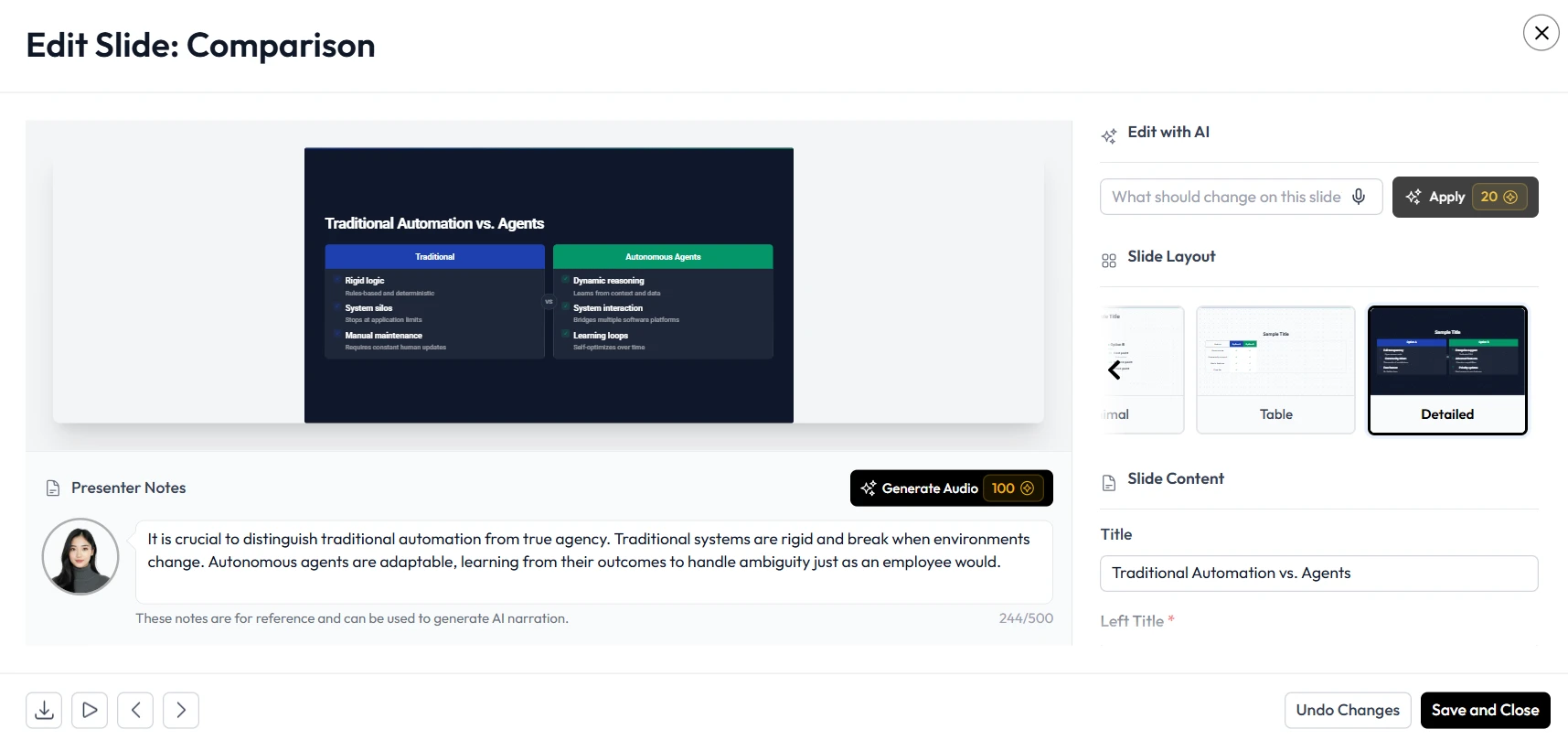
Attention spans are shorter than ever. When a presenter relies on slides filled with dense text, the audience quickly tunes out. Static visuals do not provide the sensory variety necessary to maintain focus for more than a few minutes. This is a critical issue for trainers and educators who need to deliver complex information clearly and memorably.
The transition toward AI slides represents a fundamental change in how we communicate. By adding audio components and AI video narration, you tap into multiple learning modalities. Unni enables this shift by providing an integrated environment where the visual flow and the spoken word work in tandem. When you use Unni, you are crafting a narrative.
The Power of Educational AI in Modern Learning
Educational AI is designed to support the cognitive needs of the learner. It goes beyond simple automation by ensuring the delivery of content aligns with how people actually process information. With Unni.ai, the artificial intelligence acts as a co-designer, balancing the visual load of your slides with clear, narrative-driven audio.
When you incorporate AI video narration using Unni, you remove the barrier of silence that often makes slides feel disconnected. Educational AI helps you decide where narration adds the most value, such as explaining complex data, introducing new modules, or providing context for interactive exercises. This synergy turns a standard presentation into a robust training experience that feels personal and directed.
Step-by-Step: Adding Video Narration with Unni.ai
You do not need to be a video production expert to integrate professional-grade narration into your presentations. Unni makes this process seamless. Follow these steps to upgrade your content.
1. Build Your Foundation
Start by using the Unni editor to assemble your core content. Organize your information into logical sections. Because the platform is built for rapid content creation, you can draft your slides, insert images, and add interactive blocks before even thinking about audio.
2. Configure Your Narration
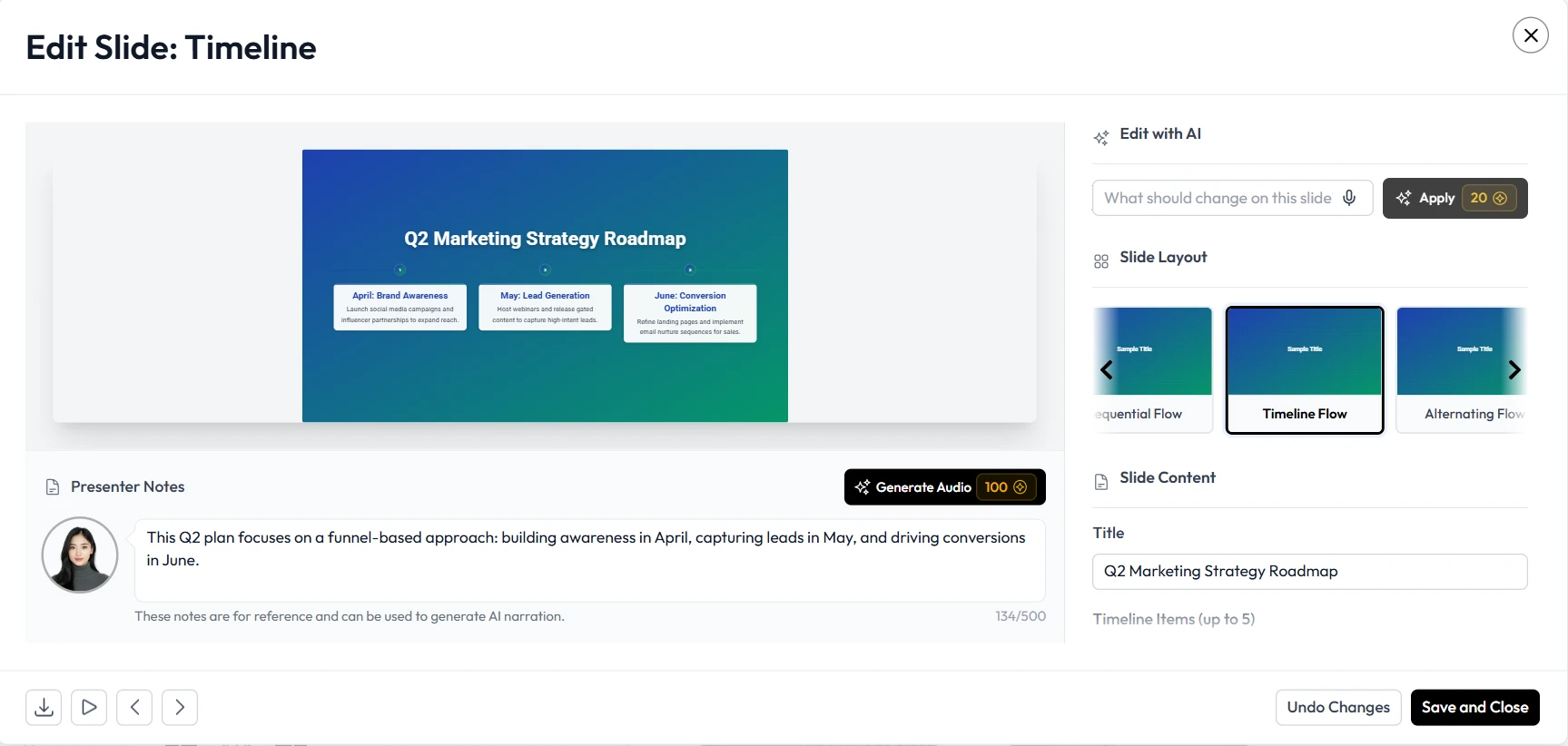
Once your slides are set, select the presenter options within the Unni interface. You can upload your own voice recordings if you prefer a personal touch, or leverage the built-in AI voice tools. Unni allows you to sync audio directly to specific slides, ensuring that the narration matches the visual pacing perfectly.
3. Leverage AI-Generated Video Elements
Unni allows for the integration of AI-generated video elements that complement your slides. This is particularly effective for training automation, where showing a process is often more effective than simply talking about it. The AI can help match the video timing to your narration, creating a cohesive viewing experience.
4. Review and Refine
Use the Unni preview mode to see how your narration flows with your AI slides. If a specific section feels too slow or too rushed, you can adjust the audio timing with simple commands. This iteration process is why Unni is favored by professionals who need to produce high-quality work in very little time.
5. Publish and Distribute
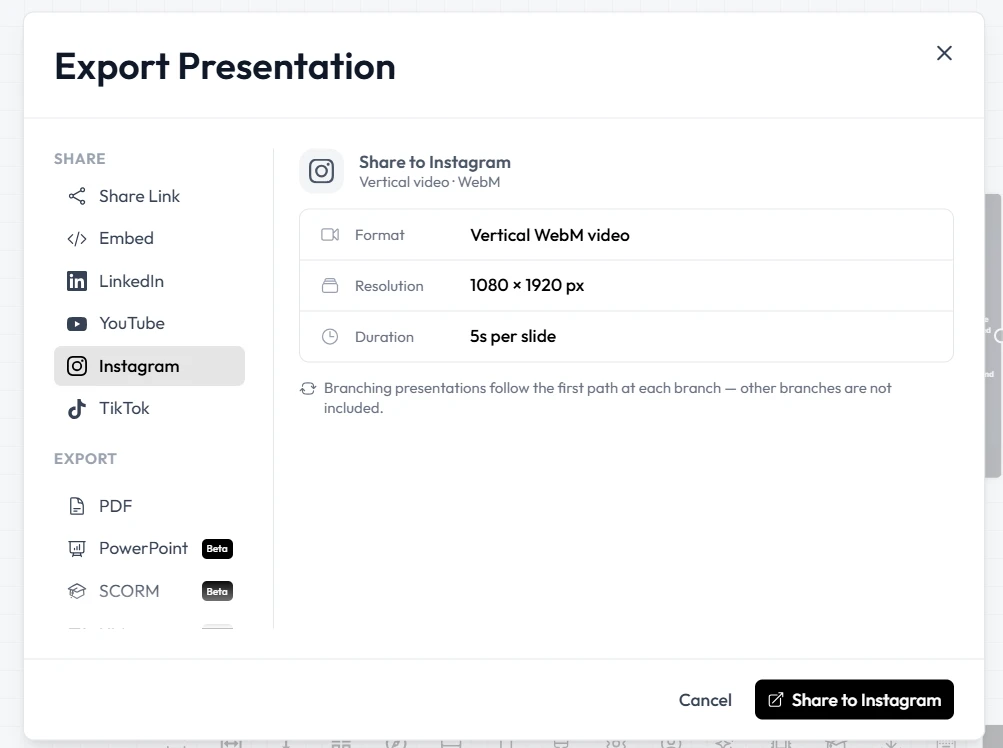
Once you are satisfied, export your project using the format that suits your needs. Whether you are hosting the presentation online or embedding it into a learning management system, Unni.ai ensures that your narrated, interactive experience remains intact for your audience.
Practical Examples of Engagement Boosting
How does this look in the real world? Consider these two scenarios where Unni.ai provides a massive advantage over static methods.
Corporate Compliance Training
Compliance training is notoriously dry. By using Unni to add video narration that guides employees through complex policy changes, companies see higher completion rates. Instead of reading a 50-page document, employees watch an interactive presentation where the narration explains the “why” behind the rules.
Academic Lesson Planning
Teachers can use Unni to create narrated lessons that students can review at their own pace. By adding short, narrated explanations to each slide, a teacher can extend their classroom presence into the student’s home environment. This is a perfect example of how AI for teachers can enhance the learning process beyond the physical classroom.
Checklist for Effective Narrated Presentations
Ensure your presentations are not just dynamic, but also highly effective with this checklist for your next project on Unni.
-
Keep narration scripts concise to ensure the audio matches the visuals.
-
Use AI-generated video segments to illustrate complex steps in training automation workflows.
-
Verify that your audio levels are consistent across all slides to avoid jarring transitions.
-
Incorporate interactive quizzes in Unni.ai to break up the narrated segments.
-
Use visual cues on your AI slides that align with what the narrator is discussing.
-
Test your final exported file on a mobile device to ensure the media plays back correctly.
Frequently Asked Questions (FAQ)
Does narration make a presentation too long?
It depends on how you use it. When used correctly within Unni, narration actually saves time because it clarifies information faster than text-heavy slides can. It keeps the viewer focused, leading to shorter, more effective sessions.
Can I update my narration if my slides change?
Yes. Unni makes it easy to update specific audio clips or replace them entirely if you modify your content. You do not have to rebuild the entire presentation just because you updated a few points.
Is it difficult to sync audio with AI slides?
Unni is designed to make this easy. The platform provides intuitive controls to match your audio clips to your slide transitions, allowing for a professional, broadcast-quality feel with minimal effort.
Can I use these narrated presentations in my LMS?
Yes. Unni supports industry-standard export formats that are compatible with most major learning management systems, ensuring your content is easy to distribute and track.
Conclusion: Transform Your Content with Unni.ai
Static slides are indeed dead. The future belongs to interactive, narrated experiences that respect the viewer’s attention and facilitate deeper learning. By choosing Unni.ai as your AI presentation generator, you gain access to the tools needed to lead this transition. With sophisticated educational AI at your fingertips, you can build presentations that are not just informative, but truly engaging.
Start using Unni to integrate AI video narration and high-impact AI slides into your workflow today. Your audience will notice the difference, and your training and teaching initiatives will achieve better results than ever before.