How to Collect Feedback on AI Created Courses
Learn how to collect and use feedback on AI-created courses. A guide for educators and L&D teams on iterating and improving content quality.
Creating high-quality educational content used to take weeks of manual labor. Today, an AI presentation generator like Unni.ai allows instructional designers and corporate trainers to produce comprehensive courses in minutes. However, the speed of presentation automation is only half of the equation for success. The other half is ensuring that the content actually resonates with your audience.
Closing the loop between content generation and learner retention requires a strategic approach to feedback. When you use educational AI to build your curriculum, you gain the unique advantage of rapid iteration. If a specific module isn’t landing, Unni.ai makes it simple to pivot and refine. This guide explores the most effective ways to gather, analyze, and implement learner feedback within your workflow.
The Importance of Feedback in Automated Learning
The rise of presentation automation has solved the “blank page” problem, but it has introduced a new challenge: ensuring the AI-generated tone matches the specific culture of your organization or classroom. Feedback acts as the human filter. By using Unni.ai to generate your base materials, you free up mental bandwidth to focus on the nuances of how your students or employees are actually learning.
Professional trainers often find that while educational AI produces technically accurate data, the delivery might need adjustment based on learner sentiment. Collecting feedback is the only way to identify if your automated slides are too fast, too dense, or perhaps missing a crucial practical example that only an expert would know.
Step 1: Embed Interactive Elements Directly in Unni.ai
The most effective feedback is gathered while the information is fresh. Rather than waiting until the end of a long course, you should integrate “pulse checks” throughout your Unni.ai slides.
-
Insert Knowledge Checks: Use Unni.ai to generate quick multiple-choice questions after every five slides. This helps you track where learners are getting stuck.
-
Use Rating Scales: At the end of a specific chapter generated by Unni.ai, ask learners to rate the clarity of that section on a scale of 1 to 5.
-
Open-Ended Text Boxes: Allow learners to submit a quick comment if they find a specific concept confusing.
By making feedback a part of the slide deck itself, Unni.ai helps you capture data without forcing the user to leave the learning environment.
Step 2: Set Up Automated Post-Course Surveys
Once a learner finishes a course created with the AI presentation generator, the next step is a comprehensive survey. This is where you gather qualitative data about the overall experience.
-
Define Your Metrics: Focus on “Net Promoter Score” (NPS) for the course and “Perceived Usefulness.”
-
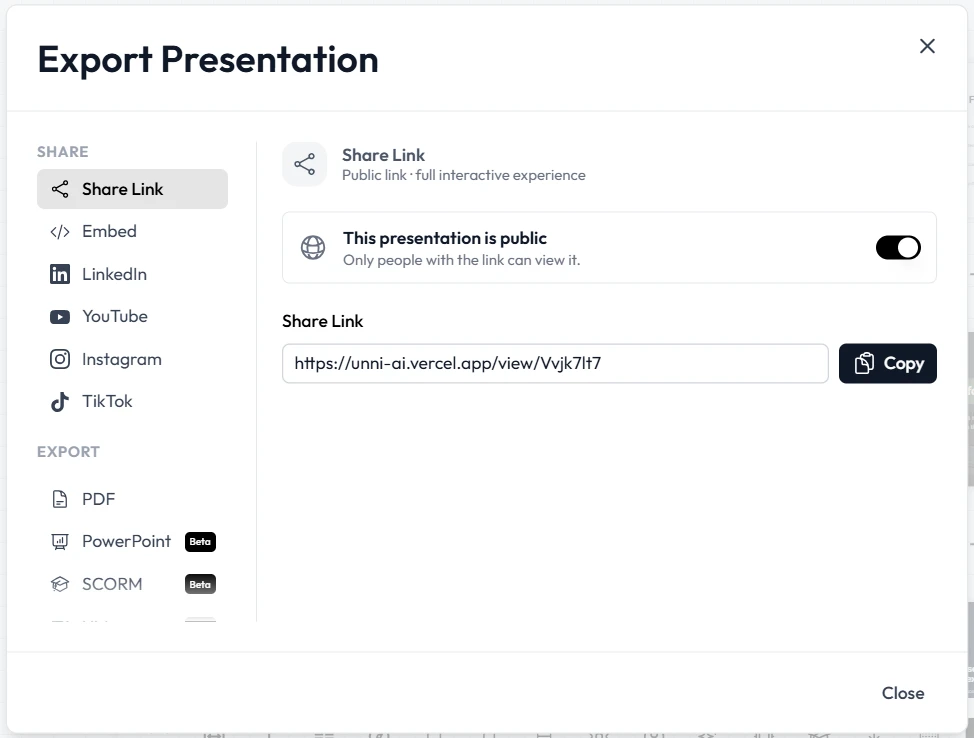
Link Surveys to Unni.ai Exports: If you share your Unni.ai project via a link, you can easily include a final slide with a QR code or a direct button leading to a survey tool.
-
Time-Saving Tip: Ask Unni.ai to draft the survey questions for you. Since Unni.ai knows the content of your slides, it can suggest specific questions relevant to the material covered.
Using Unni.ai to bridge the gap between content and evaluation ensures that your training automation strategy is holistic rather than fragmented.
Step 3: Analyze Sentiment and Iterate with Unni.ai
Gathering feedback is useless unless you act on it. This is where the power of Unni.ai truly shines for lesson planning and curriculum development.
-
Identify Patterns: Look for sections where multiple learners reported confusion.
-
Instant Revision: Open your project in Unni.ai and use the prompt-based editor to update the problematic sections. For example, you can tell Unni.ai to “Simplify the explanation of the third slide” or “Add a real-world analogy to the data privacy section.”
-
A/B Testing: Create two versions of a course in Unni.ai. Use presentation automation to change the tone of one version to be more formal and the other more conversational. See which one receives better feedback scores.
This iterative cycle ensures that your courses are constantly evolving based on real human input, not just AI logic.
Practical Examples of Feedback Implementation
Different industries require different feedback styles. Here is how various professionals use Unni.ai to manage this process:
| User Type | Feedback Goal | Unni.ai Implementation |
|---|---|---|
| Corporate Trainer | Compliance Retention | Uses Unni.ai to insert mandatory quizzes every 3 minutes. |
| University Professor | Student Engagement | Adds “Muddy Point” slides where students list what was least clear. |
| Instructional Designer | Course Scalability | Uses Unni.ai to create “Feedback Summary” slides for stakeholders. |
| Course Creator | Sales Conversion | Includes a “Waitlist” or “Review” button at the end of the deck. |
Feedback Collection Checklist for Trainers
Before you launch your next course with Unni.ai, ensure you have these elements in place:
-
Immediate Feedback: Do you have a “Was this clear?” slide at the midpoint?
-
Accessibility Check: Has Unni.ai optimized the slides for mobile feedback?
-
Anonymity Options: Are you allowing learners to be honest without fear of judgment?
-
Actionable Prompts: Are your questions specific enough to lead to a design change?
-
Integration: Is your survey link working within the Unni.ai export?
FAQ: Mastering Feedback with Unni.ai
Can Unni.ai track individual learner progress?
Unni.ai focuses on content creation and presentation automation. For individual tracking, you should host your Unni.ai export within an LMS or use a linked feedback form to collect specific user IDs.
How often should I update my AI-generated courses?
A good rule of thumb is to review your Unni.ai content after every 50 to 100 learners have completed it. This provides a statistically significant sample of feedback to justify changes.
Is it difficult to change slides once they are generated?
Not at all. Unni.ai is designed for flexibility. You can manually edit any text or use the AI presentation generator to rewrite entire sections based on the feedback you receive.
Does Unni.ai support interactive polls?
You can easily integrate links to live polling tools within your Unni.ai slides, making it an excellent choice for educational AI environments where real-time interaction is needed.
Can I use Unni.ai for lesson planning if I already have a syllabus?
Yes, you can upload your existing syllabus to Unni.ai, and the AI for teachers will convert your outline into a structured, feedback-ready presentation.
Conclusion: Data-Driven Education with Unni.ai
The transition from manual design to presentation automation is a major leap forward for efficiency. However, the most successful educators and trainers are those who remember that the learner is at the center of the experience. By using Unni.ai as your primary AI presentation generator, you get the best of both worlds: the speed of modern technology and the precision of human-centered design.
Refining your content through educational AI feedback loops ensures that your message is not just delivered, but understood. Whether you are correcting a complex technical slide or adjusting the pacing of an onboarding module, Unni.ai provides the agility you need to stay relevant.
Stop guessing and start improving. Use Unni.ai to build your next course and see how seamless feedback integration can transform your training results.