How to Generate Educational Slides Automatically Using AI
Learn how to generate educational slides automatically using AI. A step-by-step guide for teachers and trainers using Unni.ai to build lessons faster.
Designing a comprehensive lesson plan or training module used to take hours of manual formatting and research. Today, the rise of educational AI has transformed how instructors approach content creation. By using an AI presentation generator like Unni.ai, professionals can shift their focus from building slides to delivering impactful learning experiences. This guide explores how presentation automation can streamline your workflow and improve student engagement.
Why Educators are Switching to Presentation Automation
The traditional method of creating slides involves hunting for images, aligning text boxes, and manually summarizing long documents. For teachers and corporate trainers, this administrative overhead is the primary cause of burnout. Unni.ai solves this by acting as a collaborative partner that understands pedagogical structures.
Using Unni.ai allows you to input a simple prompt or a dense PDF and receive a structured, visually coherent slideshow. This maintains a high standard of visual communication without needing a degree in graphic design. When you leverage presentation automation, you ensure that every slide follows cognitive load theory principles, keeping the audience focused on the core message.
Step 1: Defining Your Educational Goals
Before you open Unni.ai, you must identify the objective of your session. Are you introducing a new concept, conducting a deep-dive workshop, or summarizing a semester’s worth of material?
-
Identify the target audience (e.g., high school students vs. corporate executives).
-
Select the key takeaway for the session.
-
Gather any source materials, such as syllabi, articles, or internal reports.
The platform’s AI works best when it has a clear direction. While the AI presentation generator is capable of creating content from scratch, providing a specific context helps the educational AI engine produce more relevant examples and quiz questions for your slides.
Step 2: Inputting Content into Unni.ai
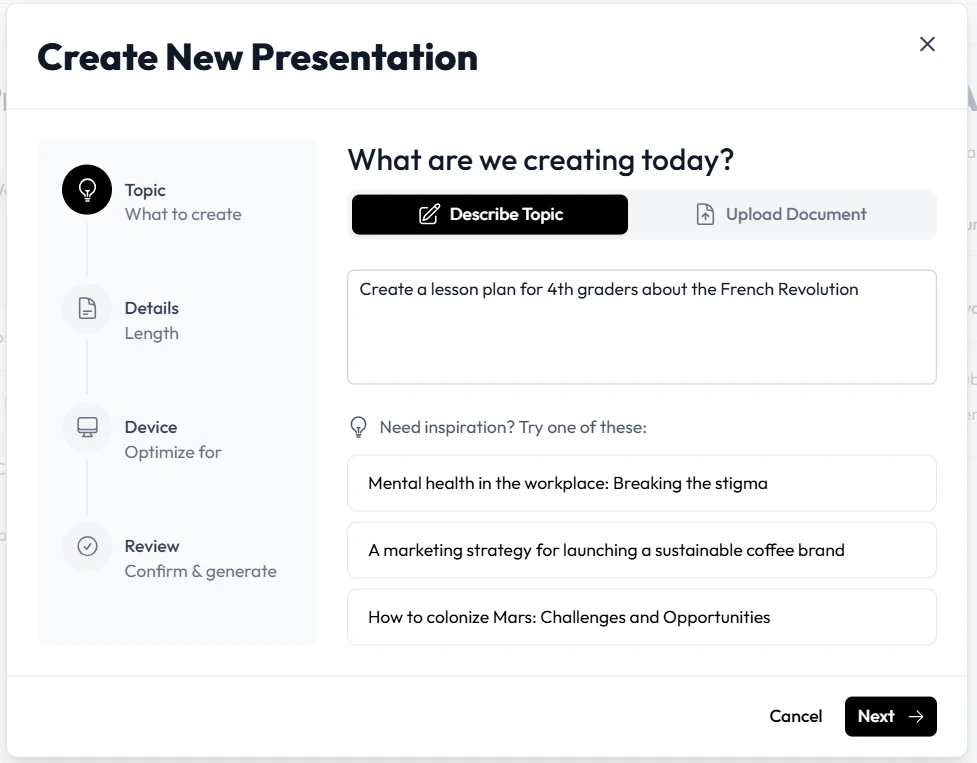
Once your goals are set, navigate to the Unni.ai dashboard. You have several options for generating your content. You can use a text-to-slides approach where you describe your topic in a few sentences. Alternatively, you can upload a document.
Unni.ai excels at parsing complex information. If you have a 20-page research paper, the platform will distill the most important data points into a slide deck. This level of presentation automation ensures that you don’t miss critical details while keeping the presentation concise.
Step 3: Customizing the AI-Generated Output
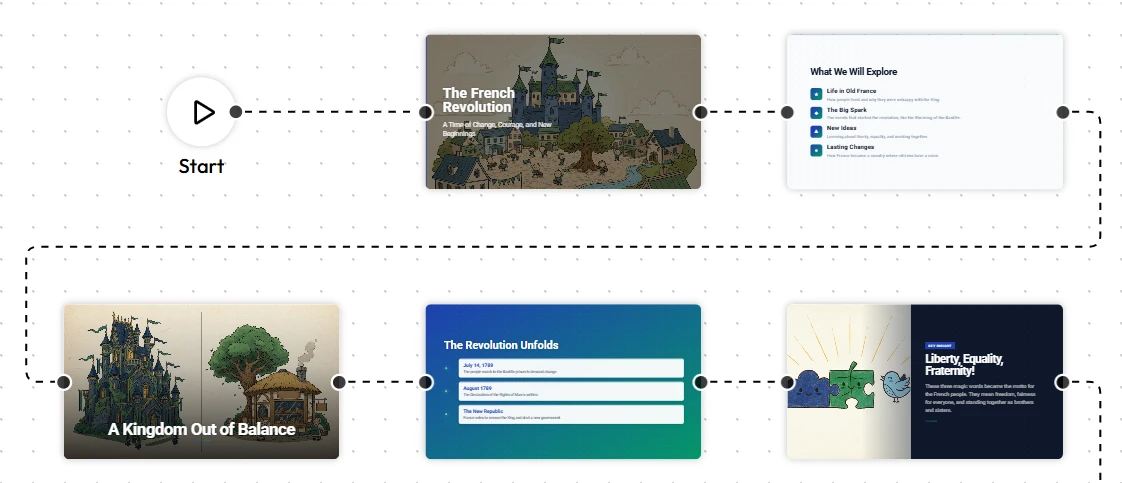
After the AI generates the initial draft, the refinement phase begins. No AI knows your students or trainees as well as you do. Use the Unni.ai editor to tweak the tone or add personal anecdotes.
-
Review the Narrative Flow: Ensure the transition between slides feels logical.
-
Adjust Visuals: Unni.ai automatically selects relevant images, but you can swap them out for specific diagrams or icons.
-
Add Interactive Elements: Many educators use Unni.ai to suggest discussion prompts or interactive polls to keep the classroom engaged.
The flexibility of the system means you are never stuck with what the AI produces. It provides a professional foundation that you can polish in minutes rather than hours.
Practical Examples of Educational AI in Action
To understand the versatility of Unni.ai, let’s look at a few common use cases across different sectors:
K-12 Lesson Planning
A biology teacher needs to explain photosynthesis to 9th graders. Instead of starting with a blank PowerPoint, they type “The stages of photosynthesis with simplified diagrams for 14-year-olds” into Unni.ai. The AI presentation generator produces a deck with clear headings, bulleted lists, and visual aids that match the curriculum standards.
Corporate Onboarding
A HR manager uses Unni.ai to create a training deck for new hires. By uploading the company handbook, Unni.ai summarizes the mission, values, and compliance rules. This use of presentation automation ensures that every new employee receives a consistent and professional introduction to the company culture.
Higher Education Research
A professor needs to present their latest findings at a conference. They upload their abstract to Unni.ai, which then suggests a layout that highlights the methodology and results. Unni.ai handles the formatting, allowing the professor to focus on the data analysis.
Maximizing Training Automation with Unni.ai
For instructional designers, training automation is the ultimate goal. By integrating Unni.ai into your development cycle, you can produce content at scale. If you are building a 10-part course, Unni.ai can help maintain a consistent visual theme and tone across all modules.
Unni.ai also supports exported formats that are compatible with most Learning Management Systems (LMS). This makes the transition from “content creation” to “course deployment” seamless.
The Checklist for Effective AI Slides
To ensure your Unni.ai deck is effective, run through this quick checklist before presenting:
-
Clarity: Is the text readable from the back of the room?
-
Consistency: Do the fonts and colors align with your institution’s branding?
-
Accuracy: Have you verified the specific dates or technical data points generated by the educational AI?
-
Engagement: Did Unni.ai include at least one slide that encourages audience participation?
-
Simplicity: Does each slide focus on a single core idea?
FAQ: Frequently Asked Questions
Is Unni.ai suitable for beginners?
Yes, Unni.ai is designed with a user-friendly interface that requires no prior design experience. The AI presentation generator handles the technical aspects of layout and design.
Can I export my Unni.ai slides?
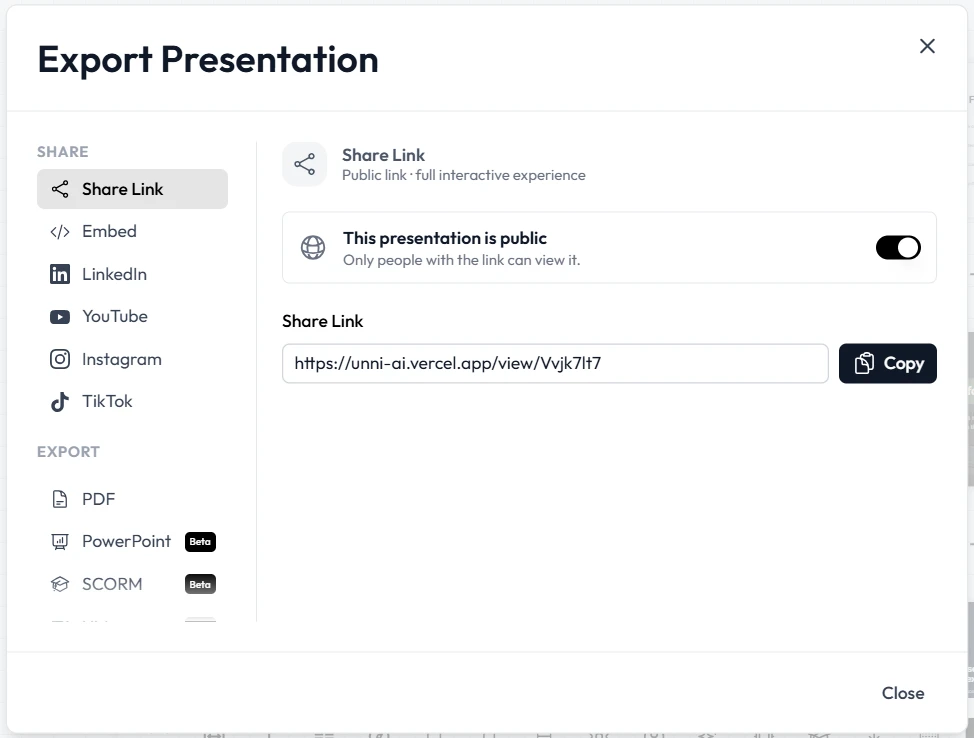
Absolutely. Unni.ai allows you to export your finished presentations to various formats, making it easy to share them via email or upload them to a classroom portal.
Does the AI understand specialized academic topics?
Unni.ai uses advanced educational AI models that are trained on a wide range of academic and professional subjects. It can handle everything from elementary science to advanced medical training.
How much time does presentation automation save?
Most users report a 70% to 80% reduction in the time spent on slide design when using Unni.ai compared to traditional manual methods.
Conclusion: The Future of Lesson Planning
Embracing an AI presentation generator is no longer a luxury; it is a necessity for staying competitive and efficient in the modern educational landscape. Unni.ai provides the tools needed to turn complex ideas into digestible, professional visuals instantly. By incorporating presentation automation into your daily routine, you reclaim your time and energy for what matters most: teaching and leading.
Whether you are looking for a way to improve your lesson planning or you want to scale your training automation, Unni.ai offers a robust solution tailored to the needs of professionals.
Ready to transform your presentations? Start your first project with Unni.ai today and experience the power of educational AI firsthand.