How to create a PDF with AI: A Guide to Presentation Automation
Learn how to create a professional PDF with AI. A guide to using Unni.ai's presentation automation to export polished slide decks as PDFs in seconds.
The traditional process of building a slide deck is notoriously time-consuming. For educators and corporate trainers, the hours spent aligning text boxes and searching for relevant imagery often outweigh the time spent actually teaching. However, the rise of presentation automation has shifted the landscape. By leveraging an AI presentation generator, professionals can now convert raw ideas into polished, structured content in a fraction of the time.
Unni.ai stands at the forefront of this shift, offering a sophisticated suite of tools designed for educational AI and professional training. Whether you are tackling complex lesson planning or preparing a high-stakes corporate pitch, Unni streamlines the creative process. This guide explores how to maximize these tools to build better AI slides while maintaining a human touch.
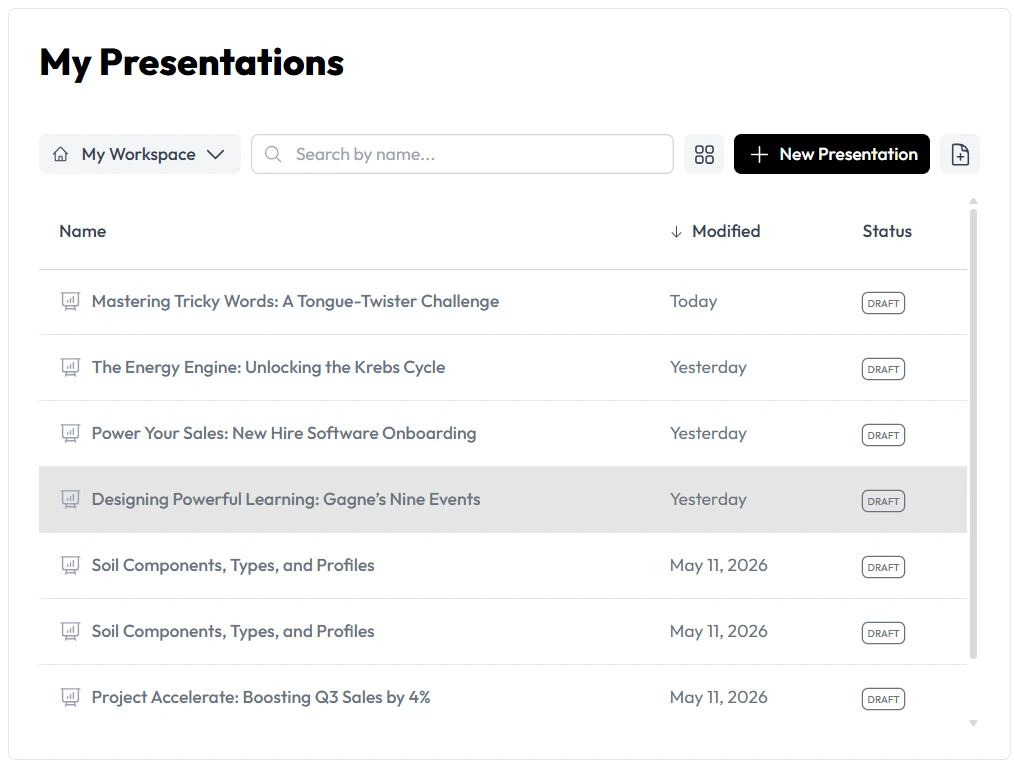
The Power of Presentation Automation
The core value of Unni.ai lies in its ability to handle the “heavy lifting” of design and initial drafting. When you use presentation automation, you aren’t just saving time; you are ensuring a baseline of professional quality that is often difficult to achieve manually. Unni.ai analyzes your input, be it a short prompt or a lengthy PDF, and applies logical structures that follow proven pedagogical and communication principles.
For teachers, this means educational AI can take over the visual design of a history lecture. For trainers, it means training automation can standardize onboarding decks across an entire organization. Unni.ai ensures that every user, regardless of design skill, can produce expert-level results.
Step 1: Defining Your Goal in Unni.ai
Every great presentation starts with a clear objective. When you open Unni.ai, the first step is providing the context the AI needs to be successful.
-
Select Your Input Method: Unni.ai allows you to start with a simple text prompt, upload a file, or even provide a website URL.
-
State Your Topic: Be specific. Instead of “Biology,” try “The role of mitochondria in cellular respiration for high school students.”
-
Choose Your Tone: Unni.ai can adjust its output to be academic, persuasive, or casual.
By being descriptive in this initial phase, you help the AI presentation generator select the most relevant data points and visual metaphors for your AI slides.
Step 2: Leveraging Educational AI for Content Structure
Once Unni.ai generates the initial draft, the editing phase begins. This is where educational AI becomes a true partner. Unni.ai does more than just place text on a page; it categorizes information into logical chunks.
-
Slide Sequencing: Unni.ai automatically creates an introduction, core concepts, and a summary.
-
Narrative Flow: Use the Unni.ai sidebar to request more depth on specific slides. You can ask Unni to “explain this like I’m five” or “add a case study to this slide.”
-
Visual Consistency: Unni.ai maintains a single design language throughout the deck, so you don’t have to manually match colors or fonts.
Step 3: Customizing with Training Automation
For those in the corporate sector, training automation is about scalability. Unni.ai allows you to create a “master” style that can be applied to various modules.
-
Apply Brand Assets: Upload your logo and primary colors into Unni.ai to ensure all output aligns with your corporate identity.
-
Iterate Quickly: If the training material changes, simply update the source text in Unni.ai and regenerate the specific slides affected.
-
Collaborative Editing: Share the Unni link with your team for real-time feedback, ensuring the final PDF or PowerPoint is perfect before it hits the screen.
Practical Examples: Unni.ai in the Real World
To see how presentation automation functions in a daily workflow, consider these three use cases where Unni.ai excels:
-
K-12 Lesson Planning: A science teacher inputs a curriculum standard into Unni.ai. The platform generates a 10-slide deck including a quiz at the end and a list of key vocabulary terms.
-
HR Onboarding: An HR manager uploads the company handbook to Unni.ai. Within seconds, Unni creates a welcoming presentation that highlights core values and benefits.
-
Startup Pitch Decks: A young professional uses Unni.ai to turn a business plan into a high-energy pitch deck, complete with data visualizations and market analysis slides.
Essential Checklist for AI Presentations
Before you finalize your project in Unni.ai, go through this checklist to ensure your AI slides are as effective as possible:
-
Clarity: Is the main point of each slide obvious within three seconds?
-
Visual Balance: Did Unni.ai provide enough “white space” to keep the viewer from feeling overwhelmed?
-
Accuracy: Have you double-checked any statistics or specific dates generated by the AI?
-
Engagement: Are there interactive elements, like questions or prompts, to keep the audience involved?
-
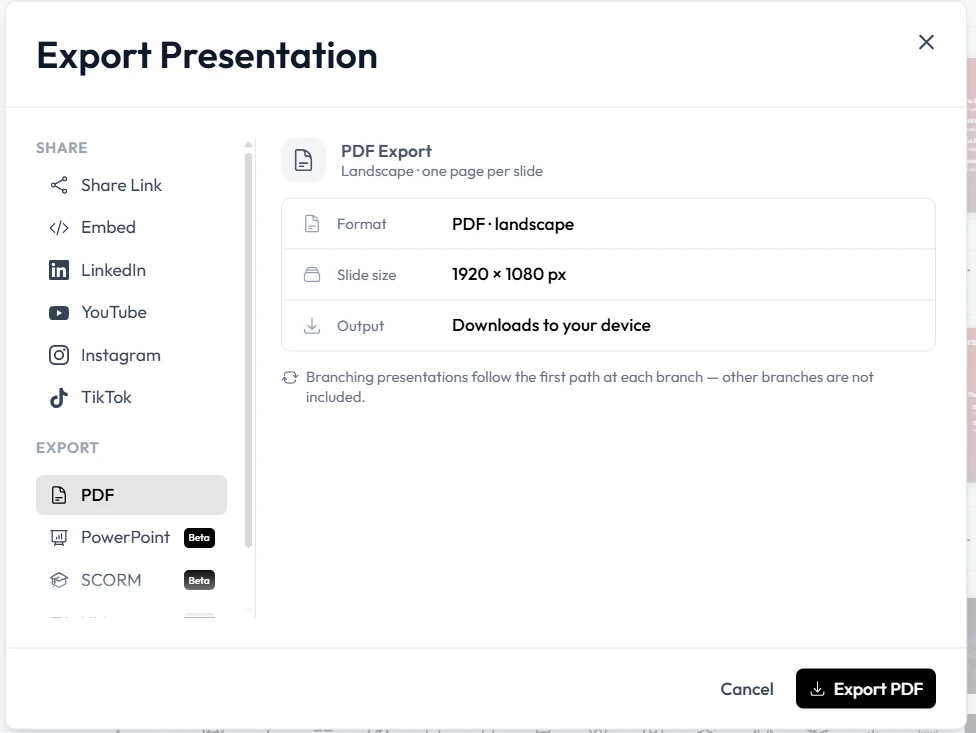
Formatting: If you are exporting to PDF, have you checked that the page layout is consistent?
FAQ: Common Questions About Unni.ai
How does Unni.ai handle complex data? Unni.ai is designed to synthesize information. If you upload a complex spreadsheet or report, the AI presentation generator will extract the most significant trends and create visual charts to represent them on your AI slides.
Is Unni.ai suitable for high-level academic research? Yes. By using the educational AI settings, you can ensure the language remains rigorous and includes citations where necessary. Unni.ai is a favorite among professors for creating lecture visual aids.
Can I export my slides to other software? Absolutely. Unni.ai supports exports to PowerPoint, Google Slides, and PDF. This ensures your presentation automation workflow integrates perfectly with the tools you already use.
Conclusion: The Future of Your Workflow
Adopting an AI presentation generator is no longer a luxury, it is a necessity for staying competitive in a fast-paced professional world. Unni.ai empowers you to move from a “creator of slides” to a “communicator of ideas.” By embracing presentation automation, you eliminate the friction of design and the anxiety of the blank page.
Whether you are improving your lesson planning through educational AI or scaling your corporate workshops with training automation, Unni.ai provides the infrastructure you need to succeed. Start building your next deck with Unni today and experience the difference that professional-grade AI slides can make.