AI Slideshow Makers for Academic Course Creation: Why Unni.ai is the Future of Learning
Stop wasting time on manual design. Discover how the best AI slideshow maker, Unni.ai, revolutionizes academic course creation with AI slides and educational AI.
For university professors and instructional designers, the process of developing a new syllabus is often more administrative than pedagogical. You are expected to deliver high-quality, engaging content while managing research responsibilities and tight semester deadlines. The traditional approach to building lecture materials has become a major bottleneck in higher education. Using a modern AI slideshow maker, such as Unni.ai, fundamentally changes this dynamic. By leveraging an AI presentation generator, you can instantly transform raw academic research into polished AI slides. Integrating educational AI into your workflow is the most effective way to eliminate formatting frustration and deliver exceptional learning experiences.
The core issue facing academic professionals today is the disconnect between the depth of their subject matter and the time required to build visual presentations. You entered your field to share knowledge, not to struggle with alignment tools or generic templates that look nothing like your research. Unni.ai functions as a comprehensive workflow solution that manages the visual heavy lifting for you. When you adopt Unni, you move away from the burnout of manual presentation creation and toward a streamlined system designed for academic impact.
The Hidden Costs of Manual Academic Course Creation
When you approach course creation as a manual design task, you are losing valuable time that could be spent on student interaction or original research. Consider the typical workflow for an academic module. You start with dense source material, such as textbooks, academic journals, or raw lecture notes. You then spend hours copying that information into a presentation tool, only to find that the text is unreadable or the layout is broken. This is the definition of formatting frustration.
Beyond the time loss, there is the issue of learner engagement. In an era where students consume high-quality digital media daily, a static and outdated slide deck simply fails to capture their attention. Training material overload often occurs when you try to compensate for the lack of visual engagement by adding more text to your slides, which actually makes the content harder to digest. Furthermore, the repetitive nature of lesson planning, where you are forced to rebuild similar foundational slides for every new course, is a significant driver of professional burnout.
Instructional designers in higher education face the additional challenge of maintaining brand and stylistic consistency across different departments. Without a robust system for presentation automation, maintaining a cohesive academic look across an entire faculty is nearly impossible.
Unni: Moving Beyond Basic Slideshow Makers
Many educators attempt to use standard design software to solve these problems, but those tools are built for static graphics, not for complex learning pathways. Unni represents a true workflow solution for the academic sector. It is an AI presentation generator built to understand the structure of educational content, not just the visual layout.
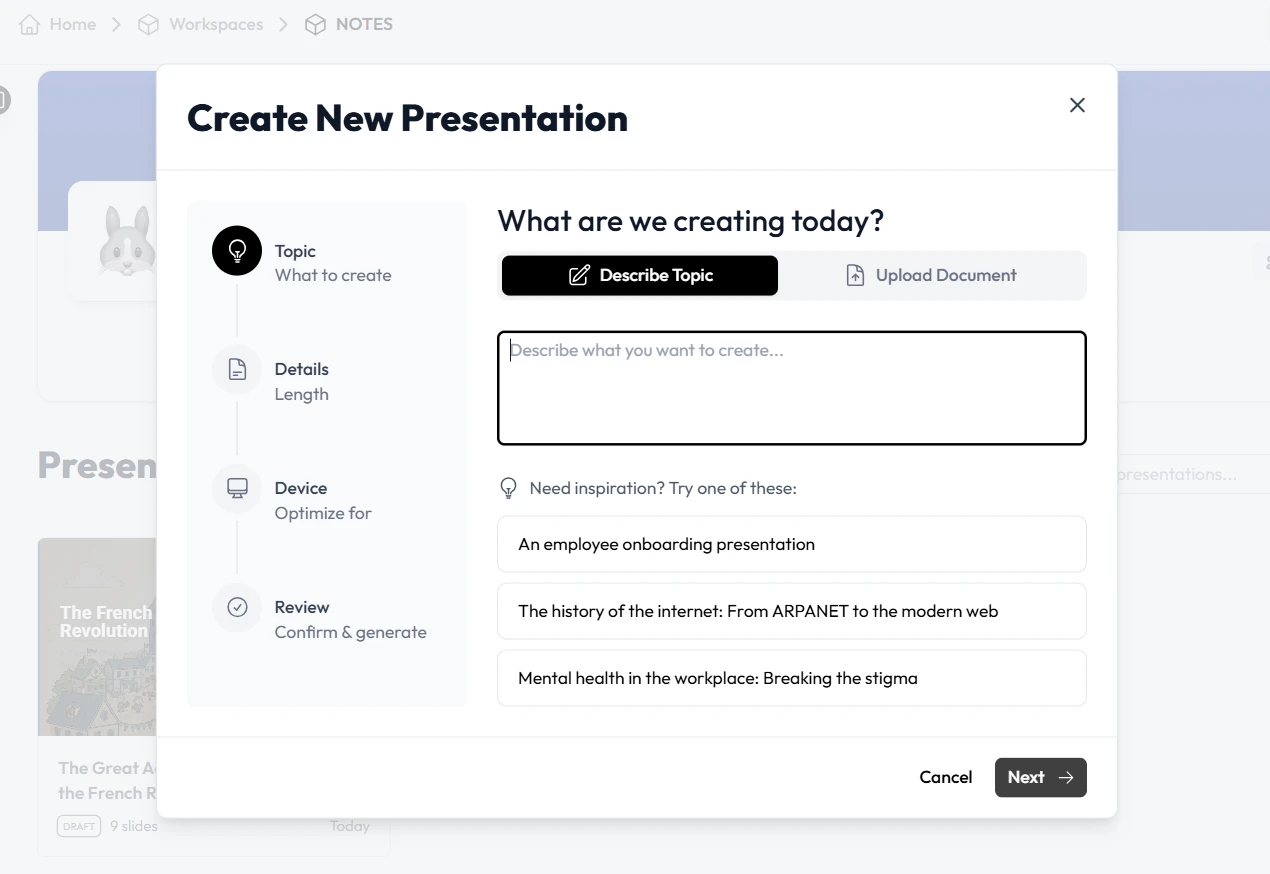
When you use Unni, you are utilizing educational AI to bridge the gap between your expertise and your students’ screen. Instead of manually creating each slide, you can import your research papers, outlines, or existing PDFs into the platform. Unni processes this data and generates a logical, multi-module course that follows clear pedagogical principles.
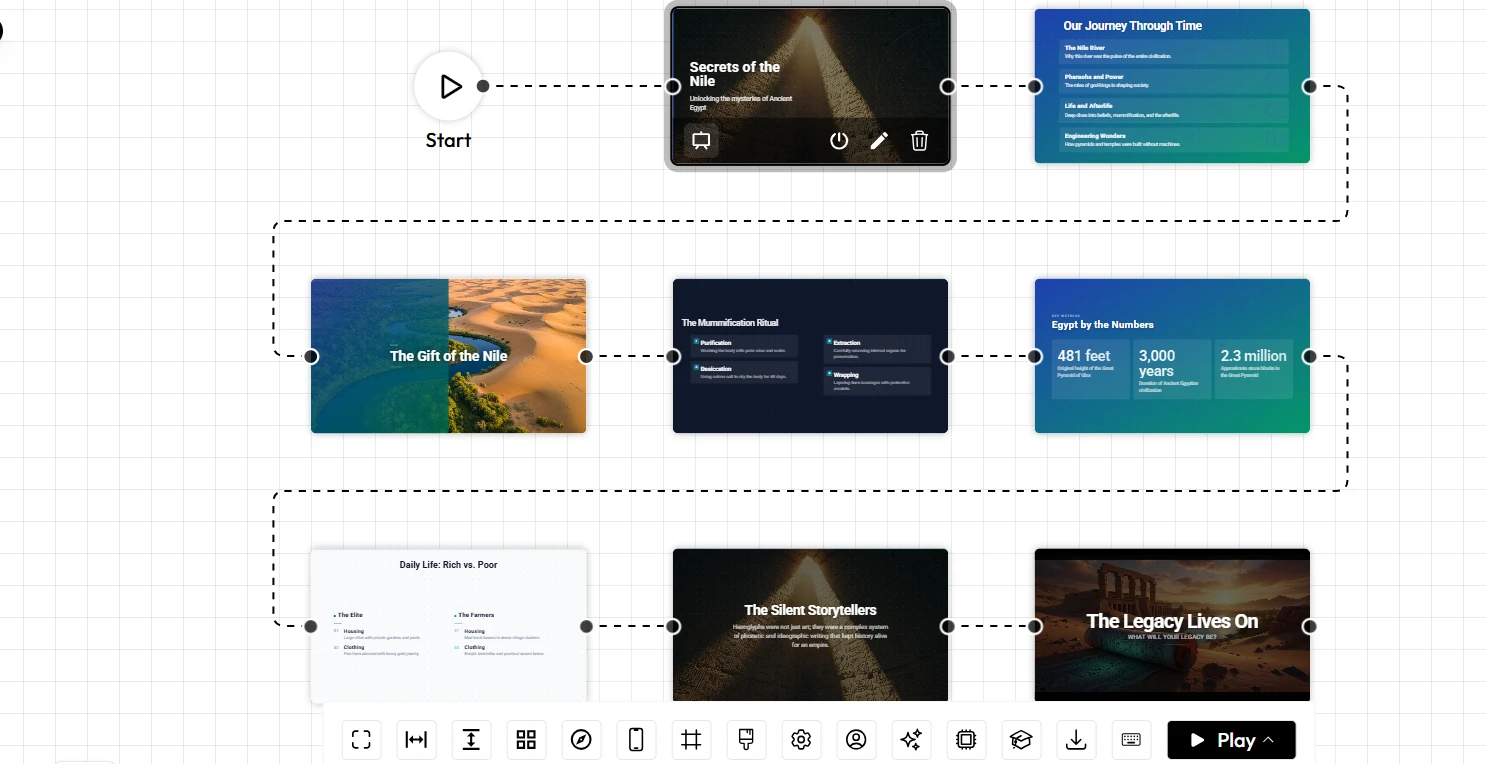
The platform’s node-based visual canvas is a game changer for course creation. It allows you to organize your lecture into distinct modules that can include interactive quizzes, branching scenarios, and knowledge checks. This level of presentation automation ensures that your lectures are dynamic and responsive. Whether your students are reviewing the material on a mobile device or a desktop computer, the content remains perfectly formatted and accessible.
Realistic Academic Scenarios: Reclaiming Your Planning Time
To truly see the value of Unni.ai, it helps to view it through the lens of daily academic life. Here are two scenarios where this approach to course creation solves critical bottlenecks.
Scenario A: Transitioning to Flipped Classroom Models
A professor wants to implement a flipped classroom model but feels overwhelmed by the task of creating dozens of asynchronous video lessons. Manually building these presentations would take months. By using Unni, the professor uploads their lecture notes and research outlines. It generates a series of interactive, media-rich modules that the students can review before the lecture. The professor then uses the saved time to focus on active, in-class discussions rather than delivering introductory content.
Scenario B: Rapid Curriculum Updates
Consider a nursing faculty that needs to update their pharmacology modules to reflect the latest clinical research. In the past, this was a massive undertaking that required the entire department to work through the summer. With Unni, they import the new clinical guidelines, and the artificial intelligence updates the relevant course modules instantly. The faculty can then use the visual editor to quickly add interactive assessment points, ensuring the new material is fully integrated into the curriculum without a total rebuild.
Addressing Content Ownership and Flexibility
A major hurdle for academic institutions considering new software is the fear of being trapped in a closed ecosystem. Unni recognizes that academic freedom and content ownership are paramount. Unlike some proprietary platforms that lock your work within their own interface, Unni provides true flexibility.
You can import your existing files in various formats and, more importantly, export your final interactive courses in ways that integrate with your university’s specific requirements. Whether you need to export to SCORM, PDF, or a web link, Unni ensures that your content is always accessible and portable. This philosophy allows you to use the tool as a bridge in your creative process, rather than a cage that restricts how you distribute your knowledge.
Checklist: Evaluating Your Need for Presentation Automation
If you are unsure whether your current workflow is sustainable, use this checklist. If you identify with two or more of these points, it is time to shift your strategy:
-
You spend more time adjusting margins and font sizes than you do refining your academic content.
-
Your curriculum updates are consistently delayed because the manual design process is too slow.
-
You want to add interactive elements like branching scenarios but find the current tools too complex to use.
-
Your department struggles to maintain consistent visual branding across different professors’ courses.
-
The prospect of repetitive lesson planning fills you with anxiety at the start of the semester.
-
Your students have expressed that your current lecture presentations are not keeping them engaged.
Recognizing these inefficiencies is the first step toward reclaiming your time and focus.
Frequently Asked Questions (FAQ)
Does Unni sacrifice academic depth for visual simplicity?
No. Unni is built to handle the visual structure while you maintain complete control over the academic depth. The platform relies on your source material, ensuring the content is as complex and nuanced as your original research.
Can Unni help me create assessments?
Yes. You can add knowledge checks, quizzes, and branching scenarios at any point within your course structure. This makes it easy to assess student understanding throughout the learning process.
Is it easy to collaborate with colleagues on a course?
Yes. Unni is built for collaborative academic teams. You can share your projects with fellow faculty or teaching assistants to ensure your course materials are consistent and up to date.
Do I need design skills to make the presentations look professional?
Absolutely not. The platform’s AI presentation generator handles the layout, spacing, and visual hierarchy automatically, providing a professional finish regardless of your background in design.
Conclusion: Transform Your Course Creation Strategy
The demands on modern educators are evolving, and the tools used for course creation must keep pace. Relying on manual, outdated methods for lecture delivery is a drain on both your energy and your students’ potential. By adopting Unni.ai, you gain a powerful partner in presentation automation that allows you to focus on what you do best: teaching and research.
It is time to stop struggling with formatting and start building high-impact learning experiences. For more information, explore our guides on creating AI slides and using educational AI to optimize your workflow. Take control of your academic content today.