How AI Helps Teachers Create Better Learning Experiences
Discover how an AI presentation generator, presentation automation, and educational AI through Unni.ai solve the biggest pain points for teachers and instructional designers.
It starts at 8:00 PM on a Sunday. You have a stack of curriculum notes, a folder of raw training data, and a blank PowerPoint screen staring back at you. For instructional designers and corporate trainers, this is the manual grind: the hours spent wrestling with text boxes, hunting for high-resolution images, and tweaking margins until your eyes blur. This is the manual grind that defines modern teaching and instructional design. It is a cycle of repetitive labor that drains the creative energy required to be an effective educator.
Fortunately, the landscape of education is shifting. By integrating a sophisticated AI presentation generator like Unni.ai into your workflow, you can move away from the role of a pixel-pusher and back into the role of a facilitator. Unni.ai is not just another software tool; it is a comprehensive workflow solution designed to handle the logistical burdens of content creation. Through presentation automation and advanced educational AI, Unni.ai allows teachers and trainers to focus on what they do best: helping people learn.
Common Workplace Scenarios from the Manual Era
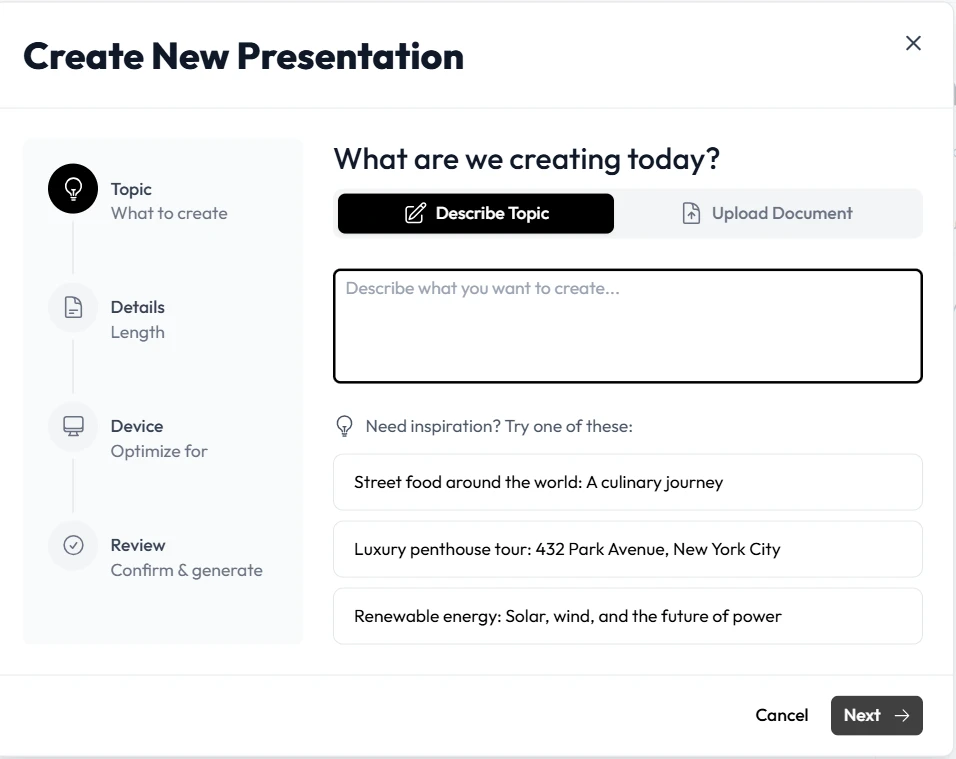
Consider the “Source Material” problem. Often, a teacher or trainer is handed a 50-slide PowerPoint that is essentially a wall of text and told to make it modern. Manually redesigning such a behemoth can take days. With Unni.ai, the AI presentation generator can ingest that data and reorganize it into a cohesive, visually appealing narrative in minutes.
Another frequent frustration is the technical failure. There is nothing quite as demoralizing as when your complex authoring software crashes and you realize there was no autosave. Unni.ai operates as a cloud-based workflow solution, ensuring that your progress is secure and your transitions are handled by robust presentation automation rather than fragile manual coding.
How Unni.ai Solves the “Engagement” Trap
We have all been there. An executive or a school administrator asks you to make a presentation “like Netflix” or “TikTok-style”. These buzzwords are often code for “I want it to look modern, but I don’t have the budget or time to hire a production studio.”
Unni.ai bridges this gap. By utilizing educational AI, Unni.ai identifies the core message of your content and suggests layouts that mimic the high-energy, visually driven styles of modern media. You do not need to spend six weeks in stakeholder reviews trying to guess what “engaging” means. Unni.ai provides a library of templates and automated design choices that are pre-optimized for learner retention and focus.
Moving Beyond “Make it Fun”
The phrase “Make it fun!” is often the bane of an instructional designer’s existence, as it usually results in someone suggesting they just “add clip art”. This approach ignores basic learning theory. Unni.ai approaches “fun” through the lens of lesson planning and psychology. It uses presentation automation to build in knowledge checks, interactive elements, and clean visuals that respect the learner’s intelligence rather than patronizing them with outdated graphics.
Reclaiming Your Time with Presentation Automation
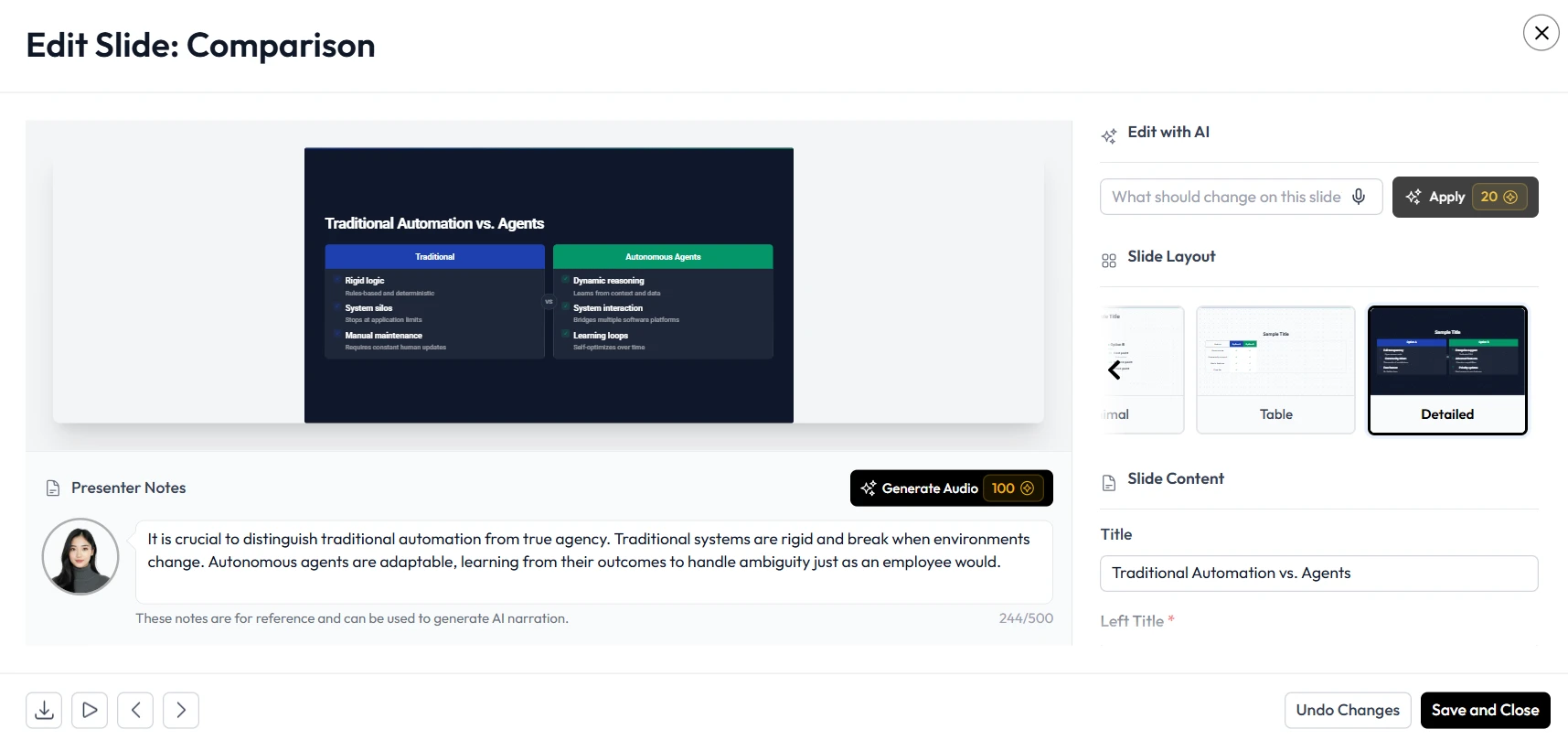
Unni.ai turns disasters into minor adjustments. Because it’s an AI slideshow maker built on the foundation of agility, adding a quiz or restructuring a module does not require a total rewrite. You simply prompt the interface to adjust the deck, and the presentation automation handles the reformatting of the surrounding slides to ensure the flow remains logical and professional.
Educational AI as a Workflow Partner
One of the most exhausting aspects of teaching is the feeling that you are “just recording the manual”. If you are simply reading slides to a room of bored students, you aren’t really teaching. Unni.ai acts as a partner in lesson planning by helping you synthesize raw data into talking points.
Instead of spending four hours distilling a technical manual into a slideshow, you can use Unni.ai i to extract the key themes. This allows the teacher to spend that saved time developing hands-on activities or providing one-on-one support to students who are struggling. Unni.ai ensures that the “Source Material” is never just a “50-slide PPT” of doom, but a jumping-off point for real human connection.
Handling the “LMS from Hell”
Many educators are forced to use outdated Learning Management Systems (LMS) that feel like they were built in 2003. These systems often break modern designs or make uploading new content a chore. Unni.ai focuses on clean, compatible outputs. Whether you are presenting live or exporting for an LMS, Unni.ai ensures your work looks as intended, regardless of how ancient the hosting platform might be.
The Unni.ai Productivity Checklist for Educators
If you are unsure if you are ready to move away from manual design, use this checklist to evaluate your current process.
-
Content Synthesis: Do you spend more than two hours summarizing source material for a single lesson? Unni.ai can do this in seconds.
-
Design Consistency: Does your deck look like it was made by four different people? Unni.ai applies consistent branding automatically.
-
Feedback Integration: Does a single “minor change” from a stakeholder require you to edit every slide? Unni.ai uses presentation automation to update styles globally.
-
Technical Reliability: Have you ever lost work because your software crashed? Unni.ai is cloud-based with persistent saving.
-
Visual Sourcing: Do you spend hours looking for the “perfect” image? Unni.ai suggests and generates contextually relevant visuals instantly.ul educational setting.
FAQ: Frequently Asked Questions about AI Presentation Generators
How does Unni.ai help with tight deadlines?
Unni.ai reduces the “drafting” phase of a presentation by up to 90%. By providing the AI presentation generator with your notes or topic, you receive a polished first draft immediately, allowing you to spend your time on fine-tuning rather than building from scratch.
Can Unni.ai handle highly technical training material?
Yes. Unni.ai is an excellent workflow solution for training automation. It can ingest complex technical documents and use educational AI to break them down into digestible modules, ensuring that even the most dense material is clear to the learner.
Will I lose my personal “voice” if I use AI?
Not at all. Unni.ai is designed to be a co-pilot. It handles the formatting, layout, and initial content organization, but you maintain full control over the final text, tone, and delivery. Unni.ai removes the “grunt work” so your unique voice can shine through more clearly.
What if my SME or client ghosts me mid-project?
We know that a Subject Matter Expert ghosting you is a major pain point. Because Unni.ai allows for rapid prototyping, you can move forward with a high-quality draft to show other stakeholders even when one person is unresponsive, keeping the project on track.
Conclusion: Ending the Era of Manual Formatting
The frustrations do not have to be your daily reality. You do not have to settle for “clip art” solutions or 11th-hour quiz panics. By adopting Unni.ai, you are choosing a future where your expertise is valued over your ability to align objects in a PowerPoint deck.
Unni.ai provides a sophisticated AI presentation generator that transforms the way we approach educational AI and presentation automation. It is time to stop “recording the manual” and start creating learning experiences that truly matter. Whether you are a corporate trainer facing a budget cut or a teacher trying to make a lesson “TikTok-style” for your students, Unni.ai is the workflow solution that gives you your time and your passion back.
Learn more about how Unni.ai can revolutionize your presentation automation workflow today.