How an AI Presentation Generator Solves Instructional Designer Burnout
Learn how an AI presentation generator and presentation automation can transform educational AI workflows. Streamline lesson planning and stop slide burnout today.
The clock hits 8:00 PM on a Tuesday, and you are still staring at a screen of disconnected bullet points and mismatched fonts. As an instructional designer, teacher or corporate trainer, your real value lies in your ability to translate complex information into meaningful learning experiences. Yet, more often than not, your day is consumed by the manual labor of resizing text boxes and hunting for high-resolution images. This repetitive grind is a primary driver of burnout in the education sector. Transitioning to a modern AI presentation generator is no longer just a luxury; it is a necessity for maintaining professional sanity. By embracing presentation automation and the broader potential of educational AI, professionals can finally shift their focus from pixels back to people.
The Invisible Labor of Manual Slide Creation
Instructional designers often describe their work as a blend of psychology, art, and architecture. However, the reality of the daily workflow often feels more like digital data entry. When you are tasked with creating a 40-slide deck for a new corporate compliance training or a semester-long curriculum, the “design” phase is frequently the shortest part of the process. Most of your time is spent on the structural “scaffolding” that should, in theory, be automatic.
Consider the typical lifecycle of a manually created presentation:
-
Reviewing raw content from a Subject Matter Expert (SME).
-
Manually drafting a narrative flow.
-
Copy-pasting text into individual slides.
-
Formatting every single header for brand consistency.
-
Searching for icons and visuals that do not violate copyright.
This process is not just slow; it is mentally draining. Every minute spent adjusting a margin is a minute not spent refining the actual pedagogy. This is where presentation automation changes the game. Instead of building the car from scratch every time you need to drive, you are given a high-performance vehicle where the fundamentals are already handled.
Why Formatting Frustration Is Killing Your Productivity
For many teachers and learning experience designers, the frustration is not the content itself, but the lack of design skills required to make that content engaging. You might have a brilliant lesson plan, but if the slides look like they were made in 2010, student engagement drops instantly. The pressure to produce “Netflix-style” engagement on a public school or nonprofit budget is a recipe for stress.
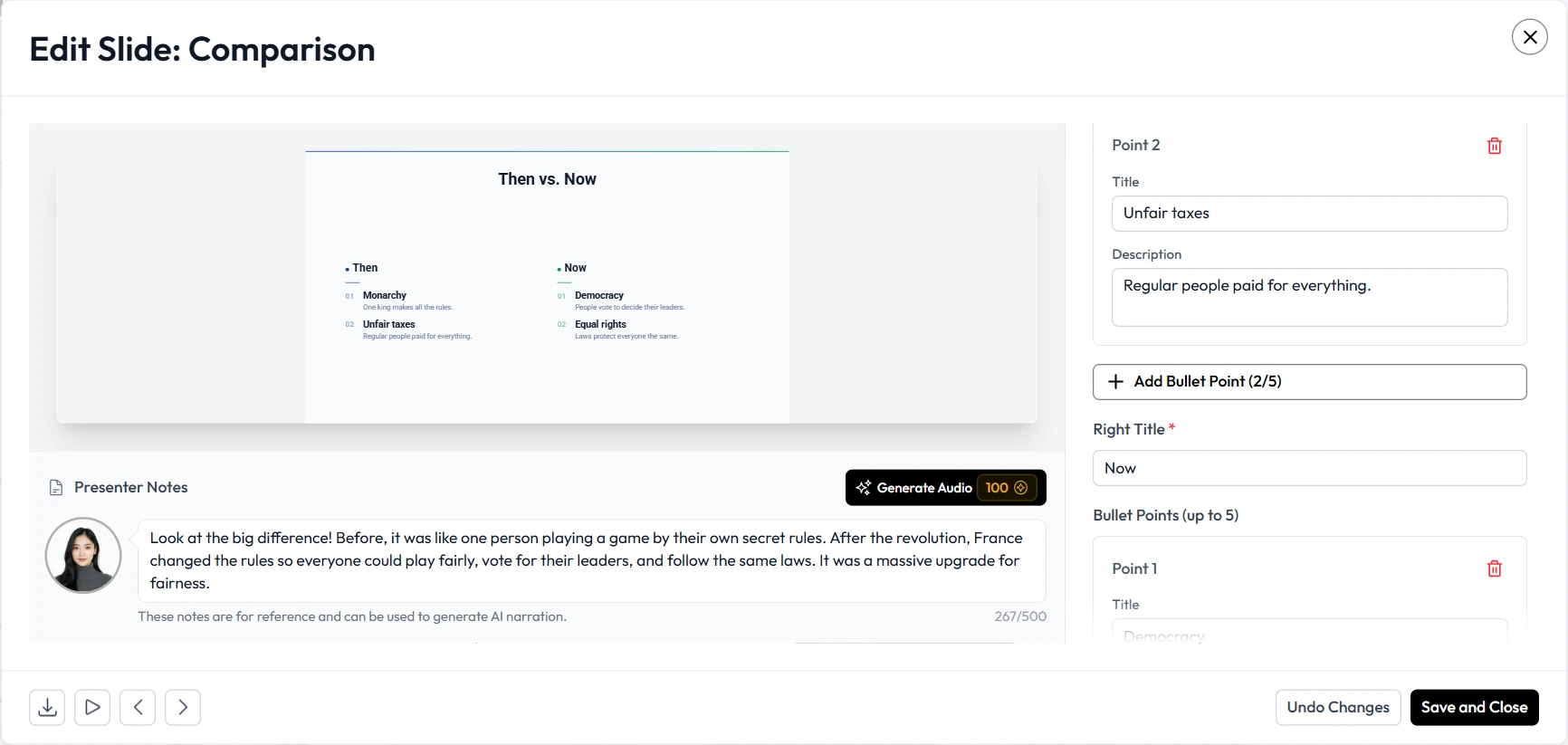
The traditional workflow requires you to be a researcher, a writer, and a graphic designer all at once. Most people are excellent at one or two of these, but few have the time to master all three. When you use Unni.ai, you are not just using a tool to make slides; you are integrating a workflow solution that handles the visual heavy lifting. Unni.ai understands the structural needs of an educational deck, ensuring that font hierarchies are maintained and that visual balance is achieved without you having to click through a dozen sub-menus.
Solving the “Training Material Overload” Crisis
In corporate training environments, the volume of material is often staggering. A single product launch might require dozens of presentations for different departments, each needing slightly different messaging but the same brand identity. This leads to “material overload,” where trainers are so busy creating the decks that they do not have time to practice the delivery.
By utilizing educational AI for these tasks, a trainer can input the core product specifications and allow the system to generate the initial drafts. Unni.ai acts as a collaborative partner in this process. You provide the expertise, and Unni.ai provides the structure. This is especially vital for professionals aged 20-35 who are often expected to be “digital natives” who can produce high-quality content at lightning speed. The expectation is high, but the hours in a day remain the same.
Unni.ai: Moving From Software to Workflow Solution
It is important to distinguish between a simple “slideshow maker” and a comprehensive workflow solution. Traditional software gives you a blank canvas and a set of tools, then leaves you to do the work. A workflow solution like Unni.ai actively participates in the creation process.
Some of that traditional software is not even available on every platform. Mac users who rely on tools like Articulate Storyline have to run Windows through emulators just to open the app, which adds another layer of friction on top of the manual grind. A browser-based Storyline alternative for Mac removes both problems at once.
When you use Unni.ai, the system handles the lesson planning logic. It looks at your content and suggests the best way to visualize it. Does this point work better as a chart? Should this be a high-impact quote slide? By answering these questions for you, Unni.ai removes the “decision fatigue” that often stalls the creative process. This allows instructional designers to move through projects twice as fast without sacrificing the quality of the learning experience.

Checklist for Future-Ready Instructional Design
If you are ready to stop the manual grind and start scaling your output, use this checklist to audit your current process:
-
Content First: Are you writing your content directly into slides, or are you using a master outline? (Outlines are better for AI integration).
-
Brand Uniformity: Do you have a saved set of colors and fonts that you waste time re-applying to every new deck?
-
Visual Assets: How much time do you spend on stock photo sites versus actually teaching?
-
Feedback Loops: Are your stakeholder reviews focused on the “look” of the slide rather than the “learning” outcomes?
-
Automation Adoption: Have you integrated a dedicated AI presentation generator like Unni.ai to handle the repetitive formatting tasks?
Conclusion: Reclaiming Your Time With Unni.ai
The future of education and corporate training is not found in more hours at a desk; it is found in better systems. Continuing to build every slide by hand is like writing a book with a quill when a laptop is sitting right in front of you. By shifting to an AI presentation generator, you are not cutting corners; you are choosing to spend your energy where it matters most: on the learners.
Unni.ai provides the presentation automation necessary to keep up with the demands of modern education. Whether you are deep in lesson planning for the next semester or building a massive suite of corporate training modules, Unni.ai is the workflow solution that lets you work smarter, not harder. It is time to let the educational AI handle the pixels so you can handle the progress.
Visit Unni.ai today to see how easy your next presentation can be.
Frequently Asked Questions
Does an AI presentation generator replace the need for an instructional designer?
No. An AI tool is a co-pilot. It handles the manual, repetitive tasks of formatting and layout, but it cannot replace the pedagogical expertise and human empathy required to teach effectively. It simply allows the designer to focus on the high-value aspects of the job.
Is educational AI difficult to learn for non-technical teachers?
Modern solutions like Unni.ai are designed for ease of use. If you can write an email or a basic outline, you can use these tools. The goal of presentation automation is to make the technology invisible so the content can shine.
How does Unni.ai ensure that presentations don't look generic?
Unlike basic templates, Unni.ai uses intelligent design principles to adapt to the specific context of your content. It provides a variety of styles and layouts that ensure your deck feels unique to your specific brand or classroom needs.
Can I use these tools for training automation in a corporate setting?
Absolutely. Corporate trainers use Unni.ai to quickly turn dense manuals or white papers into digestible, engaging slide decks for employees. This significantly reduces the time from information update to team training.