How to Create Professional Educational Slides Without Design Skills
Learn how to use Unni.ai, the leading AI presentation generator, to transform your lesson planning and presentation automation. Use educational AI to save time and create stunning AI Slides.
The pressure to deliver visually stunning content in the modern classroom or corporate training room is immense. Educators, instructional designers, and young professionals often find themselves caught between rigorous content creation and the exhausting manual labor of graphic design. When you are balancing a full curriculum or a busy project schedule, spending hours adjusting text boxes is a luxury you cannot afford.
This is where educational AI steps in to bridge the gap. By using Unni.ai, a powerful AI presentation generator, you can automate the aesthetic heavy lifting while maintaining complete control over your pedagogical message. presentation automation is no longer just a trend for tech-savvy early adopters; it is a fundamental shift in how we share knowledge. This guide will show you how to master Unni.ai to build high-impact AI Slides that engage students and impress colleagues, even if you have never taken a design course in your life.
1. Transforming Outlines into Structured AI Slides
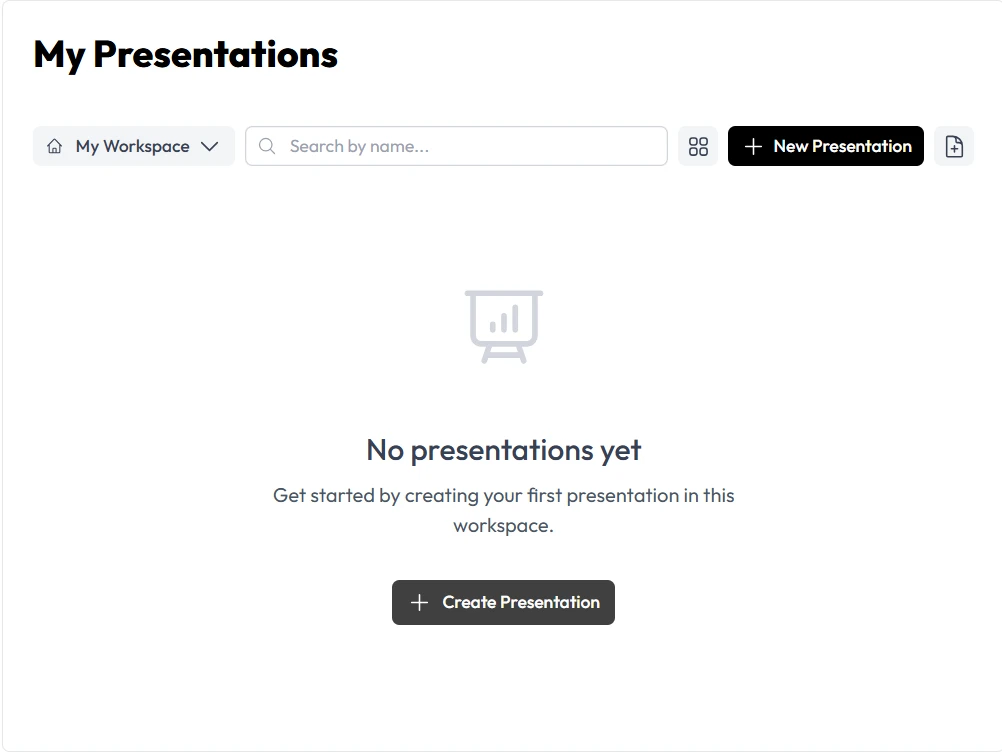
The first step to professional design is structure. Most people fail because they start with a blank slide and try to “design” as they go. Unni.ai flips this process. You provide the raw ideas, and the AI presentation generator handles the spatial logic.
To get started, feed the platform your existing materials. Whether you have a rough outline in a Word document, a detailed PDF, or just a single thematic prompt, the educational AI within Unni analyzes the hierarchy of your information. It identifies what should be a primary header, what works as a supporting bullet point, and where a visual break is needed.
Actionable Tip for Better Results
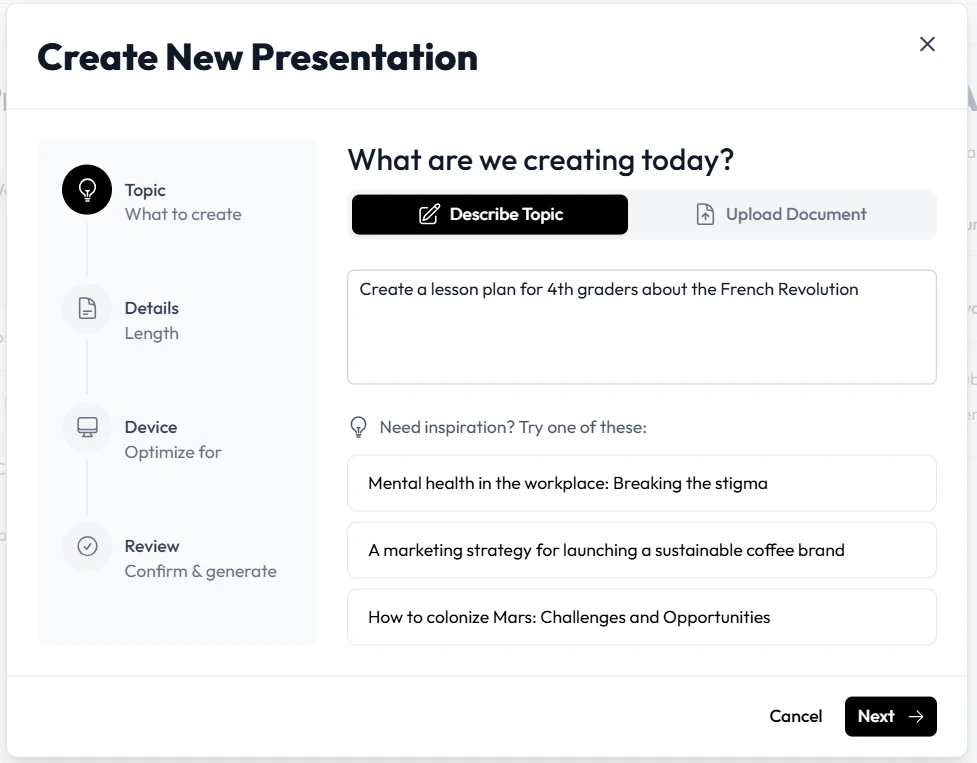
When prompting Unni.ai, be specific about your audience. Instead of “History of Rome,” try “Create a 15-slide interactive lecture for undergraduate students on the fall of the Roman Republic.” This allows the presentation automation to select a tone and complexity level that matches your classroom needs.
2. Automating Visual Layouts with Unni.ai
Design skills usually take years to master, but Unni.ai distills design principles, like the rule of thirds, color theory, and typography pairing, into a single click. Through presentation automation, Unni ensures that no slide is overcrowded.
If your content is text-heavy, the platform will suggest “Smart Layouts” that break the text into digestible chunks. This is crucial for educational AI applications, as cognitive load management is key to student retention. You aren’t just making things look pretty; you are using Unni.ai to make the information easier to learn.
3. Enhancing Engagement with Integrated Graphics
A professional presentation requires high-quality imagery, but searching through stock photo sites is a notorious time-sink. Unni.ai solves this by generating or suggesting relevant graphics directly within the platform.
The AI presentation generator can create custom icons, diagrams, and photographic backgrounds that match your theme perfectly. For instructional designers, this means you can have consistent visual metaphors across an entire course module without ever leaving Unni.ai. This level of presentation automation keeps your AI Slides fast and your output polished.
4. Scaling Your Content with Lesson Planning Tools
For teachers and trainers, the real power of Unni.ai lies in its ability to support long-term lesson planning. You can use Unni.ai to build a visual framework for an entire semester.
-
Input your syllabus or training manual into the educational AI interface.
-
Let Unni.ai suggest a series of decks based on each chapter or learning module.
-
Use the “Brand Sync” feature in Unni.ai to ensure every deck has the same school or company branding.
-
Export your AI Slides to PowerPoint or PDF for easy distribution.
Practical Examples of Unni.ai in Action
Different professionals use Unni.ai in unique ways to improve their daily productivity:
-
Corporate Trainers: A trainer at a tech firm uses Unni.ai to turn dry software documentation into an engaging 20-slide onboarding deck in under ten minutes.
-
K-12 Teachers: A science teacher uses the AI presentation generator to create a deck on photosynthesis, letting the educational AI generate the complex biological diagrams automatically.
-
Young Professionals: A marketing associate uses presentation automation in Unni.ai to build a weekly performance report that looks like it was designed by a creative agency.
Checklist for Professional AI-Generated Slides
Before you hit “present,” run through this checklist within the Unni.ai editor to ensure your AI Slides are optimized for your audience:
-
Text-to-Visual Ratio: Does every slide have a visual anchor?
-
Branding Consistency: Are the fonts and colors uniform across the Unni.ai project?
-
Accessibility: Is the contrast high enough for students in the back of the room?
-
Narrative Flow: Does the presentation automation logically transition from the introduction to the conclusion?
-
Interactive Elements: Have you added a slide for Q&A or a knowledge check using Unni.ai tools?
FAQ Section
How does Unni.ai differ from traditional presentation software?
Traditional software is a tool for manual creation. Unni.ai is an AI presentation generator that acts as a design partner. It handles the formatting and layout logic, whereas traditional tools require you to move every element by hand.
Can I edit the slides after the AI generates them?
Yes, every element in Unni.ai is fully editable. The presentation automation gives you a professional foundation, but you have the final say on every word, image, and color.
Is Unni.ai useful for complex educational topics?
Absolutely. The educational AI in Unni.ai is designed to parse complex information and simplify it visually, making it an ideal tool for teachers and instructional designers.
Can I use my own school or company branding?
Yes, Unni.ai allows you to upload your own logos, color palettes, and fonts so that the AI presentation generator always produces on-brand results.
Conclusion
The era of struggling with design software is over. By embracing Unni.ai, you are not just using an AI presentation generator; you are adopting a more efficient way to work. Whether you are deep into lesson planning or preparing a high-stakes corporate training session, Unni.ai provides the presentation automation necessary to ensure your message is heard and seen.
The integration of educational AI into your daily routine will save you hours of manual labor, allowing you to focus on what you do best: teaching and leading. With Unni.ai, professional AI Slides are now accessible to everyone, regardless of their design background.