How to Stop SMEs from Designing: The Content vs. Construct Workshop for Instructional Designers
Learn how to facilitate a kickoff that defines roles between IDs and SMEs using an AI presentation generator. Discover how Unni.ai and presentation automation solve the SME design dilemma.
Every instructional designer has lived this scenario: you walk into a kickoff meeting with a Subject Matter Expert (SME) expecting raw data, only to be handed a 120-slide deck with neon yellow text, three different fonts, and clip art from 1998. The SME isn’t just providing the “what” anymore; they are trying to control the “how.”
When the SME attempts to take over the design process, it leads to a fundamental breakdown in the learning experience. You spend your weekend fixing alignment issues instead of applying pedagogical theory. To reclaim your role, you need a workflow that separates content from construction. By leveraging an AI presentation generator like Unni.ai, you can shift the focus back to educational integrity while using presentation automation to handle the heavy lifting. This article explores the “Content vs. Construct” workshop, a facilitation strategy designed to set boundaries and restore the ID-SME balance through educational AI tools.
The Root of the Conflict: Why SMEs Overstep
The “SME as designer” phenomenon usually stems from a place of helpfulness or anxiety. They know their topic inside and out, and they worry that if they don’t place every single bullet point on the screen, the learners won’t understand the nuance. However, this creates “Death by PowerPoint” and burns out the instructional designer who has to “clean up” the mess.
When the SME focuses on the font size rather than the accuracy of the technical data, the project timeline stretches, and the quality of the lesson planning suffers. To solve this, we must transition the SME from a “builder” to a “source.” This is where Unni.ai enters the workflow. By showing the SME that the design is handled by presentation automation, you remove their perceived need to “help” with formatting.
The Content vs. Construct Workshop: A Step-by-Step Guide
The goal of this workshop is to define the SME as the “What” expert (Content) and the ID as the “How” expert (Construct). Here is how you facilitate it.
1. The Knowledge Dump Phase
Ask the SME to provide information in its rawest form. This could be a Word document, a recording, or a messy list of notes. Explicitly tell them: “Don’t worry about the slides. We are using Unni.ai to structure this visually later. Right now, I just need your brain.”
2. The Learning Objective Alignment
Before a single slide is generated, agree on the terminal and enabling objectives. When the SME tries to pivot back to “making it pretty,” gently remind them that the educational AI within Unni.ai will ensure the aesthetics match the objectives once the content is locked.
3. The Rapid Prototyping Session
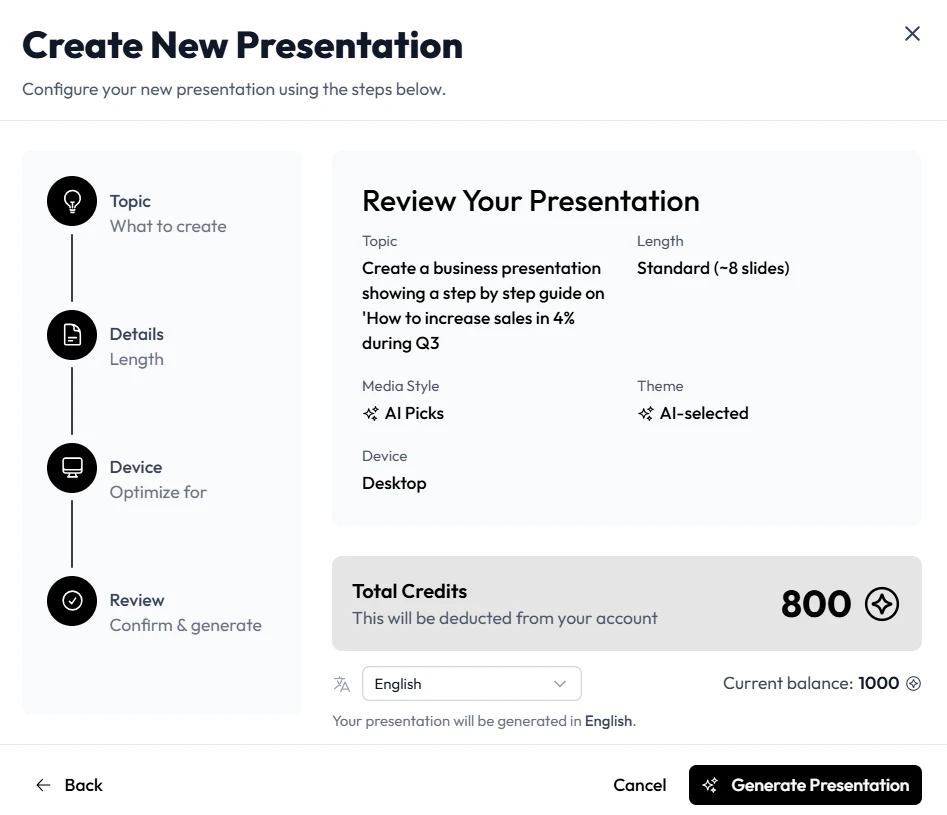
This is the “aha” moment of the workshop. Open Unni.ai and input the SME’s raw notes. Watch as the AI presentation generator creates a structured outline and initial slide layout in seconds. This proves to the SME that:
-
The design is under control.
-
The workflow is fast.
-
Their “help” with formatting is no longer required.
Why Presentation Automation is the ID’s Best Friend
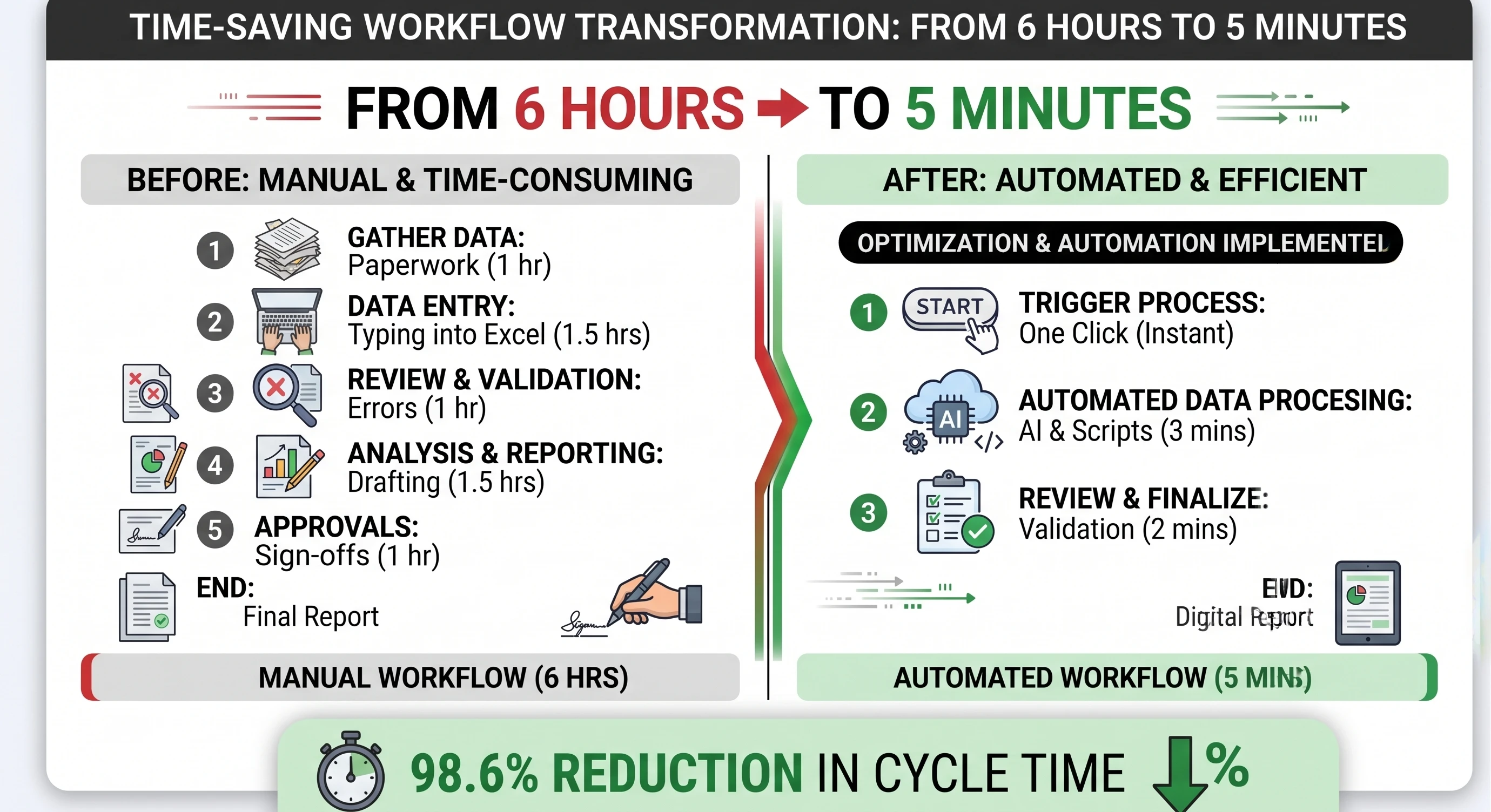
The traditional ID workflow is broken. We spend 70% of our time on formatting and 30% on actual learning science. By using Unni.ai, those numbers flip. Presentation automation handles the alignment, color palettes, and asset sourcing, allowing you to focus on the pedagogy.
-
Consistency: Unni.ai maintains brand integrity across slides.
-
Efficiency: Reduce the time spent on lesson planning and slide creation by hours.
-
SME Management: It is easier to tell an SME “The AI handled the layout” than “I don’t like your design choices.”
Checklist: Preparing for Your Content vs. Construct Kickoff
Use this checklist to ensure your next project starts with clear boundaries and the right tools.
-
Set the Stage: Send an email 24 hours prior stating that this is a “Content-Only” session.
-
Prepare the Tool: Have your Unni.ai login ready to demonstrate rapid iteration.
-
Define Roles: Explicitly state that the SME is the ultimate authority on facts, and you are the ultimate authority on delivery.
-
Focus on Logic: Use the workshop to map out the flow of information, not the color of the buttons.
-
Establish Feedback Loops: Agree that design feedback will be limited to “legibility” and “clarity,” while content feedback remains the priority.
Frequently Asked Questions (FAQ)
Does using an AI presentation generator take away my creative control?
Not at all. Unni.ai acts as your digital assistant. It provides the foundation so you can spend your time on high-level creative direction and complex interactions rather than fixing margins.
How do I convince my SME to trust educational AI?
Focus on the speed. SMEs are busy. If you show them that Unni.ai can turn their hour-long interview into a structured presentation draft instantly, they will embrace the tool because it saves them time too.
Is Unni.ai suitable for corporate training automation?
Yes. For teams dealing with a high volume of training materials, training automation via Unni.ai ensures that every deck looks professional and follows instructional design best practices without requiring a dedicated graphic designer for every project.
Conclusion: Reclaiming the Craft
Instructional design is a science, not just a service for “making things look nice.” When the SME oversteps into design, they undermine the effectiveness of the learning. By facilitating a Content vs. Construct workshop and integrating Unni.ai into your workflow, you create a professional boundary that protects both your time and the learner’s experience.
Stop spending your nights fighting with text boxes and start focusing on the impact of your instruction. Use Unni.ai as your primary AI presentation generator to handle the presentation automation that used to drain your energy. It is time to let the educational AI do the busy work so you can do the expert work.
Ready to transform your ID workflow? Explore how Unni.ai can automate your next project today.