Solving the 11th-Hour Quiz Request with AI
Stop last-minute quiz requests from ruining your training. Learn how an AI presentation generator and presentation automation can improve your educational AI content.
Instructional designers often face the dreaded request: “Can we add a quiz?” This usually happens right before a project launch. While stakeholders want to measure success, late-stage additions often undermine the learning experience. To maintain high standards, professionals are turning to an AI presentation generator to streamline their workflow.
By utilizing presentation automation, you can ensure that educational AI tools support your pedagogical goals rather than disrupting them. This article explores why assessments must be planned early and how Unni.ai helps you manage the inevitable shift in project scope.
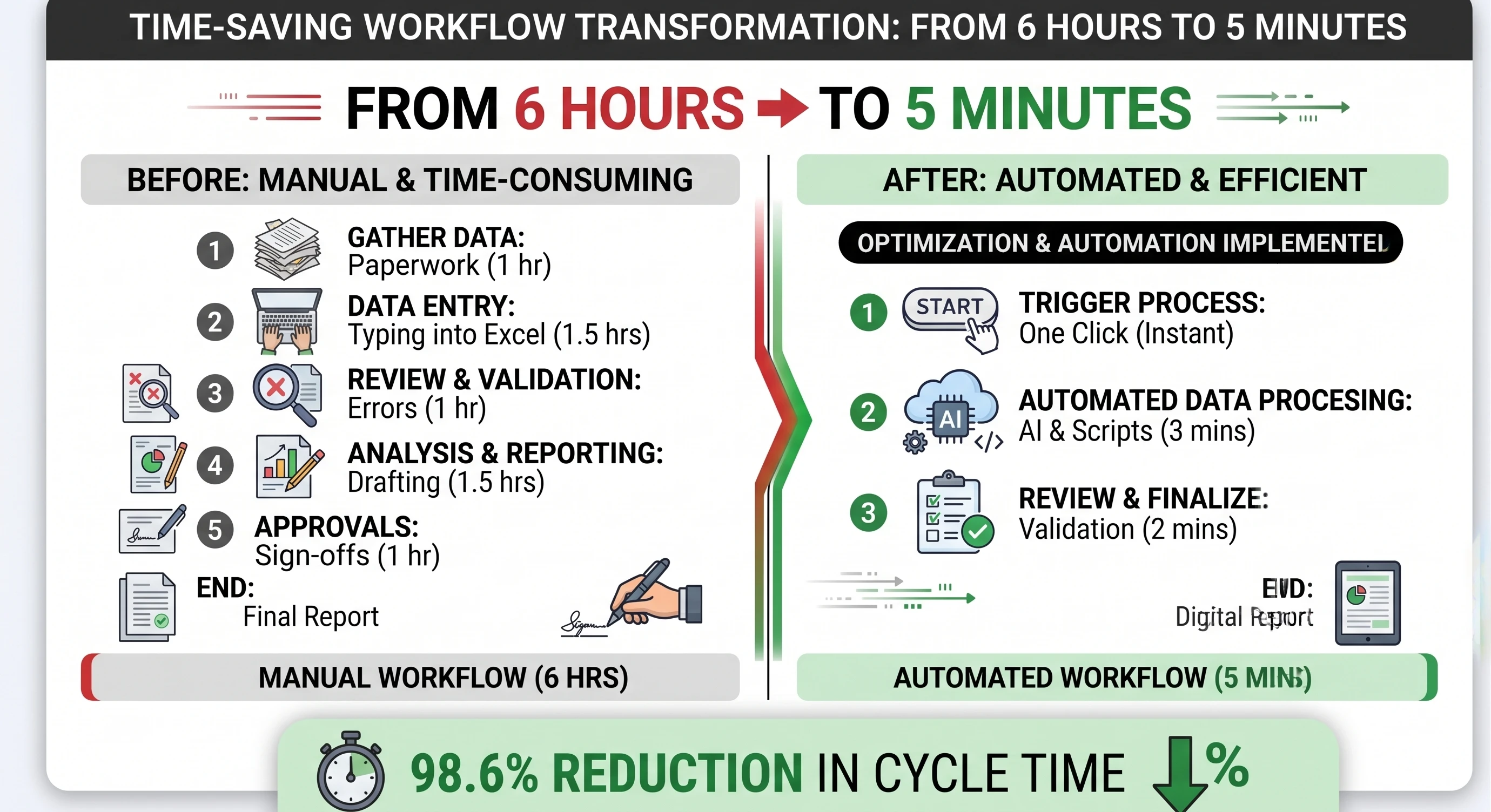
The Pedagogy of the Last Minute: Why Late Quizzes Fail
When a stakeholder asks for a quiz at the final stage of development, they are usually looking for a “completion metric” rather than a true assessment of learning. This creates a fundamental disconnect between the course content and the evaluation. In a traditional manual workflow, adding a quiz involves retrofitting questions onto slides that were never designed to support them.
The result is almost always a set of low-level “recall” questions. These questions ask learners to remember a specific bullet point or a date rather than asking them to apply the knowledge. This is where retention goes to die. If the assessment is not mapped to the learning objectives during the initial lesson planning phase, it will feel like an afterthought to the learner. When learners feel that an assessment is tacked on, their engagement drops, and the cognitive value of the course is diminished.
Using Unni.ai as a workflow solution allows you to avoid this trap. Unni.ai understands the relationship between content and assessment. When you use an AI slideshow maker that is built on pedagogical principles, you can ensure that every question is tied to a specific learning outcome, even if the request comes in later than expected.
The Impact of Cognitive Load and Poor Assessment Design
Every time a learner encounters a question, they must use cognitive resources to process the prompt, recall information, and select an answer. If a quiz is poorly designed or covers material that was not properly emphasized, it creates “extraneous cognitive load.” This is the mental effort that does not contribute to learning.
When quizzes are added at the 11th hour, they often lack the “scaffolding” required for success. Scaffolding is the process of providing support to learners as they acquire new skills. Without it, a quiz becomes a “gotcha” activity that frustrates the learner rather than reinforcing the material.
Presentation automation through Unni.ai helps mitigate this by providing a consistent structure. When you integrate educational AI into your design process, Unni.ai can analyze your existing slides to suggest questions that actually align with the narrative flow. This ensures that even “late” additions feel integrated rather than intrusive.
The “Change Order” Strategy: How to Say No (or “Not Like That”)
One of the most effective ways to manage late-stage requests is to implement a “Change Order” process. This is a formal way of acknowledging that the project scope has shifted. It moves the conversation from a casual “can you just…” to a professional “here is the impact on the timeline and quality.”
When a stakeholder asks for a quiz at the last minute, provide them with a Change Order template that requires them to define the following:
-
Learning Objective: Which specific objective does this question measure?
-
Cognitive Level: Is this a simple recall question or a complex application question?
-
Impact on UX: How does this addition change the estimated time to complete the course?
By forcing the stakeholder to think through these points, you often find that the “need” for a quiz is actually a need for better reinforcement. You can then suggest alternative methods, such as a summary slide or a reflective prompt, which are much easier to implement using training automation tools like Unni.ai.
Unni.ai: Turning Late Requests into Integrated Experiences
The real frustration of the 11th-hour quiz is the manual labor. Re-formatting twenty slides to make room for five questions is a recipe for burnout. This is where Unni.ai functions as more than just a tool; it is a total workflow solution.
Unni.ai uses presentation automation to handle the visual consistency of your slides. If you need to add a quiz section, It can automatically adjust the layout of the surrounding slides to ensure the flow remains professional. You are no longer “pixel-pushing” to fix font sizes or alignment. Instead, you are using an AI for teachers and trainers that understands design logic.
Furthermore, Unni.ai facilitates better lesson planning by offering templates specifically designed for interactive assessments. If a stakeholder insists on a quiz, you can use the AI presentation generator capabilities of Unni.ai to draft questions based on your slide content. You can then spend your time refining those questions for accuracy rather than building the slides from scratch.
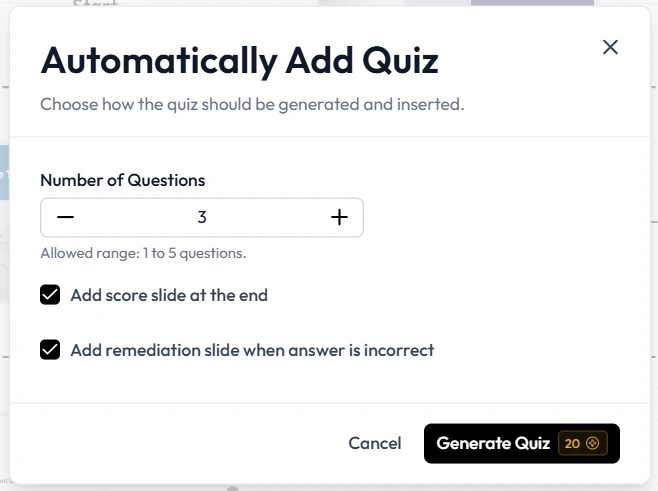
Efficiency and Productivity in Educational AI
The modern training environment moves fast. Whether you are in K-12, higher education, or corporate L&D, the pressure to produce “more with less” is constant. Manual slide creation is an outdated method that wastes the valuable expertise of the designer.
By adopting educational AI workflows, you reclaim your creative energy. When you use Unni.ai, you are opting for a system that reduces repetitive tasks. This efficiency is critical when dealing with tight deadlines. If you can generate a high-quality draft in ten minutes using an AI slideshow maker, you have fifty minutes left to focus on the nuances of the content. This is how you prevent the burnout often associated with last-minute project changes.
Checklist: Managing Late-Stage Assessment Requests
Before you hit “publish” on a late-added quiz, run through this checklist to ensure you aren’t killing your retention rates.
-
Objective Alignment: Does every question map back to a documented learning objective?
-
Clarity: Is the language of the question consistent with the language used in the teaching slides?
-
Distractor Quality: Are the “wrong” answers plausible, or are they obvious “throwaway” options?
-
Feedback Loop: Does the quiz provide immediate feedback that explains why an answer was correct or incorrect?
-
Visual Consistency: Have you used Unni.ai to ensure the quiz slides match the branding and layout of the rest of the course?
-
Timing: Does the addition of this quiz push the course past the learner’s expected attention span?
Frequently Asked Questions (FAQ)
Is it ever okay to add a quiz at the last minute?
It is only acceptable if the quiz is designed with the same care as the rest of the content. If you have the right tools, like Unni.ai, you can maintain quality even on a short timeline. However, the pedagogical mapping must still happen.
How does an AI presentation generator help with “Recall vs. Application” questions?
A sophisticated tool like Unni.ai can analyze the complexity of your text. You can prompt it to “create a scenario-based question” rather than just a “multiple-choice question,” which encourages higher-order thinking.
Does presentation automation ruin the “human touch” of my teaching?
No. In fact, it enhances it. By letting Unni.ai handle the formatting and basic slide structure, you have more time to add your personal anecdotes, unique insights, and human feedback.
Can Unni.ai help with branding for different departments?
Yes. Unni.ai allows for training automation that maintains consistent branding across various modules. If the Marketing department wants a different look than the HR department, Unni.ai handles those shifts instantly.
Conclusion: Designing for Retention, Not Just Completion
The “11th-hour quiz” will always be a challenge in the workplace. However, by understanding the pedagogical risks of late-stage additions, you can better advocate for your learners. Assessment should be an integral part of the narrative, not a barrier to completion.
By integrating AI into your workflow, you move from being a “slide builder” to a “learning architect.” You gain the power of an AI presentation generator that supports your expertise rather than replacing it. Whether you are performing lesson planning for a university course or managing presentation automation for a global corporation, Unni.ai provides the flexibility you need to handle last-minute changes without sacrificing quality.
Stop letting late requests dictate the quality of your work. Embrace the future of educational AI and show your stakeholders what a truly “engaged” learner looks like.