Why AI Training Automation Matters for Remote Teams
Learn how remote instructional designers are beating burnout and improving engagement by utilizing Unni.ai to automate AI slides and leverage educational AI.
Managing remote teams presents a unique set of challenges for instructional designers, corporate trainers, and learning experience designers. When your workforce is distributed across different time zones, traditional synchronous training becomes nearly impossible to coordinate. You are left relying on asynchronous learning modules, which historically require you to spend countless hours building slides manually. Today, modern teams are solving this exact problem with a powerful AI presentation generator. By adopting AI slides, trainers can instantly convert dense documents into engaging, interactive modules. Utilizing educational AI is a fundamental requirement for keeping remote employees connected, compliant, and consistently growing without burning out your design team.
If you entered the instructional design field to create transformative learning experiences, the reality of corporate training can often feel disappointing. Instead of mapping out engaging curriculum pathways, you likely spend your days fighting with text boxes, aligning images, and dealing with formatting frustration. Unni.ai was built to rescue professionals from this tedious cycle. By acting as a comprehensive workflow solution, Unni empowers you to focus on strategy while the technology handles the visual heavy lifting.
The Hidden Costs of Disconnected Remote Training
To understand the necessity of training automation, we must first examine the reality of manual content creation in a remote environment. In a traditional office setting, a trainer can read the room. If a slide is too dense or a concept is unclear, they can pause, ask questions, and pivot the discussion. In a remote, asynchronous setting, that immediate feedback loop is entirely gone. If your training material is uninspiring, the learner will simply disengage, click through the mandatory screens as fast as possible, and retain absolutely nothing.
This dynamic creates an immense amount of pressure on instructional designers. To compensate for the lack of face-to-face interaction, professionals often try to over-explain concepts, leading to severe training material overload. You find yourself creating massive, eighty-slide decks just to cover basic compliance updates. Spending hours building slides for every minor company update is an unsustainable workflow. It inevitably leads to burnout from presentation creation, leaving you dreading the start of every new project.
Furthermore, remote teams often suffer from inconsistent branding. When multiple trainers in different regions are manually building presentations under tight deadlines, the resulting materials rarely look cohesive. A lack of advanced design skills among subject matter experts compounds this issue. The final output is often a disjointed collection of files that damages the perceived professionalism of your Learning and Development department.
Solving the Async Disconnect with an AI Presentation Generator
This is where Unni.ai transforms the daily reality of learning professionals. Unni is a complete workflow solution designed to eliminate the friction between your expertise and your learner’s screen. It utilizes advanced presentation automation to turn raw ideas into polished, interactive learning flows instantly.
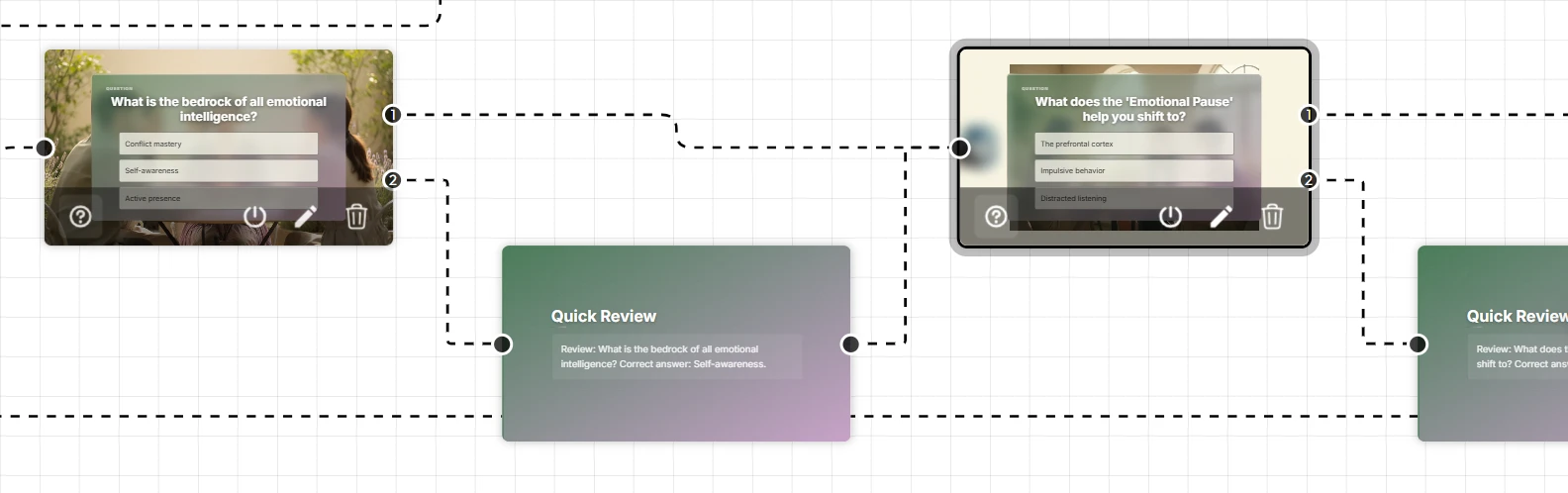
When designing for remote teams, static documents simply do not work. Unni features a next-generation visual editor that allows you to build branching, interactive experiences effortlessly. Instead of forcing learners down a linear, boring path, you can use Unni to design custom scenarios based on their choices or quiz results. The artificial intelligence handles the complex structuring, allowing you to focus on the pedagogical value of the content.
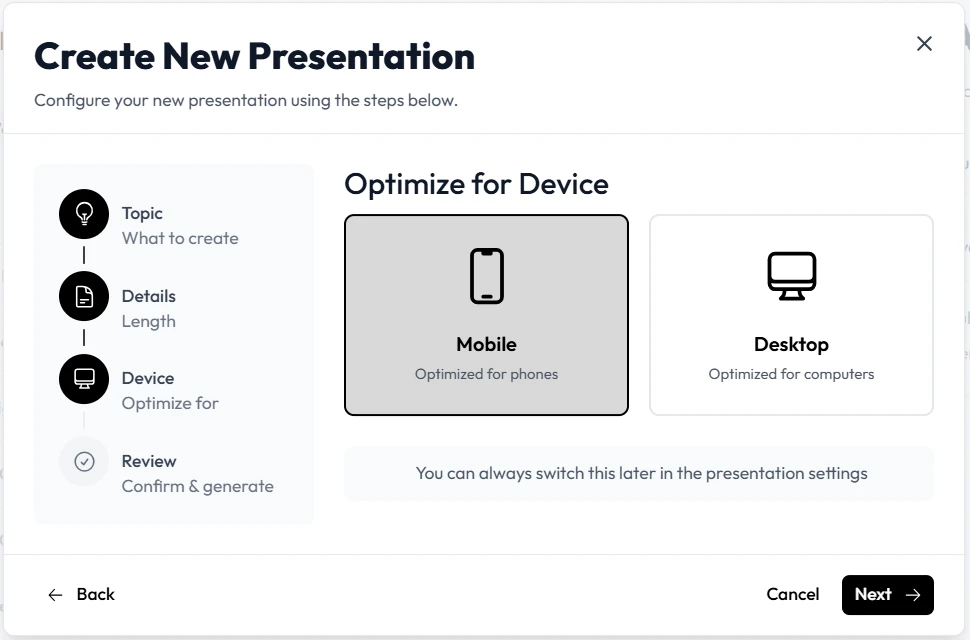
One of the most profound benefits of Unni is natural language editing. If you are reviewing a generated module and realize a section needs more impact, you do not need to navigate complex formatting menus. You simply tell the platform to “add professional statistics to this section” or “reformat this text into a readable callout card.” It understands your intent and updates the presentation immediately. Because Unni ensures every module is responsive, you can guarantee that a remote sales representative reviewing a course on their mobile phone will have the exact same premium experience as an engineer watching on a dual-monitor desktop setup.
Realistic Workplace Scenarios: Scaling Course Creation
To truly grasp the value of Unni.ai in a distributed environment, let us look at how real professionals are using it to solve common remote training bottlenecks.
Scenario A: The Global Onboarding Overhaul
Imagine an instructional designer tasked with unifying the onboarding process for a rapidly growing remote tech company. Previously, regional managers were using a fragmented collection of PDF manuals and outdated slide decks. The designer needs to create a centralized, engaging onboarding experience, but the raw material is incredibly dry.
Instead of starting from scratch, the designer imports the existing company handbook directly into Unni. Within seconds, the platform converts the text-heavy document into a structured, multi-module course. The designer then utilizes the Unni template library to introduce motion-rich interactive cards. To ensure comprehension across different time zones, they add knowledge checks to critical nodes. What would have been a grueling three-month course creation project is completed and deployed in a single week.
Scenario B: Agile Product Updates for Distributed Sales
Consider a corporate trainer supporting a remote sales team. The product team frequently releases new features, and the sales team needs to understand these updates immediately to pitch them effectively. Tight deadlines are a constant source of anxiety, and the trainer is tired of repetitive lesson planning.
Using Unni, the trainer simply types a prompt describing the new software feature. The platform instantly generates a concise, highly visual training module. Because it promotes a “no vendor lock-in” philosophy, the trainer can export this new module directly as a SCORM package and upload it to the company’s existing Learning Management System. The sales team gets the information they need in a digestible format, and the trainer avoids spending their weekend adjusting slide layouts.
Checklist: Is Your Remote Team Ready for Presentation Automation?
It can be difficult to recognize when a workflow is broken if you have been surviving on manual effort for years. Review the following checklist. If these points resonate with your daily experience, it is time to transition your team to Unni.
-
Your instructional designers are exhibiting signs of burnout due to the sheer volume of manual updates required for remote staff.
-
You frequently receive feedback that asynchronous learning modules are boring or difficult to complete.
-
Formatting issues consistently delay your project launches when moving content from text documents to visual presentations.
-
Your remote learners are accessing training on mobile devices, but your current manual slide builder only exports static, desktop-only layouts.
-
You are hesitant to update your curriculum because the thought of rebuilding the visual assets is too overwhelming.
-
You have brilliant training material that is currently trapped in unengaging formats like plain text PDFs.
If you are checking off multiple items on this list, your current process is actively hindering your organizational growth.
Frequently Asked Questions (FAQ)
Does educational AI replace the need for an instructional designer?
Absolutely not. Unni is a tool designed to amplify your expertise, not replace it. The AI handles the repetitive formatting, layout generation, and visual structuring. This frees you to focus on the human elements of learning: strategy, empathy, and curriculum alignment. Unni.ai relies on your subject matter expertise to function at its highest level.
What if our remote team uses a specific Learning Management System?
Unni is built with maximum flexibility in mind. You can easily export your interactive courses to standard formats like SCORM, PDF, PowerPoint, or video. You can also embed the courses directly onto a secure web page. Unni ensures your content always belongs to you, so you never have to worry about vendor lock-in.
Can I use my company’s own visual assets?
Yes. While Unni can auto-generate stunning visuals for your slides, you always have the option to drop in your own photography, logos, and specific branding elements. This ensures your remote training materials always look cohesive and aligned with your corporate identity.
Is it difficult to learn how to use Unni.ai?
Unni requires zero coding or advanced design skills. The platform operates on plain language commands and an intuitive visual canvas. If you know how to write an email or describe a basic concept, you have all the skills necessary to build beautiful learning experiences.
Conclusion: Empowering Your Distributed Workforce
The remote work revolution has permanently changed how we must approach corporate learning and development. Relying on outdated manual tools to communicate complex ideas across the globe is a recipe for low engagement and high employee turnover. By integrating an intelligent workflow solution like Unni, you eliminate the friction of manual formatting and unlock your team’s true creative potential.
It is time to stop burning out over pixel-perfect layouts and start focusing on what truly matters: delivering exceptional knowledge. If you are researching how to upgrade your tech stack, we highly recommend reading our guide on selecting an AI presentation generator. You can also discover practical tips for building AI slides that captivate audiences, and see how top organizations are leveraging educational AI to scale their operations.