Why Teachers Need More Than Canva AI Presentations
Discover why educators are moving beyond basic design tools. Learn how Unni.ai provides the presentation automation and educational AI required for complex course creation.
For many educators, the daily grind involves a constant battle between pedagogical intent and technical constraints. You likely spend your evenings experimenting with various tools, trying to build engaging lessons without losing your mind to formatting errors. While design-focused platforms like Canva have made basic graphic creation more accessible, they often fall short when it comes to true presentation automation and high-level pedagogical structure. If you are tired of manually aligning text boxes or fighting with templates that don’t support complex branching, you are not alone. It is time to look at why an AI presentation generator designed for structural depth, like Unni.ai, is becoming the preferred workflow solution for modern educators.
When you use general-purpose design tools, you are often limited to static, linear sequences. You are a teacher, not a graphic designer; you shouldn’t have to spend your limited planning time wrestling with layout margins. Unni understands that your goal is not just to create pretty AI slides but to foster deep learning. By integrating educational AI into your daily workflow, you can stop focusing on pixels and start focusing on student outcomes.
The Limitations of Static Design Tools in the Classroom
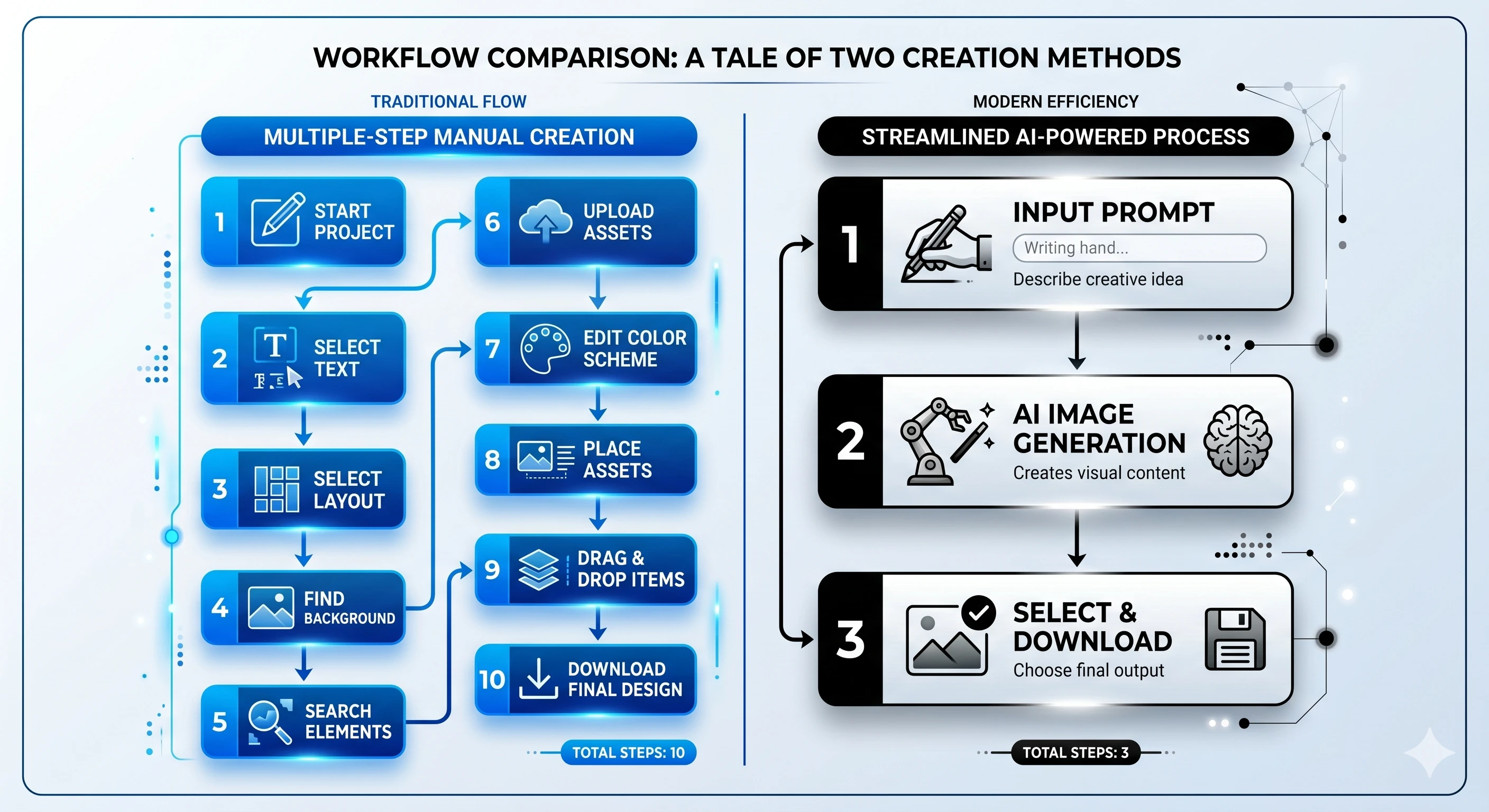
Canva is excellent for posters, flyers, and basic visual inspiration. However, as an educator, your needs go far beyond a static image. When you are engaged in course creation, you aren’t just making a slide deck; you are designing a cognitive journey for your students. The frustration arises when you try to force that journey into a tool that wasn’t built for instructional logic.
One of the biggest pain points is the lack of branching support. In a real classroom, students learn at different paces and have different needs. A static presentation forces every student down the same rigid path. If a student gets confused, there is no way for a standard slide deck to pivot. This is where you encounter training material overload, as you try to cram more text into a single slide to “cover all bases,” which only leads to lower student engagement.
Furthermore, manual lesson planning inside design-focused software is incredibly repetitive. Every time you have a new topic, you are effectively starting from scratch. You hunt for a template, replace the stock images, and hope the font sizes remain consistent. This is a form of burnout that keeps you from doing what you actually love: teaching.
How Unni Transforms Your Instructional Workflow
Unni is not merely a design tool; it’s a workflow solution for content creation. Unlike general design suites that prioritize aesthetics above all else, Unni prioritizes flow, structure, and learner interaction. By using an AI presentation generator that understands pedagogical frameworks, you can turn a basic outline into a fully structured, interactive module in minutes.
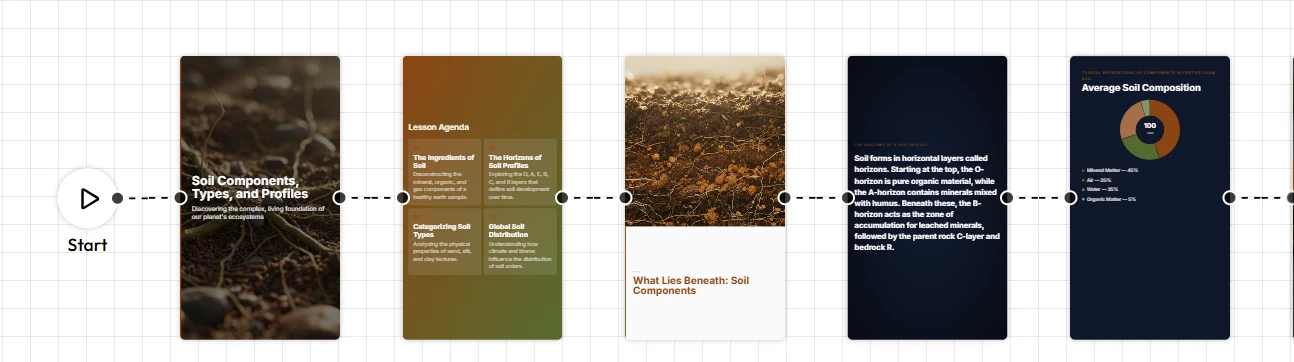
The secret lies in the node-based visual canvas. Imagine mapping out a lesson where every point is a node that you can connect to quizzes, interactive knowledge checks, or branching pathways based on student performance. This is the power of presentation automation. You are architecting a digital experience. When you need to update your curriculum, you don’t rebuild. You simply adjust the nodes, and the system handles the rest.
Moreover, because Unni is rooted in educational AI, it assists with the actual “writing” and “structuring” of your content. You can import your source material, and the system organizes it into logical, digestible segments. It eliminates the “blank page” fear entirely, providing a solid foundation that you can then refine to match your personal teaching voice.
Why Teachers Choose Professional Automation over Basic Templates
The shift to a dedicated AI presentation generator is about reclaiming your agency. Teachers who transition to Unni.ai often report a significant decrease in the time they spend on administrative tasks. Here is why the move is so impactful:
-
Consistency and Branding: Your classroom materials should look professional without you needing a degree in graphic design. Unni ensures your layout remains clean and consistent, regardless of the content length.
-
Responsive Design: You no longer need to worry if your slides will break when displayed on a tablet, a laptop, or a projector. Everything is automatically optimized for the device.
-
Content Ownership: You never have to worry about vendor lock-in. Your lessons are yours to export, share, and reuse, giving you complete control over your pedagogical assets.
-
Reduced Burnout: By automating the tedious visual formatting, you save hours every week, which you can redirect toward student feedback, mentorship, or your own well-being.
Checklist: Is It Time to Upgrade Your Lesson Planning Workflow?
If you relate to these points, your current presentation tool may be holding you back:
-
You spend more time resizing images and aligning text boxes than you do writing the actual lesson content.
-
Your students are disengaged because your presentations are just linear, text-heavy lecture slides.
-
You find yourself repeating the same manual layout work for every new unit of study.
-
The thought of updating your curriculum feels overwhelming because of the manual effort involved.
-
You struggle to incorporate interactive elements like quizzes or branching scenarios into your existing slide software.
If more than two of these sound familiar, your current process is creating unnecessary friction. It is time to treat your content creation as a streamlined, automated workflow rather than a design chore.
Frequently Asked Questions About Educational AI
Does using Unni replace my teaching style?
Not at all. You remain the subject matter expert. The AI presentation generator handles the structural and formatting labor, but the pedagogical direction, tone, and goals come entirely from you.
Is this only for digital learning?
While perfect for remote or hybrid classes, Unni is equally powerful for in-person instruction. You can use your interactive modules on classroom smartboards to keep students engaged in real-time.
Can I use my own materials from Google Slides or PowerPoint?
Yes. Unni allows for seamless importing of your existing materials. You don’t have to throw away your hard work; you just need a better way to structure and deliver it.
How does this improve student engagement?
By using branching and interactive knowledge checks, you transform passive viewing into active learning. Students interact with your material, which leads to better retention and comprehension.
Conclusion: Take Back Your Planning Time
The profession of teaching is inherently creative, but the administrative burden of manual design often suppresses that creativity. By moving beyond basic design tools and adopting an AI presentation generator like Unni, you gain a powerful partner in course creation. You deserve tools that work as hard as you do, providing presentation automation that lets you focus on what really matters: the students in your classroom.
If you are ready to see how educational AI can revolutionize your teaching process, start your journey today. Explore our guides on creating AI slides and using training automation to build the next generation of classroom materials.
Visit Unni.ai and discover a faster, more effective way to prepare for every lesson.