AI Training Content Automation for Enterprise Teams: The Ultimate Scale Guide
Learn how enterprise L&D teams use AI to automate training content at scale. Covers workflow automation, consistency, and how to reduce design bottlenecks.
Enterprise Learning and Development (L&D) teams are no longer just teaching; they are managing a massive influx of information that changes weekly. Whether it is a product pivot, a regulatory shift, or a global software rollout, the demand for high-quality training assets is relentless. Traditional manual slide design is the primary barrier to keeping pace with this speed.
By adopting an AI presentation generator, enterprise teams can move from a craftsmanship model to a production model. This transition relies on presentation automation to handle the heavy lifting of layout, content synthesis, and visual consistency. When you integrate educational AI into your corporate ecosystem, you transform your team from “content makers” into “learning architects.”
Unni.ai sits at the center of this transformation. It provides the technical infrastructure to turn raw business data into structured, professional training modules without the typical design bottlenecks.
The Strategic Shift to Training Automation
In a traditional enterprise environment, building a single training module involves multiple stakeholders, lengthy SME (Subject Matter Expert) interviews, and weeks of design iterations. Training automation via Unni.ai shrinks this cycle by 80 percent.
The goal of educational AI in a corporate setting is not to replace the instructional designer but to augment their ability to deliver content. Unni.ai acts as a digital workspace where data becomes a presentation through automated logic. Instead of starting with a blank slide, your team starts with a 90 percent complete draft that only requires final human nuance and strategic alignment.
5 Steps to Building an AI-Driven Training Pipeline
Implementing presentation automation requires a systematic approach to ensure the output matches enterprise standards for quality and security.
1. Ingesting Enterprise Data
The first step is feeding Unni.ai the necessary context. This could be a technical manual, a transcript from a recorded Zoom meeting, or a collection of internal Wiki pages. Unni.ai is designed to parse complex, non-linear text and extract the most relevant learning objectives.
2. Setting the Instructional Framework
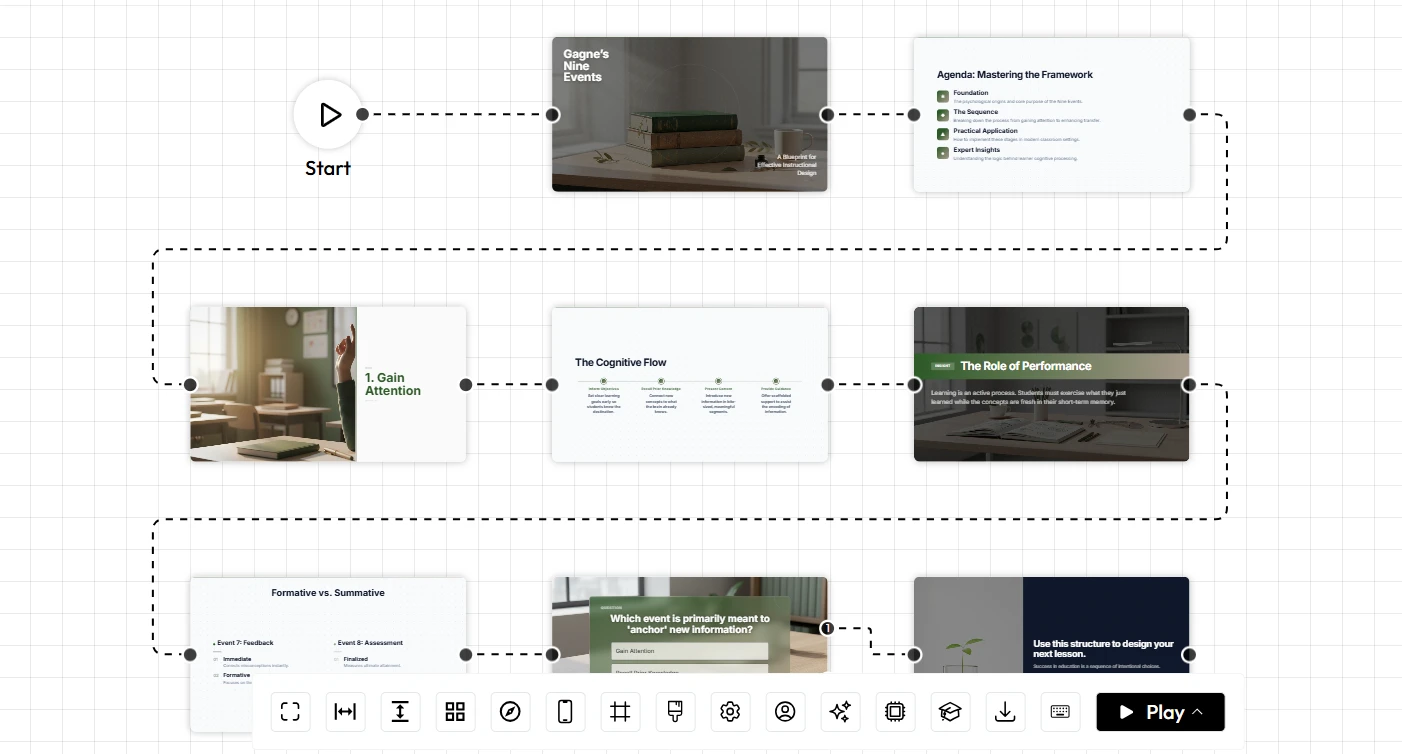
L&D teams usually follow specific models like ADDIE or Merrill’s Principles. When using the AI presentation generator, you can direct the AI to structure the content accordingly. For example, you can prompt the presentation generator to “generate a slide deck based on the Gagne’s Nine Events of Instruction,” ensuring your automated content is still pedagogically sound.
3. Rapid Design Iteration
In an enterprise setting, branding is non-negotiable. Unni.ai allows teams to lock in brand guidelines. This ensures that every deck generated through presentation automation uses the correct typography, color palette, and logo placement. You no longer need to check every slide for brand compliance; Unni.ai does it for you.
4. Collaborative Refinement
Once Unni.ai produces the draft, instructional designers can collaborate within the platform. This is where the human element is most valuable: adding company-specific anecdotes, nuance, and regional cultural context that the educational AI provides a foundation for.
5. Multi-Format Exporting
A modern L&D team doesn’t just need a slide deck. They need assets for LMS (Learning Management Systems), webinars, and live workshops. Unni.ai allows you to export your automated content into formats that integrate seamlessly with your existing tech stack.
Practical Examples of Enterprise AI Implementation
How does this look in a real-world corporate environment? Here are three ways teams are currently using Unni.ai to solve high-pressure training needs.
Sales Enablement at Scale
When a company launches a new product line, the sales team needs training yesterday. By feeding product spec sheets and competitive analysis into Unni.ai, the enablement team can generate regional training decks for thousands of sales reps in hours. The AI presentation generator ensures that every rep receives the same high-quality, visually engaging information simultaneously.
Global Compliance Updates
For multinational corporations, a change in EU or North American regulations requires immediate retraining. Using presentation automation in Unni.ai, the legal and L&D teams can create a core compliance deck and then ask Unni.ai to localize it for different regions, languages, and specific legal nuances without redesigning every slide.
Technical Onboarding for Engineering
Engineering departments often struggle with keeping onboarding materials up to date as tech stacks evolve. Unni.ai allows senior engineers to record a walkthrough of a new system. That recording’s transcript is then fed into the platform, which converts the technical jargon into a structured, visual “How-To” guide for new hires.
Checklist: Maximizing Your AI Content Strategy
Before your team fully transitions to an AI presentation generator workflow, use this checklist to ensure your processes are optimized for maximum ROI.
-
Audit Your Sources: Are the documents you are uploading to Unni.ai the most recent versions?
-
Define User Roles: Who has “Editor” vs. “Viewer” access within your Unni.ai team workspace?
-
Set Style Constraints: Have you uploaded your enterprise-wide style guide to the Unni.ai settings?
-
Review for Context: Have you added the “Human-in-the-loop” step to verify company-specific nuances in the Unni.ai output?
-
Measure Effectiveness: Are you tracking engagement rates or quiz scores from the content produced by presentation automation?
FAQ: Scaling Enterprise Learning with AI
Can Unni.ai handle complex data like spreadsheets and code blocks?
Yes. Unni.ai is built for professionals. Its educational AI engine can interpret data tables and technical documentation, presenting them in a way that is easy for learners to digest.
How does presentation automation save my team time?
On average, L&D teams report saving 70 to 80 percent of their content creation time. By using Unni.ai to generate the first draft, your team skips the tedious work of formatting, image sourcing, and basic structure.
Is the content generated by Unni.ai unique?
Every deck created by the Unni.ai AI presentation generator is built from your specific source material and prompts. It is not a generic template; it is a custom-built learning asset tailored to your organization.
Can we use Unni.ai for lesson planning in academic settings?
While this guide focuses on enterprise, Unni.ai is widely used by academic professionals for lesson planning. The same presentation automation principles apply to building curriculum-aligned classroom materials.

Conclusion: The New Standard for Learning and Development
The pressure on L&D teams will only increase as the pace of business continues to accelerate. Relying on manual slide design is a strategy for burnout. The solution lies in presentation automation: treating content creation as a scalable process rather than a manual chore.
By integrating an AI presentation generator like Unni.ai, your organization ensures that training is always up to date, visually consistent, and pedagogically sound. Educational AI empowers your trainers to spend less time on the screen and more time in the classroom, whether virtual or physical.
The future of corporate education is automated, agile, and intelligent. Unni.ai is the engine that makes that future possible today.
Empower your L&D team with the power of Unni.ai. Get started with the Unni.ai AI presentation generator and experience the next generation of professional training.