How Educational Influencers Create Course Content Faster with AI
Learn how educational influencers create course content faster with AI. Covers tools, workflows, and strategies for scaling without burning out.
The digital landscape for educators and trainers has shifted. Today, successful course creators and educational influencers are no longer spending dozens of hours manually designing slides. Instead, they leverage an AI presentation generator to handle the heavy lifting of visual design and content structuring. By integrating educational AI into their daily workflows, these professionals can focus on what matters most: delivering high-quality instruction and engaging with their community. Using **Unni.ai for presentation automation is not only a luxury for the tech-savvy; it is also a fundamental requirement for anyone looking to scale their educational impact without burning out.
The Shift Toward Presentation Automation in Education
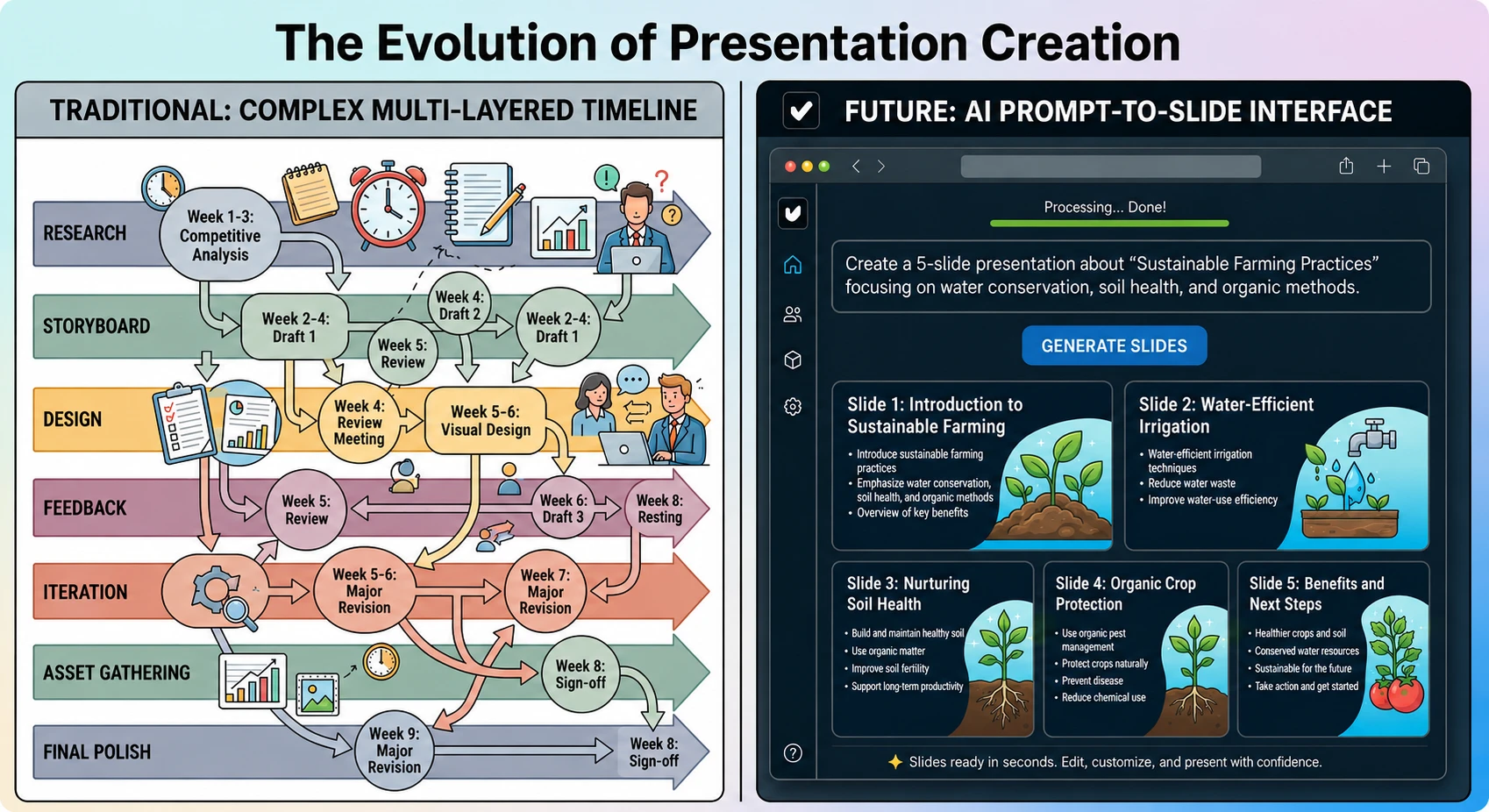
The traditional method of building a curriculum involves sourcing images, formatting bullet points, and ensuring brand consistency across hundreds of slides. For instructional designers and corporate trainers, this process is often the biggest bottleneck in the production cycle. Educational influencers have bypassed this hurdle by adopting Unni.ai to transform raw notes into polished decks in seconds.
When you implement presentation automation, you are essentially creating a scalable system for your knowledge. Instead of starting from a blank canvas, you provide Unni.ai with a topic, a transcript, or a rough outline. The educational AI then interprets the hierarchy of information, selects appropriate layouts, and generates a cohesive narrative flow in AI slides. This allows course creators to produce weekly content updates or new modules at a pace that was previously impossible.
Step 1: Defining Your Course Architecture with Educational AI
Before touching a design tool, top-tier creators use AI to refine their syllabus. You can input your core learning objectives into Unni.ai to generate a logical sequence of lessons. This ensures that your course follows a pedagogical structure that keeps students engaged.
-
Identify the primary goal of your training session or course module.
-
Input your key talking points or a rough draft into the Unni.ai interface.
-
Allow the educational AI to suggest a slide-by-line breakdown that covers all necessary concepts.
-
Review the suggested outline to ensure it aligns with your unique teaching voice.
By using Unni.ai at this stage, you eliminate the “blank page syndrome” that often delays content production. The platform acts as a collaborative partner, suggesting ways to break down complex topics into digestible visuals.
Step 2: Generating Visuals with an AI Presentation Generator
Once the structure is set, the aesthetic phase begins. Visual storytelling is critical for retention, especially in digital learning environments. An AI presentation generator like Unni.ai uses sophisticated algorithms to match your text with relevant imagery and icons.
Young professionals and academic experts often struggle with design principles like white space, contrast, and font pairings. Unni.ai removes this barrier by applying professional design rules automatically. You can select a theme that matches your personal brand, and Unni.ai will ensure every slide adheres to those styles. This level of consistency is what separates amateur slide decks from high-converting course content.
Step 3: Customizing and Refining for Your Audience
While the AI provides a robust foundation, the “influencer” element comes from your personal touch. Unni.ai allows for easy manual adjustments. You can swap out images, tweak the wording of a call to action, or add interactive elements.
-
Use the Unni.ai editor to highlight key terms for emphasis.
-
Incorporate your own branded assets, such as logos or specific color hex codes.
-
Add speaker notes directly within Unni.ai to prepare for your recording or live session.
-
Export the final product in your preferred format for hosting on a Learning Management System (LMS).
Practical Examples of AI-Driven Content
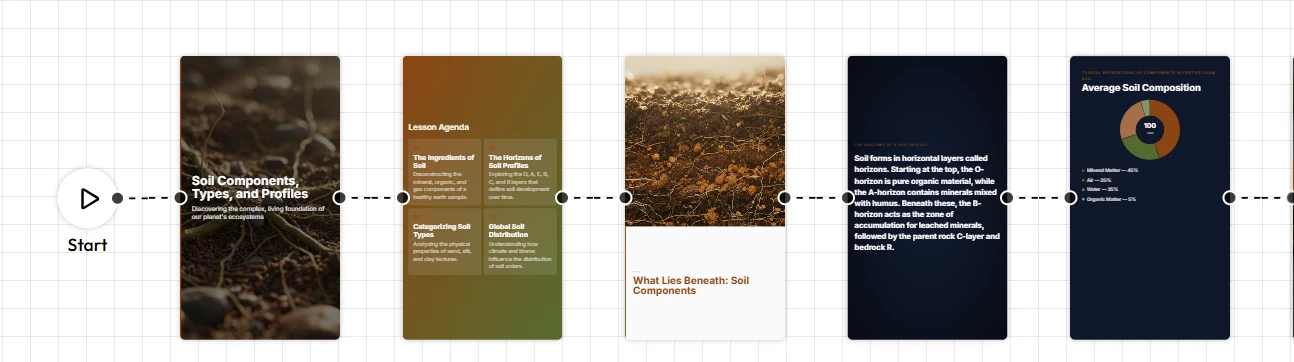
To understand the versatility of these tools, consider how different professionals utilize Unni.ai in their specific niches:
-
Corporate Trainers: A trainer needs to convert a 50-page compliance manual into a 15-minute onboarding session. By using presentation automation through Unni.ai, they can extract the most vital points and visualize them instantly.
-
K-12 Teachers: A teacher can take a complex historical event and use Unni.ai to create a visually engaging story that captures the attention of middle school students, all while adhering to curriculum standards.
-
Course Creators: An influencer selling a masterclass on digital marketing can use Unni.ai to quickly create “bonus” slide decks for their students, increasing the perceived value of their offer without increasing their workload.
Scaling Your Workflow: A Content Creation Checklist
To maintain a consistent posting or uploading schedule, follow this checklist when using Unni.ai:
-
Content Audit: Ensure your source material is updated and accurate.
-
Prompt Precision: Use specific prompts in Unni.ai to get the best first-draft results.
-
Visual Alignment: Check that the AI-generated images support the educational message.
-
Accessibility Check: Ensure font sizes and color contrasts are readable for all students.
-
Final Export: Test the presentation on different devices to ensure responsiveness.
Frequently Asked Questions (FAQ)
Can I use Unni.ai if I have no design experience?
Yes. Unni.ai is designed specifically for professionals who need high-quality results without a background in graphic design. The AI presentation generator handles the layout, color theory, and image placement for you.
How does educational AI improve student retention?
Visuals generated by Unni.ai are designed to reduce cognitive load. By organizing information into clear, visually distinct sections, the educational AI helps students process and remember the material more effectively.
Is presentation automation suitable for academic research?
Absolutely. Academic professionals use Unni.ai to turn dense research papers into engaging conference presentations. It allows them to spend more time on their data and less time on slide formatting.
Can I export my Unni.ai projects to other formats?
Yes, Unni.ai supports multiple export options, making it easy to integrate your slides into various teaching platforms, webinars, or classroom settings.
Enhancing Your Authority with Better Design
The quality of your slides is a direct reflection of your professional authority. When an educational influencer presents a deck that is cluttered or dated, it undermines their credibility. By using Unni.ai, you ensure that every piece of content you produce meets a high standard of excellence. This professional polish builds trust with your audience, whether they are corporate executives or university students.
Furthermore, the time saved through presentation automation can be reinvested into community building or further research. If you save five hours a week by using Unni.ai, that is five hours you can spend interacting with your students or developing your next big course idea.
Conclusion
Mastering the art of course creation in the modern era requires a blend of human expertise and machine efficiency. By utilizing an AI presentation generator, you can bypass the most tedious parts of the creative process. Whether you are focused on training automation or daily lesson planning, Unni.ai provides the tools necessary to produce world-class materials in a fraction of the time. Embracing educational AI is the most effective way to stay competitive and relevant in an increasingly crowded digital market. As you move forward, remember that presentation automation is your greatest ally in achieving a sustainable and impactful career in education.