How Teachers Can Create Engaging Educational Slides Faster
Discover how teachers can create engaging educational slides faster with AI. Practical tips on structure, design, and using Unni.ai to save prep time.
The modern classroom moves quickly and teachers often find themselves balancing instruction with heavy administrative burdens. One of the most time consuming tasks is lesson planning and the creation of visual materials. Research indicates that educators spend upwards of 15 hours every week on planning alone. Much of this time is dedicated to building slides from scratch which can lead to late nights and eventual burnout.
Fortunately the rise of an AI presentation generator is changing this workflow. By using presentation automation tools like Unni.ai teachers can reclaim their time while producing higher quality visual aids. This shift toward educational AI allows instructors to focus on what matters most which is direct student engagement and personalized support. In this guide we will explore how to leverage AI slides to create impactful lessons in a fraction of the time.
The Evolution of Educational AI in the Classroom
For years teachers relied on static templates and manual formatting. Creating a single deck for a history lecture or a science lab required sourcing images, organizing bullet points, and ensuring the layout was readable. With educational AI this process is no longer manual. Unni.ai acts as an intelligent partner that understands pedagogical structures.
When you use an AI presentation generator you are not just getting a template. You are utilizing a system that can take a simple prompt or a rough lesson plan and turn it into a structured sequence of AI slides. This level of presentation automation ensures that the cognitive load on the teacher is reduced while the visual clarity for the student is increased.
Step-by-Step Guide to Presentation Automation with Unni.ai
Implementing presentation automation into your daily routine is straightforward. Follow these steps to generate your first set of high impact materials.
-
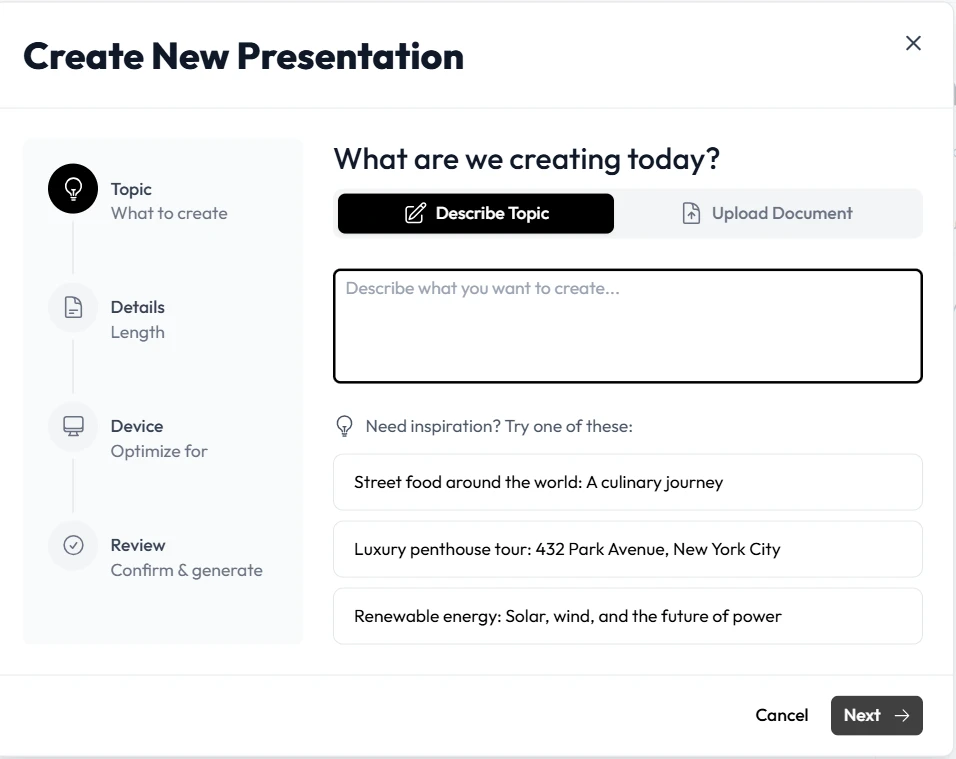
Define Your Learning Objectives: Start by entering your core topic into Unni.ai. Be specific about the grade level and the key takeaways you want your students to master.
-
Select Your Style: Choose a theme that fits your classroom environment. Unni.ai offers professional designs that work for both primary education and higher academic settings.
-
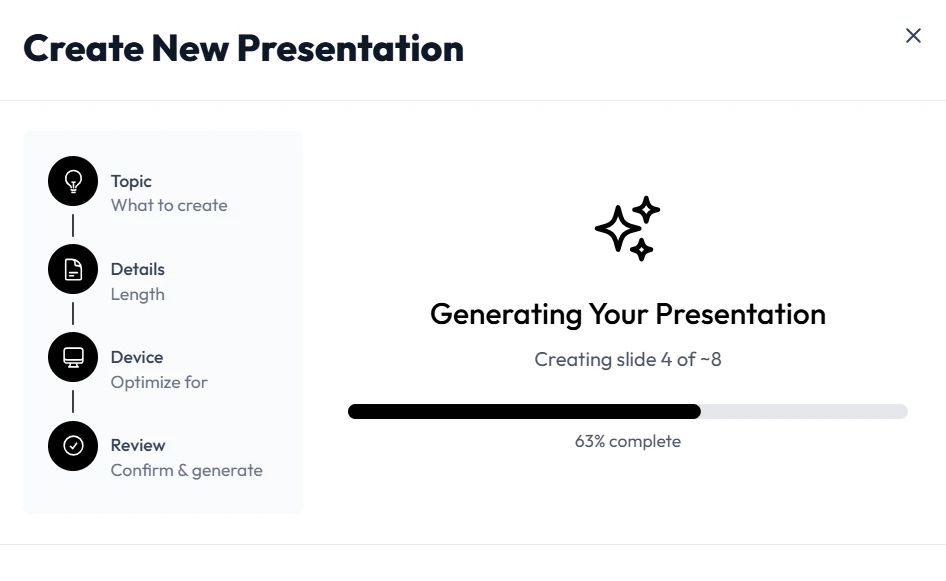
Generate the Initial Draft: Click to generate your AI slides. Within seconds Unni.ai will produce a comprehensive deck including titles, core content, and suggested visuals.
-
Refine and Personalize: While the AI handles the bulk of the work you should add your unique voice. Adjust the text to match your specific teaching style or add anecdotes that resonate with your local student body.
-
Add Interactive Elements: Use the built-in tools in Unni.ai to insert polls or discussion questions that keep students active during the presentation.
Practical Examples of AI Slides in Different Subjects
The versatility of an AI presentation generator makes it suitable for every department. Here are three ways Unni.ai can be applied across different disciplines.
Science and Biology
Explaining complex processes like photosynthesis or cellular respiration is easier with visual hierarchies. Unni.ai can automatically generate diagrams and flowcharts that break down these concepts into digestible steps. This form of presentation automation ensures that students can follow the logic without getting overwhelmed by text.
History and Social Studies
Creating timelines and geographical context used to take hours of research. By inputting a specific era or event into Unni.ai the platform can source relevant historical contexts and organize them chronologically. These AI slides provide a visual narrative that helps students connect historical cause and effect.
Mathematics and Logic
For math teachers educational AI is a game changer. Unni.ai can format equations and geometric proofs clearly. Instead of drawing complex shapes on a whiteboard you can project precise visualizations that show the relationship between variables.
Checklist for Effective AI Slides
To ensure your automated presentations are as effective as possible use this checklist before you hit the present button.
-
Clarity: Is the font size large enough for the back of the room?
-
Consistency: Does the theme remain unified across all slides?
-
Engagement: Have you included at least one interactive question every five slides?
-
Visual Balance: Is there a healthy mix of text and imagery?
-
Accuracy: Have you verified the data points generated by the AI presentation generator?
-
Accessibility: Is the color contrast high enough for all students to read?
Frequently Asked Questions about Unni.ai
**Can Unni.ai integrate with my existing curriculum? **
Yes Unni.ai is designed to complement your current materials. You can upload your existing lesson plans and the AI presentation generator will use that data to build your deck.
How much time can I really save with presentation automation?
Most teachers report saving between 5 and 10 hours per week on slide creation. By moving to AI slides you eliminate the need for manual formatting and layout design.
Is the content generated by educational AI reliable?
Unni.ai uses advanced models to ensure high relevance but we always recommend a quick review by the educator to ensure pedagogical alignment and local curriculum standards.
Conclusion
The transition to presentation automation is not just about speed but it is about quality and sustainability. Using an AI presentation generator like Unni.ai allows professionals to produce stunning, educational content without the traditional stress of manual design. By adopting educational AI you are taking a significant step toward better lesson planning and a healthier work-life balance.