How to Build Better Online Courses with AI Presentation Software
Learn how to build high-impact online courses with AI presentation software. Covers slide structure, engagement strategies, and how Unni.ai saves hours.
Creating an online course often feels like a marathon. Between researching content and designing visuals, the workload is heavy for even the most experienced educators. However, using an AI presentation generator can transform this process from a chore into a streamlined workflow. With v, you can generate professional AI slides in seconds, allowing you to focus on teaching rather than formatting. By embracing presentation automation and educational AI, you can deliver high-quality content that keeps students engaged without the burnout of manual design. This article explores how Unni.ai helps you build better courses faster.
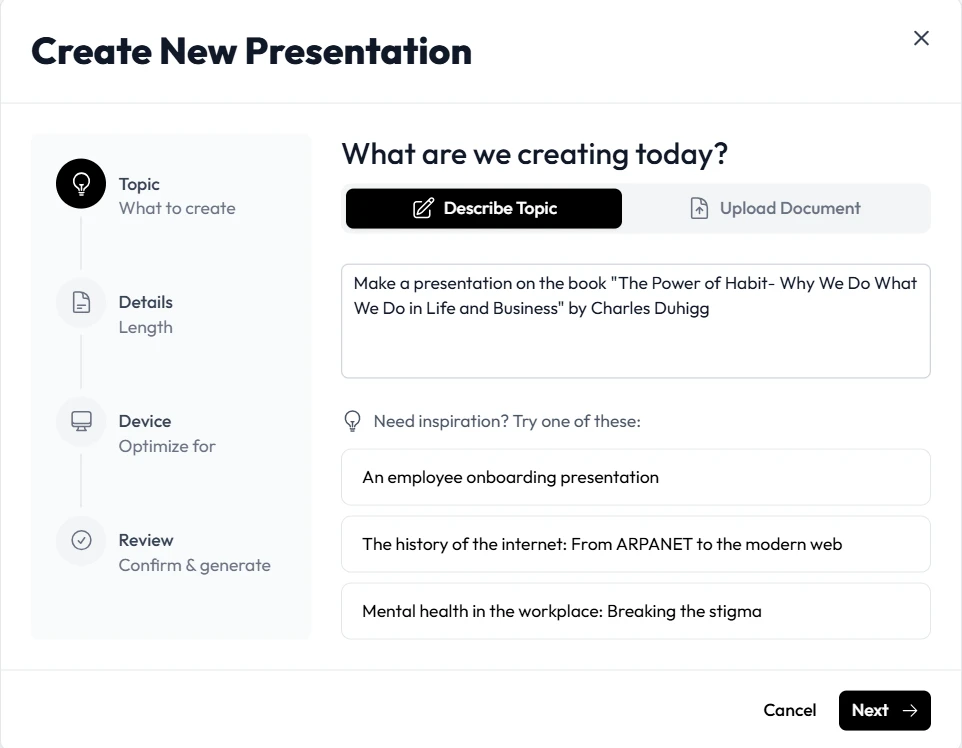
The Shift Toward AI Powered Course Creation
Traditional course development is changing. Instructional designers and teachers are no longer spent hours tweaking font sizes or searching for the perfect stock image. It is also moving away from heavy desktop software that locks you to a single operating system, so if you have ever wrestled with running Articulate Storyline on a Mac, a browser-based workflow can save you the hassle. Unni.ai provides a robust framework where your ideas are instantly translated into visual stories. Whether you are working on lesson planning or corporate training automation, Unni.ai serves as the bridge between your expertise and a finished product.
Why Visuals Matter in Online Learning
Research shows that learners retain information significantly better when it is paired with relevant imagery. Unni ensures that your AI slides are not just text on a screen but a cohesive learning experience. Using Unni allows you to maintain a professional aesthetic that builds credibility with your audience.
Step 1: Defining Your Course Structure with Unni.ai
Before you touch the AI presentation generator, you need a clear roadmap. Unni.ai excels when you provide it with a solid foundation.
-
Identify your learning objectives. What should your students know by the end of the module?
-
Input your core topics into Unni. You can provide Unni.ai with a brief outline or a series of prompts.
-
Select your target audience. Unni.ai adjusts the tone and complexity of the AI slides based on whether you are teaching middle schoolers or C-suite executives.
-
Choose a visual theme. Unni offers templates that range from minimalist academic styles to vibrant corporate designs.
By using Unni for the initial draft, you bypass the “blank page syndrome” that plagues many creators. Unni handles the heavy lifting of structure, leaving you to refine the message.
Step 2: Generating Content via Presentation Automation
The core strength of Unni.ai lies in presentation automation. Once your outline is set, the AI presentation generator populates each slide with relevant text, bullet points, and data visualizations.
Refining the AI Output
Unni.ai is highly intuitive, but your expert touch is what makes a course truly exceptional. After Unni generates the initial draft, you can:
-
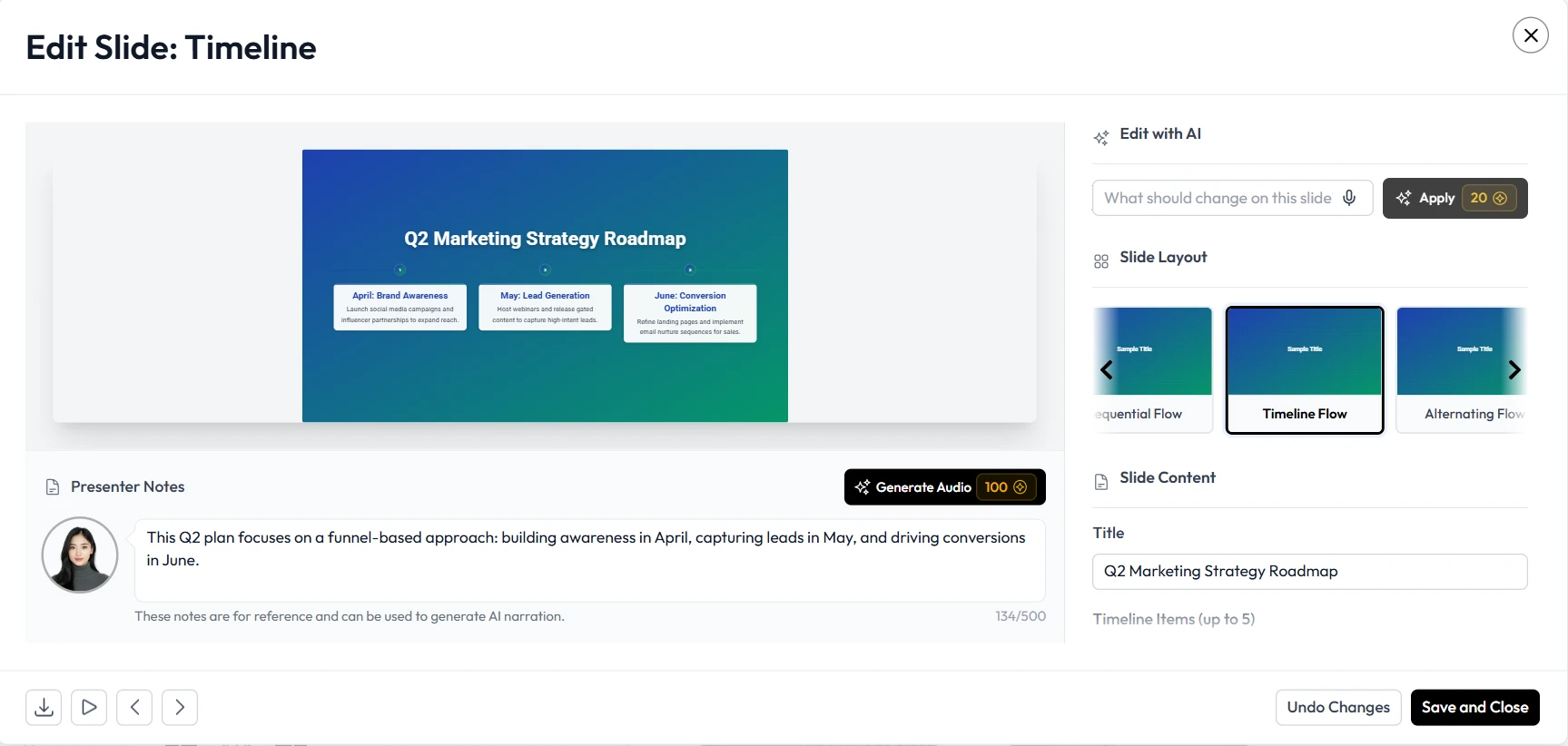
Swap images. Unni.ai suggests visuals, but you can upload your own branded assets.
-
Adjust layout. Use the Unni.ai drag and drop editor to move elements if a specific slide needs more breathing room.
-
Add interactive elements. Note where you want to pause for a quiz or a discussion, ensuring the flow of the educational AI content remains dynamic.
Step 3: Enhancing Engagement with Educational AI Features
Standard slideshows can be passive. Unni.ai helps you break that cycle. When building a course, consider how Unni can help you implement active learning strategies.
Case Study: Training Automation for Corporations
A corporate trainer needs to onboard 50 new employees every month. By using Unni, they can create a standard template for company culture. The AI presentation generator then allows them to quickly swap out department specific details for different teams. This level of training automation ensures consistency across the organization while saving the trainer dozens of hours each month.
Lesson Planning for Academic Teachers
For educators, Unni simplifies lesson planning. Instead of building every lecture from scratch, a teacher can feed Unni a chapter summary from a textbook. Unni.ai then generates a deck of AI slides that highlights key vocabulary, historical dates, or scientific formulas.
Step 4: Finalizing and Exporting Your Course
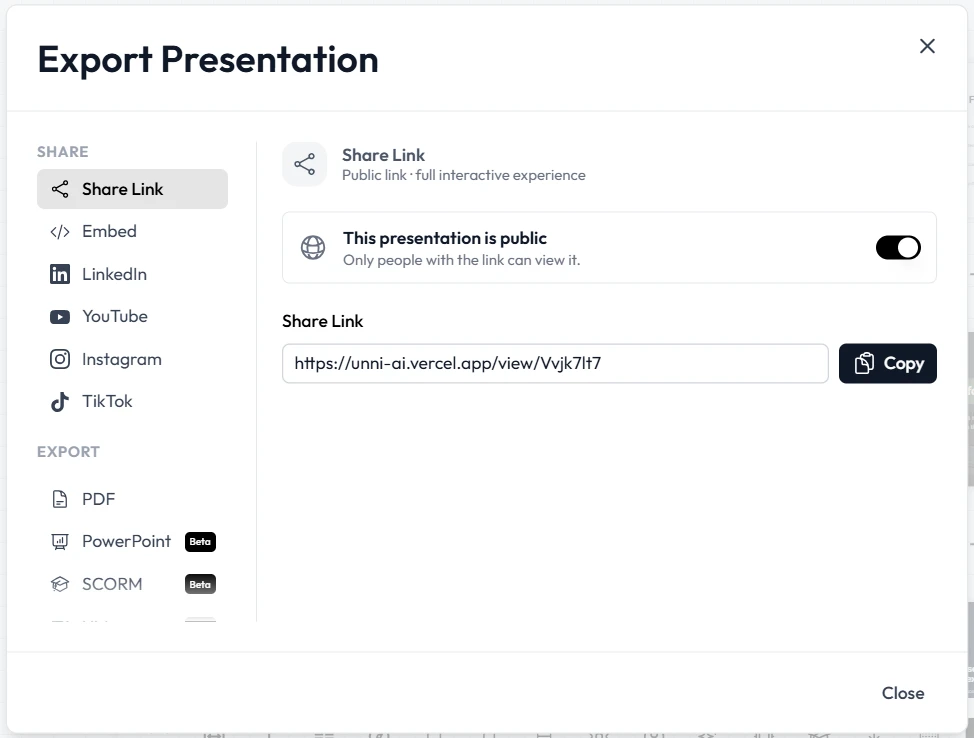
Once you are satisfied with the visuals and content in Unni.ai, it is time to deliver it to your students. Unni offers multiple export options to fit your tech stack.
-
Export to PDF. Ideal for student handouts or workbooks.
-
Web Link Sharing. Unni.ai allows you to share a live link where students can view the presentation in their browser.
-
LMS Integration. Many instructional designers download Unni.ai files to upload directly into platforms like Canvas, Moodle, or Teachable.
Practical Examples of Unni.ai in Action
To give you a better idea of how Unni.ai fits into different workflows, here are three scenarios:
-
The Independent Course Creator: A fitness coach wants to sell a “Nutrition 101” course. They use the Unni.ai AI presentation generator to create 10 modules. Unni.ai ensures that the branding is consistent across every slide, making the course look like it was designed by a professional agency.
-
the K-12 Teacher: A history teacher needs to explain the Industrial Revolution. They use Unni.ai to find relevant historical images and create a timeline. Because of Unni, the teacher spends their Sunday afternoon with family instead of at a computer.
-
The HR Professional: An HR manager uses Unni.ai for training automation regarding new safety protocols. Unni helps them turn dry compliance text into a series of engaging AI slides that employees actually enjoy watching.
Checklist: Building a High Quality Course with Unni.ai
Use this list to ensure your Unni.ai project is ready for your students:
-
Does the Unni.ai deck follow a logical progression?
-
Are the AI slides visually balanced with enough white space?
-
Have you used Unni.ai to include a “Key Takeaways” slide at the end of each section?
-
Is the text on every Unni slide legible for mobile learners?
-
Did the presentation automation capture all your primary data points?
-
Have you checked the Unni.ai generated images for relevance to your topic?
FAQ: Using Unni.ai for Course Creation
Can I use Unni.ai if I am not a designer?
Absolutely. Unni.ai is built specifically for people who are experts in their field but may not have graphic design skills. The AI presentation generator makes the design decisions for you.
Does Unni.ai support different languages?
Yes, Unni.ai and the Unni platform support multiple languages, making it a great tool for global educational AI initiatives.
How much time can I save with presentation automation?
Most Unni.ai users report saving between 60% and 80% of their usual design time. By using Unni, a task that once took five hours can often be finished in less than one.
Can I collaborate with others on Unni?
Unni.ai features collaboration tools that allow teams of instructional designers or teachers to work on the same project simultaneously.
Conclusion: Elevate Your Teaching with Unni.ai
Building a better online course does not require you to be a master designer or a technical wizard. By leveraging an AI presentation generator like Unni.ai, you can focus on what matters most: sharing your knowledge. The combination of AI slides, presentation automation, and educational AI provides a powerful toolkit for any modern educator.
Unni simplifies the complex and automates the tedious. Whether you are focused on lesson planning for a classroom or training automation for a global corporation, Unni.ai ensures your message is delivered clearly and professionally. Stop spending your nights fighting with slide layouts and let Unni.ai do the work for you.