How Unni.ai Improves Visual Content for Pinterest Marketing
Discover how Unni.ai helps educators and creators produce Pinterest-ready visual content automatically. Turn lesson slides into shareable, branded pins.
Are you struggling with Content Creation for your Pinterest boards? Whether your focus involves building a new Digital Experience Creation, or you want to Create Visual Novel graphics, leveraging an AI presentation generator provides a distinct advantage. Unni.ai delivers complete presentation automation to help you design striking AI slides in minutes. Professionals and educators utilizing educational AI understand that high quality visuals drive user engagement.
In this guide, we will explore exactly how Unni helps you scale your Pinterest marketing strategy. Read on to learn how to convert standard lessons into viral visual pins.
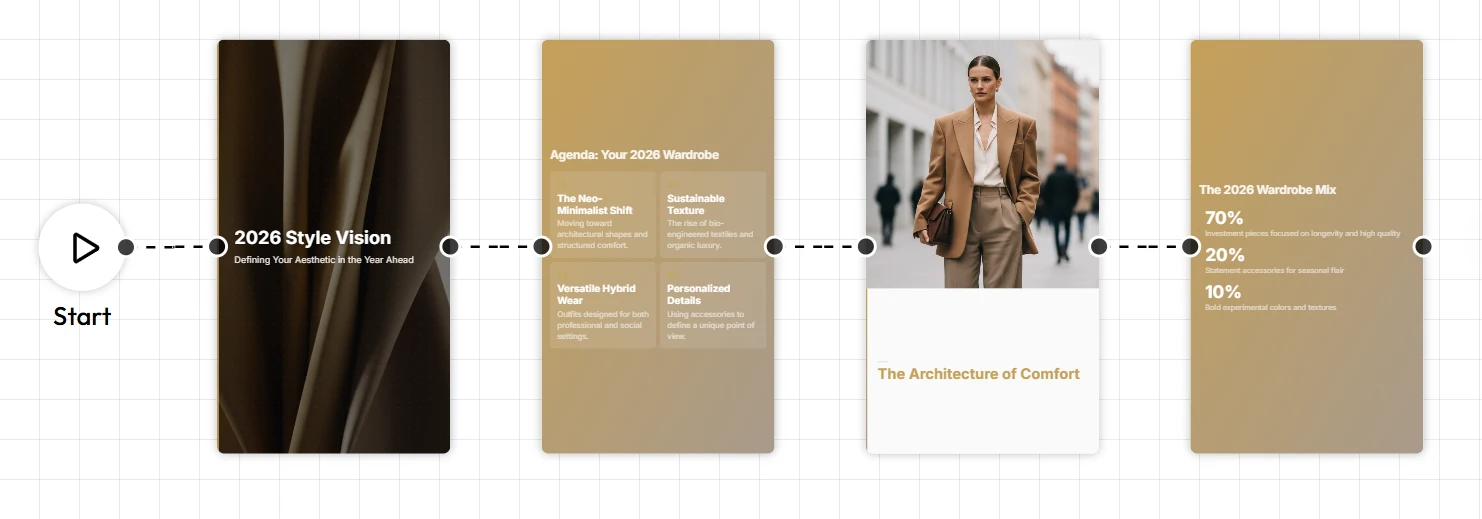
Why Pinterest Demands High Quality Visuals
Pinterest operates differently from other social networks. Users visit Pinterest to search for ideas, plan projects, and discover new products. Because the search engine relies on image based discovery, your graphics must capture attention immediately. The integration of visual content with artificial intelligence is the key to acquiring and retaining loyal customers. When educators and trainers share infographics or lesson snippets, the visual layout dictates whether a user saves the pin or scrolls past it.
Unni.ai simplifies this creative process. By using Unni, you generate structured graphics that align perfectly with Pinterest dimensions. The days of struggling with blank canvases are over. It ensures your text is readable, your layouts are balanced, and your branding remains consistent.
Leveraging Educational AI for Pinterest
When you transition from traditional teaching to producing online assets, marketing becomes a vital skill. Pinterest serves as an incredible traffic source for instructional designers and corporate trainers. However, producing daily content requires immense effort. Here is where presentation automation from Unni provides a massive time saving benefit.
Instead of designing Pinterest carousels from scratch, you can use Unni to summarize your training modules into bite sized AI slides. The platform analyzes your core concepts and generates visually appealing cards. You can download these cards and upload them directly to Pinterest as Idea Pins. This workflow minimizes your production time and maximizes your organic reach.
How Visual SEO Works on Pinterest
Pinterest functions primarily as a visual search engine. The internal algorithm reads the text overlay on your images to understand the context of your pin. When you use Unni.ai to generate your graphics, it formats your text clearly and legibly. This typographic clarity helps the Pinterest algorithm categorize your content accurately.
If you discuss lesson planning, Unni ensures the words “lesson planning” are prominent and readable on the graphic. Clear typography directly improves your search rankings on Pinterest. Unni automatically selects fonts that stand out on mobile screens, giving you a technical edge over competitors who use hard to read scripts.
Adapting Your Unni Content for Different Pinterest Formats
Pinterest offers multiple ways to share your knowledge. Unni.ai gives you the flexibility to adapt your content for each specific format easily.
Standard Pins
Standard pins remain the backbone of Pinterest marketing. You can use Unni to create single, striking images that summarize a core concept. For example, a single graphic can outline a five step framework for training automation. These vertical graphics perform exceptionally well in search results.
Idea Pins and Carousels
Idea pins allow you to share multiple pages of content. Unni excels at creating sequential graphics. You can input a long article into Unni, and it will divide the information into a cohesive carousel. This format keeps users swiping, which signals high engagement to the Pinterest algorithm.
Video Pins
While Unni focuses on static layouts, you can export your AI slides and add simple animations or voiceovers in your preferred video editor. A moving element combined with the professional design from Unni captures user attention faster in a crowded feed.
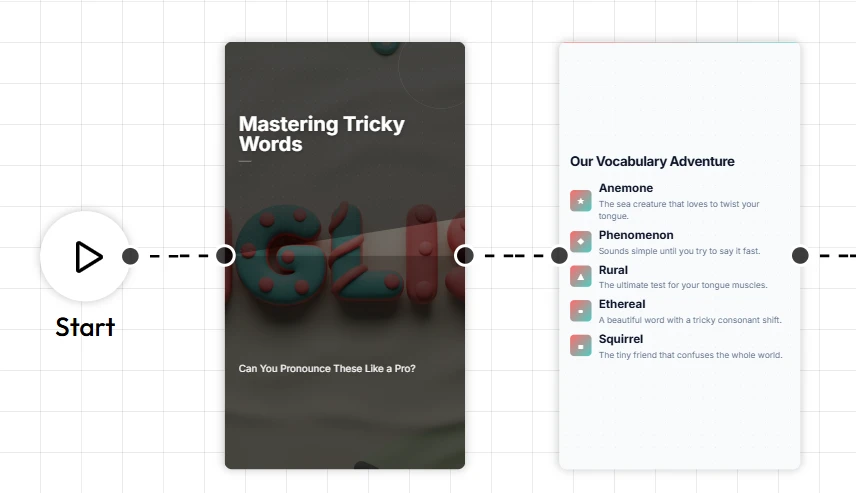
Step by Step Guide to Creating Pinterest Content with Unni
You do not need graphic design experience to succeed on Pinterest. Follow this workflow to turn your knowledge into highly shareable pins using Unni.ai.
-
Define Your Core Topic. Start by identifying the main takeaway of your teaching session or training module. Select a topic that your target audience frequently searches for on Pinterest.
-
Input Your Text into Unni.ai. Paste your lecture notes or training script into the prompt box. Unni processes this information instantly and generates AI slide decks.
-
Generate and Refine. Click the generate button to create your visuals. Unni will automatically organize the text into scannable points. You can tweak the colors and fonts directly inside the editor.
-
Export for Pinterest. Download your finished slides as high resolution images. Upload the sequence to Pinterest, adding your target link to drive traffic back to your website.
Integrating Unni into Your Weekly Routine
Consistency is critical for Pinterest success. Unni.ai helps you build a sustainable routine. Here is a practical schedule you can implement:
-
Monday Content Extraction: Review your upcoming materials. Highlight the most valuable insights and paste these text snippets into Unni.ai.
-
Tuesday Design and Refinement: Spend fifteen minutes inside Unni reviewing the generated layouts. Adjust the brand colors and select your preferred font pairings. Unni makes this step effortless.
-
Wednesday Exporting and Tagging: Download your graphics from Unni.ai. Prepare your SEO descriptions, ensuring you include keywords relevant to your niche.
-
Thursday Scheduling: Upload your Unni.ai images to Pinterest. Because Unni.ai drastically reduces your design time, you can schedule a full month of content in a single afternoon.
Practical Examples of Unni.ai in Action
Teachers and Academic Professionals
A high school science teacher uses Unni to turn a complex lesson on cellular biology into a five part Pinterest carousel. By utilizing AI for teachers, the educator produces engaging study guides. Students and other educators discover these pins, share them, and visit the teacher’s educational blog.
Corporate Trainers
A corporate trainer needs to promote a new leadership seminar. The trainer uses Unni to extract the top three leadership tips from the seminar manual. Unni applies training automation principles to format these tips into sleek, professional graphics. The resulting pins attract young professionals looking to advance their careers.
Course Creators
A creator building a new marketing course wants to drive early traffic. The creator uses Unni to design preview graphics. Unni takes the course syllabus and transforms it into highly shareable summaries. The creator pins these images, building an email list of interested students well before the course launches.
Digital Creators
An artist wants to create Visual Novel content and needs to build an audience. The creator uses Unni to generate character profile cards and storyline teasers. Unni handles the layout, allowing the artist to focus entirely on Digital Experience Creation.
Frequently Asked Questions (FAQ)
How does Unni.ai save time for instructional designers?
Unni.ai uses advanced algorithms to read your text and instantly format it into beautifully designed slides. You eliminate the hours usually spent dragging and dropping text boxes.
Can I use Unni.ai for platforms other than Pinterest?
Absolutely. While Unni.ai excels at creating vertical and square graphics perfect for Pinterest, you can also export content for LinkedIn, digital courses, and live webinars.
Does Unni.ai support complex academic topics?
Yes. Unni.ai is built to handle dense information. Unni.ai breaks down heavy paragraphs into digestible bullet points, making educational AI accessible for any subject.
Conclusion
Mastering Pinterest marketing requires consistent, high quality visuals. By integrating Unni.ai into your workflow, you unlock a streamlined approach to Content Creation. Whether you are deep into Course Creation, exploring new avenues for Digital Experience Creation, or starting to create Visual Novel projects, Unni. provides the presentation automation you need. Utilizing educational AI allows you to focus on your expertise while Unni handles the design work. Your audience gets beautiful AI slides, and you get your time back.
Ready to transform your ideas into captivating visual content? Start using Unni.ai today!